Dewarp position on Layouts lost after upgrade from 4.2 to 5.0
Answered
Hi,
Just wanted to report that after updating to v5.0 all my layouts that had already been set with specific positions for their dewarped cameras, the position was reset to default where I was forced to repeat the positioning according to the preferences of the end-user.
Might want to fix this for future updates.
-

Hi Visus Support,
I just attempted to reproduce the issue, but unfortunately I failed.
Can you provide a reproduction scenario?
I'll share you mine as an example;- Create a fresh 4.2.0.32840 server installation on an Ubuntu 20.04 LTS server instance.
- Set up and save a layout with a Fisheye camera and 3 zoom windows of that fisheye cameras
- Upgrade the system with an in-client upgrade to 5.0.0.35064
- Check the saved layout for changes
In my case the layout was unchanged.
What you also could do, is restoring from a backup, which was made before the update to 5.0.0.35064.
More instructions can be found in THIS support article. Of course this isn't the way it should be done, but it is at least a way to prevent doing al the work that has been done once more.0 -
Hi Norman
I have already fixed this existing system, and since it's a production I can't really test it again.
However, I think maybe the difference is that I wasn't using "Zoom Windows", I was actually enabling the Dewarp function.
As you can see in this layout, I have 6 Fisheye cameras and each of them has the "Dewarping" function enabled and the position has been precisely set and then the Layout saved:
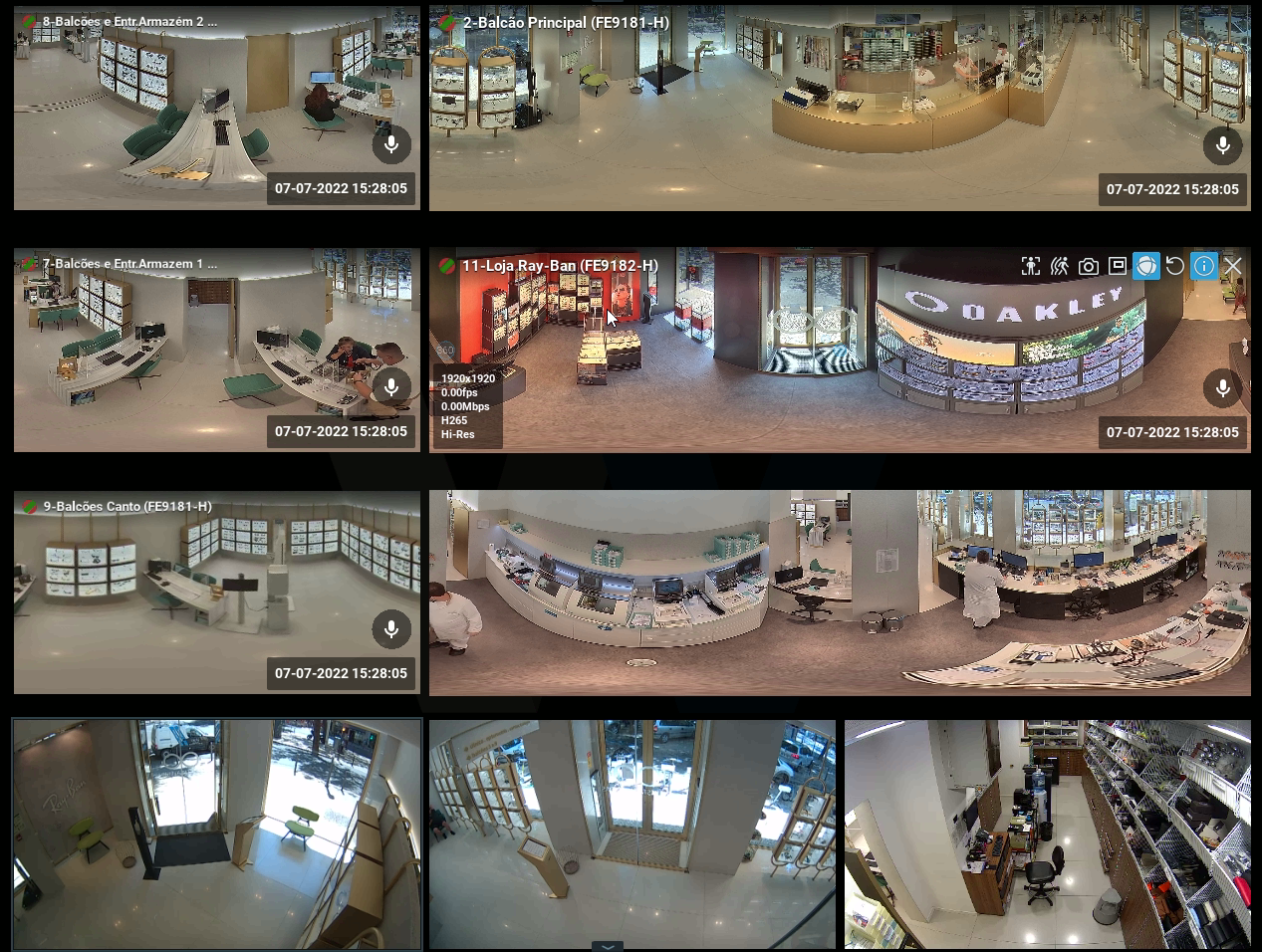
After the update to v5 every single Fisheye Dewarp changed their position by practically 180º, which makes me suspicious that something about the coordinates has been swapped around from v4.2 to v5.0.
Anyway, I don't think I will see this issue again, as I don't usually see our partners using the Dewarp in this way.
0 -
Thank you, Visus Support,
All clear. I'll try to reproduce it with this information in mind.
0 -
Hi Visus Support,
I tried to reproduce the issue this morning, but I failed. Twice.
Please, if you encounter a similar situation, please create a restore point before upgrading, so you can revert to the original state.If this occurs again, please collect the database after the upgrade, revert the restore point, with the correct layout and dewarping settings and collect the database again, share both databases with us, and we'll investigate the databases.
0
Please sign in to leave a comment.
Comments
4 comments