How to disable server conflict?
Answered
I am having trouble disabling the server conflict notification.
I have tried to disable it in the event rules and under local settings - Notifications.
Any ideas?
-

Hi Tony McLeish,
We would need more information to start the investigation. Could you share the below information with us?
1. Nx Witness version
The latest Nx Witness version is 4.2.0.32840, if your Nx Witness is not running the latest version, you could first try to update the Nx Witness to the latest release.
Check: https://my.networkoptix.com/#/download2. Screenshot or screen recording
Please capture and share the screenshot or screen recording of:
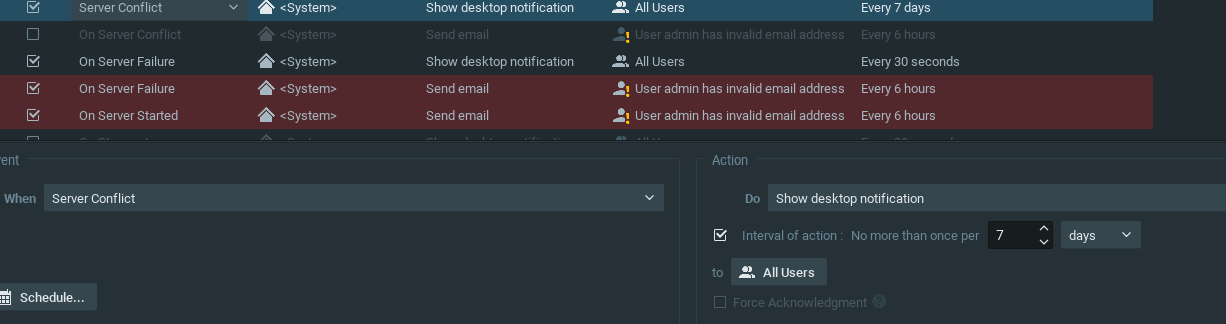
a. System Administration > Event Rules page.
b. Local Settings > Notification page.
c. Screen recording of the issue.Thank you.
0 -
Nx Version is 4.2.0.32840
a. Have tried to turn the Event rule off, deleted it, set it to 7 days, nothing changes
b. Have de-selected the the server conflict option, notification keeps happening
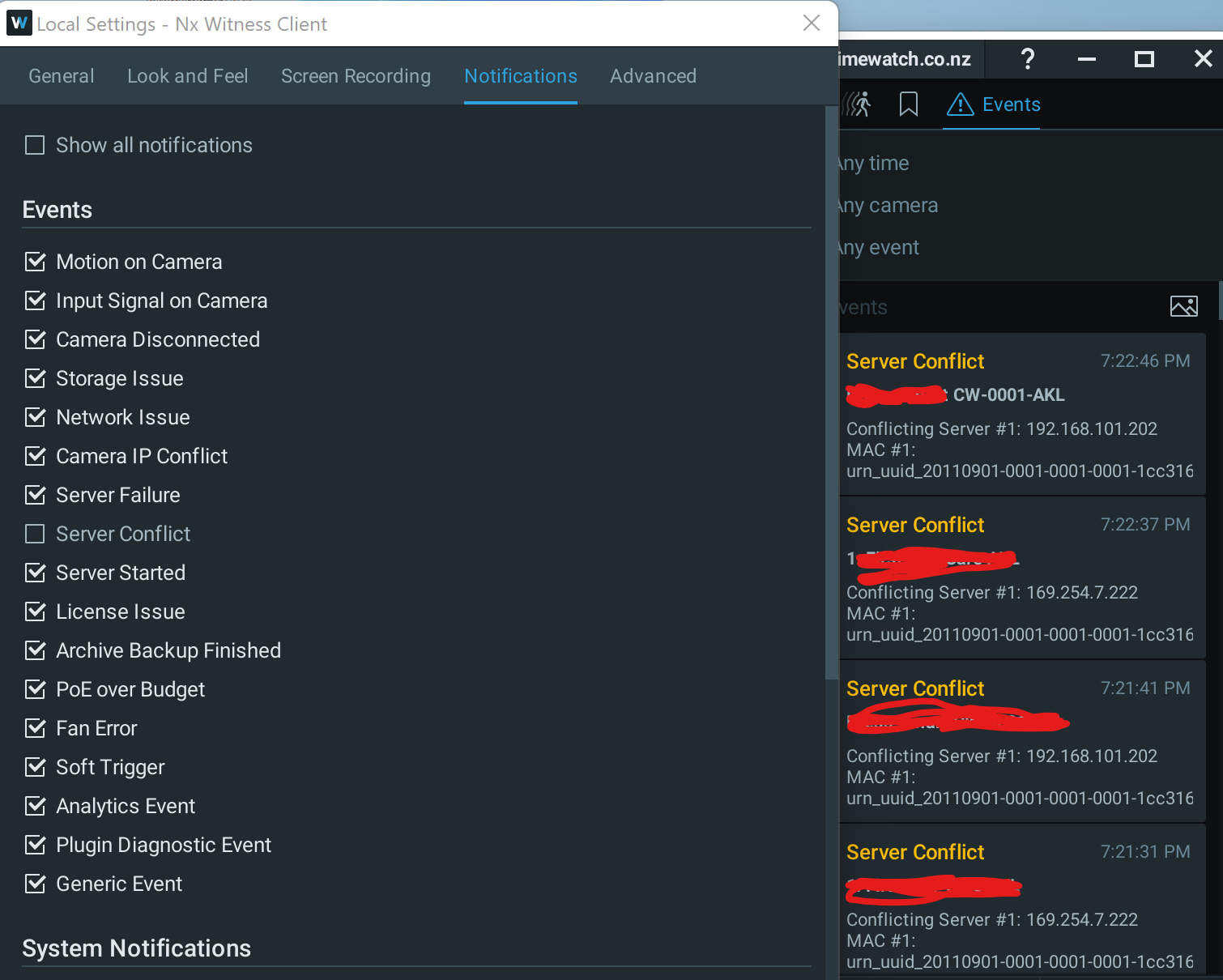
C. As above
0 -
Hi Tony McLeish,
The Nx System will report "Server Conflict" when there are different servers on the same network access and pull data from the same devices. In this case, some devices may drop offline because they do not provide several streams simultaneously. Besides, with the camera optimization functions enabled on both servers, the server may overwrite the settings configured by each other, causing unexpected issues.
Disable the camera optimization on one of the servers should solve the issue.
There are two options to disable the optimization:
Overall: Open Main Menu and go to System Administration > General tab, uncheck the Allow System to optimize device settings.
Single device: Select the cameras which are added to both servers, go to Camera Settings > Expert page, check the Keep camera stream and profile settings.
Please let us know whether the issue persists after following the above instruction.If there is only one server on your LAN but you still receive the "Server Conflict" notification, it is likely we need to have direct access to your devices to have further investigation.
If you agree to provide direct access for us, I will convert this post into our ticket system for you to provide sensitive information.Thank you.
0 -
Yes understand all that and we have more than one server on the network, have disabled the optimize device option but still get the notifications.
let me know how you want to access the system.
Thanks
0 -
Hi Tony McLeish,
Thanks for the information update.
I have converted this post into our ticket system on your behalf, so you may share the remote access in private.
Please check your mail inbox and continue through the mail.
Thank you.
0 -

Hello Anderson Chang, we have also been experiencing this same issue where we receive a conflict error every minute, even though all the auto discovery and optimization is off on the second server. The Event Rule for conflicts have been disabled and also now deleted.
Is there a fix for this?
We are running server and client version 5.0.0.35270
Both servers are on the same subnet. Cameras support multiple streams.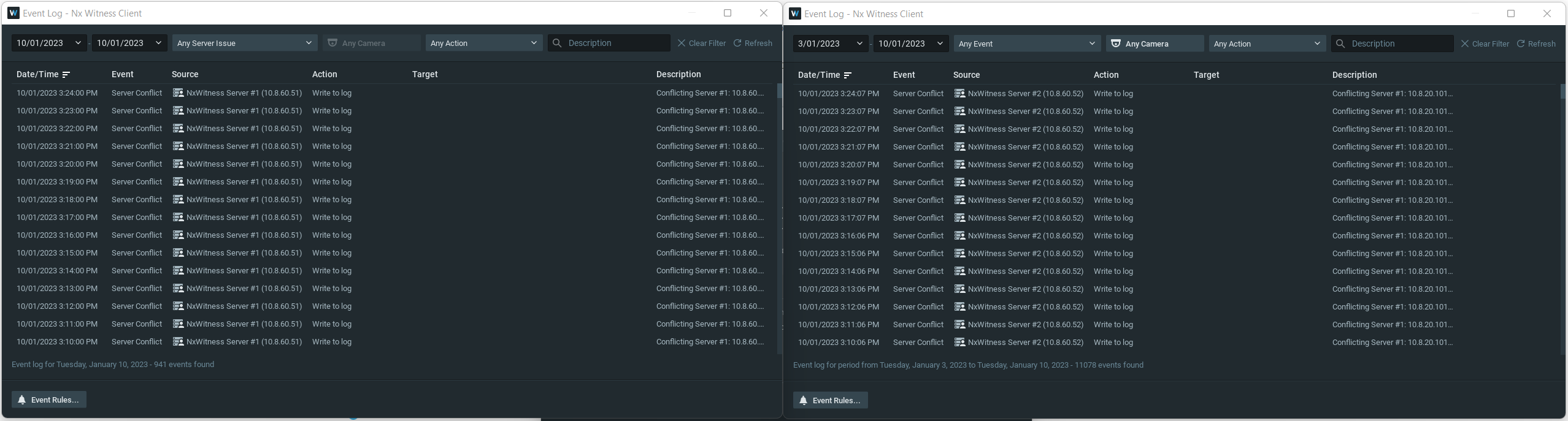 0
0 -
Hi Joel O'Connor,
The Server Conflict event is a default event, which by default will write to the Event Log and can not be disabled.
You may disable/remove the three default Server Conflict Event Rules, which are set to a) show desktop notification, b) send email, and c) send mobile notification to avoid receiving any notification of this event, but you will still find this event on the Event Log and the server log.
Thank you.
0 -
Thank you for the replies,
I have confirmed these settings are both turned off and have been for quite some time.
Would the only solution here be to setup a firewall rule so each server cannot see each other on the network?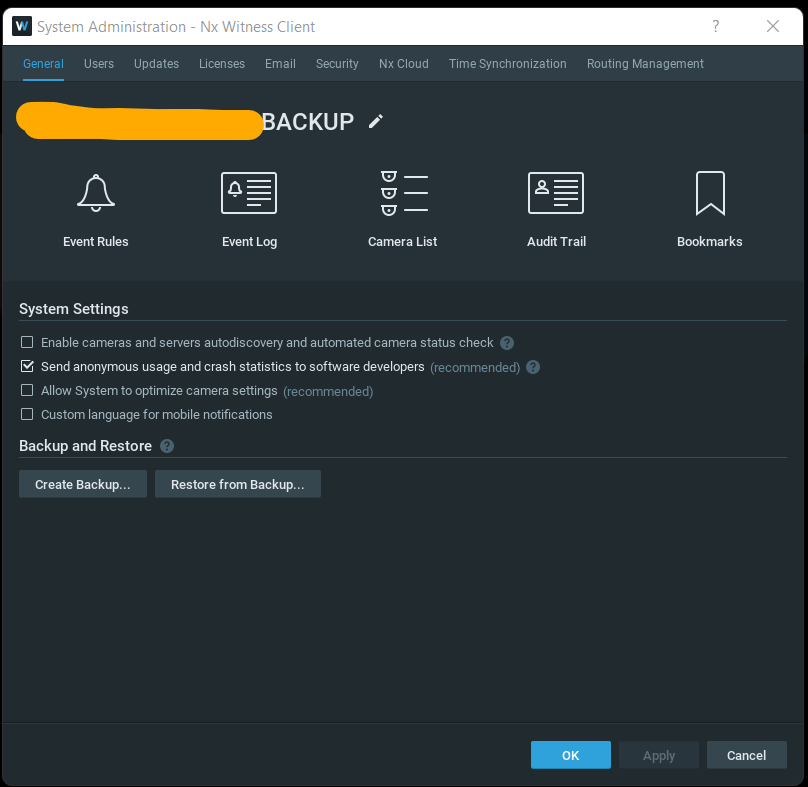
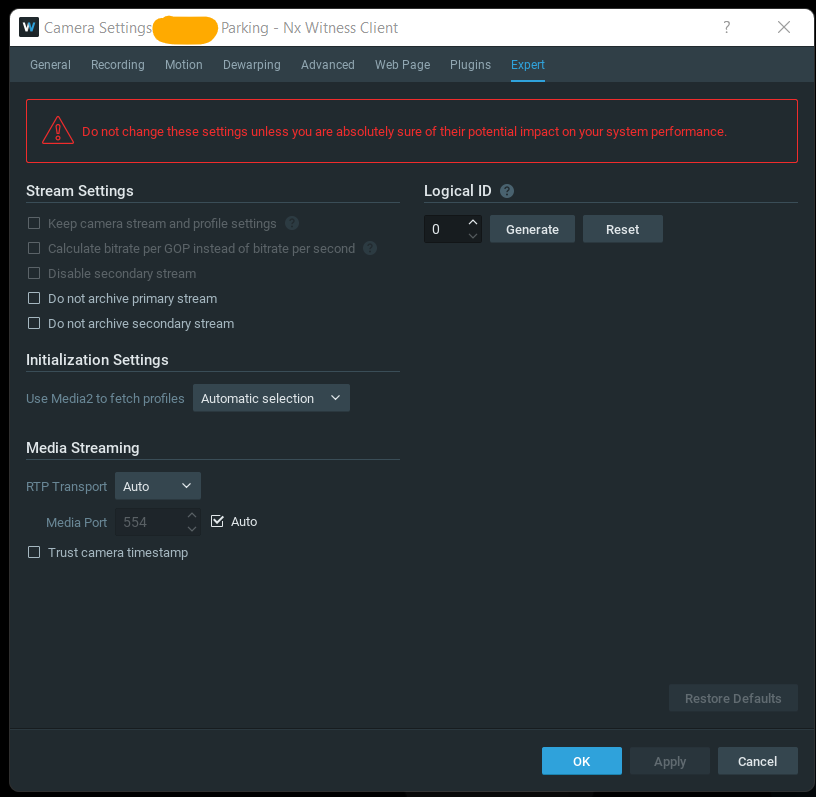 0
0 -

Hi Joel O'Connor,
I removed my previous comment. I was wrong.
Changing the subnet is the only option.
I assume the servers don't share cameras, right?0 -
Server do share all the same cameras.
As reference, this client wanted a backup server which ran in parallel to the primary server. This way if one of the servers was stolen or failed, they would have a full working backup with full history.
Server failover wasn't an option as we would then only have footage from when the backup server took over if the primary was taken offline or stolen.
0 -
Hi Joel O'Connor,
In that case, I would do it differently.
- Merge both servers into one system.
- Enable failover on both servers
- Divide the cameras over each server.
- On each server, you designate main storage and backup storage, where you add the backup storage through SMB to the other server. (size of backup size needs to be identical or bigger than main storage)
Like this:
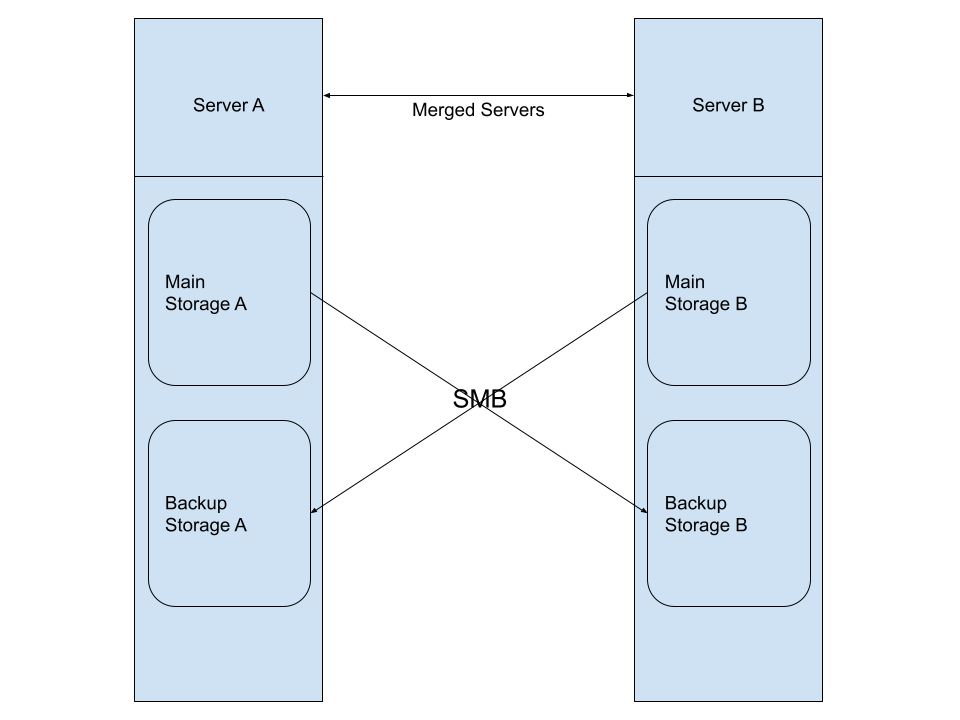
This way, the data is 100% mirrored on both servers and always available, even if you lose a server.
One note; if the server that holds the licences is lost, a grace period of 30 days starts before the recording stops until the licences are available again.0
Please sign in to leave a comment.
Comments
11 comments