Affecting camera settings when connected to a FLIR CF-6308 device
Answered
Operating system: WINDOWS 10 Pro 64bit version 21H2
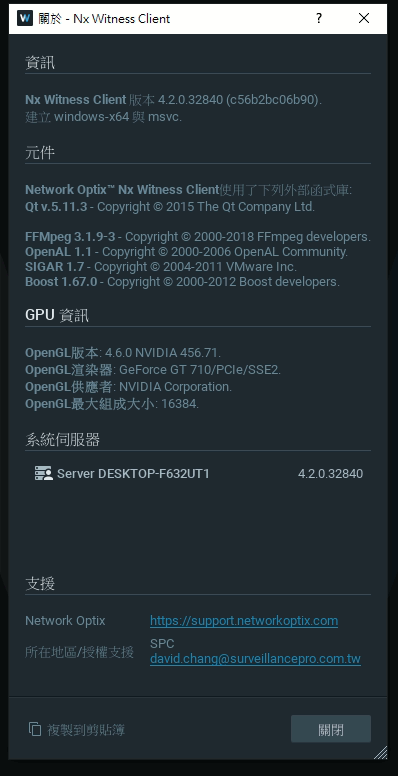
Nx system: 4.2.0.32840
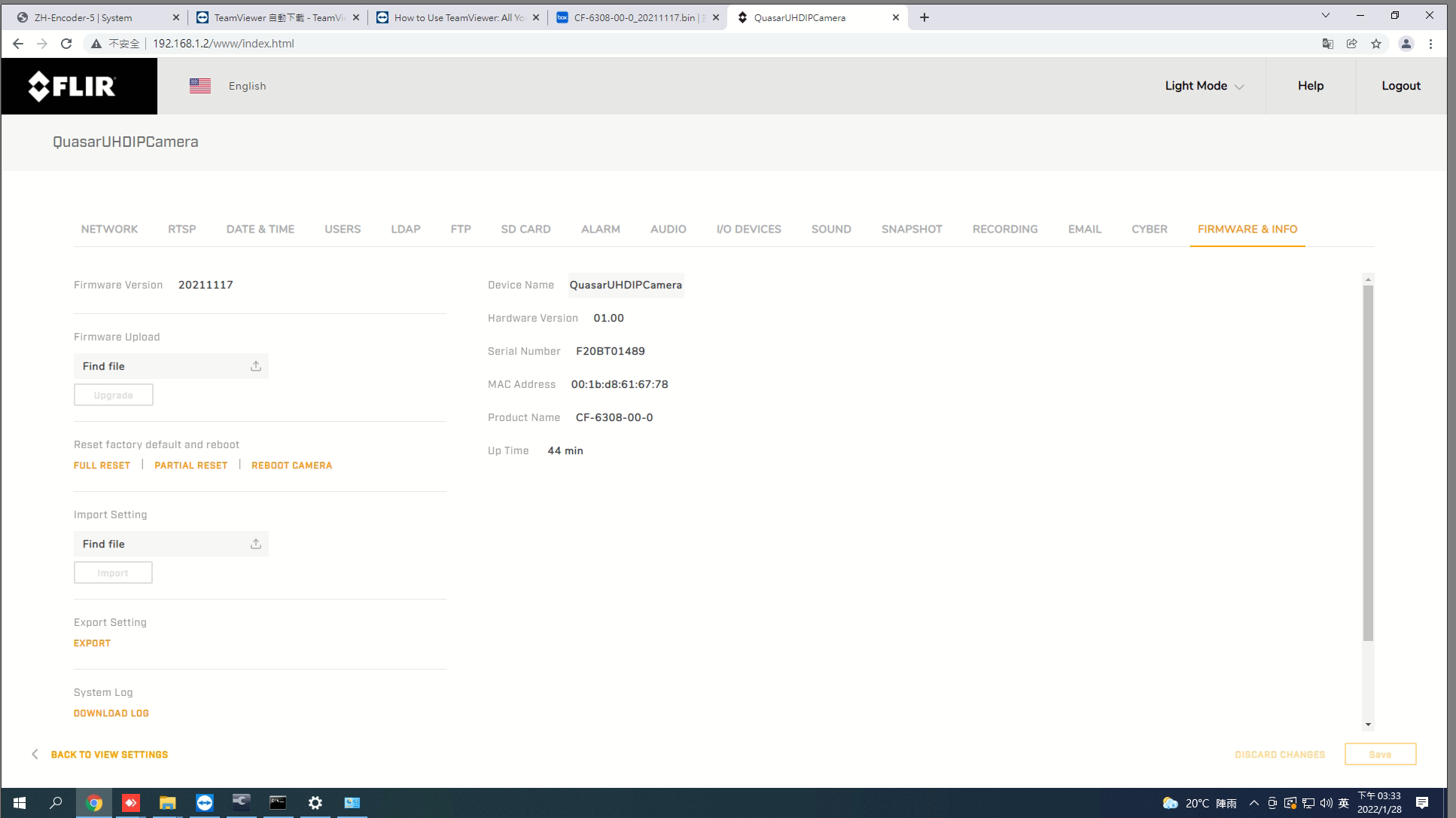
Camera: FLIR CF-6308 firmware version 20211117
Exception Description:
CF-6308 is set as the main stream 4K@27FPS and the secondary stream is set to OFF
1. Before the Nx software is started, when using VLC to connect the main stream, 4K@27FPS can be displayed normally
2. When the Nx software is started (at this time, the system optimization camera settings option of Nx is canceled, and the second stream is not stored in the camera expert settings), the stream settings of the CF-6308 will be forced to be modified to
Main stream 4K@27FPS
Secondary Streaming 720x480@15FPS
3. In order to clarify the problem, we have asked FLIR to check the original remote connection. After continuous testing, it has been confirmed that as long as the Nx recording software does not start (directly force the Nx Witness Tray Assistant to close), the streaming setting of the CF-6308 is at Set the main stream to 4K@27FPS and set the secondary stream to OFF, there will be no change.
The above problem is ready for a system that can be connected remotely at any time.
PS: During the holiday period in Taiwan, the system will maintain the external connection and communication channels of letters
作業系統:WINDOWS 10 Pro 64bit 版本 21H2
Nx 系統: 4.2.0.32840
攝影機:FLIR CF-6308 韌體版本 20211117
異常說明:
CF-6308 設置為 主串流 4K@27FPS 次串流均設置為OFF
1.在Nx軟體未啟動前,用VLC進行連線主串流時,均可正常顯示4K@27FPS
2.當Nx軟體啟動後(此時Nx之 系統優化攝影機設定 選項為取消,且於攝影機專家設置內勾選不存路第二串流),CF-6308的串流設置會被強制修改成
主串流 4K@27FPS
次串流 720x480@15FPS
3.為了釐清問題,已經請FLIR原廠遠端連線檢查,經過不斷測試已經確認,只要Nx錄影軟體不啟動(直接將Nx Witness Tray Assistant強制關閉),此時CF-6308的串流設置在設定為主串流 4K@27FPS 次串流均設置為OFF均不會再有任何變動
上述問題已經準備好可以隨時遠端連線的系統.
PS:在台灣假期時段,將維持系統對外連線與信件溝通管道
-

Hi 大緯 楊,
When a camera is added to the VMS, the system will request both stream through the Onvif API, and subsequently add them both to the system.
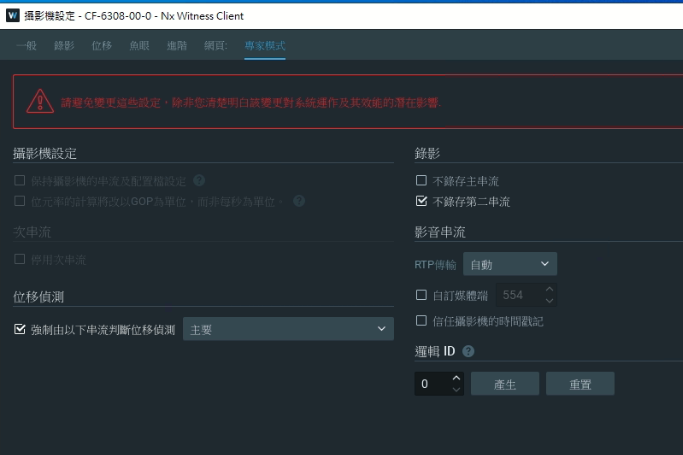
If you really don't want the secondary stream in the system, you can disable it in the Camera Settings menu, tab Expert.
Here you can choose to Disable secondary stream (1) or Do not archive secondary stream (2).

That being said? Why would you want to disable the secondary stream? By disabling the secondary stream you'll lose the benefits of the adaptive scaling mechanism, or most benefits when you don't archive the secondary stream.
What problem are you trying to resolve? Maybe we can suggest a solution.
0 -
感謝您的回覆,因為客戶的特定要求,所以所以要能夠呈現出FLIR CF-6308 4K@27FPS功能
我有檢視 Nx 專家模式設置,但在 Nx 的設置中,禁止次串流的選項不是可選的狀態!請問我如何才能正確勾選進用次串流選擇?
 0
0 -

Hi 大緯 楊,
The option "Allow system to optimize device setting" should be turned off now and that's why the options are grayed out. Please check your setting from the System Administration page first.
Thanks.
0 -
Hi 大緯 楊,
I've checked your original description again but actually, I cannot get what's your requirement.
Could you please explain again?
Did you want to view the single stream with 4K@27FPS only and avoid being changed by our software?
Why do you want to disable the 2nd stream?Thanks.
0 -
Because the customer will check that the FLIR CF-6308 has an output of 4K@27FPS during the actual acceptance function, and also can actually see the 4K@27FPS video effect in the NVR. According to the original FLIR notice, only a single serial The 4K resolution in streaming mode can reach 27FPS, as long as a secondary stream is enabled, the 4K of the main stream will only be up to 25FPS.
So to set only the main stream in Nx, the camera optimization function in the system settings option should be checked, right?
因為客戶會在實際進行驗收功能時,要查看FLIR CF-6308有輸出4K@27FPS,且也要在NVR中可以實際看到4K@27FPS 的錄影效果,依據FLIR原廠告知,僅能夠在單一串流模式下的4K解析度可以達到27FPS,只要有次串流被啟用,那麼主串流的4K將僅能最高達到25FPS.
所以要在Nx中設置只有主串流,在系統設置選項內的攝影機優化功能要勾選是吧?
0 -
目前遵照您的指引,我已經能夠讓CF-6308在Nx中維持 H265 4K@27FPS的錄影效果,但有以下狀況需注意:
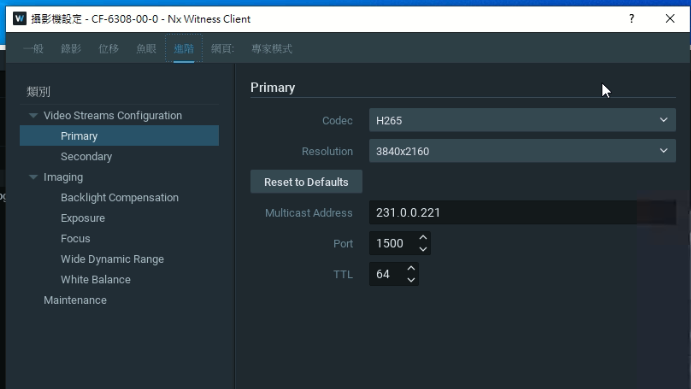
1.在攝影機進階設置中,一定要手動將主影像串流格式修改為H265,否則就算是已經關閉攝影機優化設置且攝影機已經手動到WEB將主串流格式設置為H265,Nx仍然會強制影響到CF-6308的原H265的串流格式設置,並強制改變為H264


2.當開啟攝影機優化設置時.可以在專家設置中將次串流關閉,但只要將攝影機優化再予以關閉時,關閉次串流的選項又會恢復成無法設置且預設為不勾選狀態
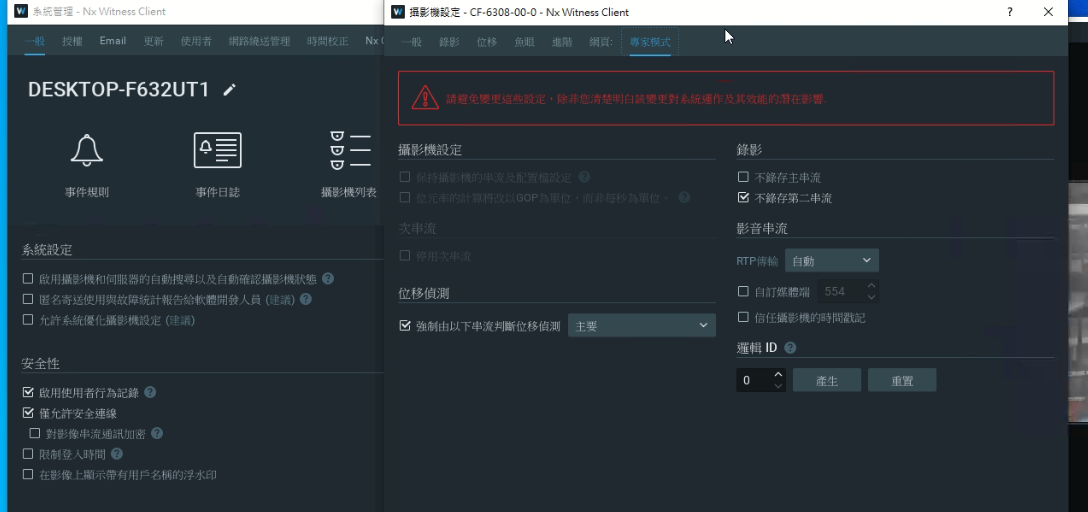
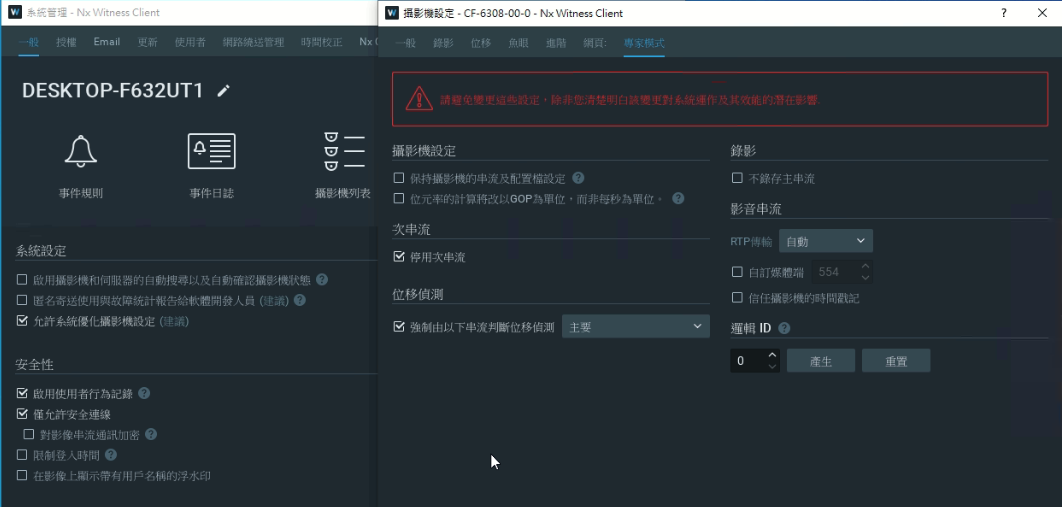 0
0 -
Hi 大緯 楊
It’s not possible for Nx to change any stream setting while the system optimization is disabled. Please try to follow the steps below and see if it could solve all your problems.
1. Remove your camera from the system first.
2. Add the camera again while the system optimization is enabled.
3. Go to the camera setting page and apply the change:
- Enable keep camera stream and profile settings
- Enable “Disable secondary stream”
4. Go to the camera webpage and change the stream setting per your requirement.Thanks.
當優化關閉時,Nx 是不會改變任何攝影機串流設定。故你說的第一個問題不應發生,猜測可能跟設定順序有關。請遵循以下步驟設置並確認是否能達到你要的目的:
1. 將攝影機從系統上移除
2. 在系統管理中開啟系統優化設定後,加入攝影機
3. 到攝影機設定 > 專家模式中更改以下設定
- 保持攝影機的串流及配置檔設定
- 停用次串流
4. 到攝影機網頁中,將串流相關設定依驗收需求更改謝謝
0 -
感謝您的指引,目前根據您建議的步驟已經可以達到讓 FLIR CF-6308呈現出 H265 4K@27FPS的錄影效果,感謝您的技術支持!
0 -
Hi 大緯 楊,
While you enabled the system optimization, our software will apply the best stream setting automatically. That might be the reason that you saw the change of codec before(Possibly Nx considered the H.264 would be the best option while checking the stream setting via ONVIF request).
For more information, please refer to the article here.
If there's no further query, I'll set this post as Answered, enjoy!0
Please sign in to leave a comment.
Comments
9 comments