Merge different systems ( over Cloud )
Answered
Hi,
We would like to view several systems at the same time via the Windows client. A customer receives from us several systems that have a connection to the cloud via LTE. is that possible?
big thx
-

Hi Gerhard,
Let us separate your requirement into two parts:
1. Connect the Nx Systems to the Nx CLOUD:
If you connect multiple Nx systems to your Nx account, your Nx account will be the owner(the highest user role) of those Nx systems. When you launch your Nx client and logged with your Nx account, you will be able to see and connect to those Nx systems. See the ARTICLE for the detailed and steps.2. Share the Nx systems to your customer(Add New user to each Nx system):
If customer would like to connect to those systems, please follow the steps as below and do these steps on EACH Nx system:
a. Launch Nx Witness Client and login to the Nx Witness System. Make sure you login as an Administrator or owner role.
b. In the Resource Panel, right-click on Users and select New User....
c. Choose Cloud for the User Type.
d. Input the customer's Nx account.
e. Choose the Role for this customer. You can select the default role(Click HERE for the detailed) or customize by yourself.
f. Enabled the account and click OK button.
g. Ask customer to check the mailbox and he should receive the invitation mail from Nx cloud.
h. When the customer launch his Nx client and logged with his account, he will be able to see and connect the Nx system.----------------------------------------------------
After sharing the Nx systems to your customer, he should be able to connect by any kind of Internet(includes the LTE).
Please noticed that customer will be only allowed to connect the Nx system(s) by his Nx account when :
- The system is connect(bind) to the Nx cloud.
- His Nx account is added into the system.
- He has logged with his Nx account in the Nx client.Let me know if you have more questions, thanks.
0 -
Hi Wendy,
thank you for your reply.I was already aware of that.
but I want to see different systems in the cloud at the same time.
not only in the selection
Thank you and best regards0 -
Hi Gerhard,
If the cloud account was:
- Connected to the Nx system : The owner of this Nx system(s)
- Added to the Nx system : The other roles of this Nx system(s)You will be able to view the Nx system(s) from the Nx cloud like below:

Please describe the detailed scenario if it doesn't meet your requirement.
Thank you!
0 -

Hi Wendy,
I know how to merge différents servers from one local network, and I know how to use differents server on cloud.
But how can I on Witness view (not from web) in one single window IPC from server in Burbank, and another one in Paris for example ?
I can watch them right now, but one after the other...
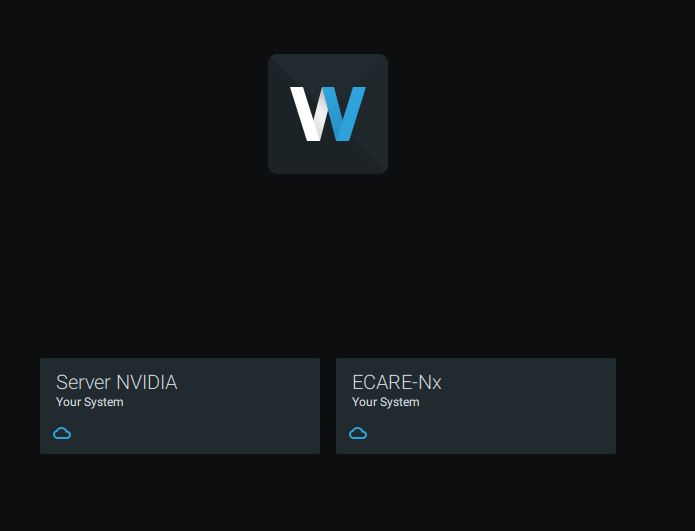
Regards
0 -

Hi Guilhem Decoux,
You can merge any system via the cloud.
To do this, please take the following steps:
- Go to nxvms.com. Here you will see all systems connect to the Nx Cloud.
- Go to the Settings tab.
- Click on Merge with Another System.
- Select another system from the drop down menu
- Select the system that you want to use the name and settings from.
- Click OK.
After merging them, you can assign the applicable cameras to the applicable users, but you as an owner can see all cameras.
NOTE: The name and settings of the other system will be lost after merging.
If you are not the owner or don't want to merge all systems, you can only connect to one system at the time in a single instance of the Nx Witness client.
The following options are possible:- Open an additional instance of Nx (Ctrl+N) and open the other system. A dual monitor setup is preferred.
In this way you connect to multiple systems via multiple instances.
- If it isn't possible merge systems, you can set up an extra system to add all cameras to this system. For live viewing this is free, when recording is required, you need additional licenses.
Note 1: If you add the cameras to an additional system, be sure to tick the box Keep cameras stream and profile settings in the Expert tab of the Camera Settings menu. If you don't do this, both system will create a conflict.
Note 2: Not all cameras are capable of streaming to multiple sources due to limited resources. If that is the case, it might be better to get the RTSP streams from the customers' server into the server that contains all cameras. Be aware that this will increase the load on the customers' server.
0
Please sign in to leave a comment.
Comments
5 comments