How to restore a server from client backup?
Answered
Hi, how do I go about restoring a server?
I have backup taken from the client app (a DB file).
I have all my video footage on external storage.
I lost my server VM and config due to data corruption.
I did not have a backup of the VM.
I recreated the Ubuntu Server VM, same IP, same FQDN, including the mapping of the external video volume to "/opt/digitalwatchdog/mediaserver/var/data".
I installed the VMS, and launched the client.
My only option was to create a new system, since this is the only server, there was no system to join.
I restored the backup, and now I have two systems, with the same IP, one active one not, different names, 8 licenses not matching hardware.
What the correct procedure is for restoring a server?
-
Official comment

The procedure you followed seems correct, but it isn't clear to me when you write you have 2 systems, while you wrote that you lost your server VM and config due to data corruption.
The Hardware ID is made with the information of the motherboard and the MAC address. If you change the MAC address to the previous MAC address you should be able to add the license key once more to the new system you created.
If this isn't possible, please provide the license key(s) and the hardware IDs to your reseller and they should be able to deactivate the keys from the older hwid and activate it for the new hwid.
-
I already emailed support about the license keys, have not heard back.
I can change the MAC in the VM, but I do not have a record of the old MAC address.
Is there a way to see it from the license key?
What I mean with two systems is, that after I restored, the restored system name is not the same as the newly installed system name.
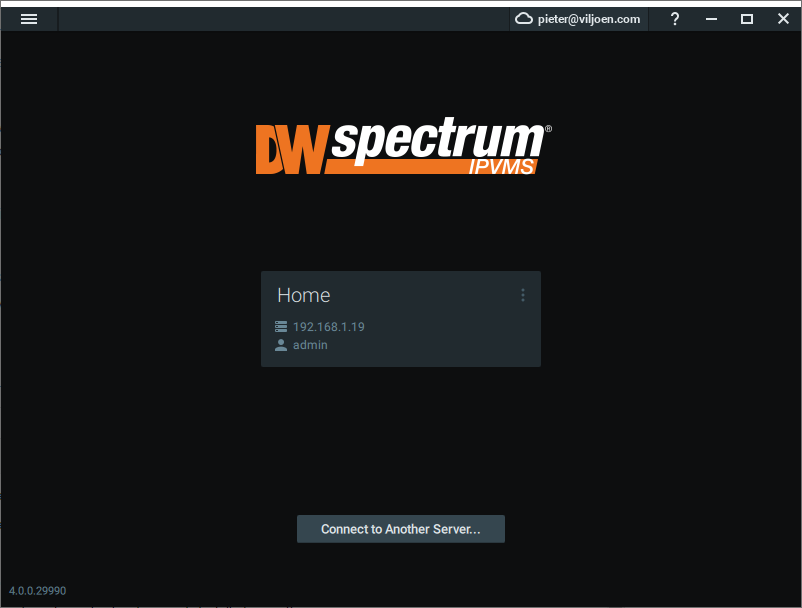
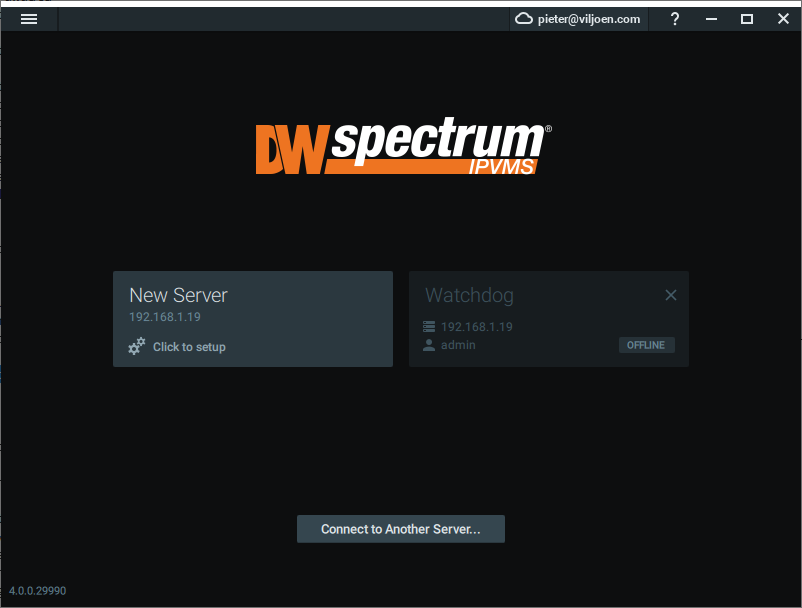
I see two systems in the GUI, same IP, different names.
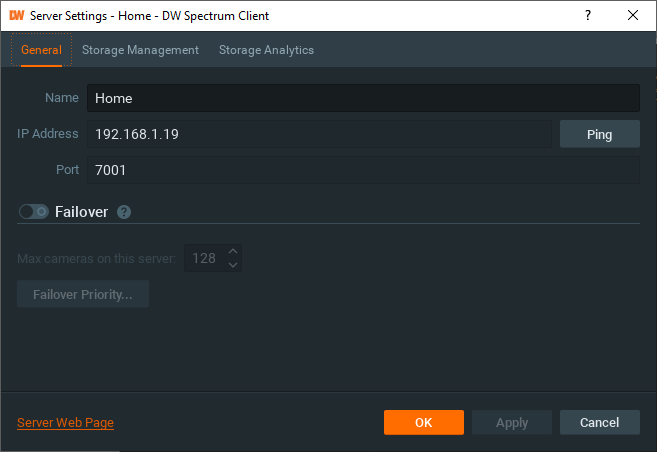
I tried changing the system name on the server page to match the restored name, still stays different in the GUI, but hte web page says it has changed after a reboot.
I can watch recorded video from the restored server, so it is working.
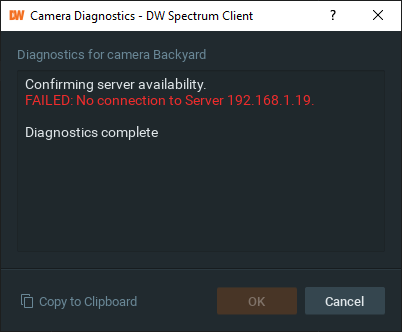
But I cannot see any live video from cameras, diagnostics report the server is not available.
If I right click open web on one server it works, if I do it for the other server it fails, although both are using the same IP.
For the same IP the server status for one system shows online the other offline.
It seems that the server identifiers are not matching, even if the IP is the same.
It seems like the restore operation just brought the config back in the GUI, it did not apply it to the server.
What are the exact steps to apply a backup to a newly installed server?

 0
0 -
Hi Peter,
System 'Watchdog' is remembered in the client, but since it doesn't exist anymore it shows OFFLINE.
When you click on the X it will disappear and won't show anymore.The new server can be set up and the backup can be restored following the instructions in THIS support article.
Afterward, please keep the MAC address as well for future reference, since by default you can deactivate/activate the license keys up to 3 times.
Ps. 1: I removed the image with license key to avoid fraud.
Ps. 2: I can't see any ticket regarding license keys with your name. Do you have a ticket number for me?0 -
Since I am using the US branded version, I sent an email for support to dw-tech@dwcc.tv and tsrequest@dwcc.tv.
Should I open a ticker here?
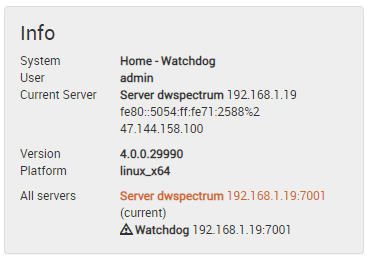
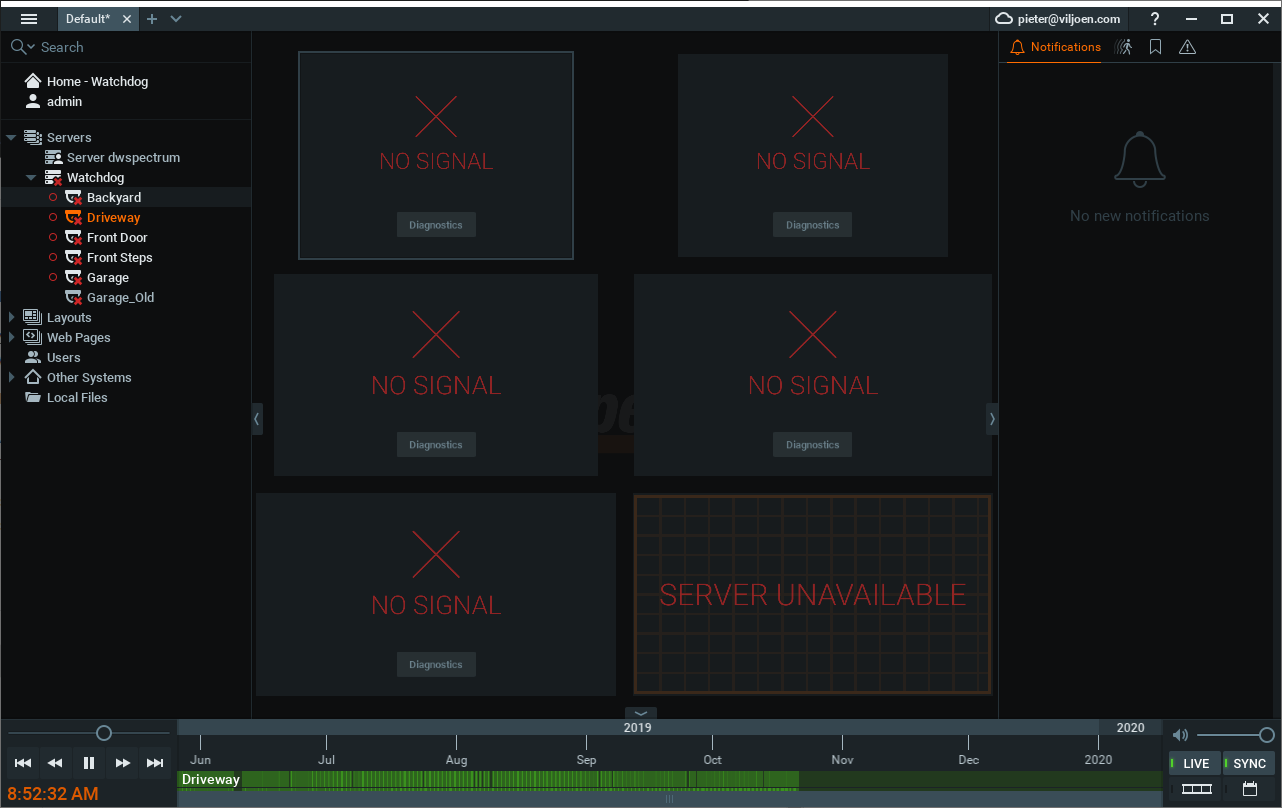
I did the following to try again:
- Uninstall VMS from Ubuntu Server.
- Delete all config files in /etc and /var, keep all data files in /data
- Reboot, reinstall VMS, reboot
- Launch GUI client, setup new system, call it "Watchdog", to try and match old install.
- GUI still calls server name "dwspectrum".
- Restore DB file using GUI, old backup was taken using GUI.
- Old "Watchdog" server shows up in GUI.
- GUI complains about license key mismatch.
- I can play old recorded videos from "Watchdog".
- Camera diagnostics from restored "Watchdog" says server is offline.
The server has the same IP, the restored server says it is offline.
All cameras are using the same IP's, the old server says the cameras are offline.
So it still seems to me that the restored server is not "merging" with the newly installed server.
 0
0 -
My camera licenses were reset, but before I assign them, I still need to merge the restored and live systems?
Any further instructions, or am I going to have to leave one system for old footage and the new one for live video?
0 -
Hi Pieter,
When you go to the Server Settings, tab Storage Management and click on the '?' next to Reindex Backup the in-client manual will open and there is explained exactly what you could do to get the old footage into the new server.
0 -
Reindex completed, no cameras added, shows 1.6TB used by other systems.
Next idea?

 0
0 -
Hi Pieter,
Did you also add the metadata from the previous installation?
/opt/networkoptix/mediaserver/var/record_catalog/metadata
0 -
There is no previous installation, remember the old server died, that is why I am trying to restore.
All I have is the media storage, and the backup DB file, and a restore that creates a phantom server, but so far no way to actually use the restore.
Forgive my frustration, but so far I have seen no indication that a backup taken by the client and restored to a newly installed server is of any use at all.
0 -
Hi Pieter,
The backup of the DB file restores the camera settings and user management, not the metadata etc.
Please check the following LINK and follow the instructions there.
We understand your frustrations and we are working on it to make such a process more userfriendly and likely there will be a change in v4.2, maybe even in v4.1.0 -
Following the article and video I must have the old server operational to get the identifiers, but old server is dead, so not possible.
I tried to just add the cameras again, and then I will just blindly move in the old footage, and move them around to get the right footage combined with the right camera.
But I could not even add the cameras to the new server, because I get an error that they are all already added to the system.
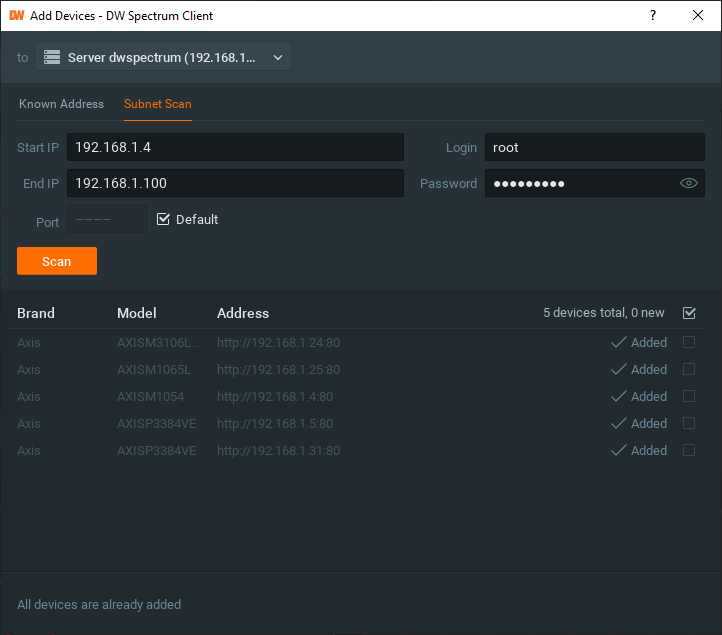
At this point I am giving up, it seems to me that unless I have a copy of the server's files there is no way to actually use the backup file, pretty pointless feature toi have backup but no restore.
I will blow the client and server away, install from scratch, and hope I don't need the recorded footage.
0 -

3 years later I still run into this exact same problem when dealing with a server hardware failure. Restore with a backup and 2 servers are shown. One is the old non existent server. What I had to do to get the cameras up live was just drag them from the old server to the new server. I was still not able to figure out a way to bring the old footage into the system so ended up just reformatting the drive to clear it out.
0 -
-

Hi, in 2025 exact same problem already exists with version 6.0.3.40736.
Why doesn't a backup save the metadata? If there's a dedicated function that creates a backup, I assume that's all that's needed to restore the system to the same state. I reinstalled Ubuntu on the exact same hardware, and the license was recognized correctly. But now I see two systems: a new one and my old one with the cameras, which are listed as offline. Both have the same name. Now what?0
Please sign in to leave a comment.
Comments
13 comments