- Open the Nx Witness Maps dashboard.
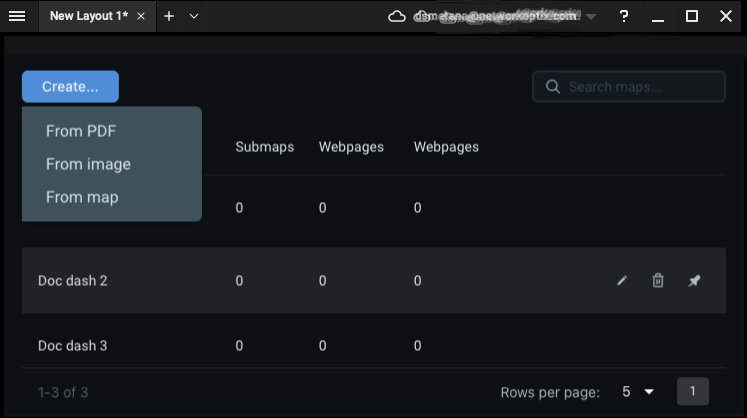
- Click on the Create… button.
- Select from the available map formats:
- From PDF enables camera placement over a PDF image; commonly used with floor plans or architectural drawings.
- From image creates a 2D map from supported digital image file-types.
- From Map enables camera placement over the global map-data service.
|
NOTE: From PDF and from image maps will prompt for a file to import. |
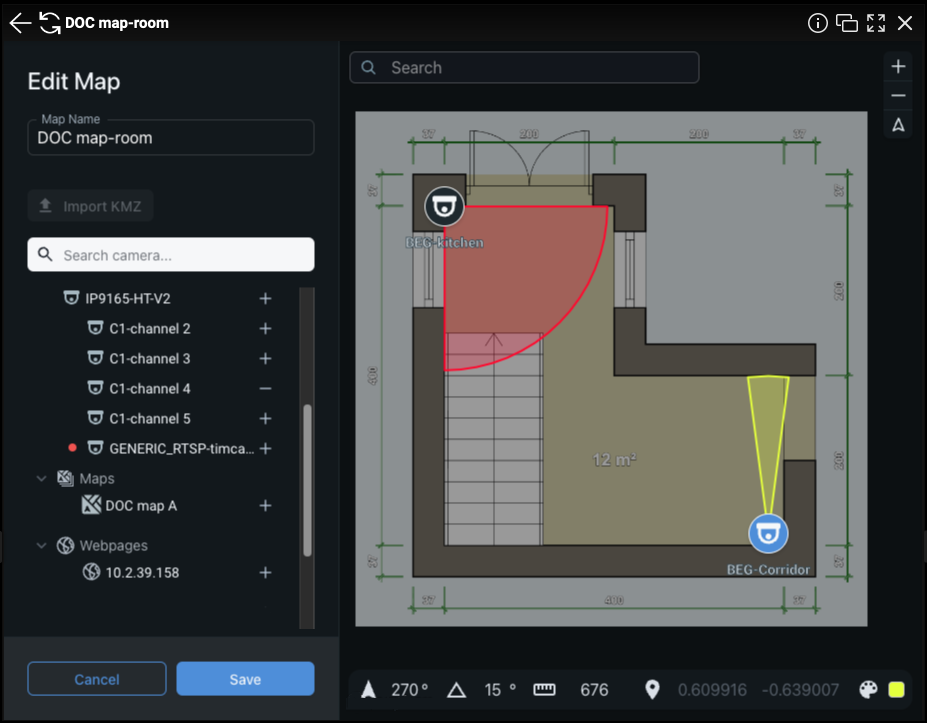
- Enter a name for the map - the map name can be revised later.
- Use the search field to refine the list of resources available to the map.
- Use the + and - buttons to add or remove resources from the new map.
- Click Save on the resource panel to create the new map and switch to map navigation mode.
|
NOTE: Cameras are added to the center of the current map may need repositioned to reflect the physical installation. |
Proceed to Position Resources on a Map or Setting Camera Attributes to edit or reconfigure a map.

Comments
0 comments
Article is closed for comments.