Hanwha PNO-A6081R IVA Analytics Not Crossing Over Into Hanwha Wave. Does Anyone Use These Regularly?
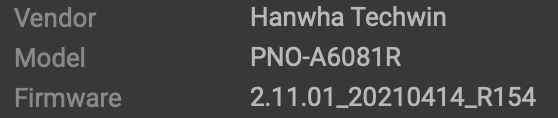
CompletedSummary: IVA events (virtual line or virtual area) are not creating events in Wave as they should with the Hanwha PNO-A6081R.
Environment:
Wisenet Wave 4.2.0.32841
Client OS: Wisenet WAVE Client version 4.2.0.32841 (c56b2bc06b90).
Built for windows-x64 with msvc.
OpenGL version: 4.6.0 - Build 27.20.100.9127.
OpenGL renderer: Intel(R) UHD Graphics 750.
OpenGL vendor: Intel.
OpenGL max texture size: 16384.
Server BLOCKWARE (192.168.1.2): v4.2.0.32841
Server: Version 4.2.0.32841 ------- Platform windows_x64
Network Topology: TP Link POE switch has 2 Hanwha cameras connected. the server has 1 NIC connected to this switch. The other NIC on the server PC is connected to a router for internet. Cameras at on static IPs on the Camera switch. Nothing else is plugged into the camera switch
Special features: Using the P series camera from Hanwha trying to get the virtual line and virtual area analytics to flow to Wisenet wave correctly.
Reproduction Scenario:
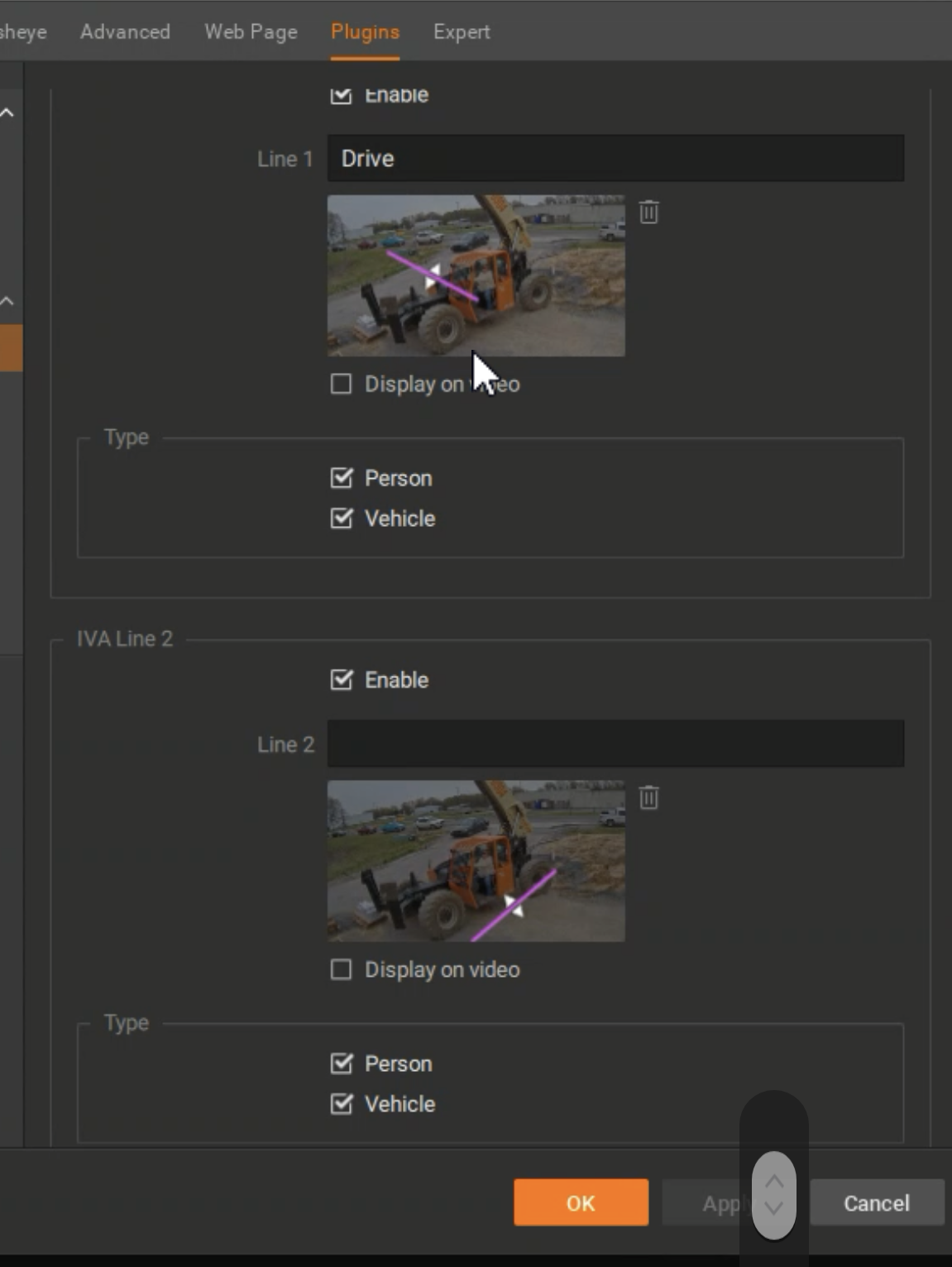
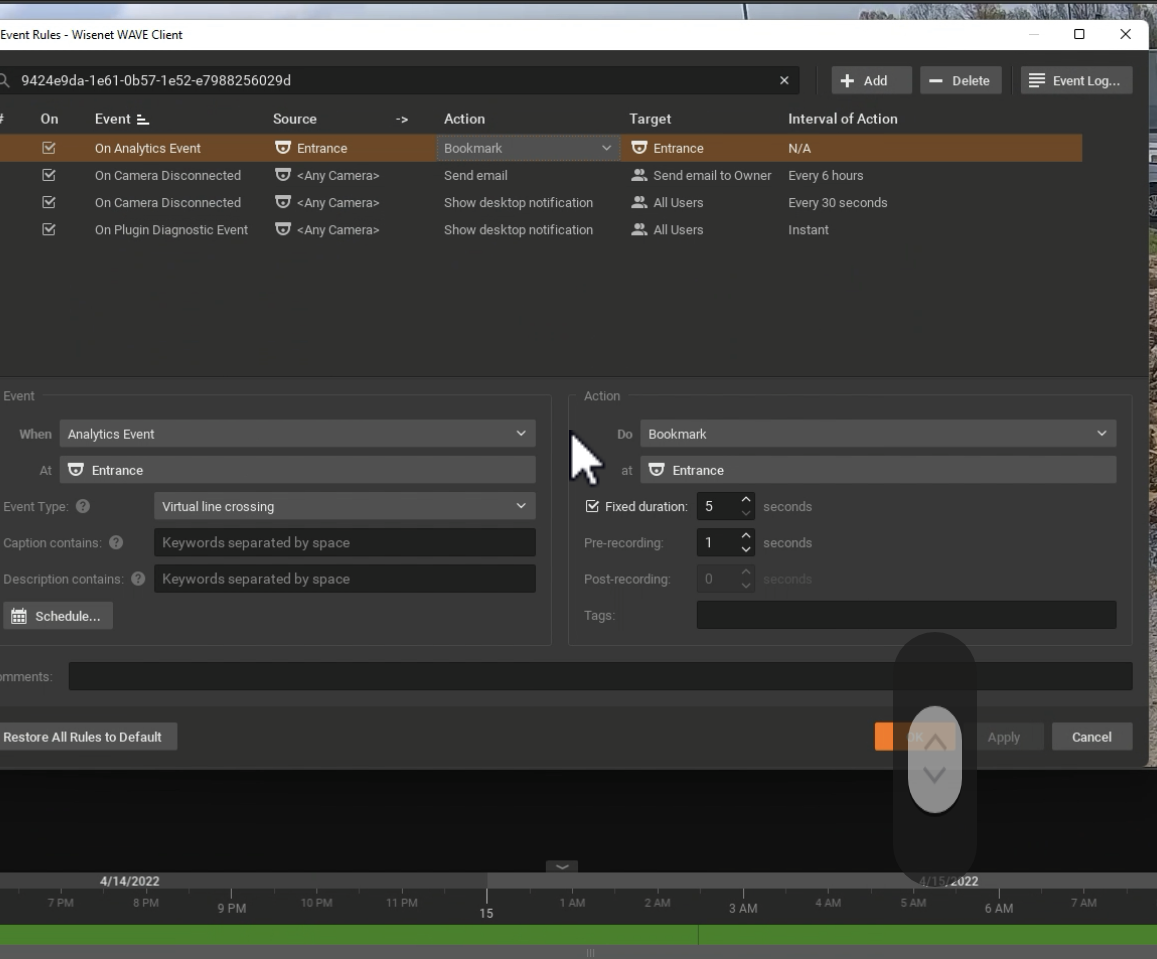
I recently installed a PNO-A6081R for a customer. Im using Hanwha Wave as the VMS. The analytics plugin seems to not be working perfectly for that model. The object tracking data comes over to Wave but not the virtual line or virtual area IVA events. I have used Hanwha Q series virtual line in many many installs (actually have some on this same site) that send the event to Nx and create bookmarks per my rule settings. I cannot get it to work with the new AI cameras. Im wondering if it is a bug. Does anyone else use this camera with those IVA settings.
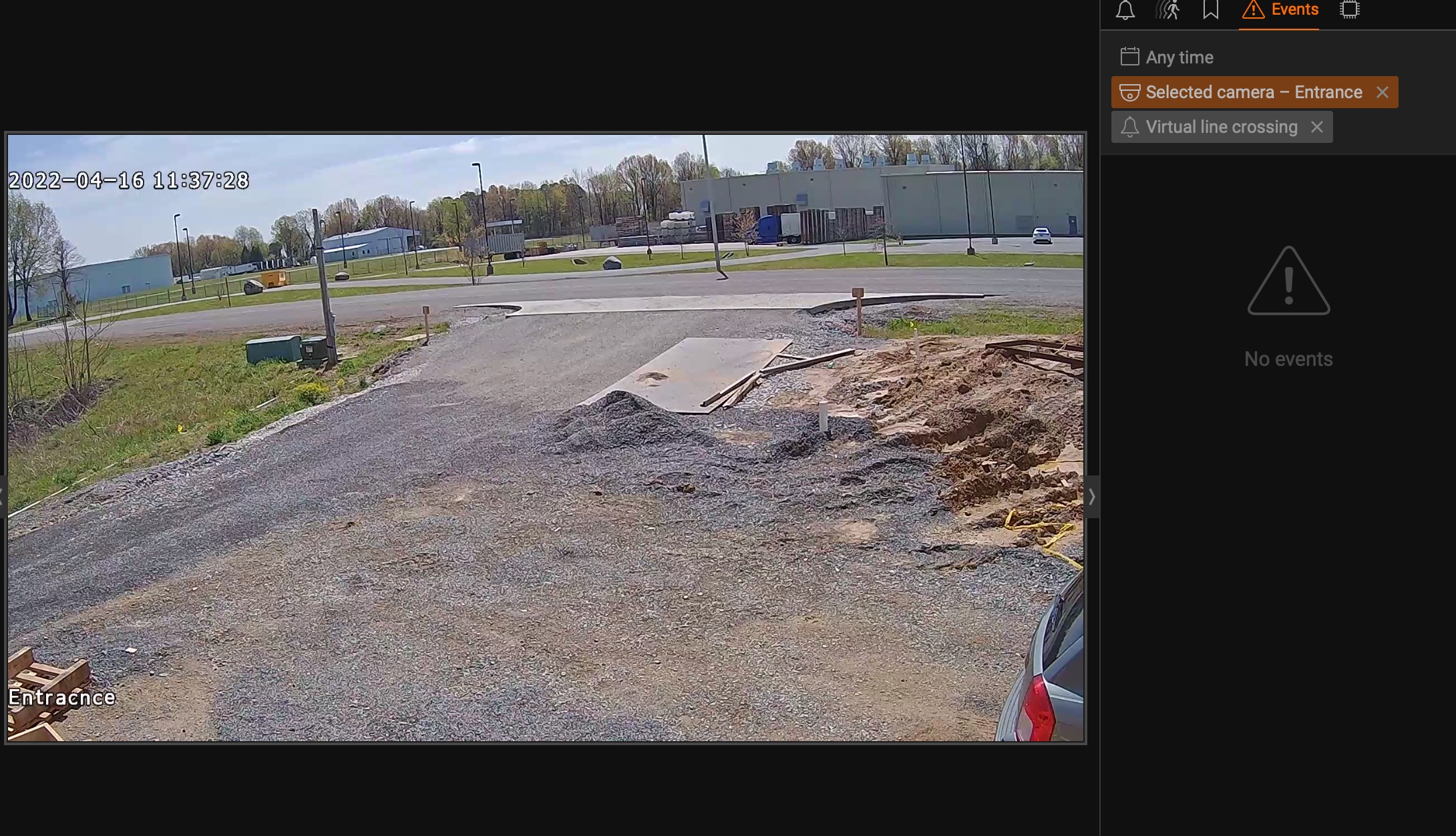
The main reason its needed is because even though object tracking works well and sees all the appropriate objects, it will fill the timeline up completely with yellow just do to a parked car being in the scene and the exclusion areas just don't work in my scenario. If a person walks from one area that's not excluded into the area that is excluded it never shows up on the objects tab though it will be marked on the timeline with a solid yellow line. You also need the virtual lines to accurately use mobile notifications. This was a huge selling point for my customer and it currently does not function. There is constant activity on the virtual lines I have shown in the picture and should be triggering lots of events but 0 are showing.
Attachments:
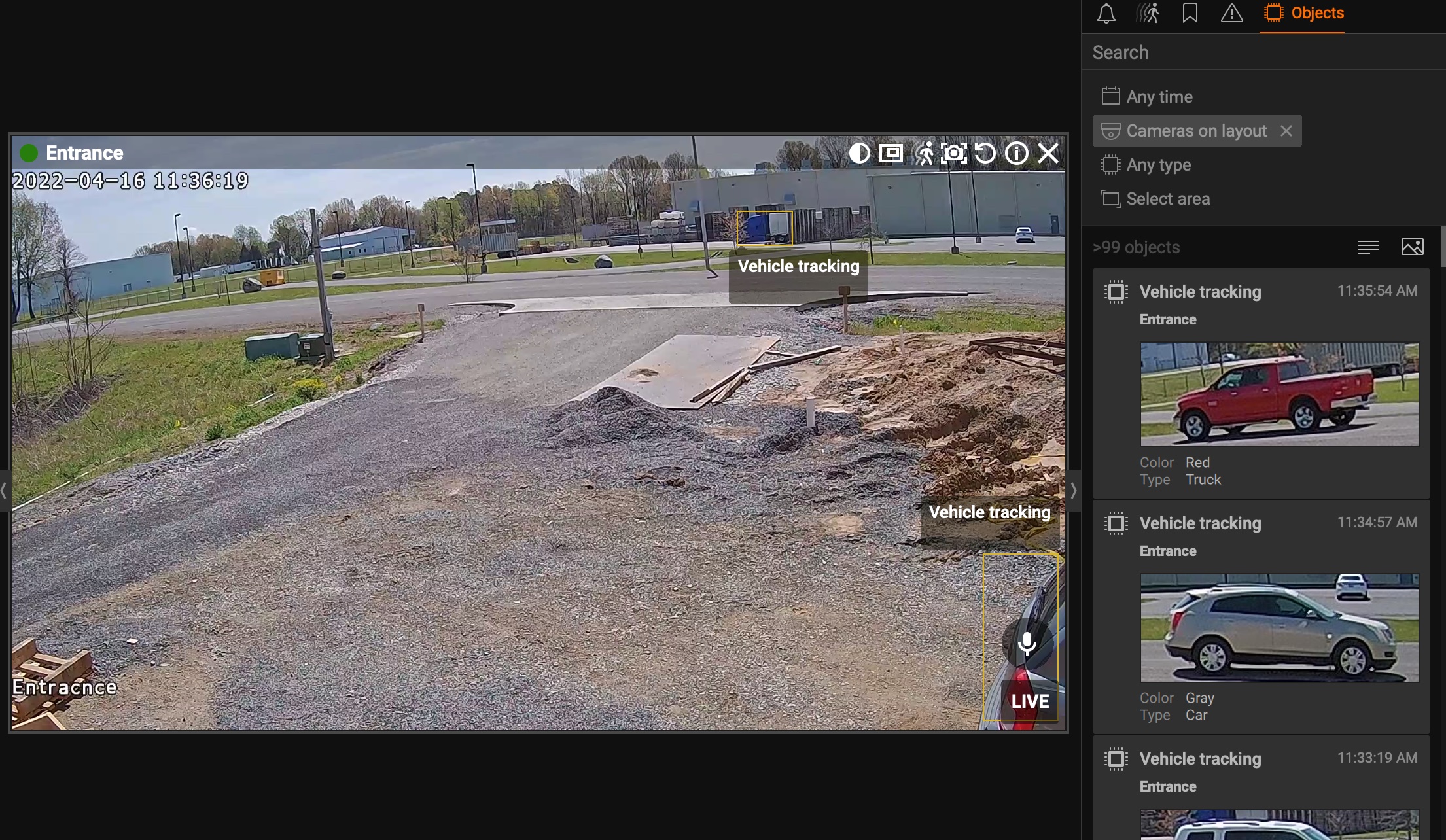
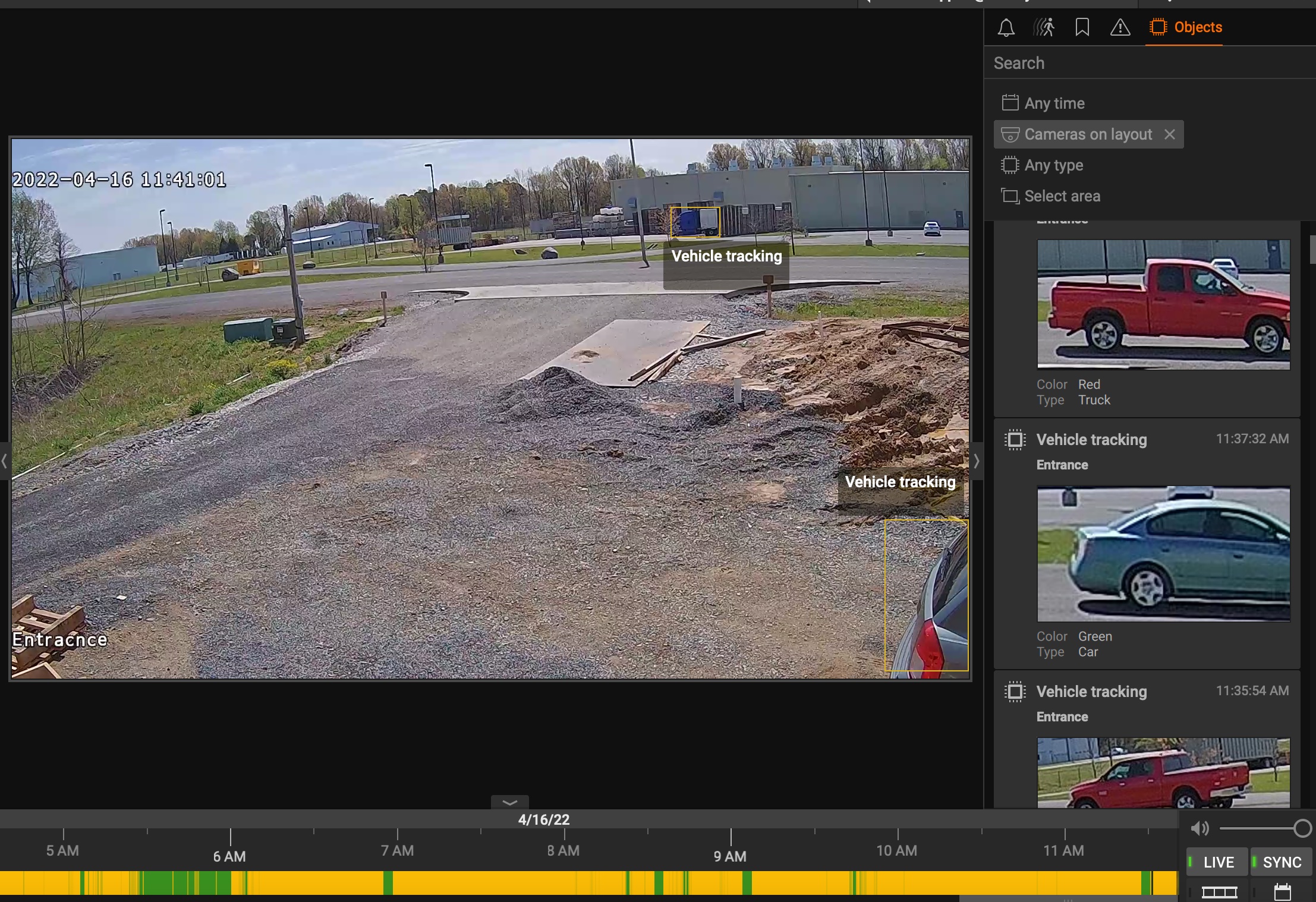
-

Firmware upgraded to 2.11.02_20210630_R206
Server restarted. Still not IVA events.
0 -
-

Hi Calvin Wientjes,
Thanks for the complete and detailed issue report.
Please follow the below instructions for the basic troubleshooting:
1. Upgrade the Wisenet Wave system to the latest patch
There are some improvements regarding the in-camera analytics event included in the 4.2 patch.
Please upgrade your Wisenet WAVE system to 4.2.0.34634.
In-client upgrade info:
Build Number: 34634
Password: p2g7402. Enable the BestShots function
PNO-A6081R camera support BestShots function, please enable the BestShots function on the camera for saving the events to the Wisenet WAVE system.Please share the result with us, and let us know if you have any further questions.
Thank you.0 -
I had best shots on for person vehicle and face. That’s an option under object tracking though. Object tracking seems to work fine (except how if a person walks from a non excluded area into an excluded area it never shows up as an object in Wave) but at least they do show up if you remove the exclusion area. Then I get every care that passes by on a busy street. But that’s an issue for another day.
IVA lines and area is what didn’t work at all. Is best shot linked to that somehow? Even if object tracking is not enabled?
I haven’t had a chance to upgrade the wave build just yet.
I did see on hanwhas website for this camera there’s a firmware and also a wisenet AI zip file. Is that something that needs to be uploaded to the camera as well? I don’t see it anywhere in the manual or anywhere to do it in the Web GUI.
0 -
-
I upgraded to the specified build. Now the IVA works but the objects lack metadata when the "bestshot" is used as the source. I did the build upgrade at 1130. You can see where it changed. I've circled in red.
Also note the yellow bar completely full on the timeline. You can see the excluded area in pink. When I choose a specific type of object it marks the timeline correctly. When I have any object type selected I think its still marking the timeline with objects that are in the excluded area. That needs to be fixed.
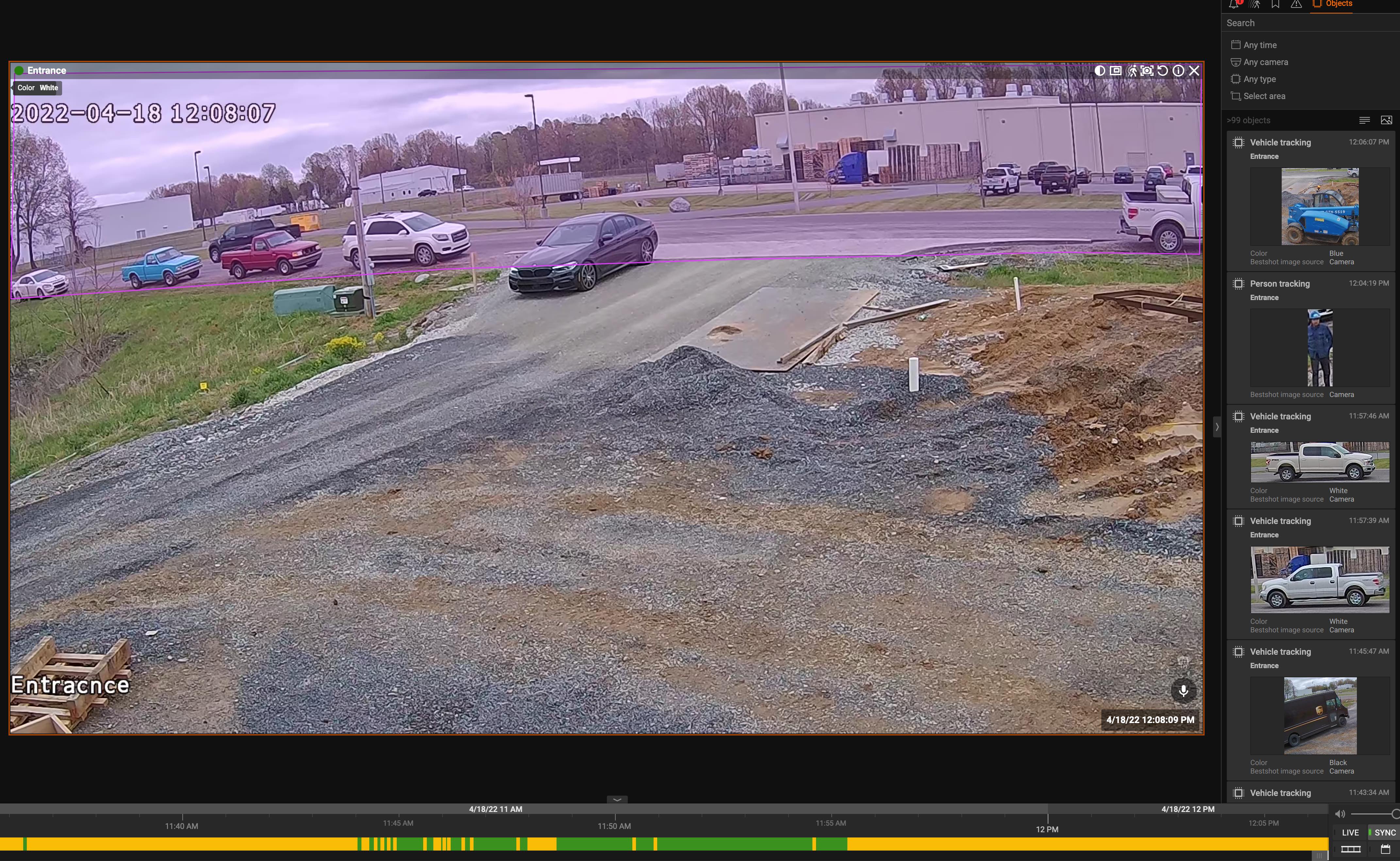
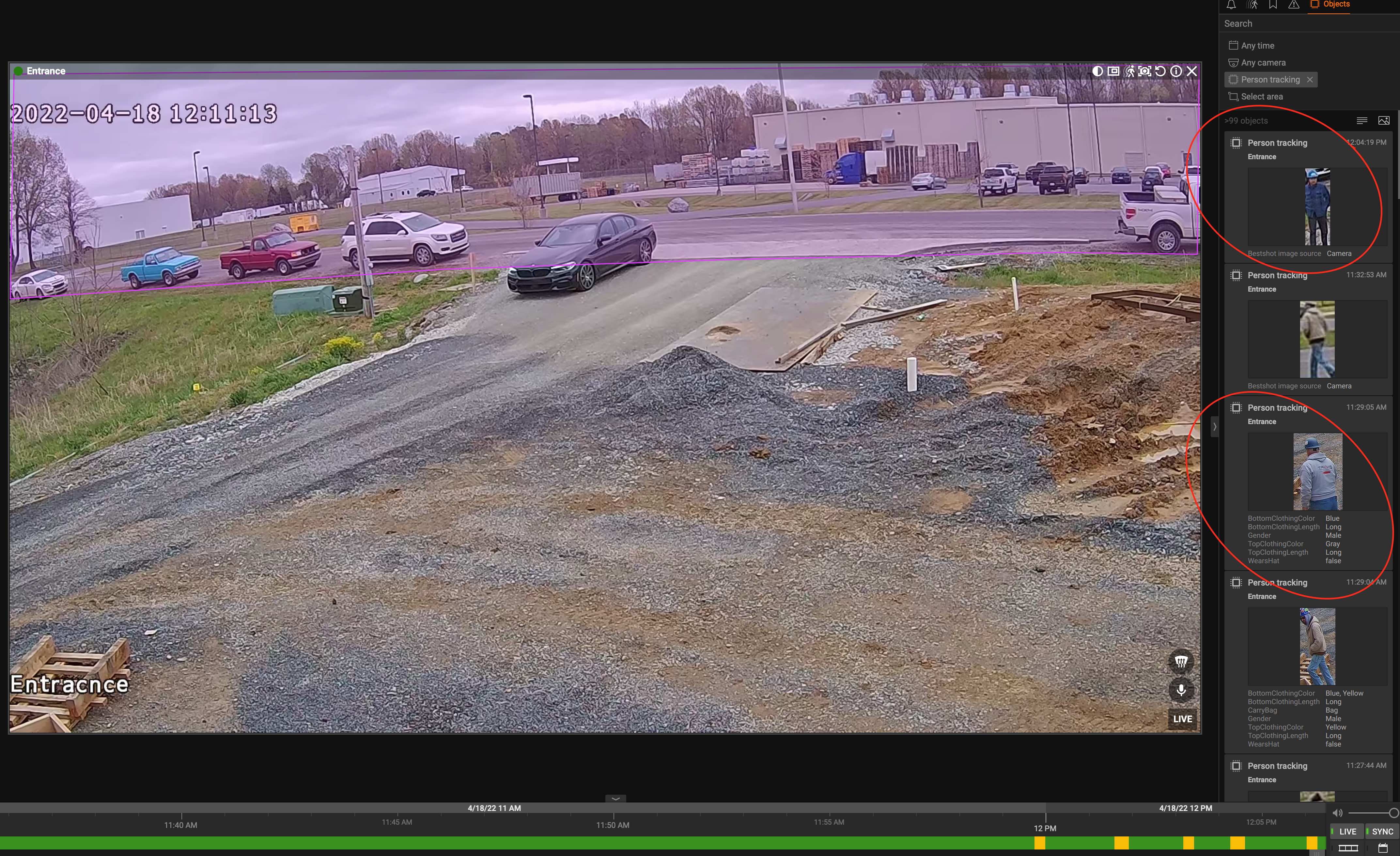 0
0 -
-

Ticket was created; #29648
JIRA-VMS-31943
Was resolved in build 4.2.0.34824.0
Please sign in to leave a comment.
Comments
5 comments