Disk utilisation 100%
Answered
Hi,
I noticed a hard utilisation of the hard drives (to 100% briefly) on Nx. How can you explain this ?
Thanks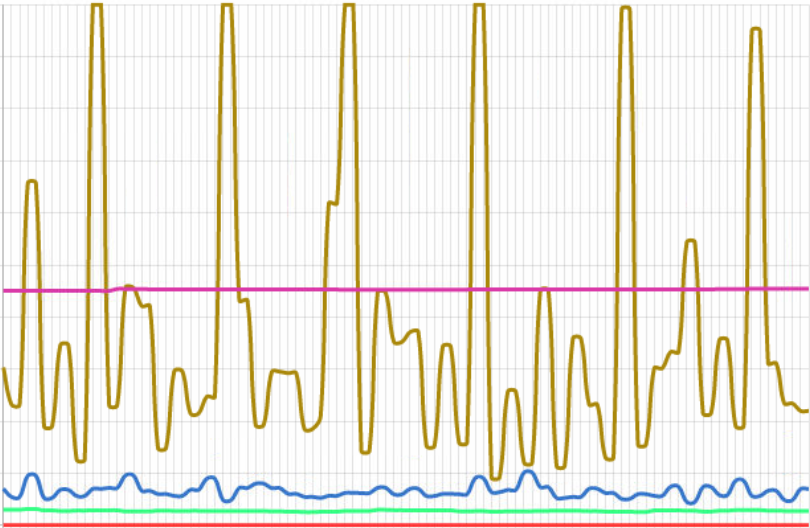
-

Typically, it means that the amount of incoming bandwidth is close to its limits and additional drives for storage are recommended.
Typically, the graph for storage show spikes as shown below. This is just a small system, so a limited number of spikes are shown:
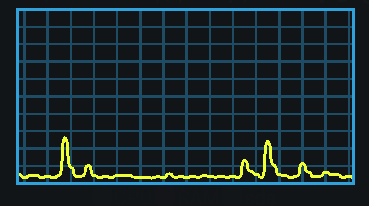
Also, the load is pretty low, since it shows the performance of an enterprise storage system with only a few cameras connected to it.
0 -
Hi Norman,
Thanks for your answer.
As you can see on the health report below, my server (Dell R240) is stronger than what Network optix recommends and I don't have a lot of cams...
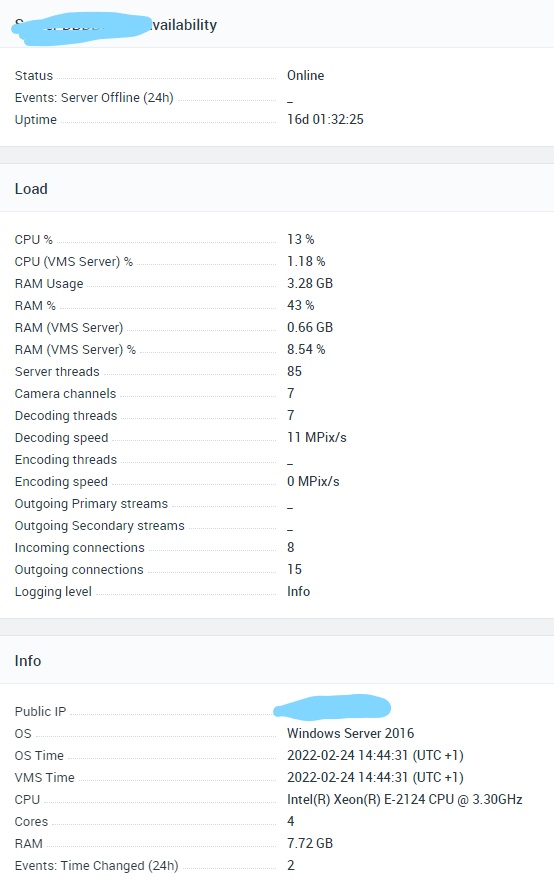


The only thing that is not good is that the server has 4 HDD in RAID5 with2 logical partitions (C for system and E for data) but it's the same physical disks.
Maybe these info can help to find an explanation ?
Thanks,
have a good day
0 -
I didn't mean the server specs, but the specs of the storage.
Typically, Nx Witness divides the storage load over the available drives, as mentioned in THIS support article, but in case of Raid5, you won't benefit from this feature, and Nx Witness writes the data to a single drive (and the raid divides it further) since the drive is recognized as a single drive (E:/ in your case) and thus more load on a single drive occurs.
0 -
Ok, so do you think it can be faster if I don't create a RAID 5 ? If so, is it good to keep in configuration the raid controller card in order to accelerate data writing ? Or maybe the spikes are just a "bug" cause Nx recognize just one disk ?
Thanks for your help :)
0 -
In the current setup it will be faster without RAID5 since Nx will write simultaneously to each drive.
This isn't a bug, but expected behavior, since the RAID5 bundle of drives is seen as one drive in Nx and thus the load won't be divided as it would without the use of RAID5.
0
Please sign in to leave a comment.
Comments
5 comments