Camera Settings Overwritten
Answered
Hi,
NX Witness has been setting Cameras on systems to 2k resolution with h264. We have lost days worth of footage due to this. Why is this happening and how can I stop NX overwriting settings set from camera webpage?
Furthermore, the secondary stream does not include all the bitrate and resolution options, again, when I set them in the web page settings, NX Overwrites it with lower bitrate.
-

Nx witness will auto-configure the stream profile when the camera optimization option is enabled. See this article for a detailed explanation of camera optimization and how to turn the setting off.
The stream setting options of Nx depend on what parameters that the camera provides. If it doesn't include all options, it is likely that the camera didn't report them during the device initialization.
If you have further questions, feel free to update your comment here.
Thank you.0 -
Hi Wendy,
I have confirmed that the check box is NOT checked and still my camera settings are being overwritten:
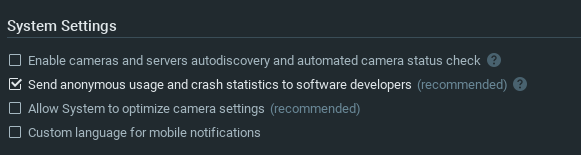
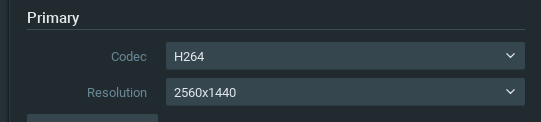 0
0 -
The advanced page should only provide the available options that were obtained from the camera, but not the current seting. Please check the current resolution from the live view window or camera website. Let me know if the software overwrote your setting after disabling the system optimization.
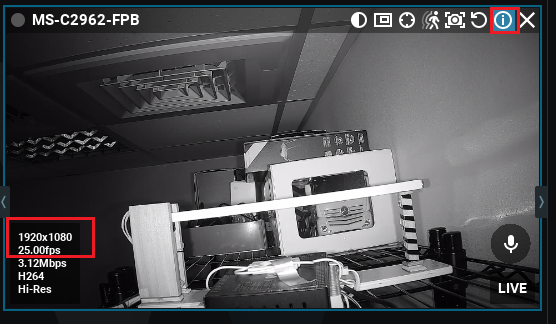
Thank you.
0 -
Hi,
We have determined that Unmerging/unmerging cloud servers causes the camera settings to change to H264 and 1440p
0 -
Unmerge cloud server won't apply any change to the camera. Possibly you set up a new system after unmerge and the system optimization setting change back to the default.
Please turn the optimization off from your system and it should be never changed anymore.
Thanks.
0
Please sign in to leave a comment.
Comments
5 comments