Bosch IVA integration
Answered
Hi,
I've added a Bosch camera (IP starlight 8000i) to NX and I'm trying to configure an Event Rule that triggers on IVA Object in field.
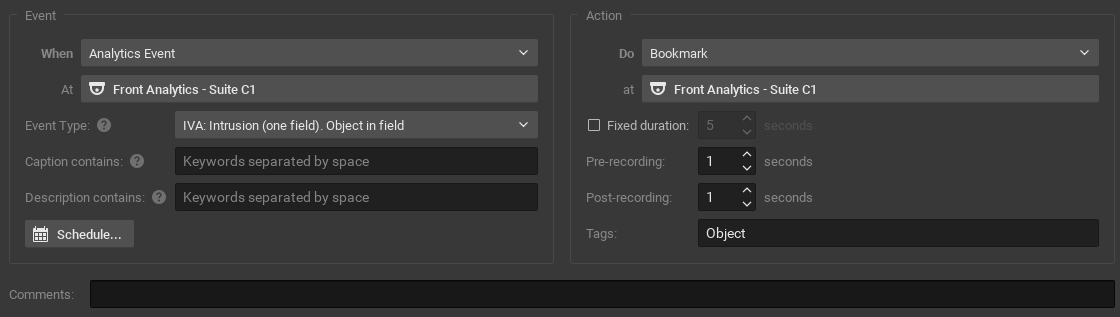
First I configured the Task Object in Field in the camera. Then I'm adding an Analytics Event rule in NX and I can choose IVA: Intrusion(one field). Objects in field. As action I've selected the bookmark function.
In de web interface of the camera I can see that an object triggers the IVA but I don't get a bookmark in NX.
I couldn't find some configuration documentation, can someone help me?
Thanks in advance!
Sander
-

Hi @...,
Please follow the below steps for the troubleshooting and share the result with us:
1. Check the firmware version of the Nx Server and the Bosch camera
We have released the 4.2.0.33117 patch which improves the ability to understand the object type on Bosch cameras.
Here is the improvement listed on the release note: Visit https://nxvms.com/downloads/patches for the complete version of the release note.
Please upgrade your Nx Server to this version, the in-client upgrade information is:
Build Number: 33117
Password: pjpe0h
Please also make sure the Bosch camera is running on the latest firmware as well.2. Provide the screenshots of your settings on both the Nx Server and Bosch camera
Please share the screenshots of your settings, such as:
Nx Server:
- Event Rule and Action
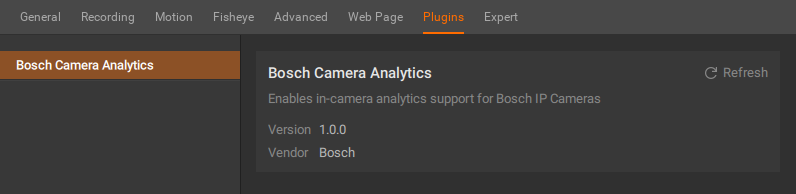
- Camera Plugin Settings
Bosch camera:
- Task Object3. Capturing the packets between the Nx Server and the Bosch camera
Please refer to this support ARTICLE to capture the packets, and share the file with us.Thank you.
0 -

Hi @...,
Please let us know if you still need help by responding to this message.
0 -
Hi Anderson Chang,
Thanks for your reply.
1. The current NX version is: 4.2.0.32840 I tried your link to the release notes but it's not working. I do have installed the patch. The camera had very recent firmware but there was a newer version available.
2. Settings NX and camera, see pictures below.
I did some test and it seems to work now! thanks.
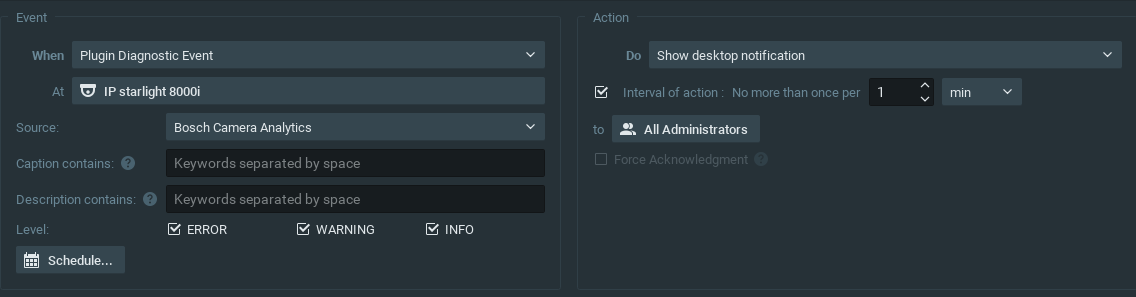
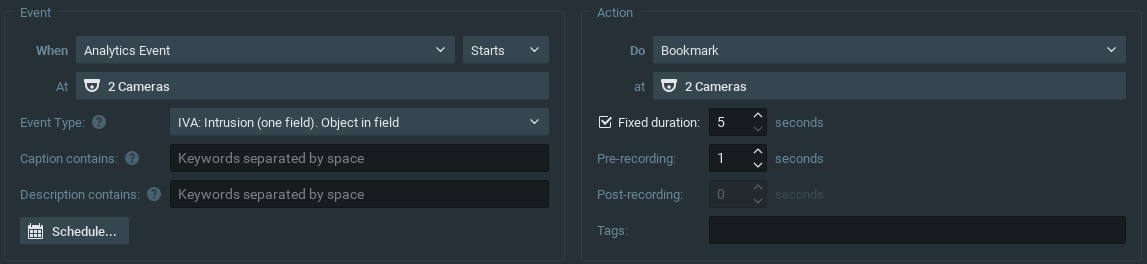
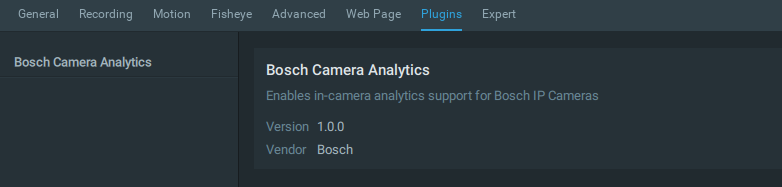
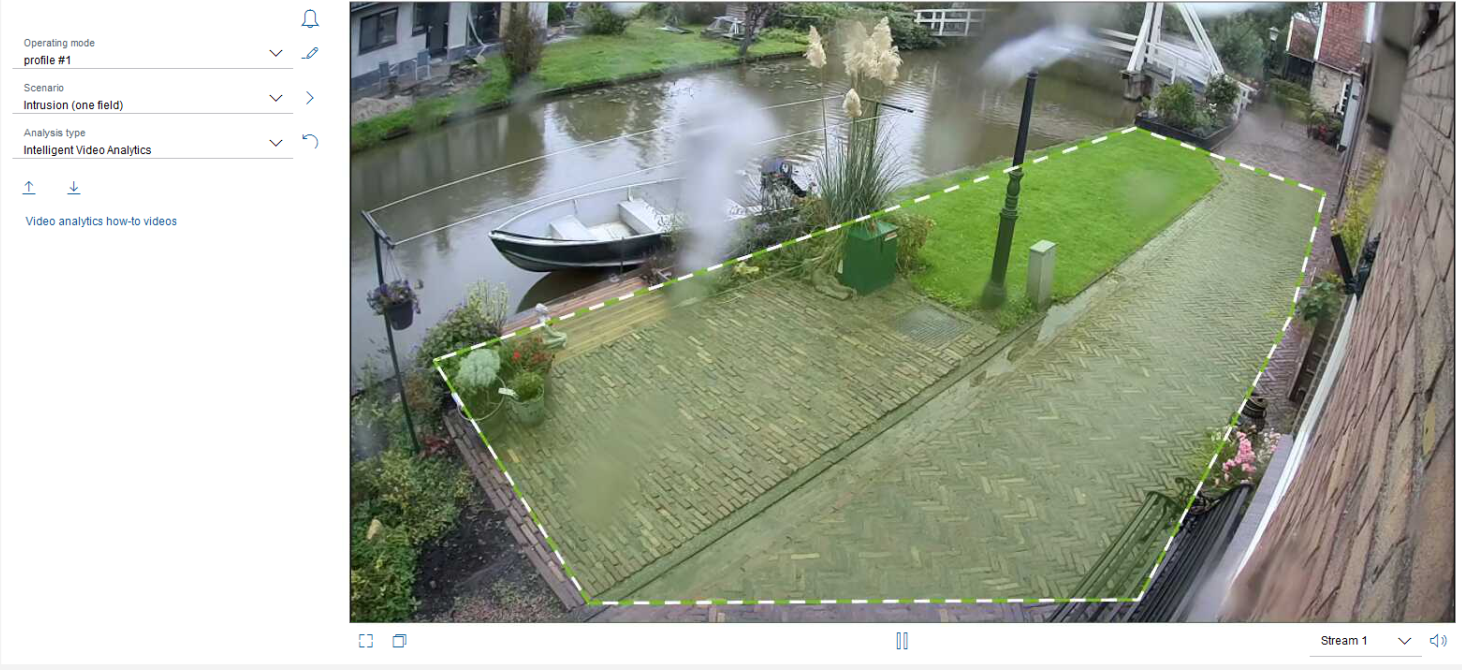
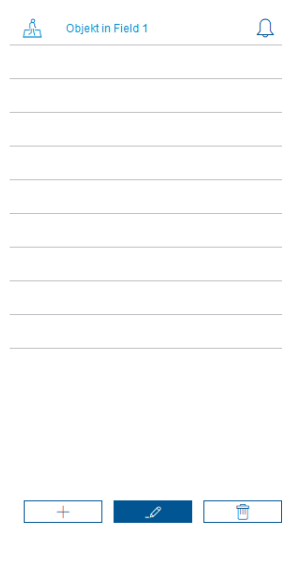
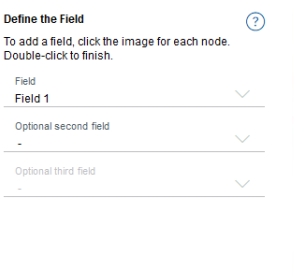
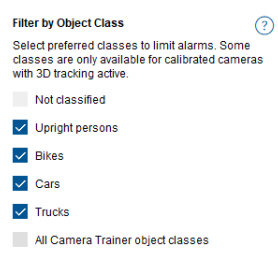 0
0 -

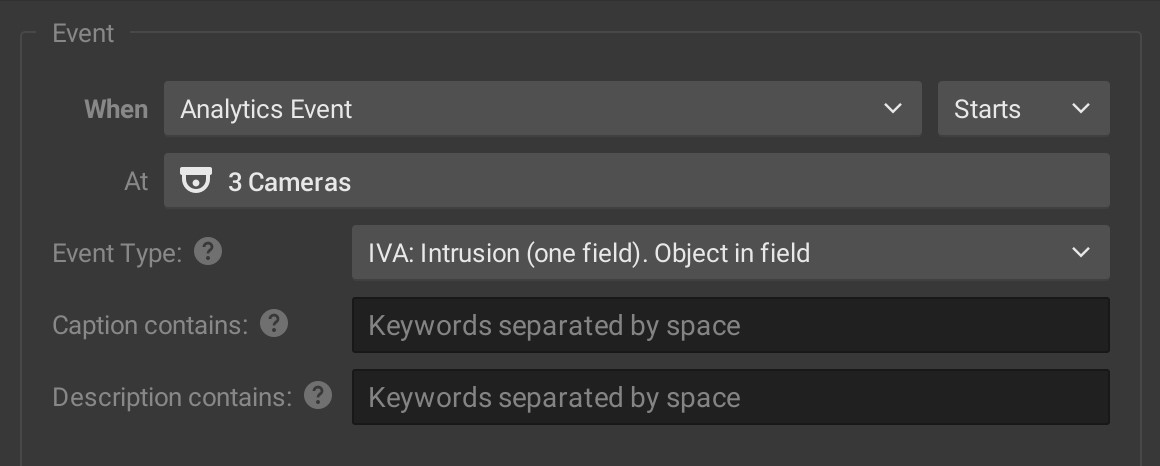
Hi, I'm having the same issue too but it's with the 3000i instead. I have your newest 4.2.0.33117 patch. Is the 3000i supported? I noticed on the 8000i they call it Intelligent Video Analytics (IVA) but on the 3000i they call it Essential Video Analytics. Should the IVA options still work on Nx Witness?
Picking anything that says IVA for the Event Type doesn't seem to work.
When I put it on the Object detection setting it does start to work, but it's triggering the rule even when the Bosch camera sees an object outside the protected field. It could see a bird in the sky, the Bosch won't go into alarm, but Nx Witness still will make an object tag and trigger the rule.
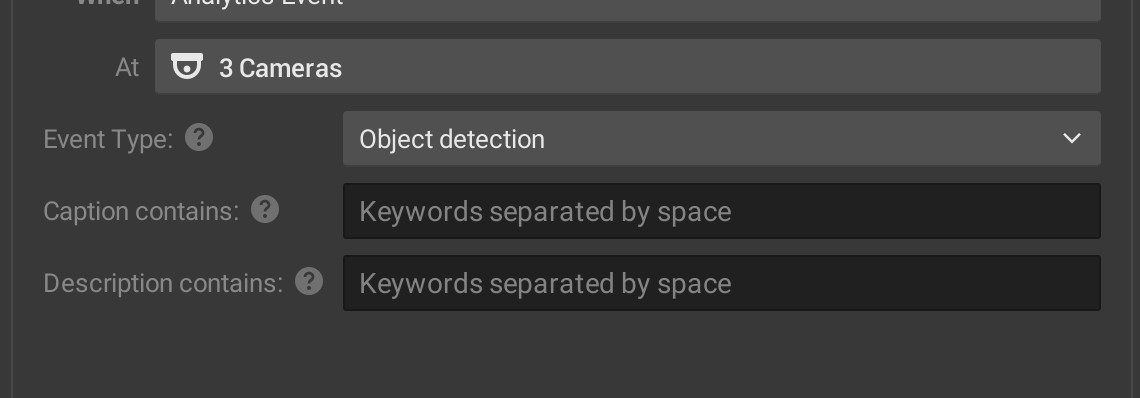
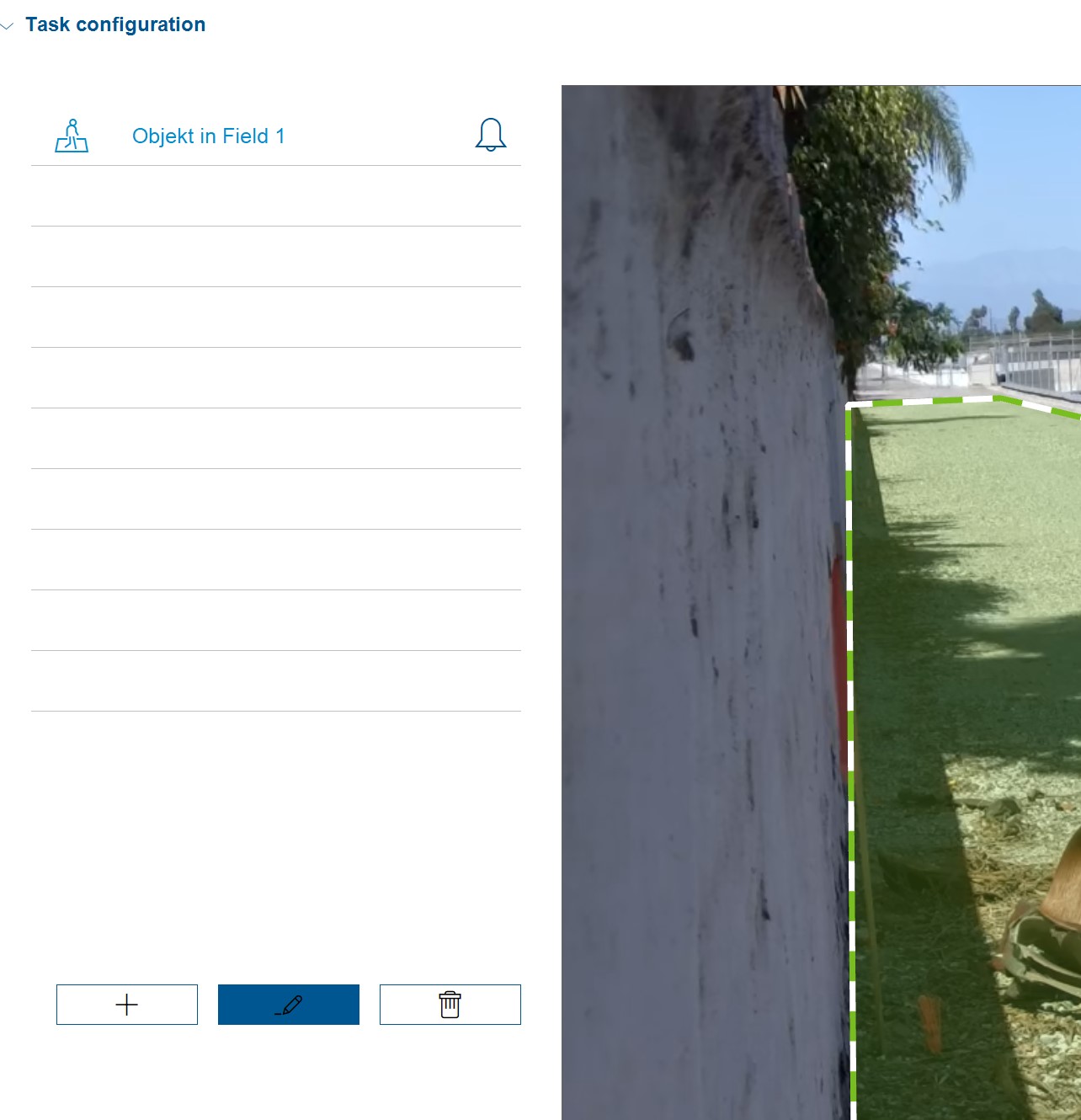
Setting it to this in Nx Witness won't trigger mobile notifications or anything.
 0
0 -

Hello Tyler,
Thanks for reaching out.
Please follow the below steps for the troubleshooting and share the result with us:
1. Check the firmware version of the Nx Server and the Bosch camera
Please upgrade your Nx Server to this version, the in-client upgrade information is:In-Client Upgrade:
Build Number: 33579 Password: xxluxn Download Links:
Ubuntu Linux- Ubuntu x64 - Client installer nxwitness-client-4.2.0.33579-linux64-patch.deb
- Ubuntu x64 - Server installer nxwitness-server-4.2.0.33579-linux64-patch.deb
Windows- Windows x64 - Client & Server nxwitness-bundle-4.2.0.33579-win64-patch.exe
- Windows x64 - Client installer nxwitness-client-4.2.0.33579-win64-patch.exe
- Windows x64 - Server installer nxwitness-server-4.2.0.33579-win64-patch.exe
Mac OS- Mac OS - Client installer nxwitness-client-4.2.0.33579-mac-patch.dmg
Please also make sure the Bosch camera is running on the latest firmware as well.2. Provide the screenshots of your settings on both the Nx Server and Bosch camera
Please share the screenshots of your settings, such as:
Nx Server:
- Event Rule and Action
- Camera Plugin Settings
Bosch camera:
- Task Object3. Capturing the packets between the Nx Server and the Bosch camera
Please refer to this support ARTICLE to capture the packets, and share the file with us.Thank you.
0 -
Sorry for the delays I was getting all the information.
I'm using Wisenet WAVE but technically Nx Witness version: 4.2.0.33579 (the specific build you mentioned to download)
Camera: Bosch STARLIGHT 3000i
Firmware version: 7.82.0025 (latest as of today)
NX Witness rule setting:
Nx Witness Bosch Camera plugin:
Bosch Task Object:
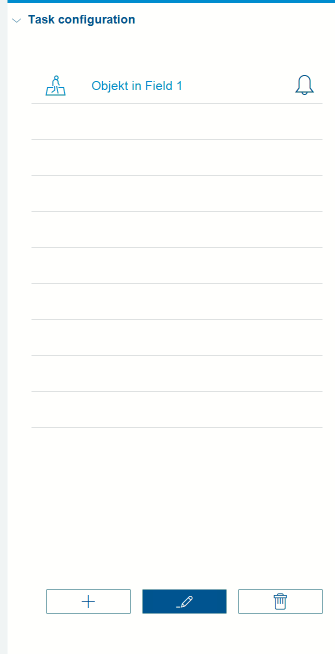
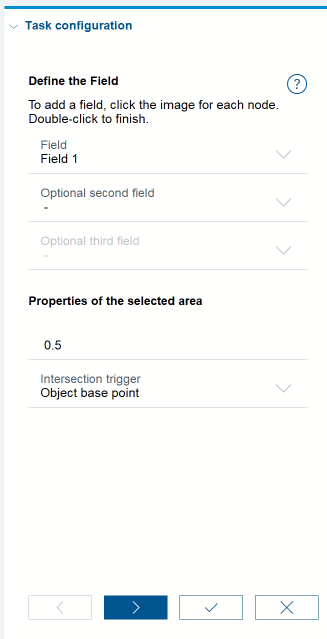
I can confirm my Bosch camera is calibrated and the field 1 does go into alarm when I walk into it, so on the Bosch side of things it is all good.
Here's the Google Drive link for the Wireshark packet capture:
https://drive.google.com/file/d/1dFLeYbKpWG2hAWpn2xoapwiKBs6udeX4/view?usp=sharing
The Nx Witness server is 192.168.0.11
Bosch camera is 192.168.0.15
Thank you!
0 -
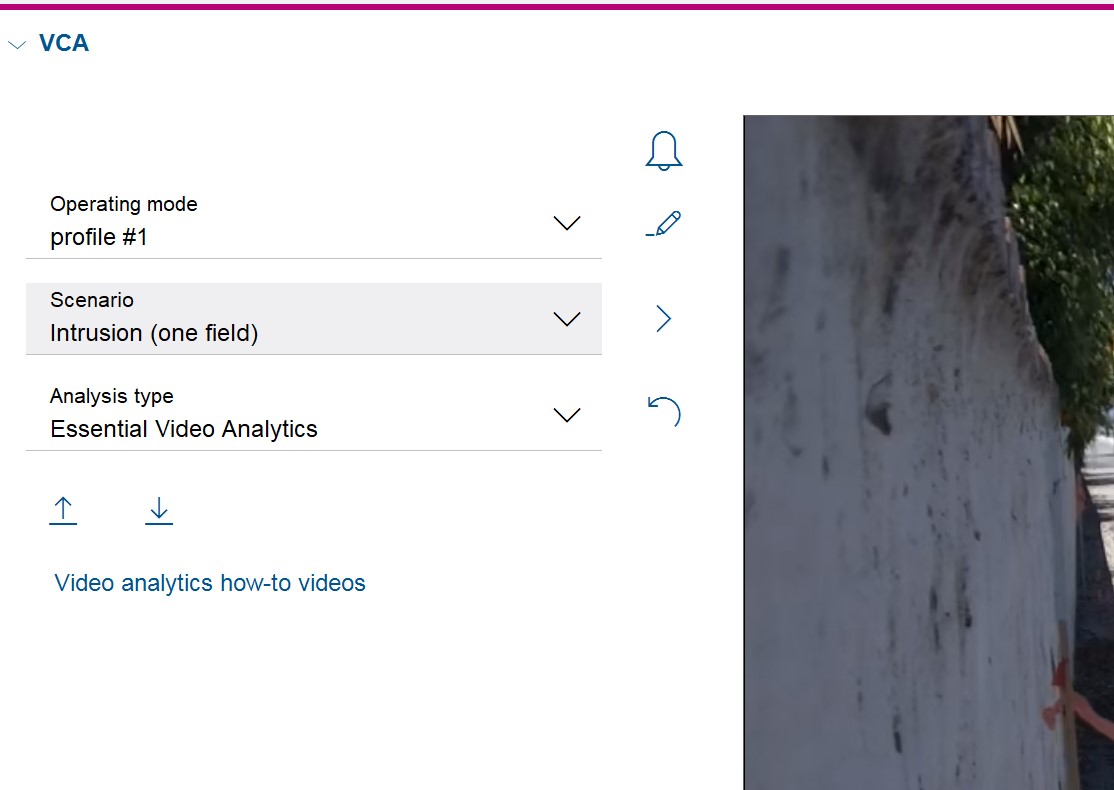
One more screenshot of the Main Operation page for the Bosch if you need it:
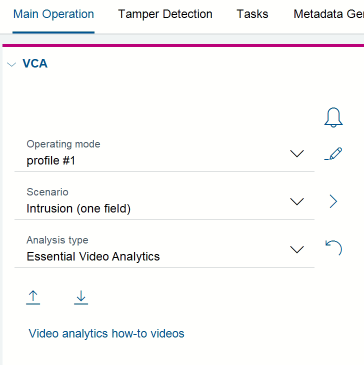
Note how on the 3000i it says Essential Video Analytics, and I've seen on the 8000i Intelligent Video Analytics.
In Nx Witness in the rules it says IVA which I'm assuming in the Intelligent Video Analytics but I'm hoping you guys can get it working for the 3000i as well.
Thanks!
0 -
Also in the Wireshark packet capture where do I find the string the Bosch camera is sending to Nx Witness? I want to see what the Caption and Description data is so I can filter it properly in my rules.
Thanks.
0 -
Hello, any update on this issue? I can provide more details if needed.
Thanks.
0 -
Hi Tyler Boodman,
If the analytics appear in our software, it is fair to assume the camera uses their api for the analytics.
Nevertheless, the Wireshark capture doesn't reveal the issue, but does show quite some TCP issues:
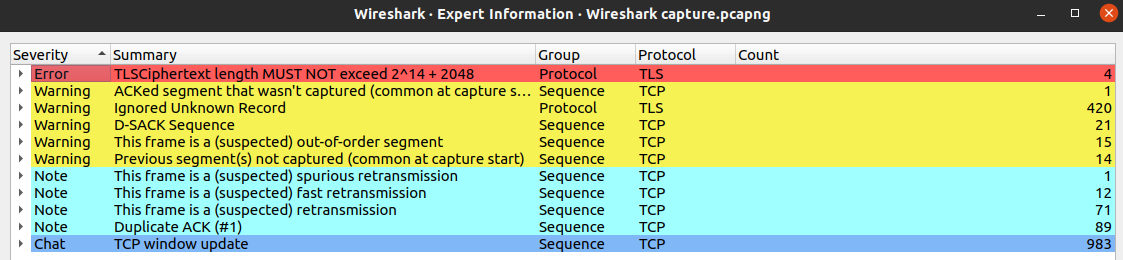
Which might be related to the missing events.
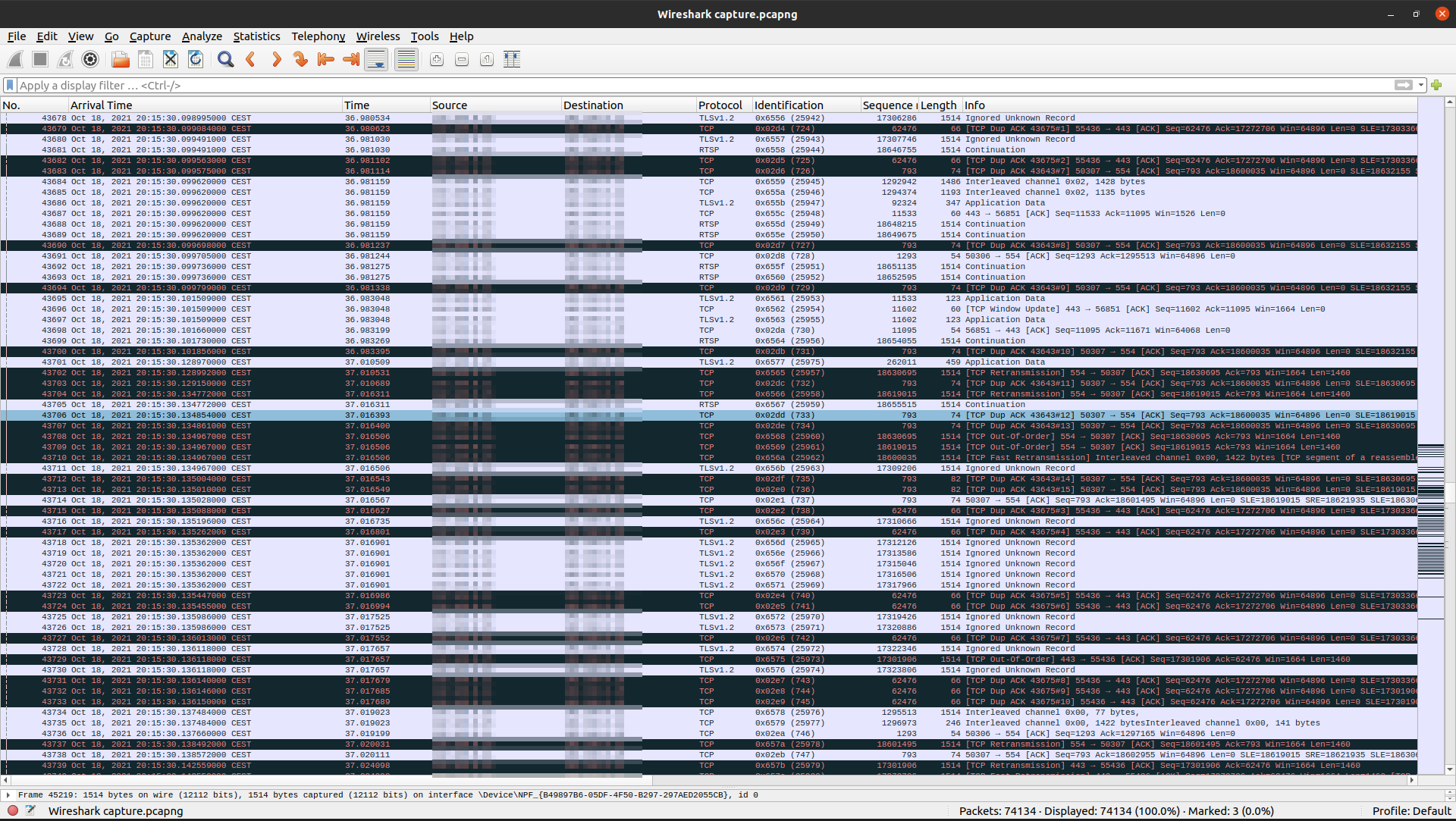
Is it possible to provide access to the affected camera, so we can add it to our test environment?
If this is possible, I'll create a support ticket on your behalf to which you can share the external IP address, forwarded port, and the credentials.0 -
Yes that sounds great I can do that. Please make the support ticket and I'll get the network setup for it.
Thank you.
0 -
Hi Tyler Boodman,
Just converted it into a ticket for you.
0
Please sign in to leave a comment.
Comments
12 comments