Client text changing to black on dark background
Completed
We have a bunch of Wisenet WAVE systems deployed.
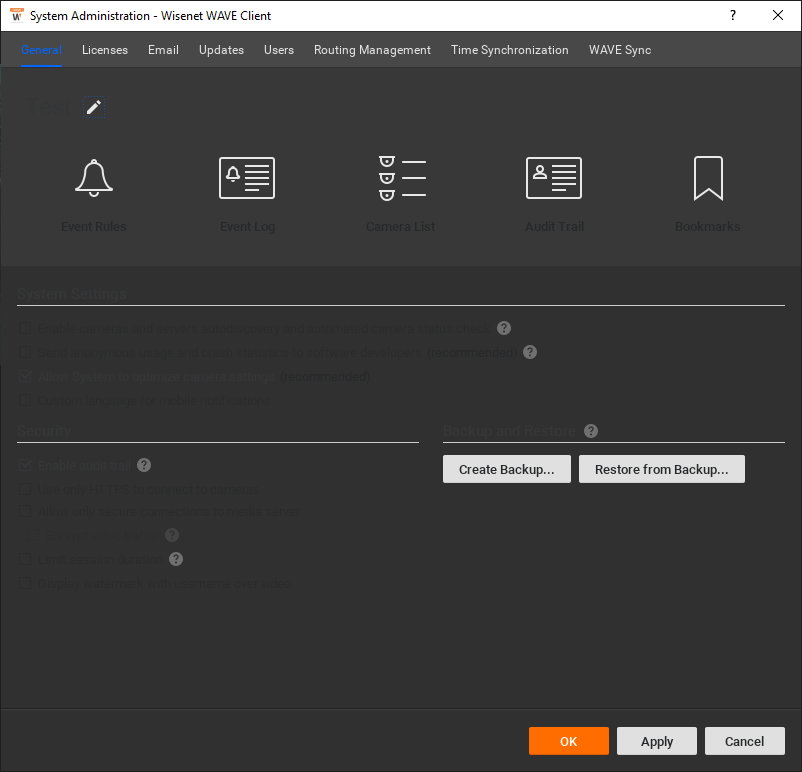
I have the client (latest release) running on a desktop that I often RDP into, but at some point between when I last log in locally and when I log in locally again, and when I connect with RDP in the middle, the text in most of the dialogs changes to black on a dark background, which makes it practically impossible to read, until I exit and restart the client.
Any way to figure out why this might be happening, and if there's anything that I can do on my end or in the settings so this doesn't happen, or if it's a bug?
This is how it appears after the issue:
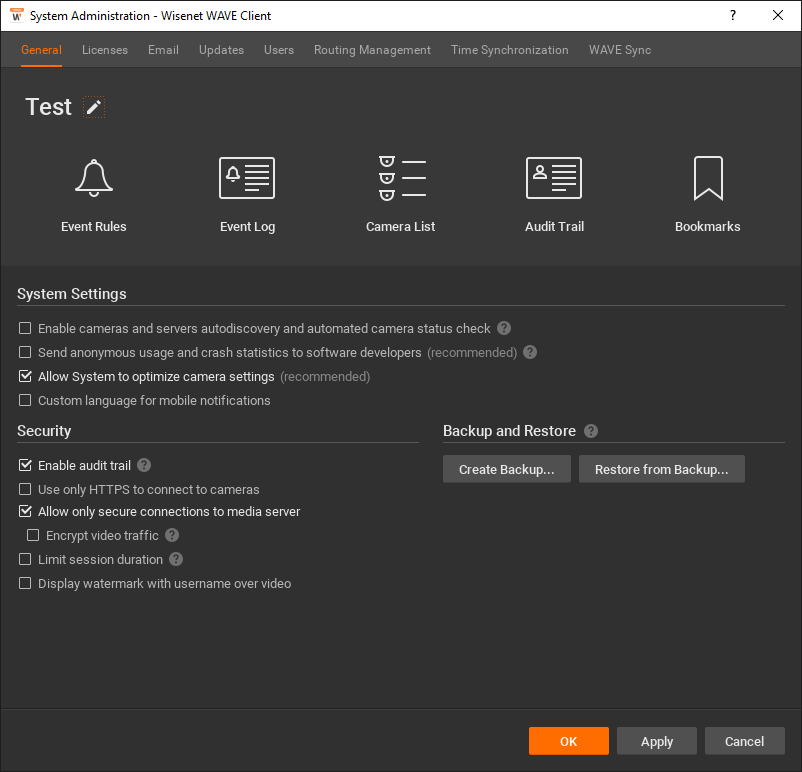
This is how it should appear, after restarting the client:
Thanks a lot!
-

Hi I L,
The Microsoft RDP will use the Microsoft Remote Display Adapter, the virtual graphic adapter built by Microsoft, instead of any physical graphic cards installed on your machine. You may find this virtual adapter on the Windows Device Manager during the RDP session.
When starting the RDP session, Windows will transit from the physical graphic card to the virtual graphic adapter, this may cause the broken texture on some of the software.
In most cases, restart the Wave Client during the RDP session could resolve the issue.
Use the other remote software, such as TeamViewer and AnyDesk, could avoid this issue.Since the WAVE Client is a light weighted software, running the software on the devices you would like to view the camera image could provide the best user experience.
Thank you.
0 -
Thanks for the reply and for the info.
What's interesting is that if I've tried using a VM without a graphics card over RDP, I have to install the OpenGL emulation dll files (per this article: https://support.networkoptix.com/hc/en-us/articles/115013581987-How-to-run-Nx-Desktop-in-limited-GPU-environments), whereas when I RDP into a machine with a graphics card, I don't have that issue, but if it is using the virtual adapter, that shouldn't matter...
Is there any way to have an option in the client to choose which graphics card to use (though I saw they just made a change for the default graphics card for systems with multiple GPUs, this may allow more flexibility there as well), which can default to whichever card makes sense, but would allow the user to change the card manually if necessary?
Having to restart the client (it seems to work during the RDP session, it's normally after, when reconnecting from the console session) does fix things, but it is somewhat annoying, especially when I have cameras open that aren't saved in a layout...
Thanks a lot!
0 -
Hi I L,
Using the CPU to emulate the GPU is an acceptable trade-off on the limited GPU environment such as virtual machines. Applying this method to the physical machine does solve the issue when connecting via the RDP, since you are using the emulating GPU all the time, and do not go through the GPU adapter transition.
However, it becomes a drawback that you will not use the physical GPU when running the Nx Client on the physical machine directly. All the computing load that is done by GPU normally is transferring to the CPU, and will cause your CPU usage to go up significantly.
Besides, as far as I know, you are not able to select the graphic adapter during the RDP session, I do not think the function you mentioned could help in this case.
0 -
Understood, however, giving the user the option to manually switch/choose the GPU would solve most of the issues, if the problem is actually with the graphics card changing when using RDP - I was just trying to explain that it seems like even when using RDP, the system isn't fully using a virtual graphic adapter, because it still depends on the adapter installed on the machine.
0
Post is closed for comments.
Comments
4 comments