Bitrate is not being accepted / Backup Permission
Completed
Hi everyone,
I'm running into a problem here where the bitrate settings aren't being applied. I can set whatever I want, but it just gets ignored. The FPS, however, are changed. What's causing this?
I am using an Axis P3278-LVE with firmware version 12.10.68.
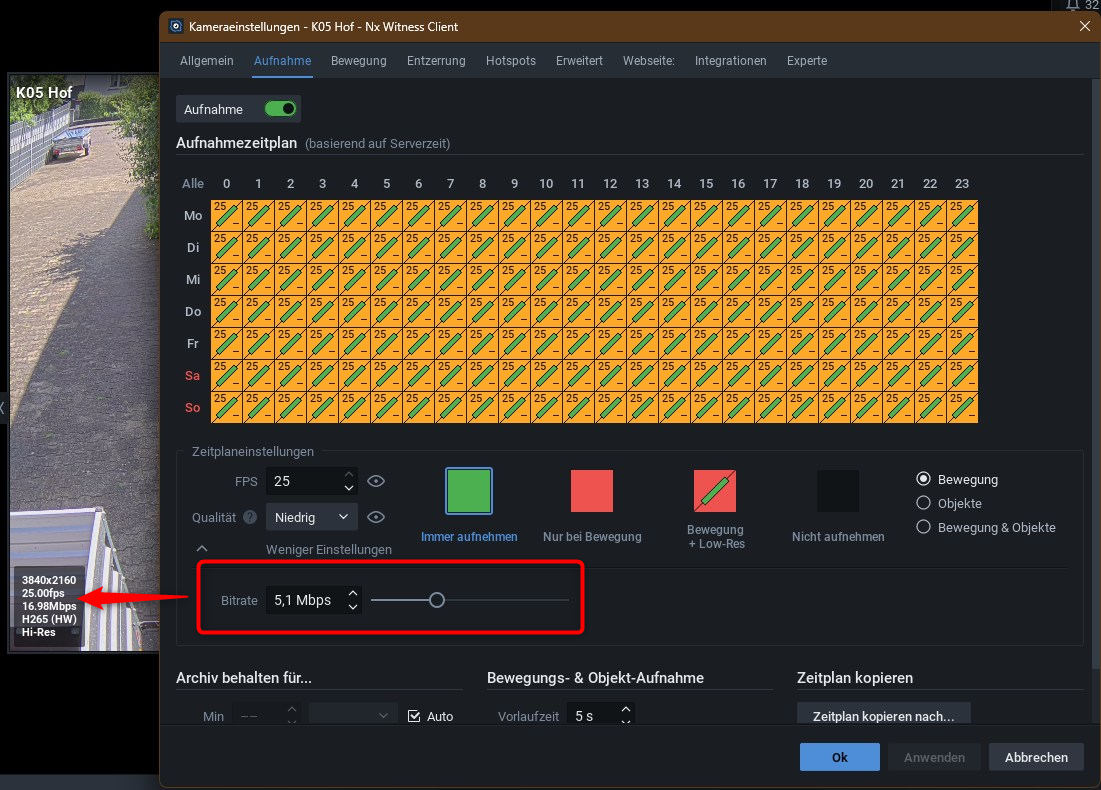
Another question: how can I restore backups using a Power User account? I only see this option when logged in as an Administrator. This is problematic, as we—the installers—hold the Admin privileges, but our client wants to manage the backups themselves.
-

Hi
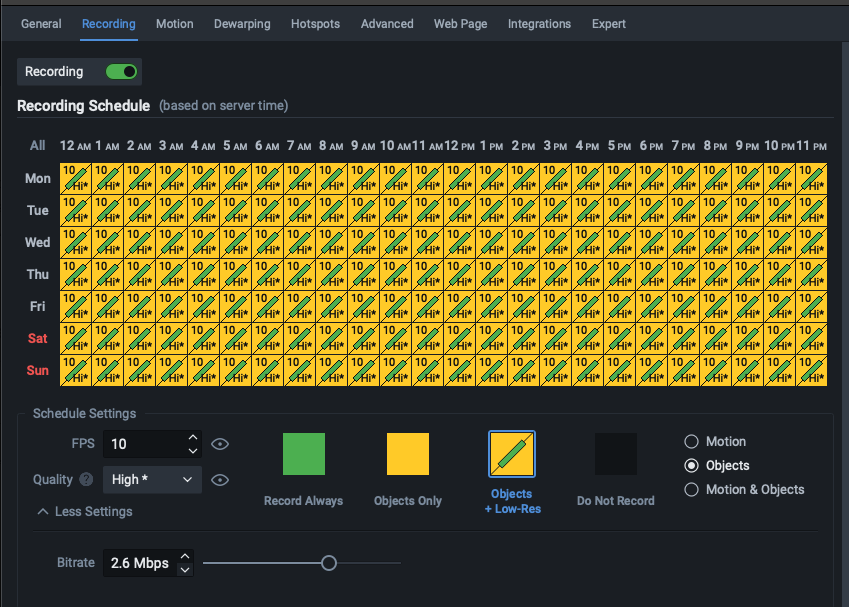
It looks you may not apply the settings after change. Once you change the bitrate, you need to select (or paint) the blocks.
A proper setup might be looking like this:
 0
0 -
I have saved all the settings. You can tell this by the "minus" sign (–) in the icon; at high bitrates, there are usually "plus" signs (+/++) in the icon.
 0
0 -

Hi Claudius,
I just tested this on my end using an Axis P3278-LVE camera and wasn't able to reproduce the issue.
Could the bitrates have been configured directly via the REST API? If set outside the standard interface, API parameters can sometimes override or conflict with expected camera behavior, which might explain what you're seeing.
0
Post is closed for comments.
Comments
3 comments