Milesight MS-C8183-SPD Camera Integration
Completed
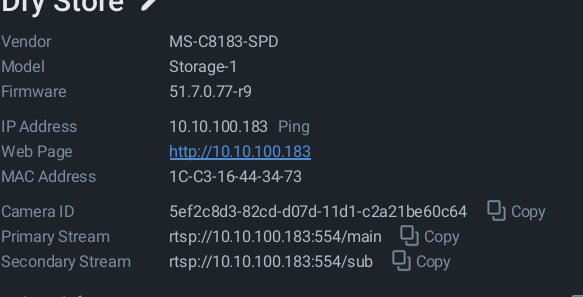
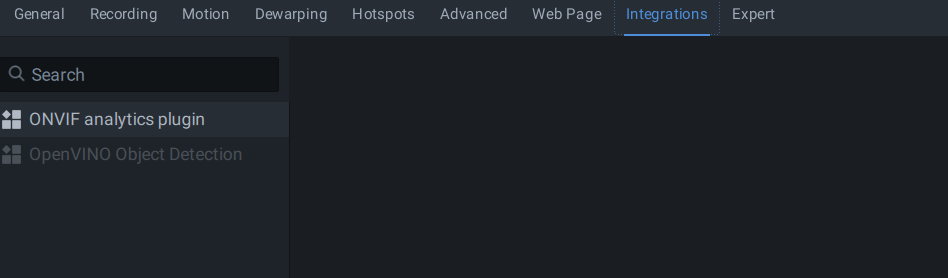
The previous version of NX had Milesight Integration for the camera MS-C8183-SPD, now NX doesn't seem to recognise the camera is a Milesight camera any more. Any ideas how I can fix this?
-

- Authorized Reseller
Hi Mark, have you tried removing and then adding the camera again?
0 -
No I did think about that but won't that remove all of the recordings?
0 -
Is there a reason why all my posts have to be approved?
0 -

Hi Mark Edwards
Yes, there is a reason, but no worries, it isn't personal.
The "Pending Approval" status on our forum is a security measure.We are currently targeted by sophisticated spam bots posting phishing links. To protect our community members, moderation remains enabled until our provider implements a permanent fix. (Which takes a lot longer that we would like to see it)
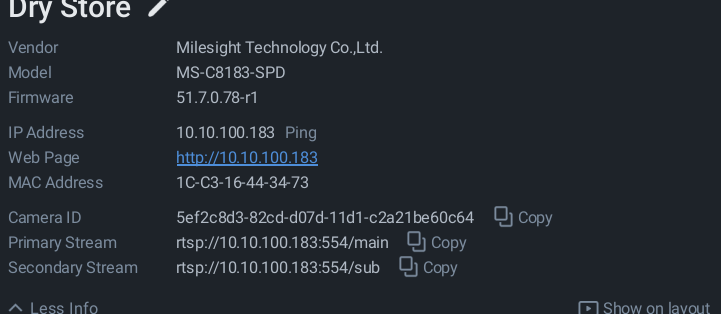
Regarding the reported issue; the Vendor name should be Milesight in order to be recognized, currently the modelname shows, and for Model, the devicename shows.
As Lloyd Riley proposed, deleting and adding it again, might resolve the issue, and otherwise it makes sense to default the device, and add it again. Under normal conditions, the recording shouldn't be removed and automatically associated to the same device again, since the same Camera ID should be generated.
With kind regards.0 -
OK thanks for that Norman
0 -
Regarding the reported issue; the Vendor name should be Milesight in order to be recognized, currently the modelname shows, and for Model, the devicename shows.
I have noticed that now, how can we fix this?
I tried a factory reset on camera and deleted from NX and readded but still the same.
0 -

Hi Mark Edwards ,
Could you please confirm whether the camera firmware is up to date? Also, how was the device added, via auto-discovery or manual search?
It’s possible that the Milesight camera reported an incorrect identifier during the discovery process, which may have led to incorrect information being captured. If the device was added via auto-discovery, please disable that function, re-add the camera via manual search, and check if the issue is resolved.
Thank you.
0 -
- Authorized Reseller
Hi Mark,
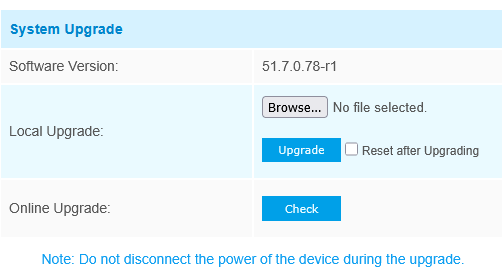
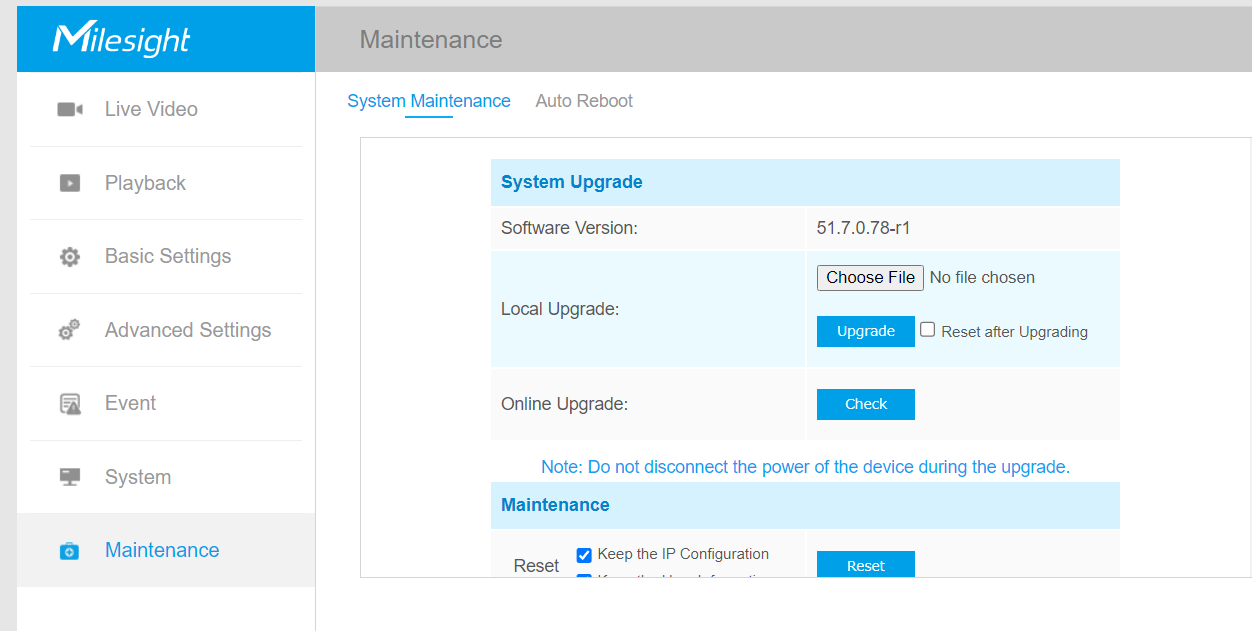
If you have an active internet connection you can check the firmware from the UI with these cameras.
 0
0 -
Hi Lloyd,
Yes sorry I forgot to mention that the camera was on old Firmware when it was working also so maybe that was the issue, after I update it to the latest….maybe I will try rolling back the firmware
Mark
0 -
Thanks Wendy,
I will try your suggestions…..Tried and it works thanks Wendy
It’s possible that the Milesight camera reported an incorrect identifier during the discovery process, which may have led to incorrect information being captured. If the device was added via auto-discovery, please disable that function, re-add the camera via manual search, and check if the issue is resolved.
Mark
0 -
Thanks to Wendy as suggested the auto discovery reported the incorrect Vendor, Deleting and manually adding camera fixed the issue
 0
0
Post is closed for comments.
Comments
11 comments