Support for "Generic" or "OEM" camera firmware from the main vendors
Answered
I'd like to start off with, I understand the support concerns around this. But from the end user/integrator side it's also a challenge.
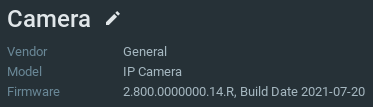
I'll use Dahua as an example here, as it's where I have the most recent experience. Depending on the channel you purchase through you often get cameras with the "General" firmware loaded on them. In that they don't show a "Dahua" logo on them but instead show something else e.g. "IP Camera". They are however 100% Dahua cameras just OEM'd. And infact Dahua often have both firmware versions available directly for you to chose from on their website. They also show different camera vendor information e.g.:

What I'm starting to see now is that some of the vendors are working directly with Dahua to get bugs fixed and in some cases features added to these "General" firmware releases that are not finding their way to the Dahua branded firmware releases. e.g. Some PTZ's get autotracking the camera in the screenshot above getting a number of critical fixes for SmartIR. The issue for me now is that when using cameras like this in NX they don't get detected as Dahua and so you can't use the analytics features. I know there is a temporary way to fix this by overriding the camera vendor, but this gets overwritten periodically. Is there a permanent solution, even if it came with a relevant "This is not officially supported" warning to resolve this?
-

Confirmed the json filed worked correctly.
0 -
-

Thank you for the confirmation Calvin Wientjes,
I have submitted the change to our team, and it should be included in one of the upcoming 5.0_patches.
JIRA-VMS-348890 -

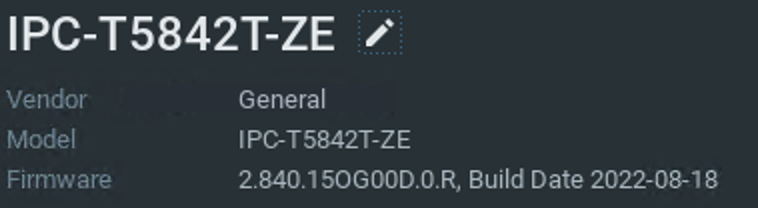
Also have a Dahua camera with generic firmware and analytics events don't pass through. Dahua IPC-HDW5842T-ZE. Could I also get a json file? Thank you.
0 -
Hi @...,
Please follow the steps as described below:
- Remove the device from the system.
- Stop the mediaserver application and paste the resource_data.json file in this LINK at the following location:
For Windows: C:\Program Files\Network Optix\Nx Witness\MediaServer
For Linux: /opt/networkoptix/mediaserver/bin/
- Now start the mediaserver application again.
- Add the device again.
To stop and start the media server, please do it as follows:
For Windows: Open the task manager, select tab ‘Services’ find the mediaserver application, right-click and select; Stop or Start
For Linux: Open the terminal (Ctrl+Alt+T) and enter the following command; sudo service networkoptix-mediaserver stop or sudo service networkoptix-mediaserver start.
After this, the request should be fulfilled.
Please confirm, and we will add it to a future patch.0 -
Can we add the Dahua analytics plugin to this model as well?
Vendor: Generic
Model: IPC-HFW5241E-Z12E
0 -
-
Hi Calvin Wientjes,
Sure, please follow the steps as described below:
- Remove the device from the system.
- Stop the mediaserver application and paste the resource_data.json file in this LINK at the following location:
For Windows: C:\Program Files\Network Optix\Nx Witness\MediaServer
For Linux: /opt/networkoptix/mediaserver/bin/
- Now start the mediaserver application again.
- Add the device again.
To stop and start the media server, please do it as follows:
For Windows: Open the task manager, select tab ‘Services’ find the mediaserver application, right-click and select; Stop or Start
For Linux: Open the terminal (Ctrl+Alt+T) and enter the following command; sudo service networkoptix-mediaserver stop or sudo service networkoptix-mediaserver start.
After this, the request should be fulfilled.
Please confirm, and we will add it to a future patch.0 -
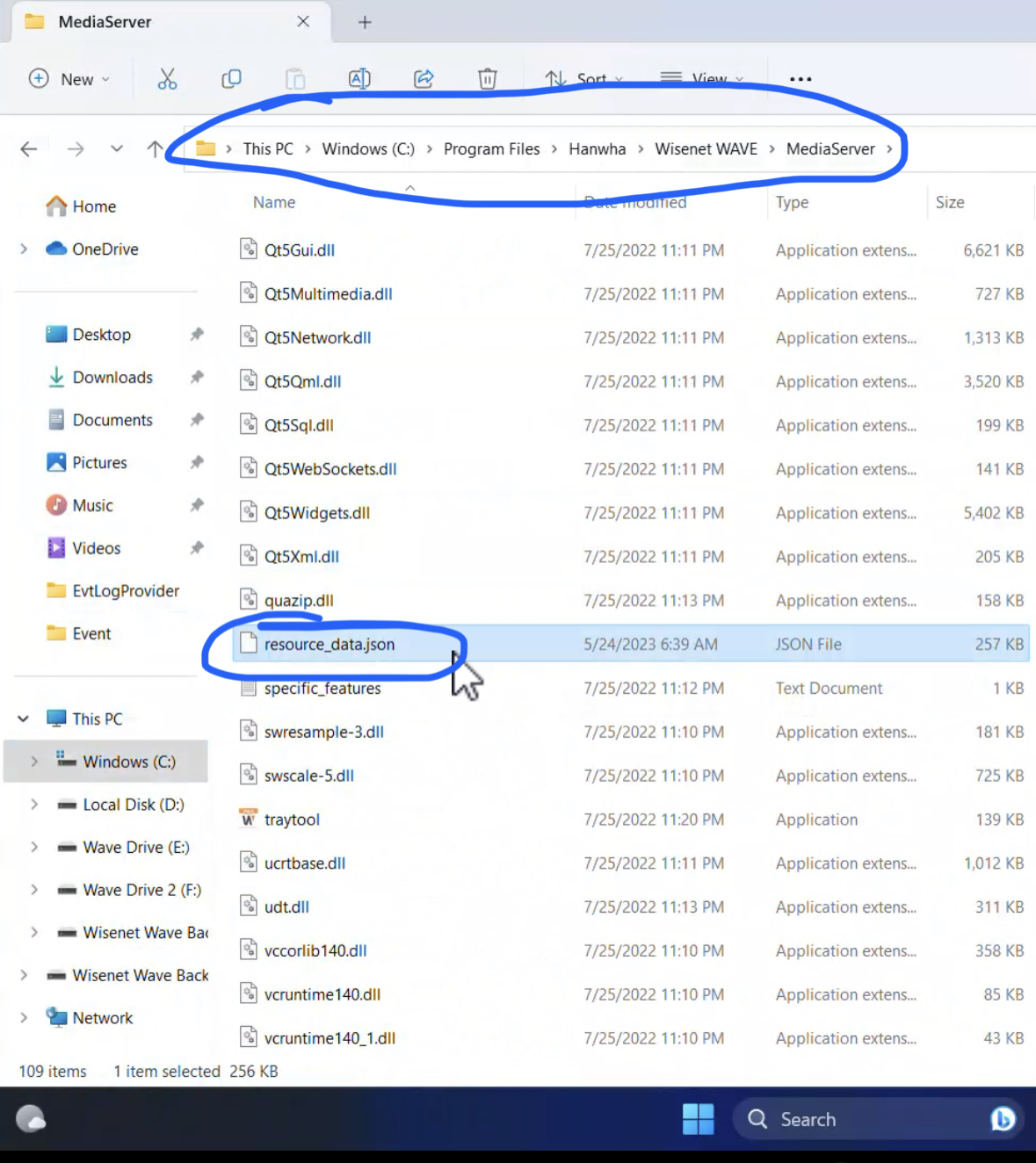
The plug-in did not show up for this model (IPC-HFW5241E-Z12E).
I’ve done this process a few times with success on other models you’ve added. This is a wisenet wave system. See screenshots for anything possible wrong. I’ve stopped the service and deleted the cameras. Also restarted the computer with the cameras deleted and service stopped. Then restarted and re added cameras.

 0
0 -
-
Hi Calvin Wientjes,
I think it is a version issue.
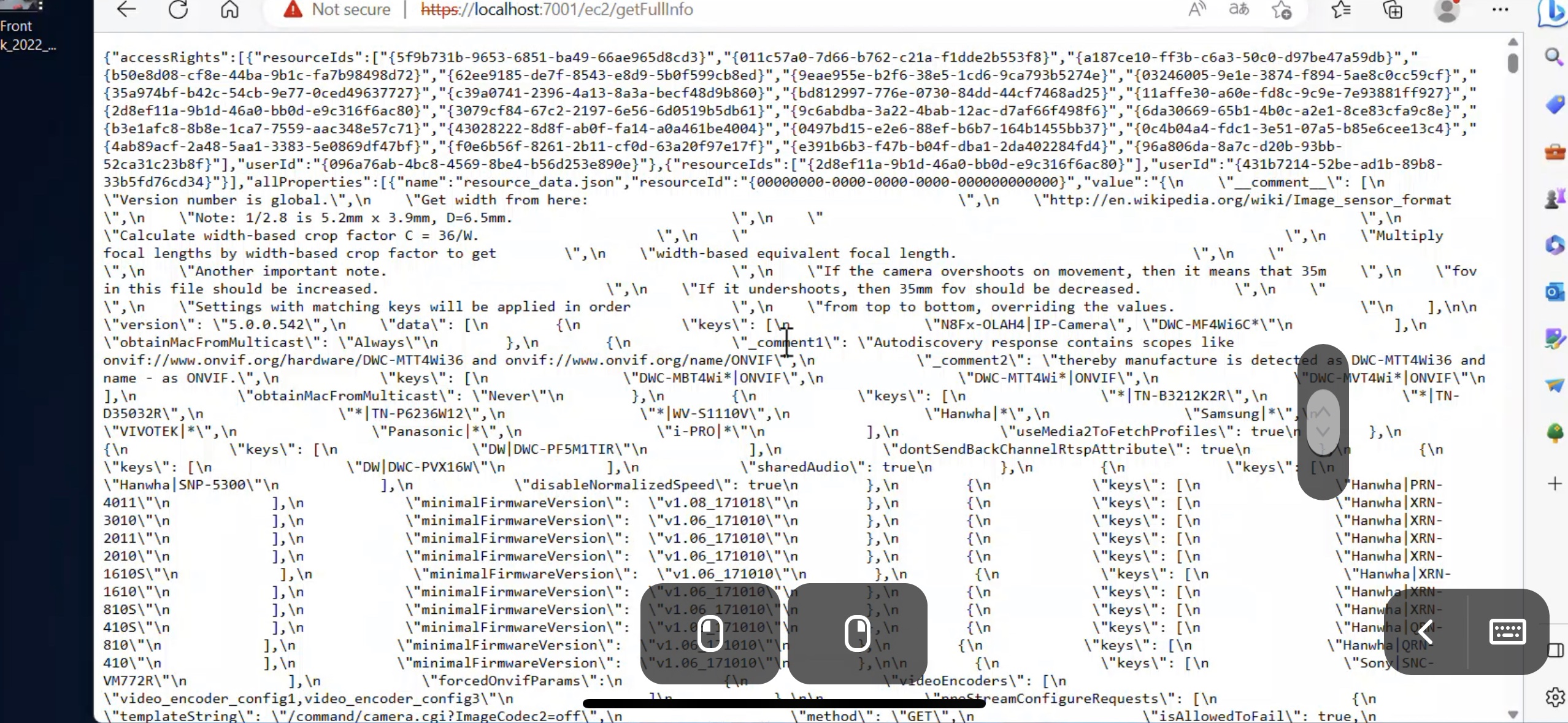
Can you open your browser and navigate to the WebAdmin with:
https://<serverIp>:7001/
Then, open a new tab and run the following API call in your browser?
https://<serverIp>:7001/ec2/getFullInfo
You can share the output as a download link, or just paste a screenshot of the top part of the output.
0 -
here it is.
 0
0 -
-
Hi Calvin Wientjes,
You did everything correct. It was me, who made a rather stupid mistake.
HERE, the correct file.
Please repeat the steps as mentioned above. You can delete or replace the previous file.
0 -
That worked!
0 -
-
Thank you, for the confirmation Calvin Wientjes.
I've forwarded the changes to our developers, and they will add the fix to the source code.
JIRA-VMS-39861
0 -
Bad News
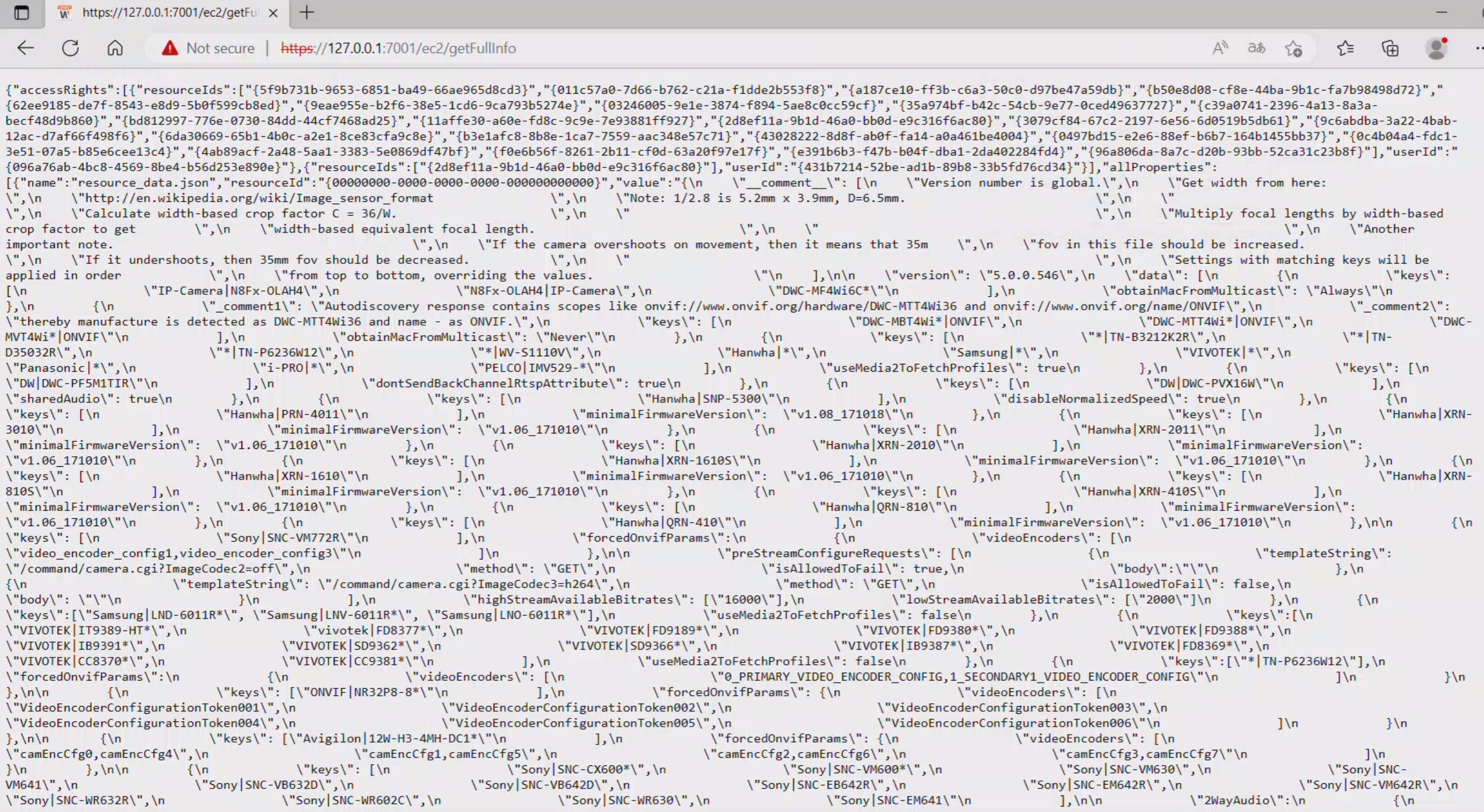
The plugin for those cameras (IPC-HFW5241E-Z12E) is now not showing up after upgrading the server to 5.0.0.36634. I verified the JSON file is still in the correct location after the new install.
In case its needed here is a new output from the API call you requested.
 0
0 -
-
Hi Calvin Wientjes,
I modified the previous file and saved it, and you can find HERE.
If you replace the current file and restart the mediaserver application, it should work again.FYI.
Each build contains the latest resource_data.json file in the source code. Once you manually add a resource_data.json file to your system, with a higher version, the mediaserver application will use the highest version.
You initially reported version 542, so I provided you 543. You updated to 5.0.0.36634, which had version 546 included. So, I increased the version to 550, which is one up from version 5.1, which will be released soon.The fix I added to the resource_data.json file should be added to one of the first 5.1 patches.
0 -

Hello Norman,
I encountered a similar issue with an OEM branch of Dahua. In this case, the vendor shows as General and Model as IP Camera.
When I check the serial number on Dahua Website, it show the camera model as OZ-IPWSD70402.
I have tried the json file above but the Dahua plugin is not detected for this camera.
Can you help me with this?
Thanh you.
0 -

Hello Norman
I have the same problem, I have hundreds of Dahua OEM cameras,
Can you create a JSON for me.
At the beginning for : IPC-HFW5241E-ZE-27135-S3 and IPC-HFW2441S-S-0280B.Thank you.
0 -
Hi Dominik Bulejko,
Most likely we can do that.
In order to address the reported issue, could you please provide a screenshot of the Camera Settings menu, specifically the General tab, where the Vendor and Model details are clearly visible?
Once we have this information, we will be able to create a temporary fix, which will be included in our source files once confirmed.
Thank you for your assistance.
Best Regards,0 -
Hi Norman

 0
0 -
Hi Dominik Bulejko,
Thank you for sharing these screenshots.
Unfortunately, we can't resolve the issue, since the Vendor and Model names are too generic and also in use by other manufacturers, and therefore it will create more issues for other users.
Please ask your supplier to provide firmware, where the Vendor and Model name are unique and don't conflict with the naming rules of other manufacturers.Thank you.
0
Please sign in to leave a comment.
Comments
49 comments