Nx Witness 在收容社背後無法正常收到DI警報訊息!
Answered
哈囉!目前我有在測試一台設備 (UD15724B-A 海康威視卡片式測溫熱像儀),此設備有支持ONVIF G、S、T協定,但實際測試後發現他與Nx連線後,他的DI警報觸發常常會無效,我有請原廠搭配 Nx Witness測試,出來的結果就是這樣,以下為原廠測試後的回覆訊息~~~
試了一百次左右,觸發次數10次左右,同時Onvif Device Manager這個工具每次都能接收到報警輸入信息,但是這個程序和設備測試工具這個工具連接上確實確實問題,我們研發也已經在查 工具連接的問題,不過無法觸發報警輸入和這個問題應該不相關,建議客戶NVR軟體端的開發人員也要查下,畢竟設備管理器這個工具每次都能收到報警
目前我這幾天測算下來的感受就是設備配置好參數後再連接到客戶端上,剛開始觸發的概率會大點,過一會就沒有報警了,用我們能夠能跑過設備測試工具的程序 稍後我也發你下,我測試的結果和定制的這個程序差不多,但這個程序對接其他客戶端還沒有反饋過問題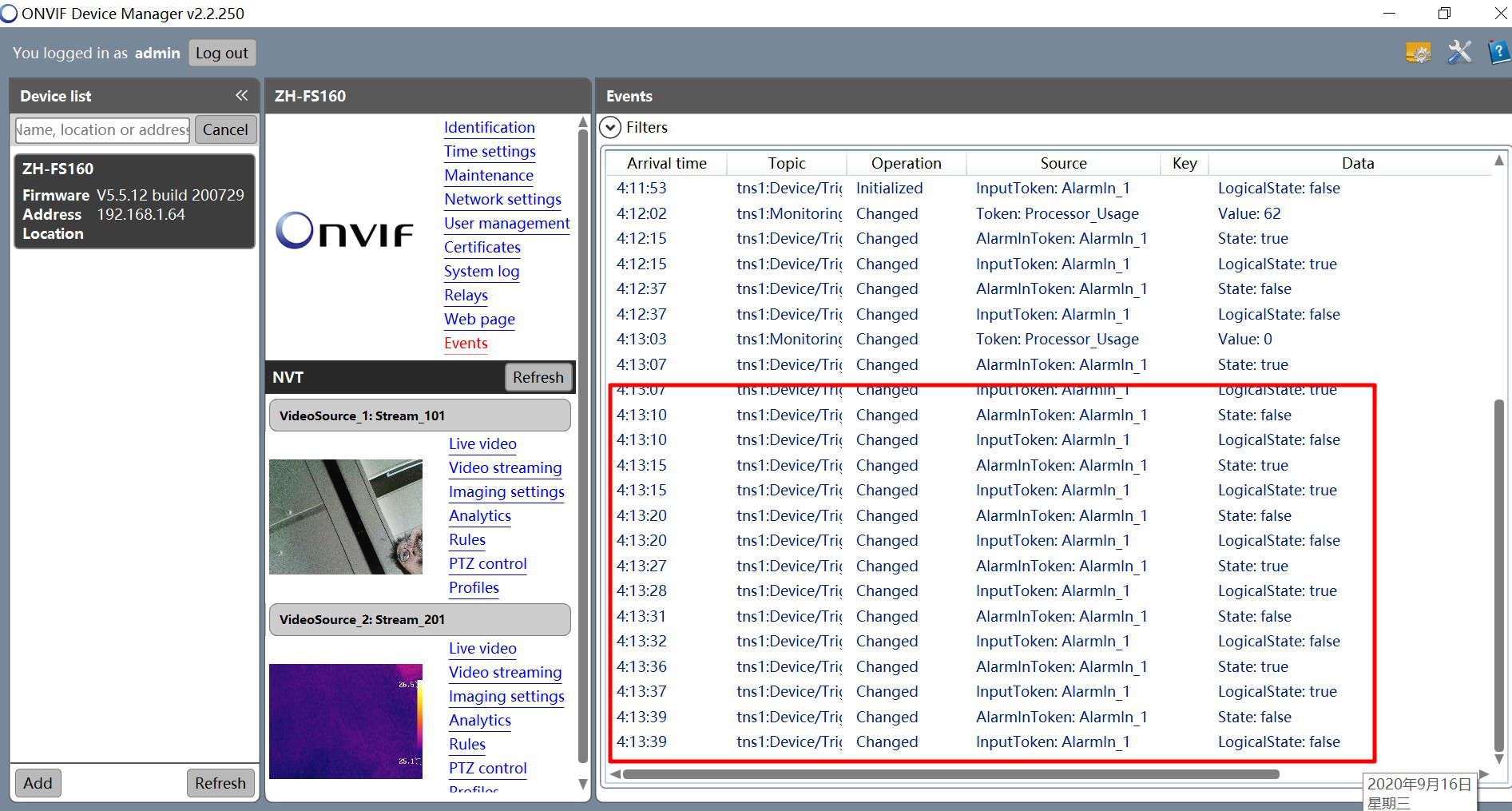
-

Hi Mr. Yang,
It seems like the issue will require further investigation, as a result, we would like to connect remotely to your camera with the reported issue in order to resolve the problem as soon as possible. Please help to confirm if you are able to set up the port forwarding of the camera and setup the test environment for us. Then we will convert your query into our ticket system and you could provide the privacy information across the mail.
The information we need to check as below,
1) The public IP address of the camera.
2) The camera username and password (admin level).
3) The external port (forward the HTTP and RTSP port).
4) The step how could we test the input signal. For example, you could wire the input and output together so that we could trigger the output then check the input signal on our side.Additionally, we hope next time you could submit your post in English to let all Nx engineers(also other members of the Nx community) see your question and give you feedback efficiently.
I'm looking forward to your feedback, thank you.
0 -
Okay, let me prepare first and let you know when the device is online
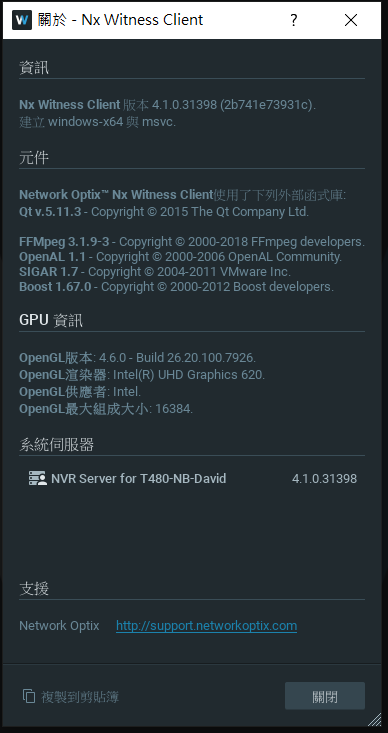
In addition, I have also tested the latest PATCH 4.1.0.31767, and the result is that the DI alarm input signal from the device cannot be received normally.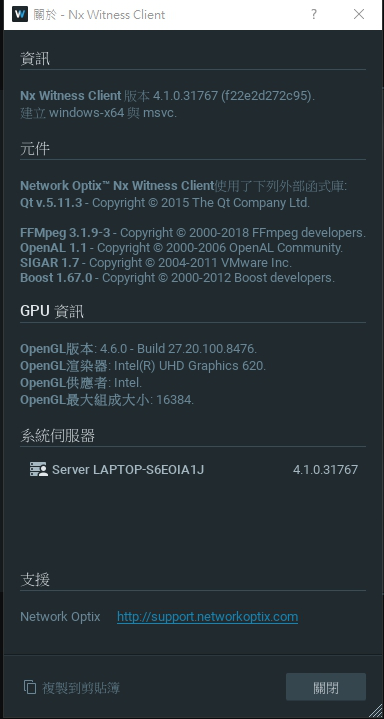 0
0 -
Hi Mr. Yang,
I have forward your case into our ticket system. Please check your mailbox and reply the required info for us.
Thank you.
0 -
At present, the DI of the device has been triggered, and the analog DI alarm action can be achieved by modifying the DI trigger mode. Because the current device only provides simplified Chinese interface, please refer to the following picture for operation
- Click the "Configuration" page at the top of the WEB page
- Click the "Event" option on the left
- Click the "Alarm Input" page
- The preset "Alarm Type" is selected as "Normally Closed" (in this case, it means that DI has no input)
- Please modify the "Alarm Type" to select "Normally Open" and press "Save" at the bottom
(At this time, it means that DI has been input)
- At this time, please switch to the "Alarm Output" page and press F5 to update the screen
- You can see that the alarm status will be displayed as "closed"
(At this time, it means that DI has triggered and paralleled DO output successfully)
- Please modify the "Alarm Type" to "Normally Closed" and press the "Save" at the bottom (in this case there is no DI input)"
- At this time, please switch to the "Alarm Output" page and press F5 to update the screen
- You can see that the alarm status will be displayed as "open"
(At this time, it means that DI has no trigger and parallel DO output)
The purpose of manually triggering DI can be achieved according to the above actions
目前已經將裝置的DI進行觸發,透過去修改DI觸發模式即可達到模擬DI警報動作,因為目前設備只提供簡體中文介面,故請參照以下圖片進行操作
1.點選WEB頁面上方的"配置"頁面
2.點選左側的"事件"選項
3.點選"警報輸入"頁面
4.預設"警報類型"選擇為 "常閉"(此時表示DI無輸入)
5.請修改"警報類型"選擇為 "常開"並按下底下的"保存"
(此時表示DI已經輸入)
6.此時請切換到 "警報輸出" 頁面並按下F5更新畫面
7.可以看到在警報狀態會顯示為"關閉"
(此時表示DI有觸發並聯動DO輸出成功)
8.請修改"警報類型"選擇為 "常閉"並按下底下的"保存"(此時表示DI無輸入)"
9.此時請切換到 "警報輸出" 頁面並按下F5更新畫面
10.可以看到在警報狀態會顯示為"開啟"
(此時表示DI無觸發並聯動DO輸出)
根據以上動作即可達到手動觸發DI之目的
Alarm input page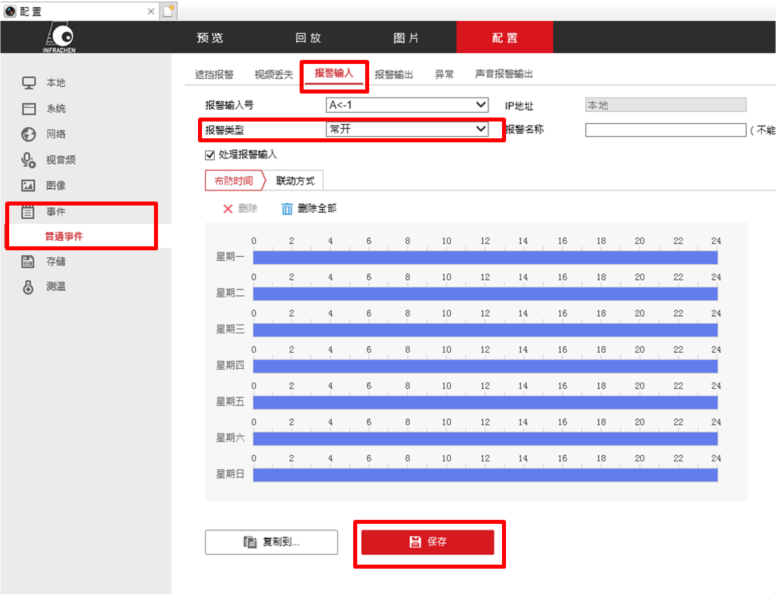
Alarm output page
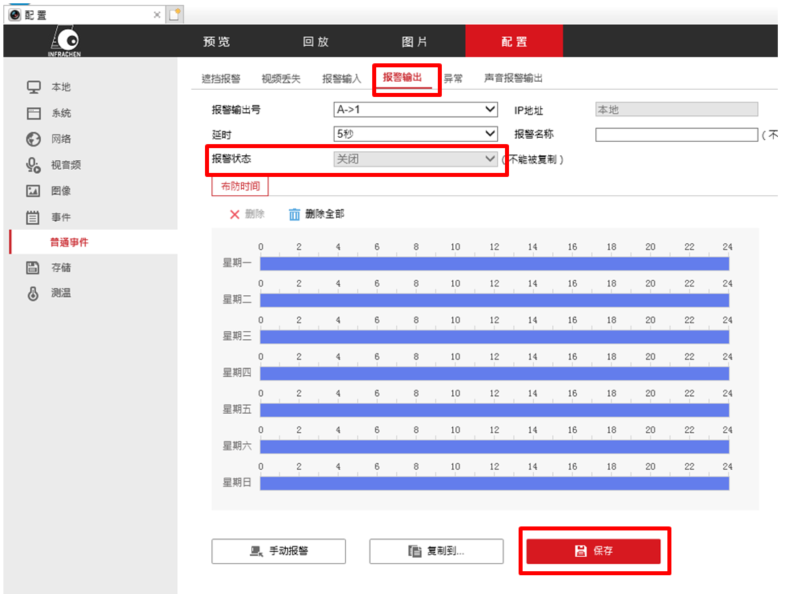 0
0 -
Hi Mr. Yang,
I've removed some information on your previous update.
Let's discuss the case via the mail since it's the public area.
Thank you :-)
0 -
OK!
Waiting for your technical support and assistance!
0 -
Is there any progress on this question?
Our equipment is still set up on the network, waiting for further news0 -

Hi @...,
Please check your email. My colleague is awaiting your reply on the support ticket.
0 -
Hello! Haven't received new mail message
Because for me, my problem is still not provided with further solutionsMy problem is that when Nx Witness contained the ZH-FS160 (thermal image + visible light) thermal imaging device, it could not receive the DI alarm message normally!
At the same time I am connecting the device to the Internet waiting for technical support, testing and verification0 -
Hi Mr. Yang,
I've found the port forwarding session is unavailable since 9/17. Also sent a reminder to request a reply this Monday. Maybe there's something wrong in your mailbox. We still cannot access the camera via the remote info so far. If the IP is not static, you may configure a domain name for IP update automatically.
Please check and update the remote info of the device for us via replying to our mail so that we could continue our investigation.
Thank you for your cooperation!0
Please sign in to leave a comment.
Comments
10 comments