Edge Recording
Planned
There are currently projects that need to be used. Support Edge Storage, it is possible to add images recorded on the SD Memory installed in the camera to add or repair the recorded image data in the event that the image is missing.
Can be add ability to import missing archive video cameras internal storage?
What are the steps to take?
-

Thank you so much for your feedback and perspective regarding this matter.
Unfortunately, such features are not being worked on at the moment. We understand your eagerness to have this request implemented, so we will take your feedback into account for future feature discussions.
Please feel free to send us any other comments or questions and have a great rest of your day!0 -

Feature where Nx Witness can record & read video from an IP cameras' SD card as primary storage (or failover recording to the SD card) would be extremely useful!
It would enable the deployment of much lighter installations, for example a simple IP camera with SD and Rasperry pi server for a complete in-vehicle deployment.
2 -

is there any update about this feature? As Jason said, it wolud be extremely useful!!
0 -

Any update on this?
0 -

This would be a great feature- so a camera that is usually connected to NX, but when its not will record to its SD card. When it connects next time, NX should import the video recorded offline.
2 -
Bryn Loftus Exactly! Apparently it is coming out in 5.1
0 -

Any further comment from this from Networkoptix? We have potential projects for the feature
0 -
I hope this message finds you well. I wanted to inform you about the edge recording feature that we had planned to implement. Unfortunately, we have encountered some unexpected issues during the implementation process that have made it necessary for us to postpone this feature for the time being.
I understand that this news may be disappointing, and I apologize for any inconvenience that this delay may cause. Please know that we are working hard to resolve the issues that we have encountered.
We appreciate your patience and understanding as we work to provide you with the best possible product. If you have any questions or concerns, please don't hesitate to reach out to us.
Thank you for your understanding.
0 -

Hi Norman,
Any update on this?
We also need this to be able to propose NxWitness as a base solution.
Best Regards
0 -
Hi Fabian Penasse,
At this moment, there are no changes to share, that are different from our previous message. Rest assure that the development and release of Edge Recording is important for us, but we encountered several issues that required us to withdraw the feature for the current release.We want that the feature, once released, meets most customers requirements with a bare minimum, preferably none, of bugs. Please keep an eye on the release notes of future patches and releases for the announcement of the Edge Recording feature.0 -

Any updates?
1 -

- Authorized Reseller
BUMP
0 -

Hello - any update on this? With the proliferation of edge recording devices especially when paired with solar and cellular SIM cards, we're finding it impractical to continue using Network Optix / Wisenet Wave if it can't be our single interface into this variety of cameras. Though I can imagine companies like Reolink might be explicitly blocking ONVIF-compatible VMS's like NX.
Please let me know so that we may plan accordingly!
0 -

Initial support for ONVIF Profile G was added in version 6.1; you can expect to see public announcements about it soon.
Also see https://nxvms.com/download/betas
We only tested it with several vendors/models/firmwares, though, so actual support also depends on the camera side. Please note that there is no standard implementation of the ONVIF standard, so we occasionally encounter unusual ONVIF implementations on the camera side that affect our integration.0 -

Tagir Gadelshin this sounds great… I've been running some tests with 6.1 so will include this in my testing across a few different brands and see how it goes.
0 -
Thanks for the update. How is this configured? We are running 6.1 with the compatible Axis cameras but couldn't figure out where this was managed.
0 -
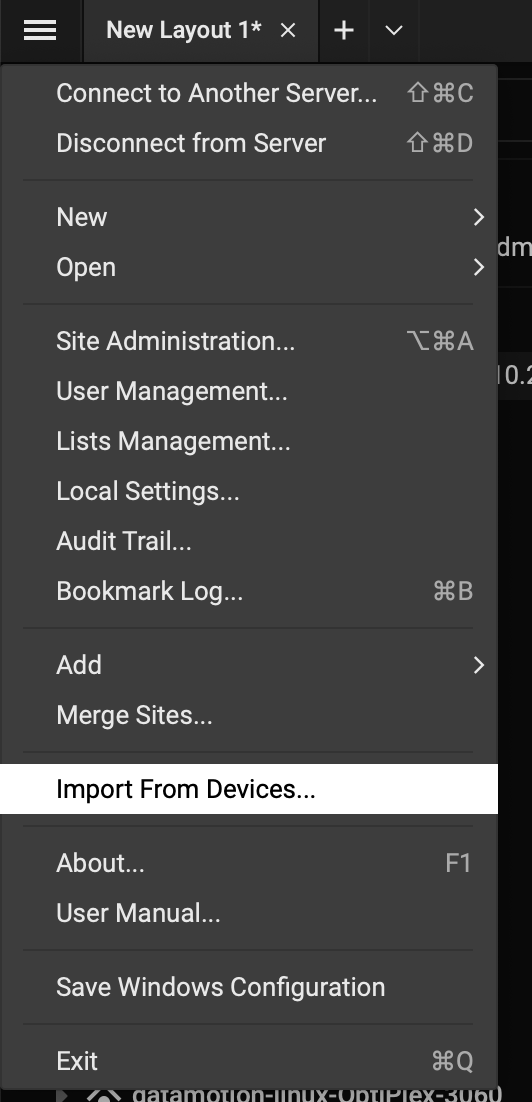
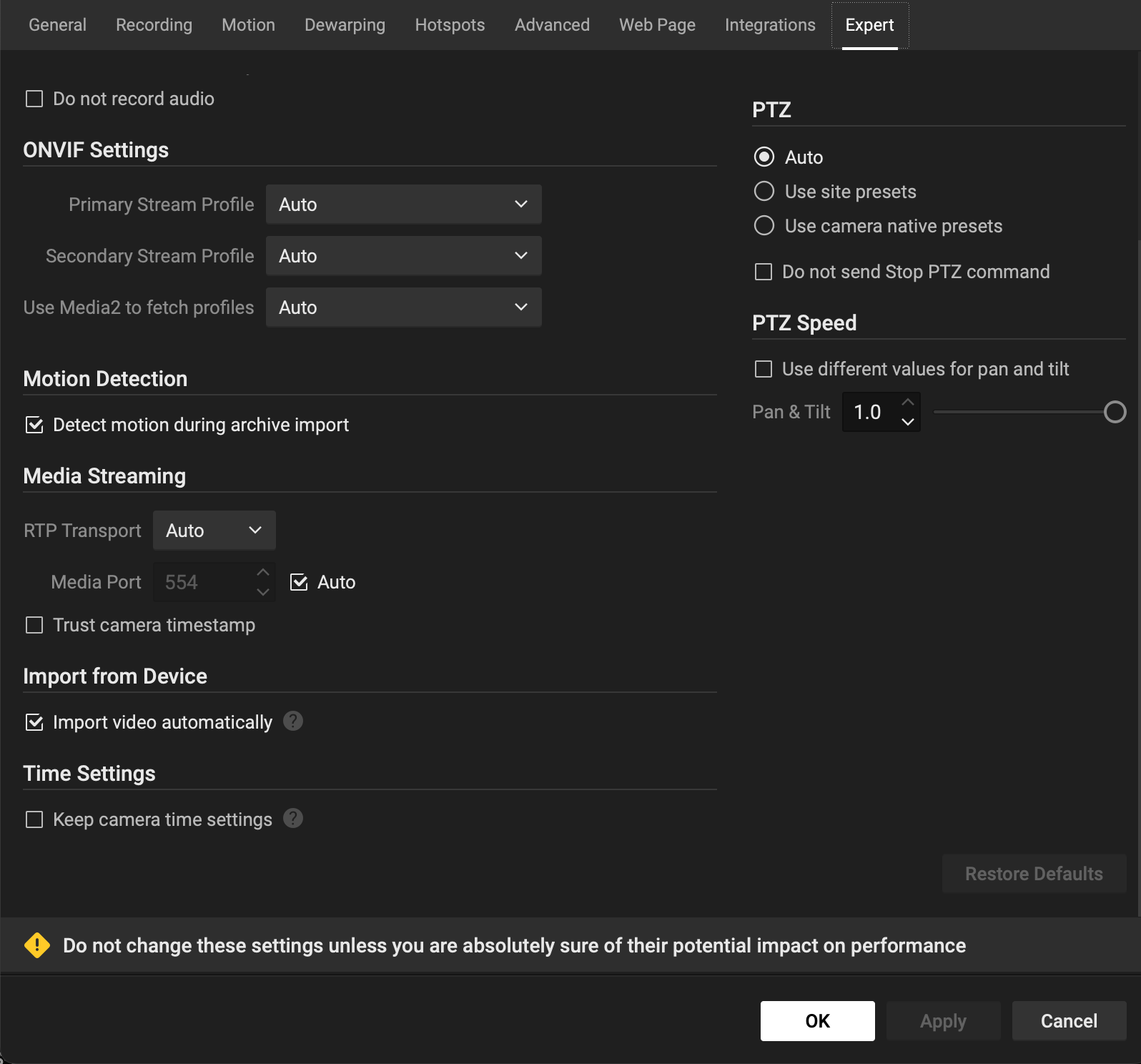
Gordon Remmington @... it is somewhat hidden, since it's enabled by default, I think, so there is no need to manage it separately. But if you're curious, some info should be visible in Import from Devices menu item. Also, there should be new Import from device checkbox in Expert settings
 0
0 -

Hello i came to this topic after a search since i need this feature for an application i am working at. I had a look on my NX 6.1 server and i see the “import from device” feature
If i look at the manual i get to this:
NOTE: Profile G support is provided for the following cameras:
•Hanwha XND-C9083RV
•Uniview IPC2325SB-DZK-I0
•Vivotek FD/IB9391-EHTV-v2 series
•Vivotek FD/IB9365-EHTV-v2 serie
So is the inport from device feature available only for those 4 camera models or for every camera that supports ONVIF G?
0
Please sign in to leave a comment.
Comments
18 comments