Cannot run client (not responding)
Answered
I also cannot run/start a client...
Context: I installed 4.1 over top of 4.0 on various servers (all Win10Pro). On one of them, the client app does not fully start. It stays in not responding mode. The media server is working.
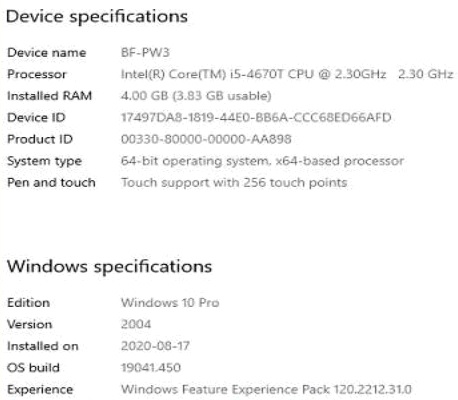
System: Using one BenQ display on Intel HD Graphics 4600, on I5 4670T with 4gb ram (not robust, but sufficient for the 4 cameras there)
I just get a black display of the app beginning to initiate, however it never fully opens to the client.
How can this be attended to ?
Gord
-

Hello Gord. Thank you for reaching out.
I would like to ask you to share with us a client memory dump that has been created immediately after you observe black screen.
You can do this as follows:
To get the process dump file, please perform the following steps:
- Press Ctrl+Alt+Delete on your keyboard.
- Select Task Manager.
- Right-click the process (the Nx Witness client in this case) for which you need to create a dump file.
- Select Create Dump File.
- Wait until you get the notification on successful creation of the file.
- Copy the path to the dump file.
- Click OK.
- Press Win+E combination on your keyboard.
- Paste the copied path to the folder to the address line.
- Press Enter on the keyboard.
The folder with the dump file will open and you can share this *.dmp file as you would share any file.
Also please share with us contents from "About" dialogue of the client. This dialogue can be called by F1 key.
0 -
Done. Link to 1gb file here
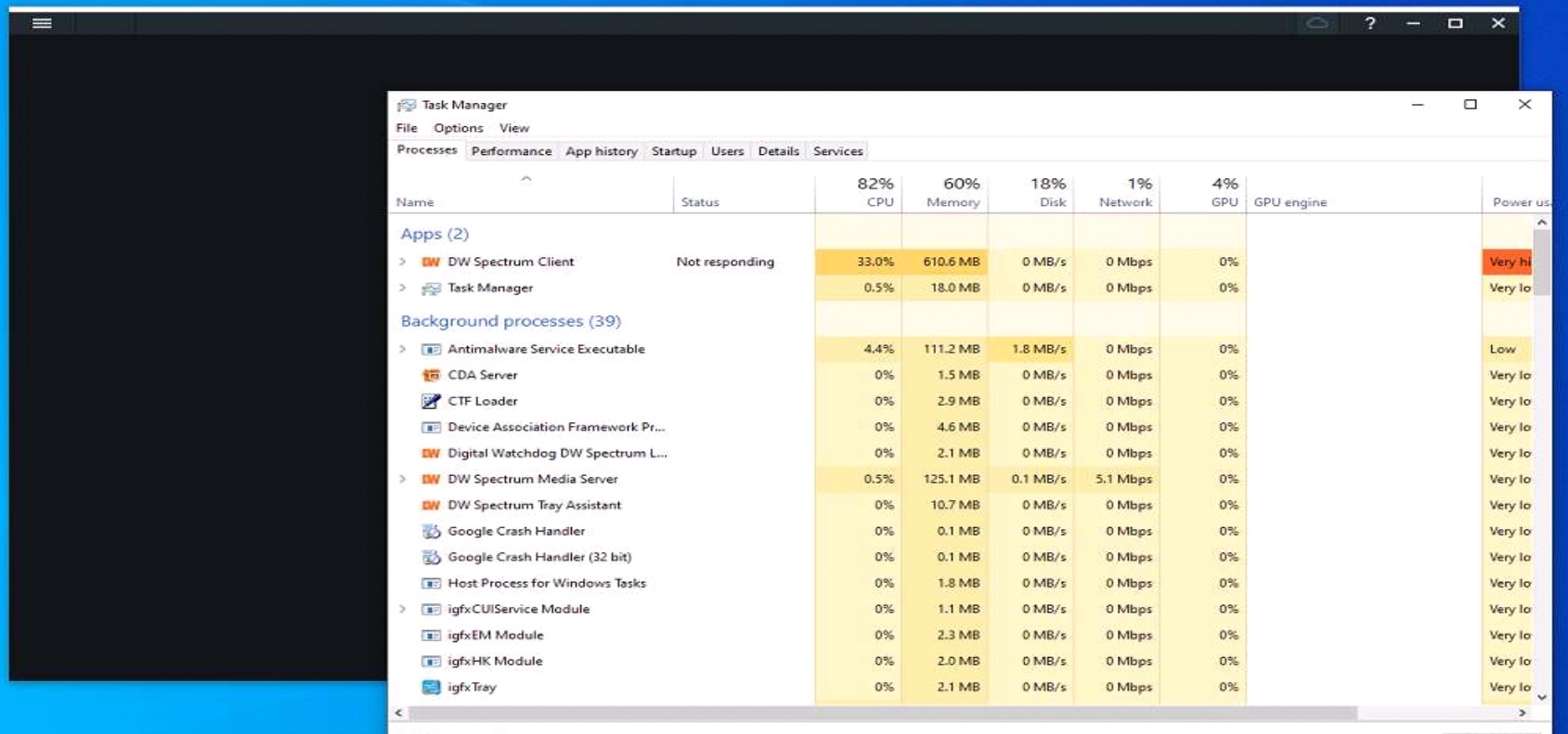
as well as task man picture.
The about dialogue does not come up, and windows requests to wait or close program.
I killed the process to exit.
Might I suspect this has to do with the usb connected storage device? (because the drive does sound like it is increasing activity at open attempt of client). If so, I added a picture showing the regy setting for allowing usb storage.
Thank you for your time.0 -
Gord, thank you.
And what is your software version? Can you please attach a screenshot of "About" dialogue of the client?
0 -
Client Version: 4.1.0.31401
I cannot provide screenshot because it does not display (as shown in picture in link above. A black display is all I get/)
Instead, I provide the dxdiag txt file data to help assist.
Cheers.0 -
<bump> Curious as to progress? </bump>
0 -
Hello Gord.
Please refer to this thread. https://support.networkoptix.com/hc/en-us/community/posts/360049026874-Client-version-is-not-booting
Your issue looks very similar to this one.
0 -
Yes. Near identical issue by the looks of it.
I do not have Nahimic things identifiable on our computer. I removed realtek audio for whatever relationship it may have with them, however, I still cannot open the client (current version/win10pro), even though before the version change I had no issues.
Gord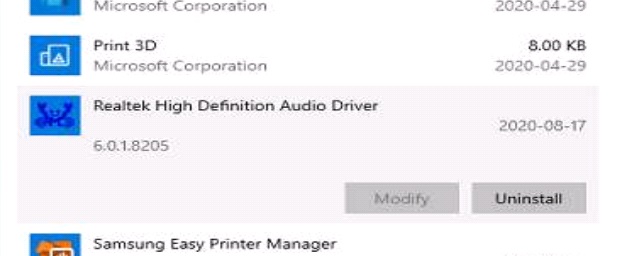
 0
0 -

Hi Gord,
Please share a process dump that has been created immediately after the freeze.
You can do this as follows:
To get the process dump file, please perform the following steps:Press Ctrl+Alt+Delete on your keyboard.
Select Task Manager.
Right-click the process (the Nx Witness client in this case) for which you need to create a dump file.
Select Create Dump File.
Wait until you get the notification on successful creation of the file.
Copy the path to the dump file.
Click OK.
Press Win+E combination on your keyboard.
Paste the copied path to the folder to the address line.
Press Enter on the keyboard.
The folder with the dump file will opened and you can share this *.dmp file as you would share any file.0 -
The dump file previous to the realtek uninstall is here: https://drive.google.com/drive/folders/1nQKyxmrBsn4H-yD0StDVAnJfnO7X-AOe?usp=sharing
I assume you don't need another?
Cheers,
Gord0 -
Hi Gord V.
Thank you for sharing. I shared the Drive link to our developers as well for further investigations.
As soon as I know more, I'll update this thread again.I also noticed you shared images of the Processes tab of your Task Manager. Please take notice that you should disable the relevant drivers and you can check if they are running in the Services tab of your Task Manager.
JIRA-VMS-20034
0 -
Hi Gord V.
Two comments from our developers.
Could it be that you have a lot of local files in the desktop client application? Could you (re)move these and try to start the desktop client application?
Also, I'd suggest rebooting the computer as a whole. Problem is on the OS level right now, the client uses way too much file handlers at this stage.Can you tell us a bit more about the system? How many cameras, servers, etc. Is the desktop client application running on the same device as the server application?
0 -
I don’t believe there are any local video files on that machine. The machine has been rebooted a few times since with no improvement in conditions. There are only 4 cameras on that server, and the only server on that location. Yes, the client is running on the server device in that 4 camera location. (The greater system has 2 more servers of 4-12 cameras at other locations). The other servers or clients do not have any issues. Here are the 'about' specs below. Nothing robust or new, but sufficient. The previous software version did not have this issue. It only occurred after the update. The server is writing storage files to a usb connected drive that is fully operational. Everything is accessible from other clients.
Logs:2020-09-06 07:22:39.957 1238 INFO nx::vms::server::GlobalMonitor(0x22173893cb0): OS CPU usage 4.81% 2020-09-06 07:22:39.957 1238 INFO nx::vms::server::GlobalMonitor(0x22173893cb0): Process CPU usage 3.50% 2020-09-06 07:22:39.989 1238 INFO nx::vms::server::GlobalMonitor(0x22173893cb0): OS memory usage 52.07% 2020-09-06 07:22:39.989 1238 INFO nx::vms::server::GlobalMonitor(0x22173893cb0): Process memory usage 5.66% 2020-09-06 07:22:39.989 1238 INFO nx::vms::server::GlobalMonitor(0x22173893cb0): HDD usage: 2020-09-06 07:22:39.989 1238 INFO nx::vms::server::GlobalMonitor(0x22173893cb0): HDD0: 0.48% 2020-09-06 07:22:39.989 1238 INFO nx::vms::server::GlobalMonitor(0x22173893cb0): HDD1: 0.08% 2020-09-06 07:22:39.989 1238 INFO nx::vms::server::GlobalMonitor(0x22173893cb0): File handles: 2020-09-06 07:22:40.051 1238 INFO nx::vms::server::GlobalMonitor: Disk files: 222750 2020-09-06 07:22:40.051 1238 INFO nx::vms::server::GlobalMonitor: Sockets, pipes: 70 2020-09-06 07:22:40.051 1238 INFO nx::vms::server::GlobalMonitor: Character devices: 0 2020-09-06 07:22:40.051 1238 INFO nx::vms::server::GlobalMonitor: Unknown: 8 2020-09-06 07:22:40.051 1238 INFO nx::vms::server::GlobalMonitor(0x22173893cb0): Network usage: 2020-09-06 07:22:40.051 1238 INFO nx::vms::server::GlobalMonitor(0x22173893cb0): Realtek PCIe GbE Family Controller. in 865KBps, out 21KBps
Device Specs:
 0
0 -
Hi Gord V.
I would suggest that we move this issue into a support ticket, so our support team and developers can investigate the issue.
Therefore, we would need the following prerequisites.
- TeamViewer access
- Additional OS user, so we can log in a 'clean' environment
- Credentials of this OS user and the credentials of DW (administrator level).
If this is okay with you, please confirm, and I will create the ticket where you can share the information in a secure manner.
0 -
This can be arranged.
Let me know when.0 -
Issue was resolved. No RCA possible.
0
Please sign in to leave a comment.
Comments
15 comments