Client installed on server dont stream
Answered
hi
I have A PC where the server and client is installed server works good but client on this PC dont show camera stream. but the other clients from remote computers works fine
-

Hi,
This sounds like a graphics card issue or the version of OpenGL is too low and you need a newer version.
0 -
Server works fine when i log in with web browser to Localhost:7001. Also from the client in my office computer to this server also works fine.
Local Client to Local Server wont work. But this same client works good with remote servers. Only to his local server its not working
ive tried to Uninstall and fresh install still the same issue
0 -
this is the Graphic card it on the pc intel UHD Graphics 630
0 -
 0
0 -
Can you update to the latest patch? There was a known issue with the Intel UHD 630 GPU which was resolved in the latest patch.
The in-client update credentials for Nx Witness 4.0.0.30434 are:
Build Number: 30434
Password: xo5e210 -
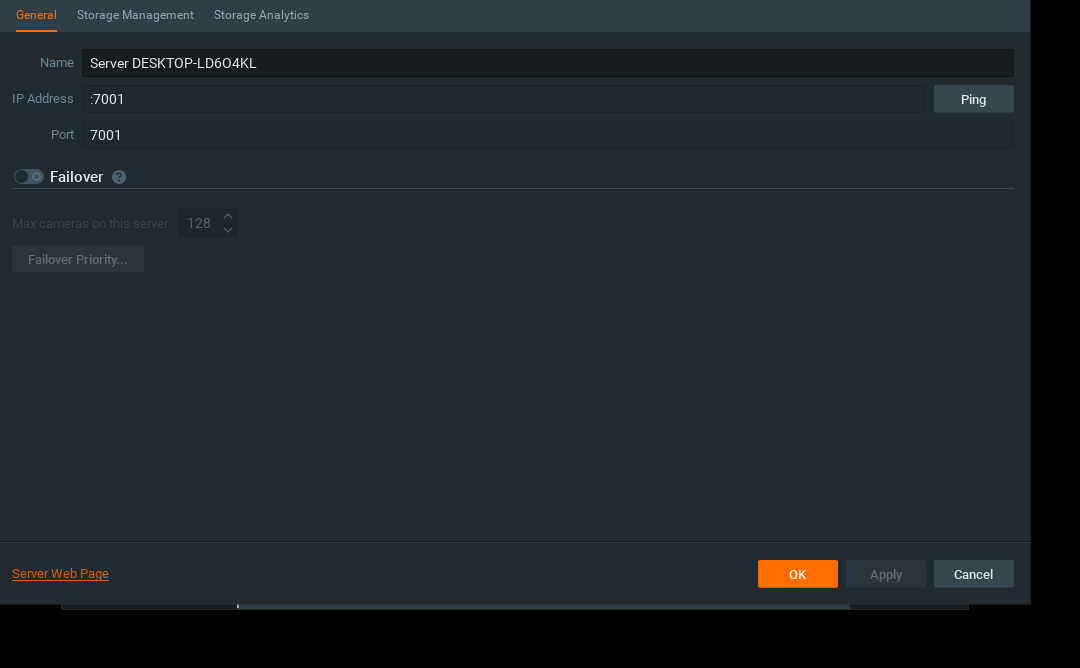
it looks like the client dont find the server address . only port
0 -
iv updated to 4.0.0.30107 Still having the same issue
0 -
What version of OpenGL do you have?
0 -
Hi null,
Did you manage to resolve the issue? Or is there something we can do to assist you?
0
Please sign in to leave a comment.
Comments
9 comments