NX Meta Integration Questions
Planned
We are integrating our AI web socket with NX Meta and are now making good progress. However, there are a few areas that we need assistance or clarification for:
- How can we customise the colour / look of the bounding box overlays?
- We see the yellow areas of the timeline for objects, but not for our alert events.
- We can trigger a full-screen camera when there is an event. Can we exit full screen after n seconds once the event is gone? We dont want the camera to stay full screen basically.
- If we have a camera that is not on the current layout, can we bring it onto the layout temporarily while it is alerting (not as full screen)?
-

Hi Alex Kehoe,
Thanks for your questions.
1. How can we customise the colour / look of the bounding box overlays?
Unfortunately, currently this is not supported. We do put this request in the backlog, but at the moment we don't have the ETA.
2.We see the yellow areas of the timeline for objects, but not for our alert events.
The yellow indicator represents an object indicator, not an event. Therefore, if you want to display that indicator, you’ll need to integrate with Objects, not just Events.
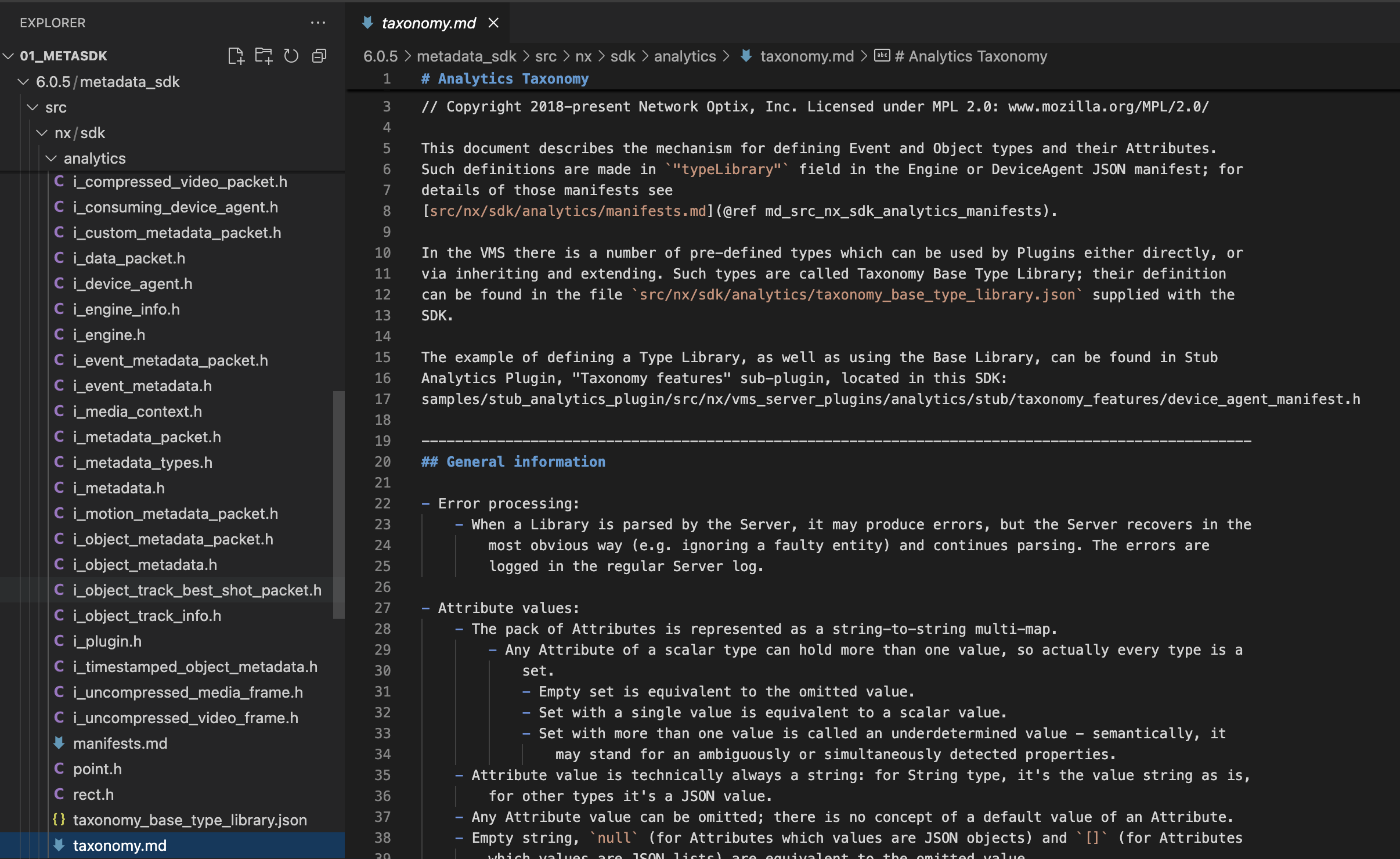
Please refer to metaSDK / taxonomy.md and STUB:object_detection for more details.
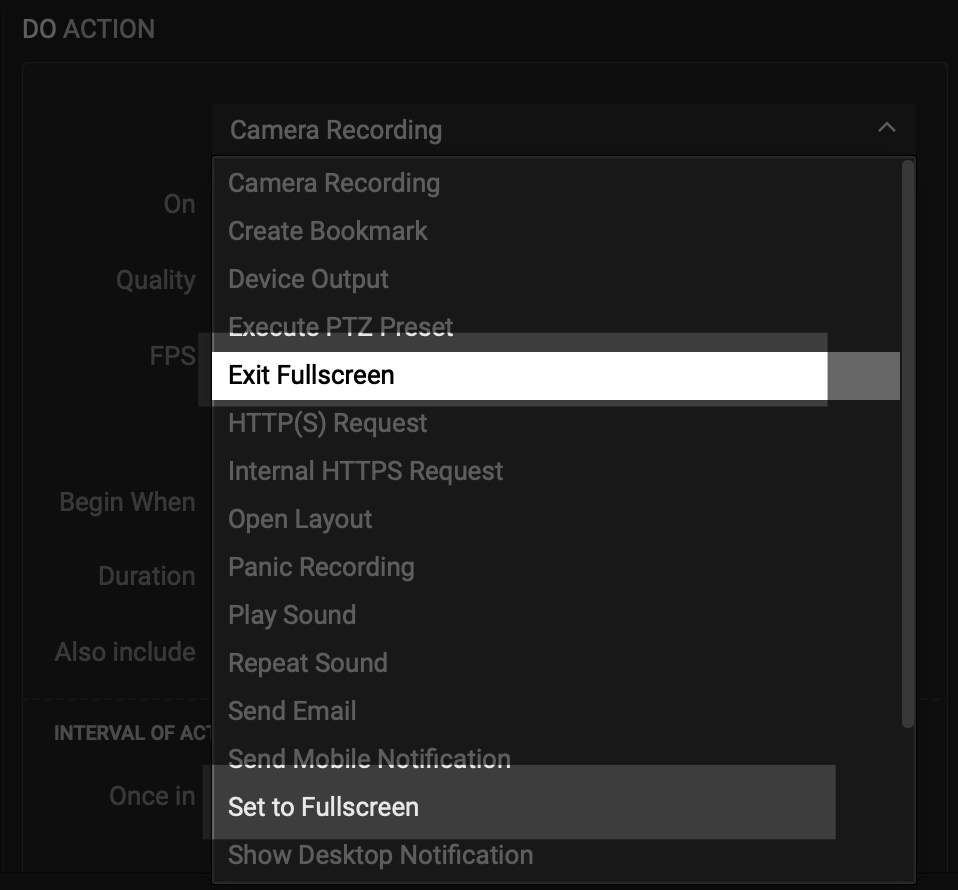
Can we exit full screen after n seconds once the event is gone? We dont want the camera to stay full screen basically.
Currently, this feature is not natively combined but implemented as two separate events for more flexible usage. You can trigger a “finished” event and set its action to exit full screen accordingly in your implementation if required.
If we have a camera that is not on the current layout, can we bring it onto the layout temporarily while it is alerting (not as full screen)?
We have the Show on Alarm Layout feature for critical events that need to grab attention immediately.
However, once the event is handled, you’ll need to manually switch back to another layout if necessary.Alternatively, you can use a similar approach by setting a time-sensitive “finished” event to reopen your preferred layout (for example, reverting to the default layout automatically after a set period).
Thanks.
0 -
Hi Ichiro I have a follow up question if I may.
Our goal is for NX Meta to render our bounding boxes all the time and to separately allow us to trigger an event/alert which will be shown on the timeline. However, right now what we seem to have working does not achieve all this at the same time.
Current implementation:
Objects - This will show our boxes. These are shown on the time line which is not the end of the world but we actually want events to be on the time line.Events - If we want events we have to switch to ‘events mode’ but then we lose objects and nothing is shown on the timeline anymore.
Separately, do you have any documentation or stock way of drawing graphical zones such as tracking or alert zones?
0 -
Hi Alex Kehoe
Thanks for your questions.
Please check the comments below :Current implementation:
Yes, this is expected. Boundary boxes will be shown only while object tab is enabled and activated.
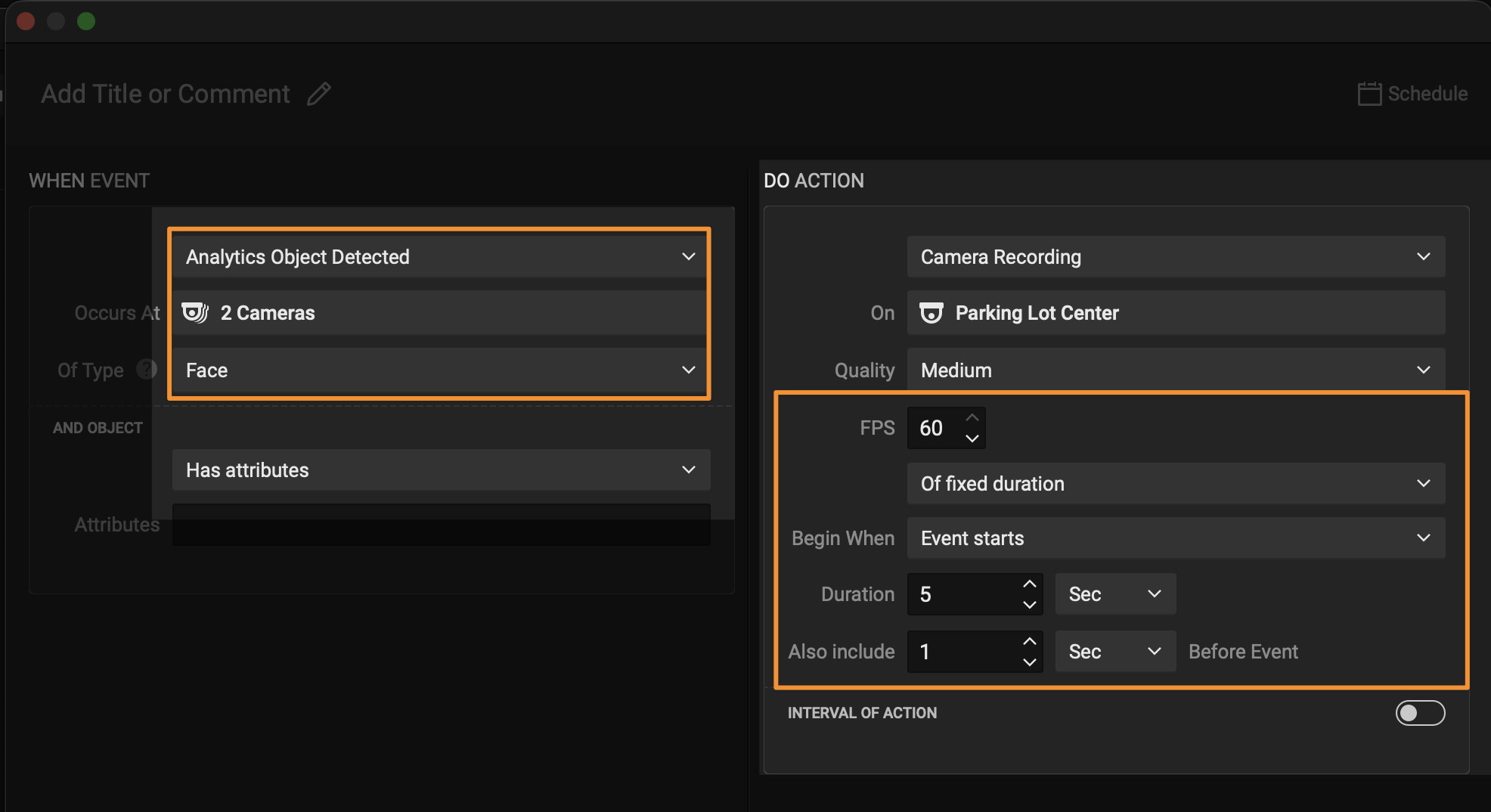
Objects and events are two separated modules in Nx and they are not mixed for display on the timeline, and there might be no plan for display "event” on the timeline.Alternatively, you can configure object detection as the event and record only when objects are detected. In that setup, the timeline will align directly with the “object detected” events.
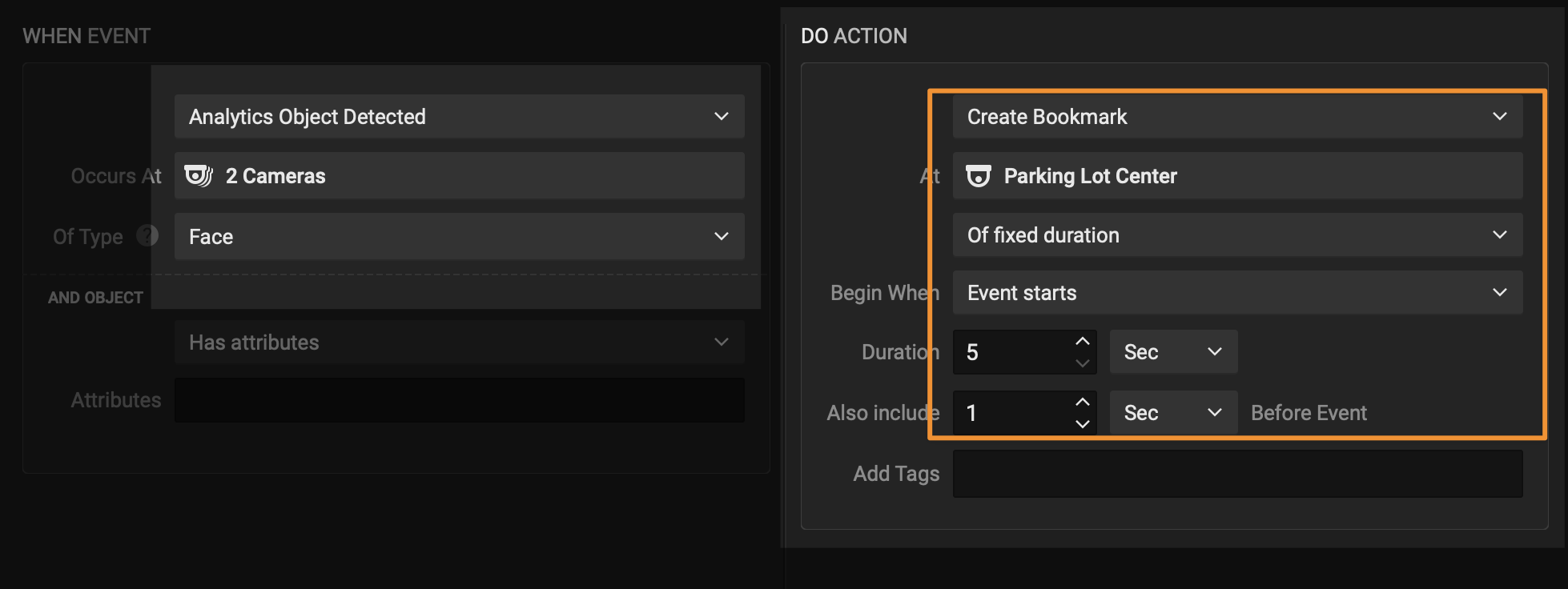
If, for any reason, your customers insist on continuous recording, you can instead create bookmarks when events occur. This way, the events will still appear clearly on the timeline through the bookmarks.
Based on your description, there doesn’t seem to be any significant limitation or drawback with these approaches, please kindly correct me if I am wrong. Thanks.
#NOTICE: to get the better user experience and rules, please use Nx Witness v6.1.0 +
do you have any documentation or stock way of drawing graphical zones such as tracking or alert zones?
ROI might be the one you need.
They have been provided already within the metaSDK sample. Please check STUB:roi.
This configuration applies the overlay to the alert zone display on your image. It affects what is shown in the client, but it does not control your actual detection logic. You will still need to implement the plugin-side logic that writes these settings back to your detection engine. Nx only handles the visual overlay on desktop client only, not the enable/disable detection behavior of any external engines.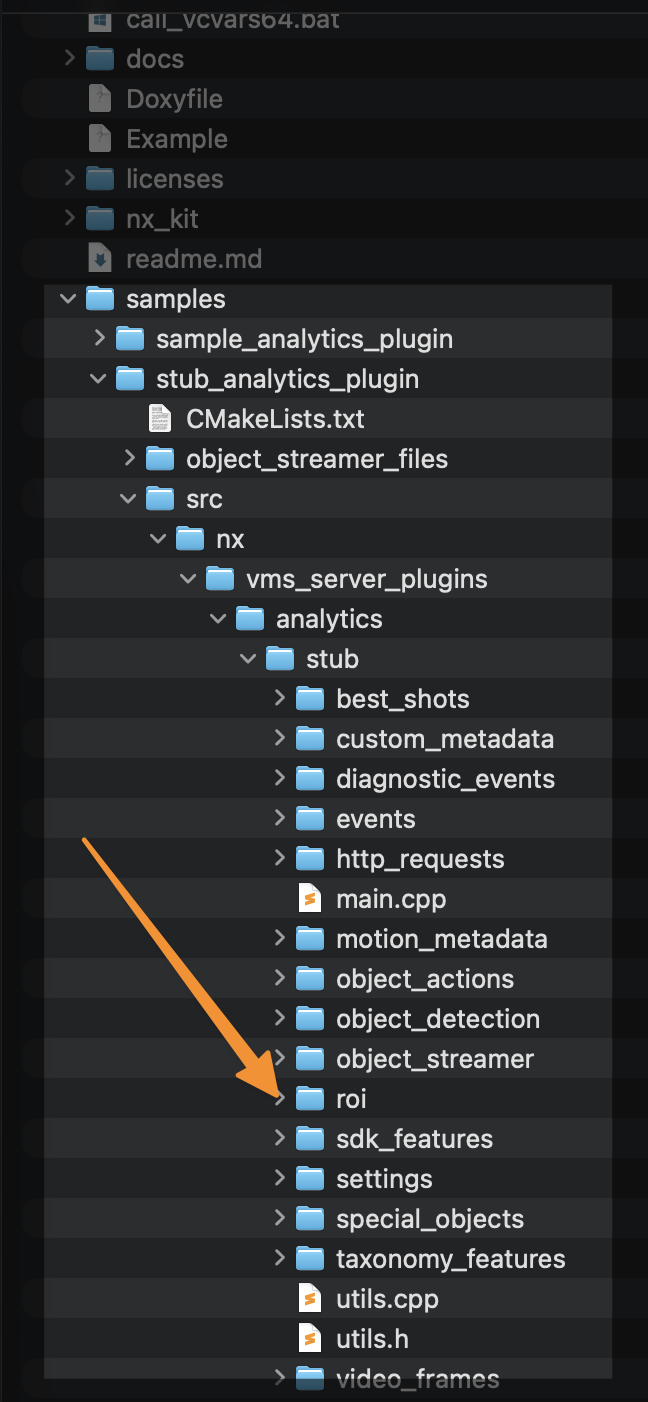
Thanks.
0 -
THank you that's very helpful.
One of the things our customers will want is face redaction. We can already detect faces but does NX Meta allow us to add any blur effect to box objects?0 -
Hi Alex,
Currently, this is not a feature in Nx roadmap.
But there are a lot of companies did the integration already, probably you can check something like Algo Face.Thanks.
0 -
Happy to make that modification on our side. However, I thought just the API/SDK was open source and that we couldnt modify the client application directly?
0 -
Let me know above please. Can we edit it somehow so we can apply a blur to one of our objects?
We are seeing a couple of graphical issues that hopefully you can help with, and that are shown in this linked folder. NX (https: // vizgard-my.sharepoint.com/personal/alex_vizgard_com/_layouts/15/onedrive.aspx?id=%2Fpersonal%2Falex%5Fvizgard%5Fcom%2FDocuments%2F05%2EShortTransfer%2FMISC%2FNX&ga=1)
Flickering box label - the bounding box information box keeps jumping between two positions. Wouldn't I wouldnt say this person's box is moving erratically enough to warrant this flickering? Any way of stabilising it?
Sliding bounding box - The bounding boxes seem to slide across the screen for some reason. We have a tracked person in one part of the video, and then the bounding box slides onto a different tracked person. Both have different track IDs (on our side at least), I believe.
Is it possible to make the bounding box thicker?0 -
For test purposes, we want to have 40x the same rtsp url. I believe it prevents duplicated rtsp urls. Is there a way around this ?
0 -

Hi Alex Kehoe,
Just chiming in the last question about 40x the same RTSP url. This won't work, since you can't add the same device more than once.
Please note, that for testing purposes, we offer the Test Camera application, which allows you to create as many streams as you like, 1, 40, 500, etc. More information can be found here:
The Testcamera IP Camera EmulatorFor the other questions, our Developer Support team will respond.
0 -
Hi Alex Kehoe,
Thank you for your question.
It appears that the link you shared is no longer public, so unfortunately we are unable to access it to confirm the details. Based on your description:
1) The bounding box information appears to jump between two positions
Under normal conditions, the bounding box remains always stable. If it is jumping, this is typically related to the metadata rather than the display logic itself. Nx Witness passively receives the coordinates and timestamps provided by the analytics source (in this case, the external analytics application) and renders the bounding boxes exactly as received.
If two bounding boxes are displayed, it means two distinct objects are being reported in the metadata. This does not necessarily indicate incorrect detection, but it suggests a potential miss with the metadata—most commonly an incorrect or inconsistent trackId.
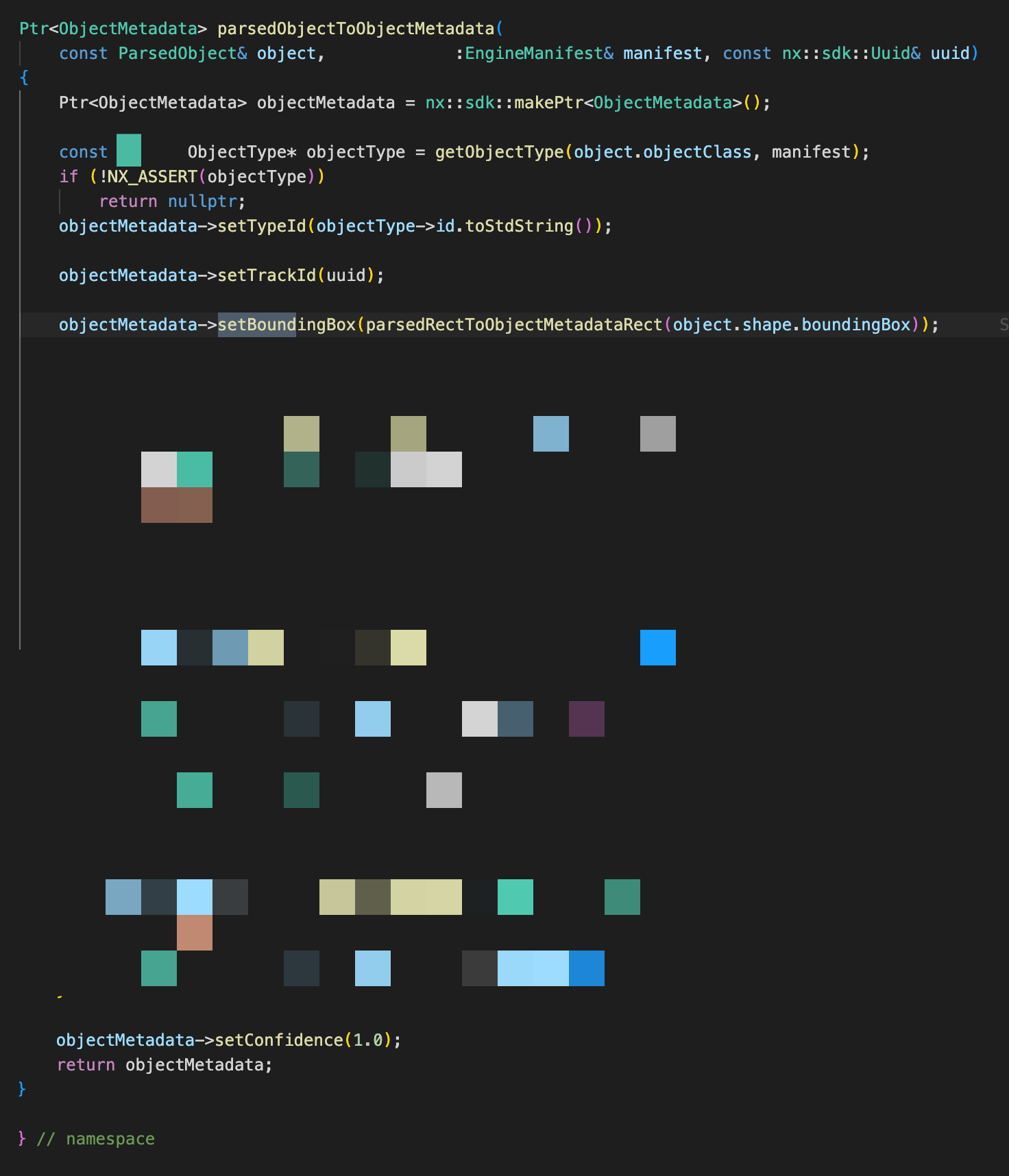
As a first step, we recommend verifying whether the same object is consistently assigned the same trackId. Nx Mediaserver will treat objects as identical only if their trackId remains the same. In your case, it is likely that the same object (for example, the same face) is being assigned different trackId values due to the implementation of your device agent. Please review the objectMetadata handling in your implementation if possible, specifically ensuring that setTrackId() uses a consistent trackId for the same object.
2) Sliding bounding box (not an issue)
If we remember correctly, the video you shared showed a PTZ(?) camera with auto-tracking enabled, including automatic zoom-in and zoom-out behavior quite frequently.
As you may know, the coordinates provided by analytics are not absolute coordinates. They are relative to the current image frame. As a result, when the camera zooms in or out, the analytics plugin needs some adjustments and transition the coordinates accordingly.
During this transition, the bounding box may appear to move from point A (for example, at 5× zoom) to point B (at 16× zoom) like sliding. Since metadata is continuously streamed, this behavior is technically interpreted as the object moving—similar to how a person walking would be tracked. Therefore, on the Nx Desktop Client, this can appear as a “sliding” bounding box.
From a technical perspective, this can be understood simply the same object moving from point A to point B, caused by changes in the image scene and field of view (FOV). This “sliding” behavior is expected and is not considered an issue.
3) Recommendation
Considering both points discussed above, we may suggest reviewing the trackId assignment in your implementation. Both of the following symptoms may indicate potential mis-assignment of trackId for the same object:
A tracked person in one part of the video, followed by the bounding box sliding onto a different tracked person
The bounding box information jumping between two positions
We are not saying this is definitively a potential of your implementation or Nx Mediaserver issue; however, the most reasonable starting point for troubleshooting would be to verify correct and consistent trackId usage.
For further investigation, you may refer to the troubleshooting article for analytics metadata streams in Nx. This article demostrates how to enable and review analytics logs and metadata logs, which should help identify the root cause.
Hope this helps. Thanks.
0 -
Here's the updated link NX
0 -
Thanks, and please check the reply above.
0
Please sign in to leave a comment.
Comments
12 comments