Nx Witness 's issue with a TV
Completed
Hello,
We have a 4K TV connected to a NUC via an HDMI cable. The NUC is running Windows 11, with the resolution set to 1080p, and it has Nx Witness Client 5.1.3 installed for local login, not cloud-based.
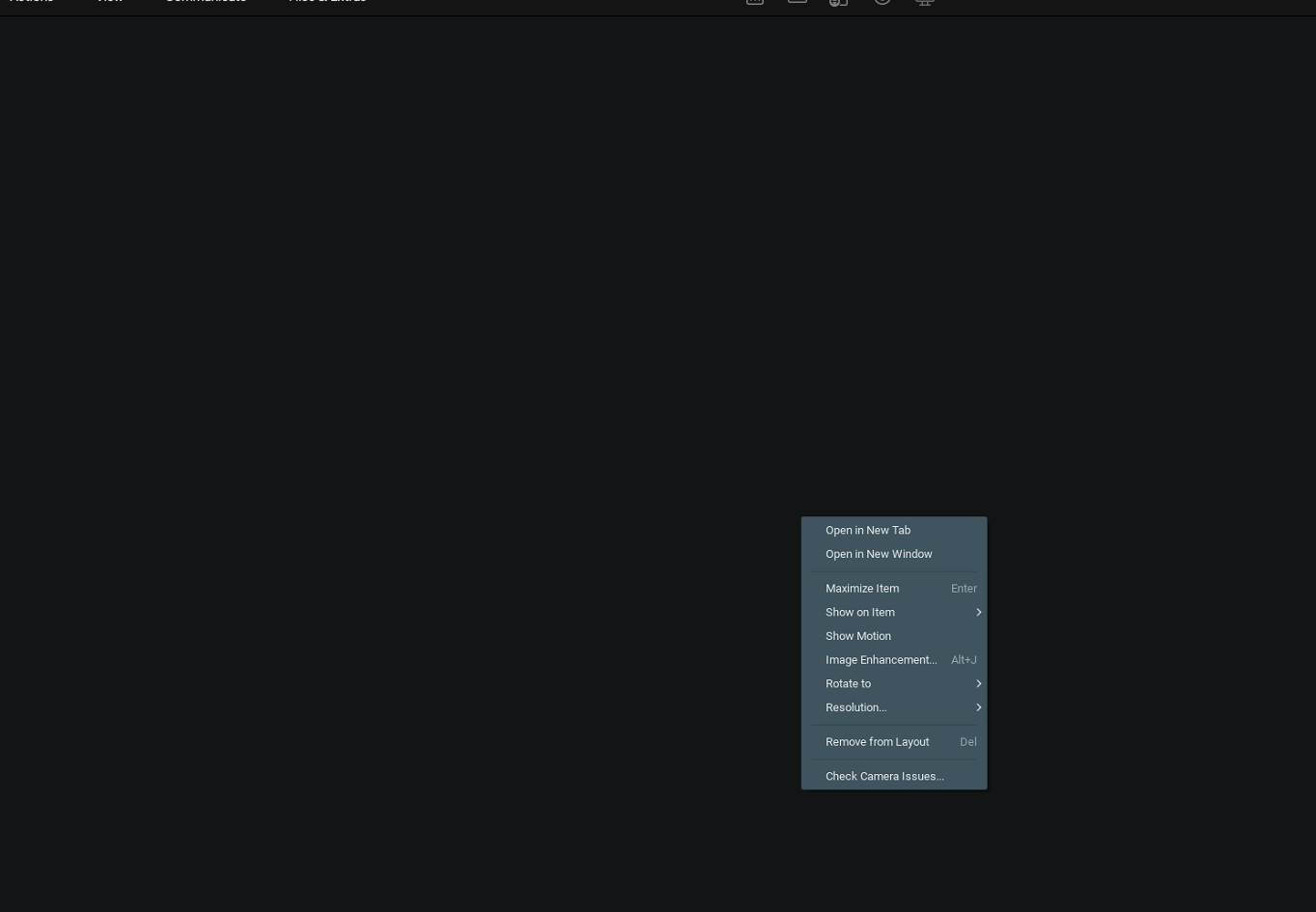
When we display a camera feed on the TV, the screen goes black after a while, even though the Nx Witness app continues to run. The NUC is not in sleep mode (as evidenced by the menu that appears when right-clicking on the black screen).
Our vendor suggested replacing the TV with a monitor or switching the NUC's operating system from Windows 11 to Ubuntu. Since this TV needs to operate 24/7 and must be at least 55 inches so that staff can see the contents during work, do you have any solutions?
Thanks.

-

Hi Qiang Zhao,
Please share the hardware and software configuration with us first.
Including the CPU, RAM, GPU model name and the driver version, and the Windows version.
Please make sure the device is running on the latest GPU driver.
Also, the latest Nx Witness released version is 5.1.4.38659, please upgrade your Nx Witness to this version.If the issue persists, please help to collect the following information with us for further investigation.
-
Desktop Client Debug Log
Please follow the instructions in this support ARTICLE to set the desktop client log level to DEBUG.
Once the issue occurs, mark down the time, collect and share the desktop client log files with us.
-
Desktop Client Memory Dump
First, follow Step 2: Enable & produce full crash dump files section of this support ARTICLE, to enable the full crash dump on your client device.
Once the issue occurs, collect and share the crash dump files with us.
Please do not hesitate to let us know if you have any concerns or further questions.
Thank you.0 -
Desktop Client Debug Log
-
Thanks Anderson
This is some basic information
 NUC: Intel NUC10i5FNHCPU: Intel(R) Core(TM) i5-10210U CPU @ 1.60GHz, 2112 Mhz, 4 Core(s), 8 Logical Processor(s)RAM: 8.00 GBGPU: Intel (R) UHD GraphicsGPU Driver: 31.0.101.2115OS: Win11 Pro 23H2 (Version10.0.22631 Build 22631)As you can see, we have both client and server version were installed, do we need to upgrade both to the latest version ?Thanks0
 -
Hi Qiang Zhao,
Generally, it is suggested to upgrade the entire Nx System together, so all the server and client instances will benefit from the newer release software.
However, if you are not able to upgrade the Nx Server at the moment, since this issue is likely on the desktop client side, you can upgrade the desktop client only in this case, by downloading the desktop client installer and performing a manual install.
Thank you.
0 -

We have the exact same issue. Running NX Witness Client: 5.1.2.37996
I don't think it's the version because you are running a newer version.
Right click is working in NX Witness so the program is not hanging.Do you have a solution already?
Ticket #387870 -
Unfortunately, we don't have any solution, vendor suggested us to replace TV with a monitor and change Windows to Ubuntu because they think the windows doing strange things with resolution. I am collecting logs and will provide to networkoptix to analyse.
0 -

Hi BAS and Qiang Zhao,
I do recall such an issue with Windows, but only in dual monitor situations where the output resolutions were set differently.
What I wonder if you set the resolution to default/4K are there issues as well?
Also, you could try to start the desktop client through the command prompt with the --no-hidpi parameter?
If all fails, we are more than happy to investigate the issue, but we need the information my colleague Anderson Chang requested.
0 -
Hey Norman, we will try the --no-hidpi paramater and let you know.
I have made a support request in ticket #38787 with log files from the Nx Witness Client.0 -
Hello Norman
Thanks for that
Previously, we had the issue with 4k resolution, and then I changed to 1080p, the issue still persists.
Now I already start the app with no hidpi parameter, and let' see how it goes, if problem still happens then the logs will be provided
Thanks0 -
We had set the resolution to default and add the --no-hidpi parameter and rebooted, but still after a few hours the screen goes black. How is this Qiang Zhao at your side?
 0
0 -
Hi Bas
We are currently on resolution of 1080p, and it is still working with that parameter. Last night we had to restart computer due to security hotfixes.
But sometime the witness works well for a few days, sometime the error happens frequently, once it happens again, I will provide logs and set it to 4k to try
I will keep you in loop
Thanks
0 -
@Anderson Chang , how should I share log with you, create a new ticket?
And I not able to get logs of Desktop Client Memory Dump, I think that because the app is not crash
Thanks
0 -
Hi Qiang Zhao, I think we have found the issue. In event log we found a warning: Display driver igfx stopped responding and has successfully recoverd.
We are now going to replace the computer. Using now: Lenovo Thinkcentre PC: 11T3002XMH0 -
Hi BAS and Qiang Zhao,
Instead of replacing the hardware, sometimes it might help to install the driver of the original manufacturer, instead of the generic driver Windows used.
0 -
Hi BAS
Thanks for sharing, I don't see driver error from my logs, please let Norman to have a deep check.
0 -
Hi BAS
How is your new NUC going? Now I connected our NUC to a 24' monitor, and still facing the same issue
Thanks
0 -
Hey Qiang Zhao
We have zero issues with the new Lenovo Thinkcentre. We don't see any warnings in event viewer anymore.
You said you didn't see any driver errors, but we also had no errors before but only warnings on Event ID: 4101 under Windows Logs -> System.
We did full driver update (Lenovo and Intel), deleted old drivers, full Windows Update but we could not get rid of the warnings and decided to replace the PC.0
Post is closed for comments.
Comments
16 comments