Hikvision time sync
Answered
Hello,
Since daylight savings started here in New Zealand I have been struggling with one site where we have a single Hikvision camera who's time is 1hr out from the server. The server OS is set correctly and NxWitness shows the correct time but NxWitnwss still continues to set the cameras time without daylight savings settings making it 1hour behind.
Any ideas where this issue could be coming from?
Nx Server: 5.1.0.37133
Setting the camera time manually causes RTSP stream errors as below:
Times between server and camera along with RTSP stream issues:
-
Turning on this setting allows the camera time to be set via NTP to be correct with DST also enabled, but then the stream errors start.
Turning this off forces NxWitness to set the camera time which configures a manual time and disables DST, but the stream errors stop at the result of the on-screen time being 1hr behind.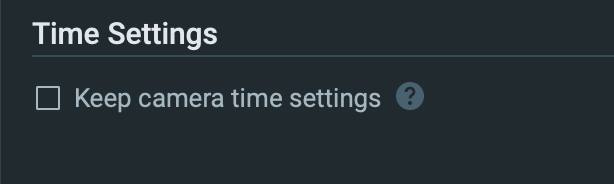 0
0 -

Hi Joel O'Connor,
When you don't use the Keep camera time settings feature, you need to set the time zone manually inside the camera GUI. This is the default option, and typically is the most common approach.
The OSD on the camera is determined by the settings in the camera.
The errors you notice are a different issue, and likely a firmware issue with insufficient header cache, and should be investigated by the Hikvision team.
0
Please sign in to leave a comment.
Comments
2 comments