Unable to connect to HIKVISION DS-2CD2185FWD-IS Camera Camera Diagnostics Message: Failed to configure parameter fps
Answered
Unable to connect to the camera.

Have tried changing camera and Nx fps settings from 20fps to 10fps, no change to the error message. If the cursor is "hovered" over the camera label the video feed is shown, and direct logging into the camera has no issues displaying the video.
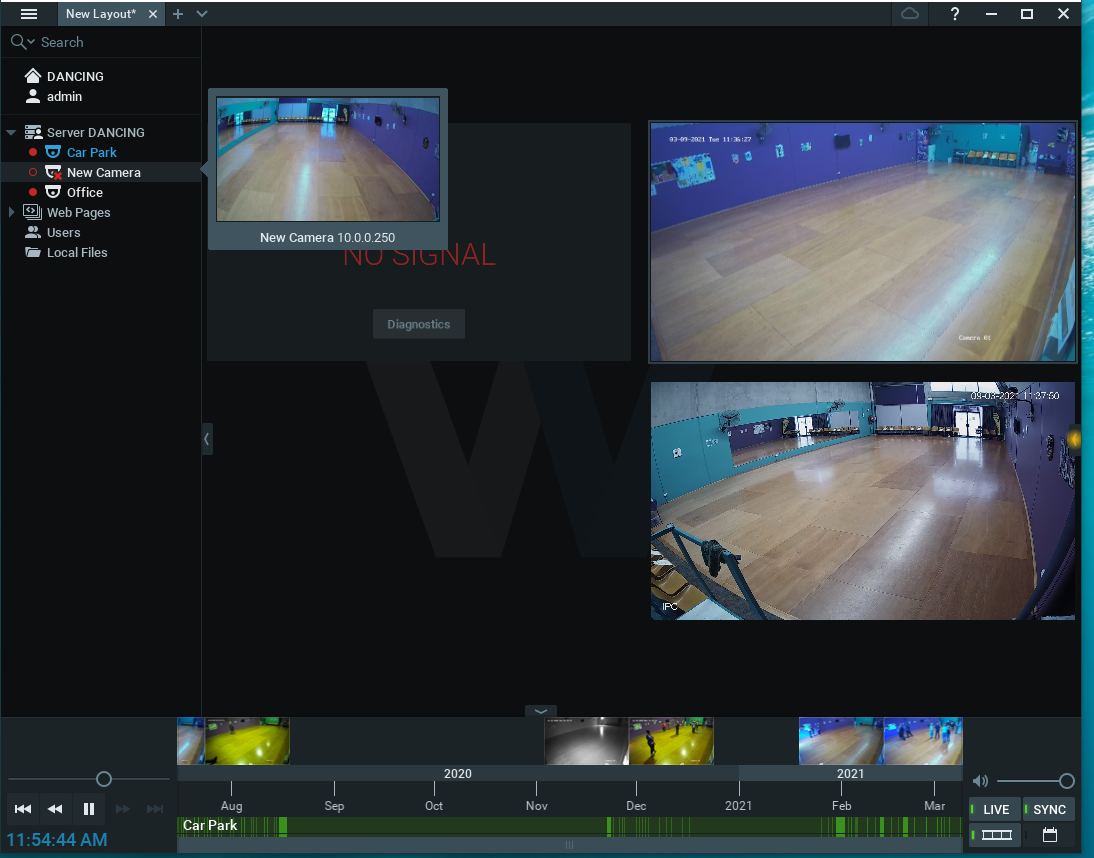
Nx Version 4.1.0.31398 for client and server
Win 10 for both client and server
PC is not connected to the Internet so no software updates/changes have been applied.
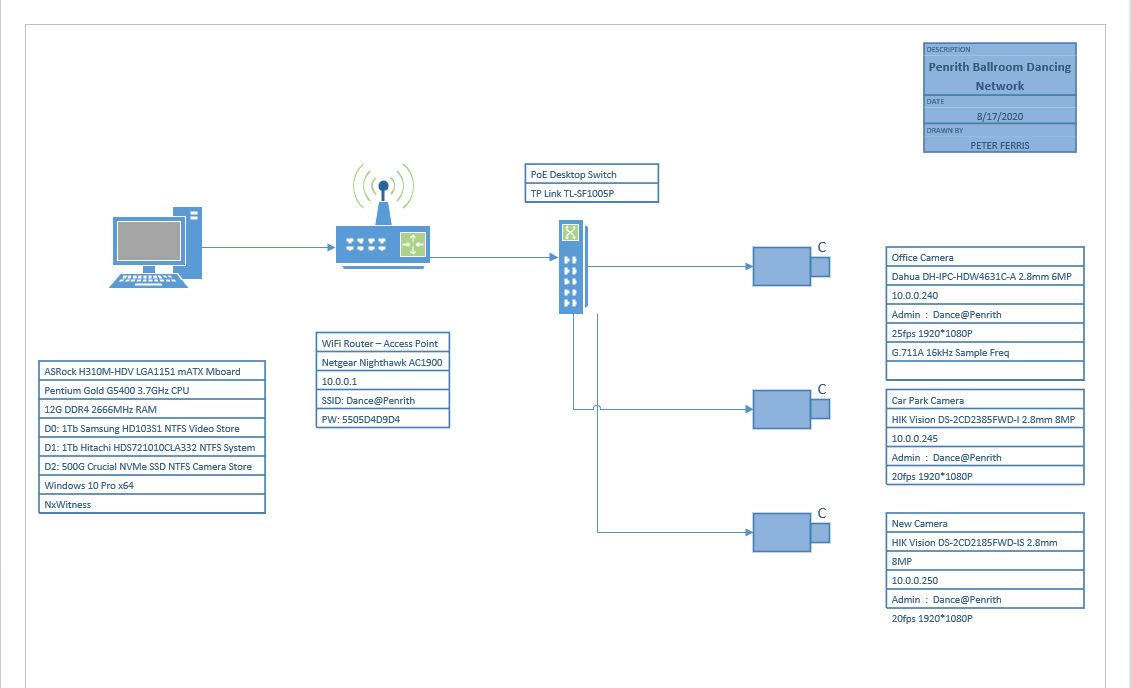
-

Hi Peter Ferris,
Let's try using ONVIF Device Manager with your camera firstly.
Please refer to the THIS article. It describes what to do when your camera has "No Signal" status.0 -
Installed ONF Device Manager, it can see the cameras, as expected as the Web logon for the camera works and the Nx Witness Client shows a "snapshot" of the camera feed when you hover over the listing shown on the LHS of the Client Display. The main window of the Nx Witness Client still shows "No Connection" and the diagnostic is still the same, with the fps error message. I changed the camera from H265 to H264 coding, the error is still the same.
 0
0 -

Hi Peter Ferris,
When a Hikvision cameras can't be used within the Onvif Device Manager, issues are expected within Nx Witness. Please check if Onvif is enabled in the Hikvision cameras and if that is the case, please reach out to your Hikvision supplier and request them to resolve the issue you encounter.
0 -

Hi Peter Ferris,
Please remember to log in with the camera's credentials first on the upper left corner of the ONVIF device manager. Then click the camera to check the result.
Thank you.
0 -
Thanks very much for your words of advice Wendy, it may seem obvious once you are used to using ONVIF however when there are 3 cameras showing in ONVIF the "Log In" box doesn't seem to link to a Camera sign in to me.
The Nx Client is now working without errors, thanks to Kieran Vella from NESS in Australia (my supplier) who provided a link to a firmware upgrade for the camera, so working on V5.6.5 build 200316 has the camera signal being detected by Nx and the video and audio recorded.
Two points of academic interest:
1. The ONVIF Device Manager display of "Live video" still shows "No Signal" after the firmware upgrade even though Nx is working. (screenshots below)
2. The Nx Client timeline shows brief captures of signal, as well as the image when you hover the mouse over the camera listing, so whatever the problem was, it is intermittent (the worst kind!)

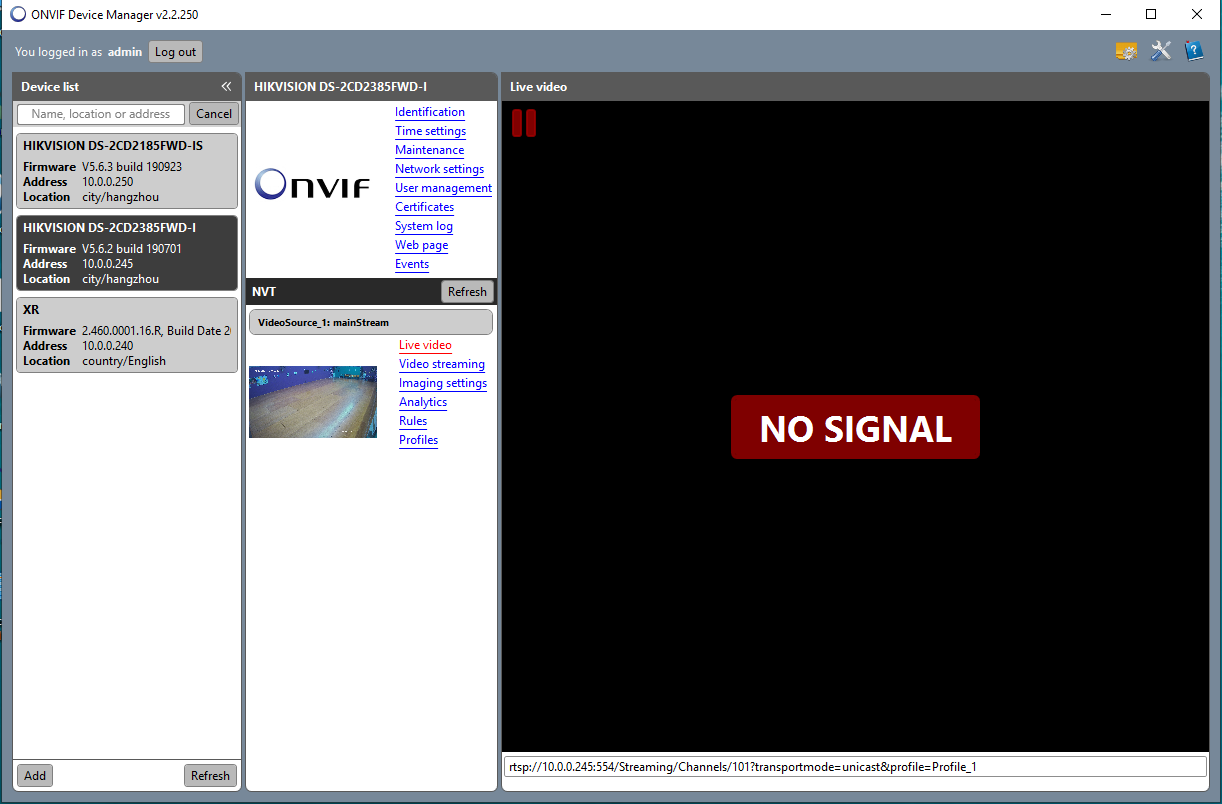
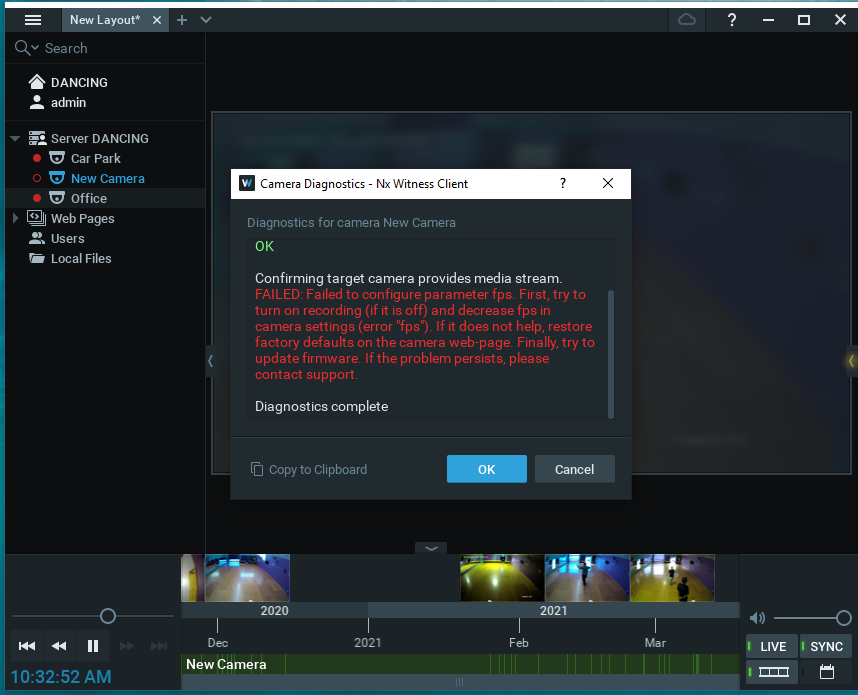
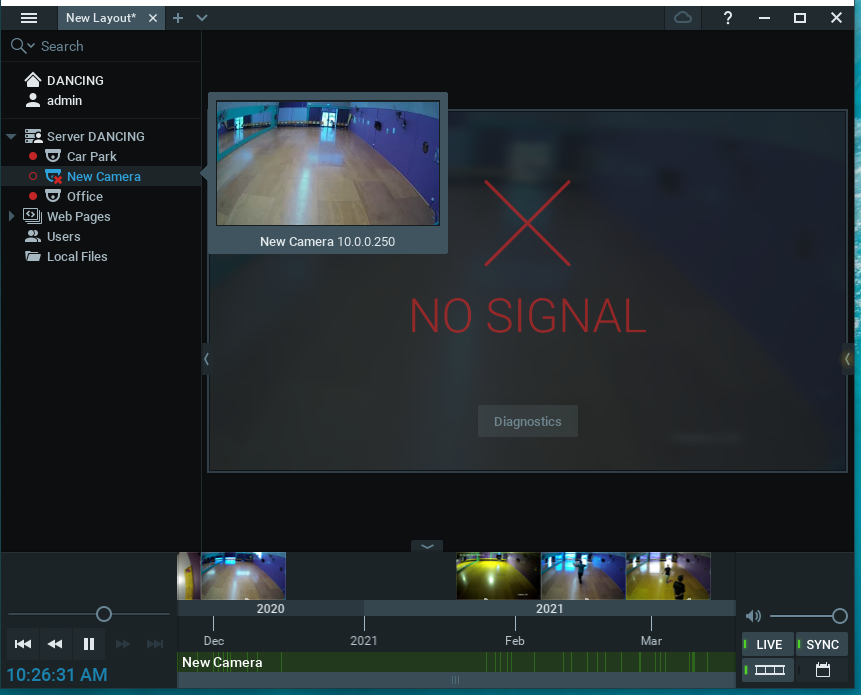 0
0 -
Hi Peter Ferris,
Based on the screenshot, it is likely that the camera refuses to apply the frame rate setting from VMS for an unknown reason(camera's issue). As a workaround, you could enable "keep camera stream and profile setting" under Camera Setting > Expert page then see if it's improved.
Thank you.
0 -
Hi Peter Ferris,
Just checking in to make sure you received our response as it has been a while since we have heard from you. Please let us know if you still need help by responding to this message.
0 -
Hi Peter Ferris,
We have not heard back from you in a while, so we are going to assume your question has been answered and set this topic to 'Answered'.
0
Please sign in to leave a comment.
Comments
8 comments