Streaming video and record problem Axis M3007.
Answered
Hi,
I have probelems with the Axis M3007 (Firmware 6.50.5.3) camera in Nx.
It seems that the camera is not recording on motion as is should be.
The other thing is that i can not choose the panoramic mode of this camera, i also tryed to chance the streaming profile's in the camera but it didn't help.
In my previous vms it was possibel to choose witch stream you like to be recorded.
Kind regarts Vinecnt
-
Nx Witness performs motion detection on the server side by analyzing and decoding the secondary stream from a camera,
which is usually a low resolution stream.
It looks like in your case secondary stream misbehaves
there might be several reasons for that:
- the stream might hang
- server may not be allowed to configure the stream
- or the secondary stream resolution was set too high
More details on this topic might be found HERE[https://support.networkoptix.com/hc/en-us/articles/216110107-Smart-Motion-Search]1) To exclude stream hang situation, please try to restart the server and the camera. Check if it resolves the issue and let us know the result.
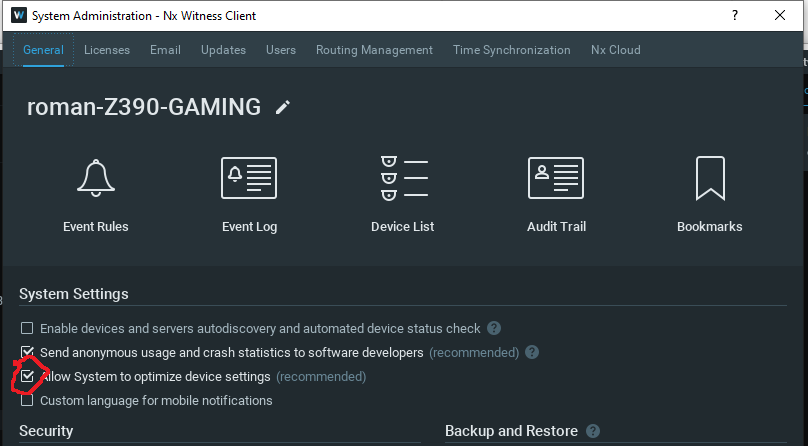
2) Configure the server as follows, the "Allow system to optimize camera settings" option must be enabled in the General settings of System administration.
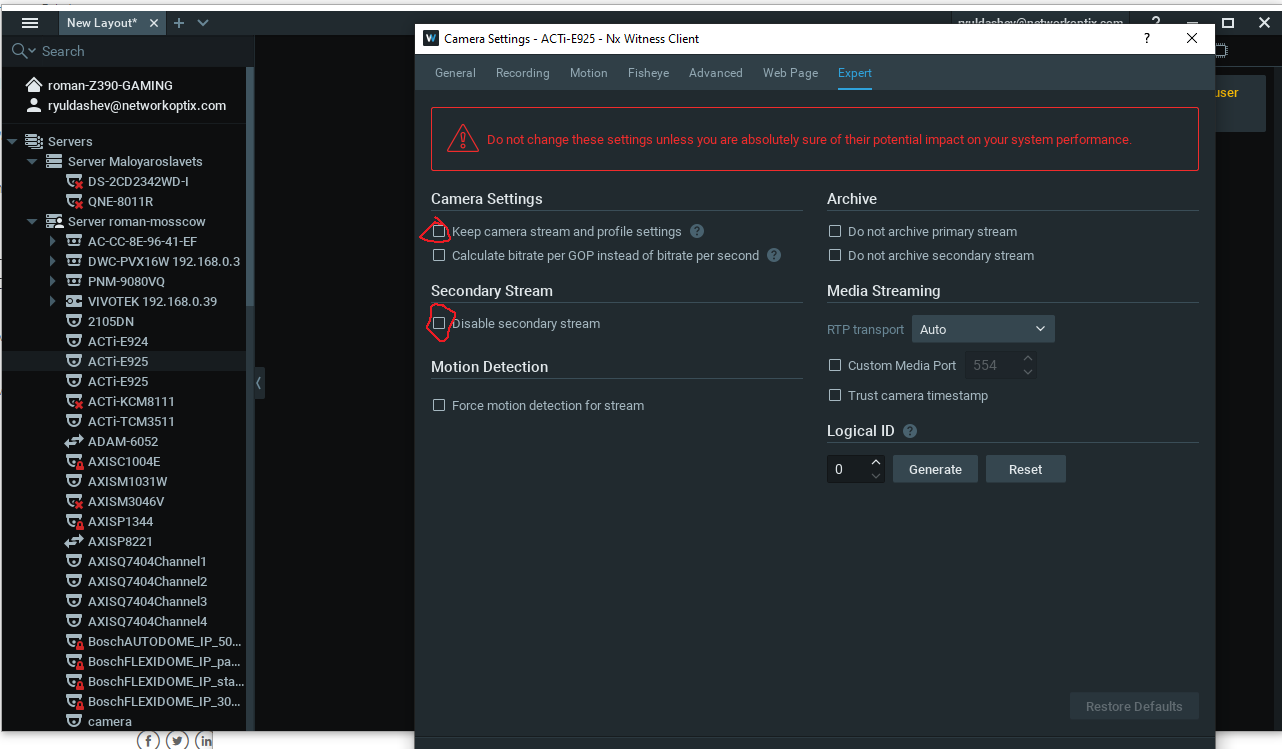
Make sure that in the camera settings in the Expert tab the checkbox for "disable secondary stream" and "keep camera stream and profile settings" is disabled.
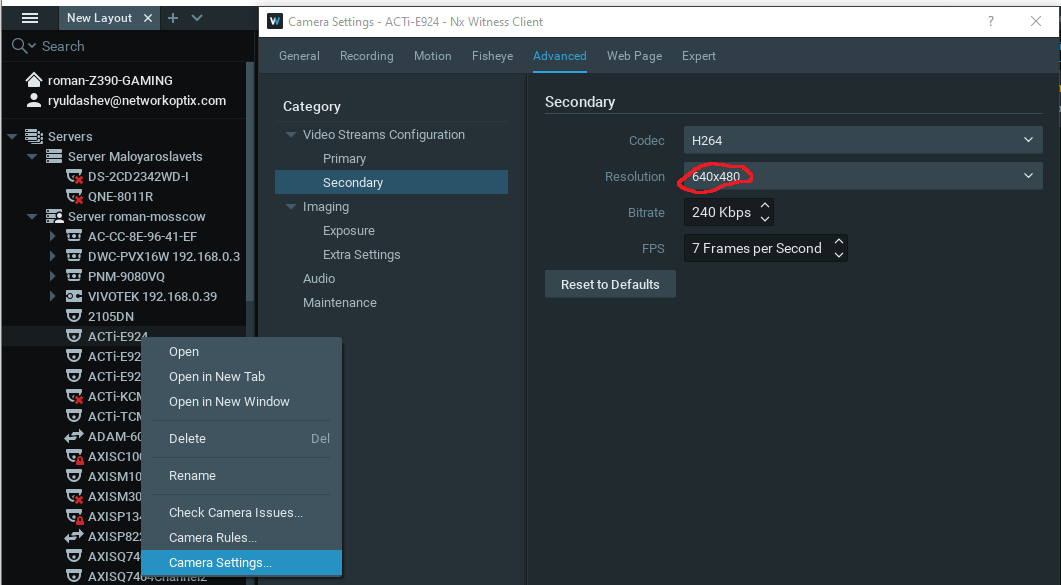
3) if first two options did not resolve the issue, please check if secondary stream resolution is not too high. In the camera settings in the "advanced" section, set the resolution not higher than 1024x768.
 0
0 -
About question two
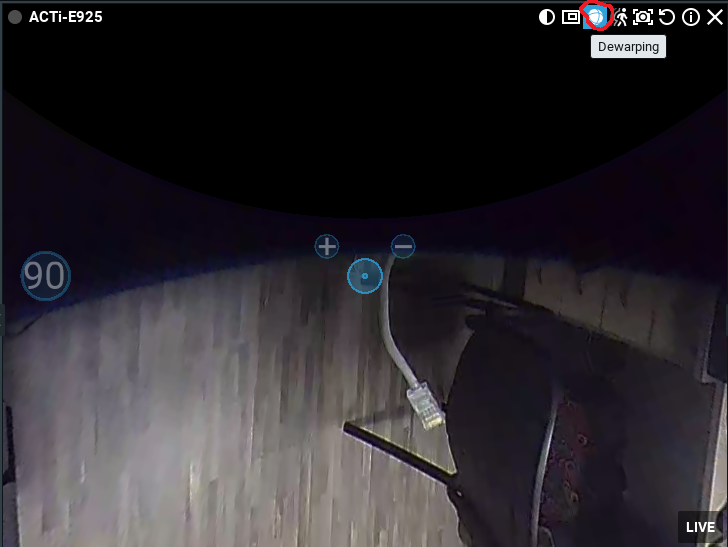
Profile selection is impossible in Nx Witness by design. Instead we suggest you use our Dewarping feature.
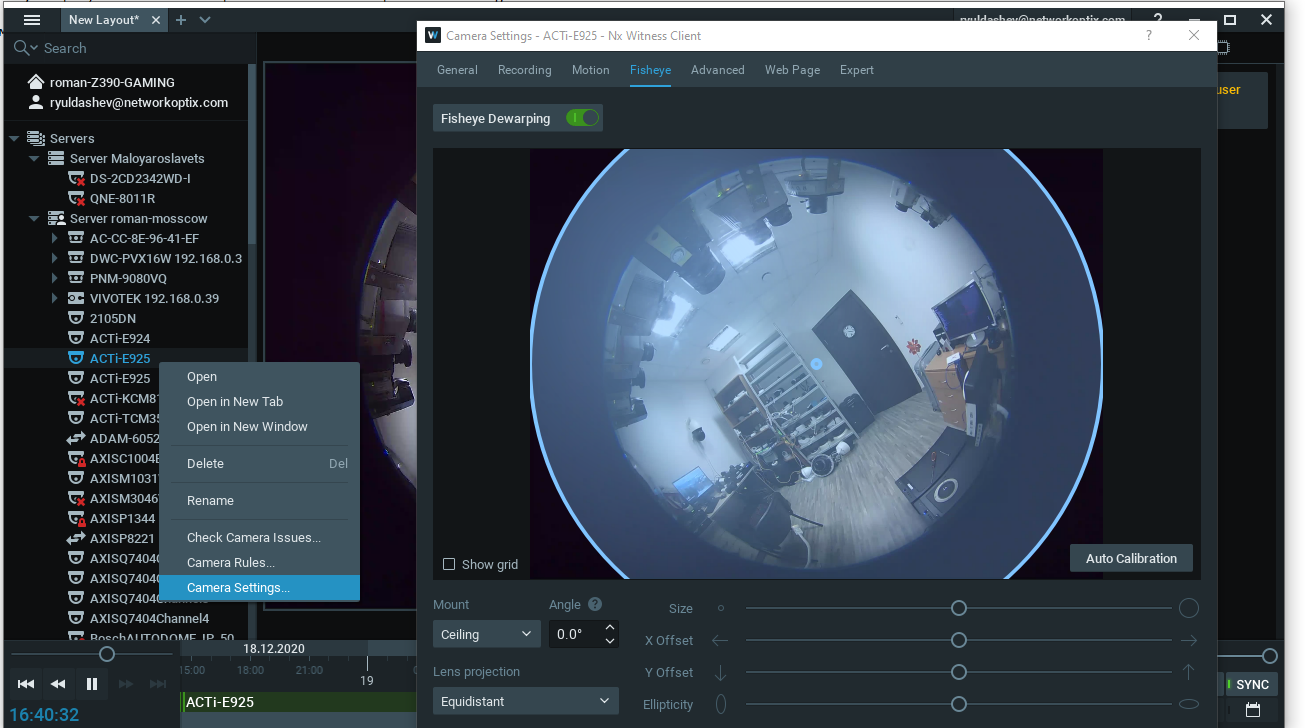
1.Click the dewarping fisheye_hovered icon to activate dewarping mode:
2.Click the Change Dewarping Mode button in layout to show the image as a 90, 180, or 360 degree panoramic view,
as indicated by the button. Note that 360 degree panoramic mode is not available to cameras that are configured as wall mounted.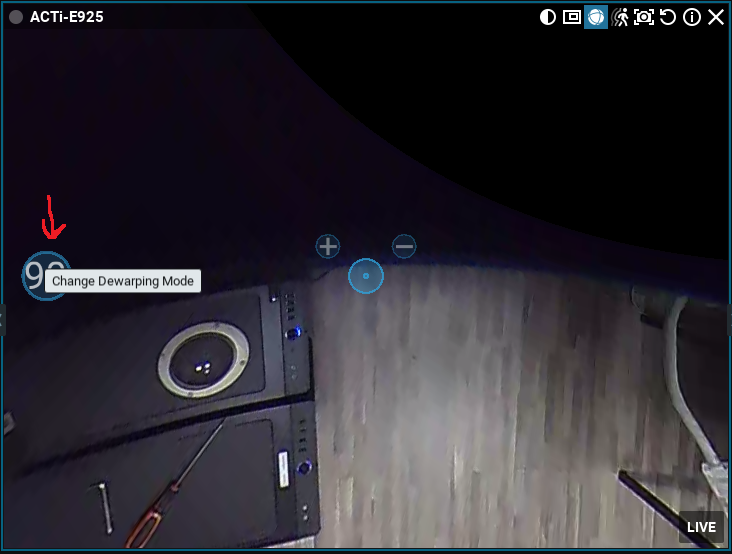
For more details refer to the User Manual.
0 -
Hi Roman,
I’ve checked all the points that you assume to be the problem.
I also restarted the server but not with positive result.
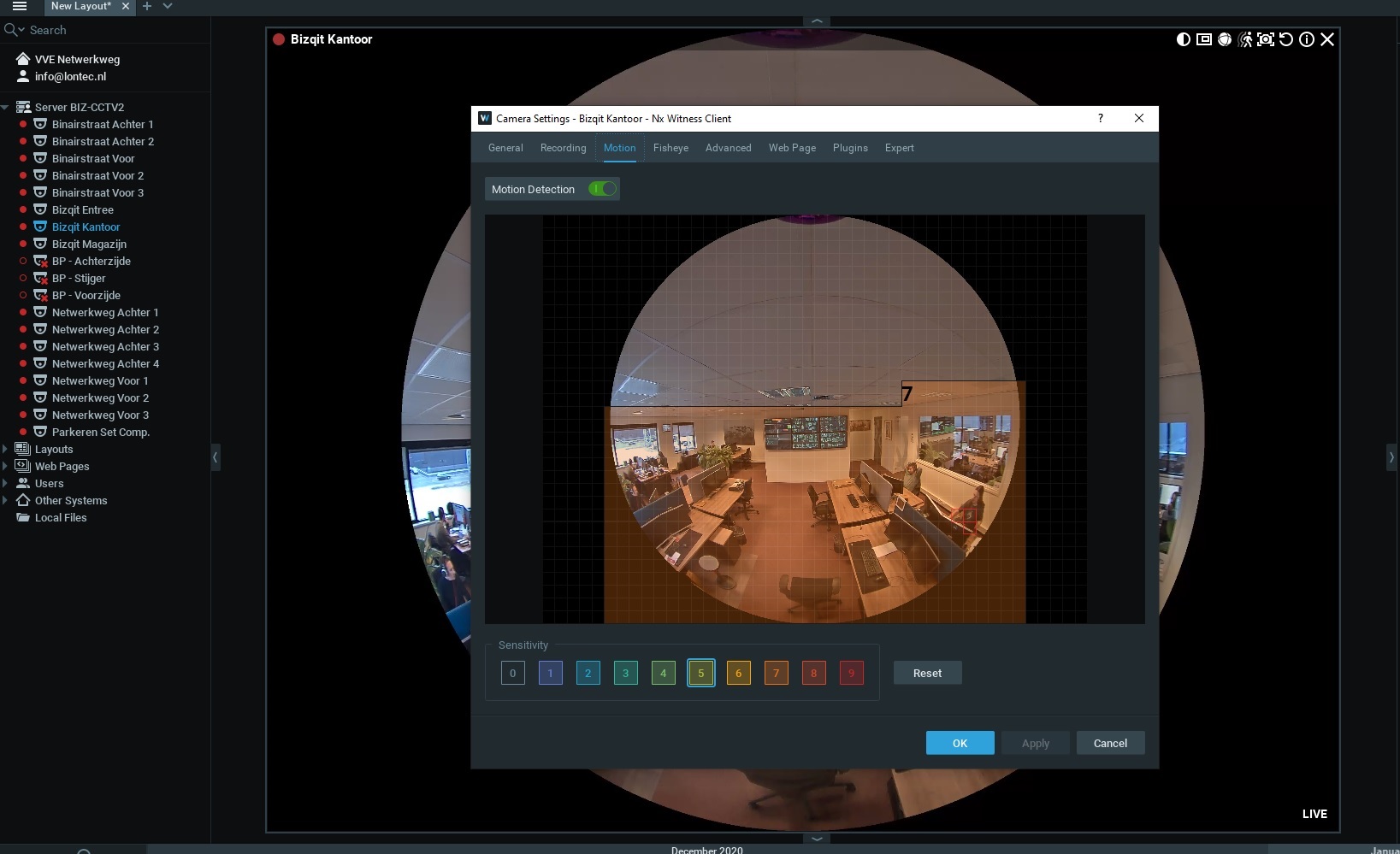
I Also send you the screen shots of the server and camera settings.
Hope that we can solve this problem.
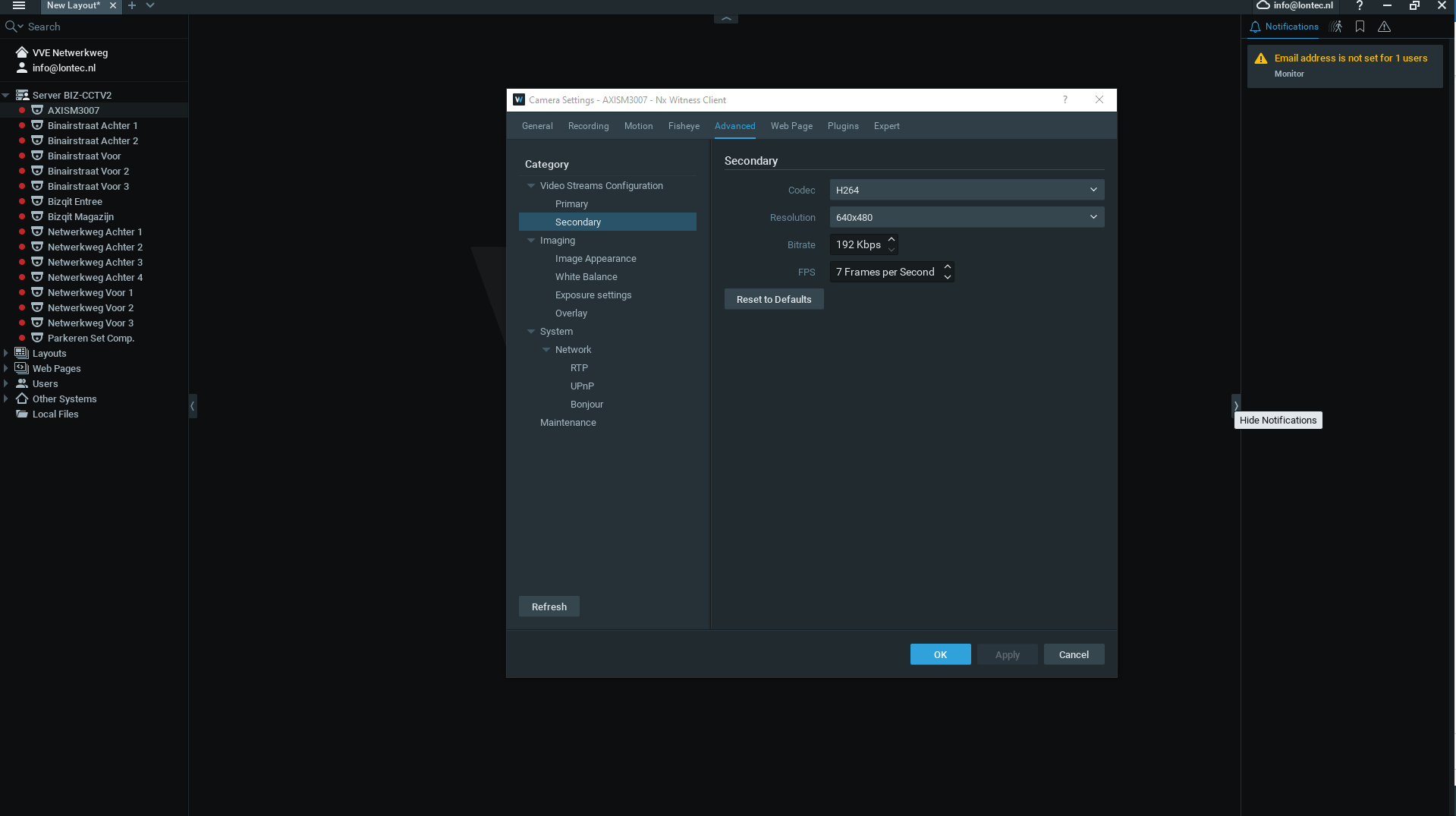
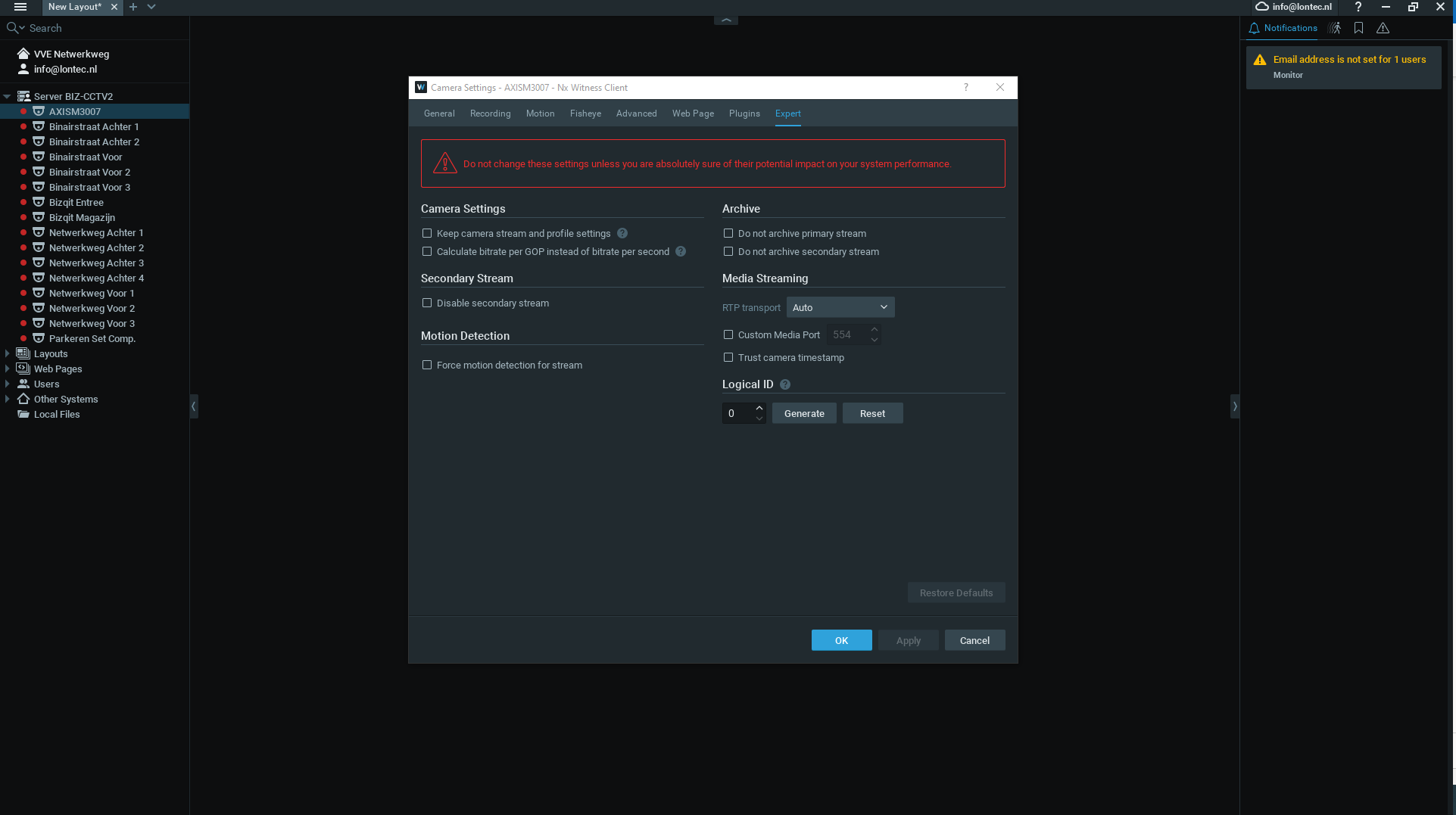
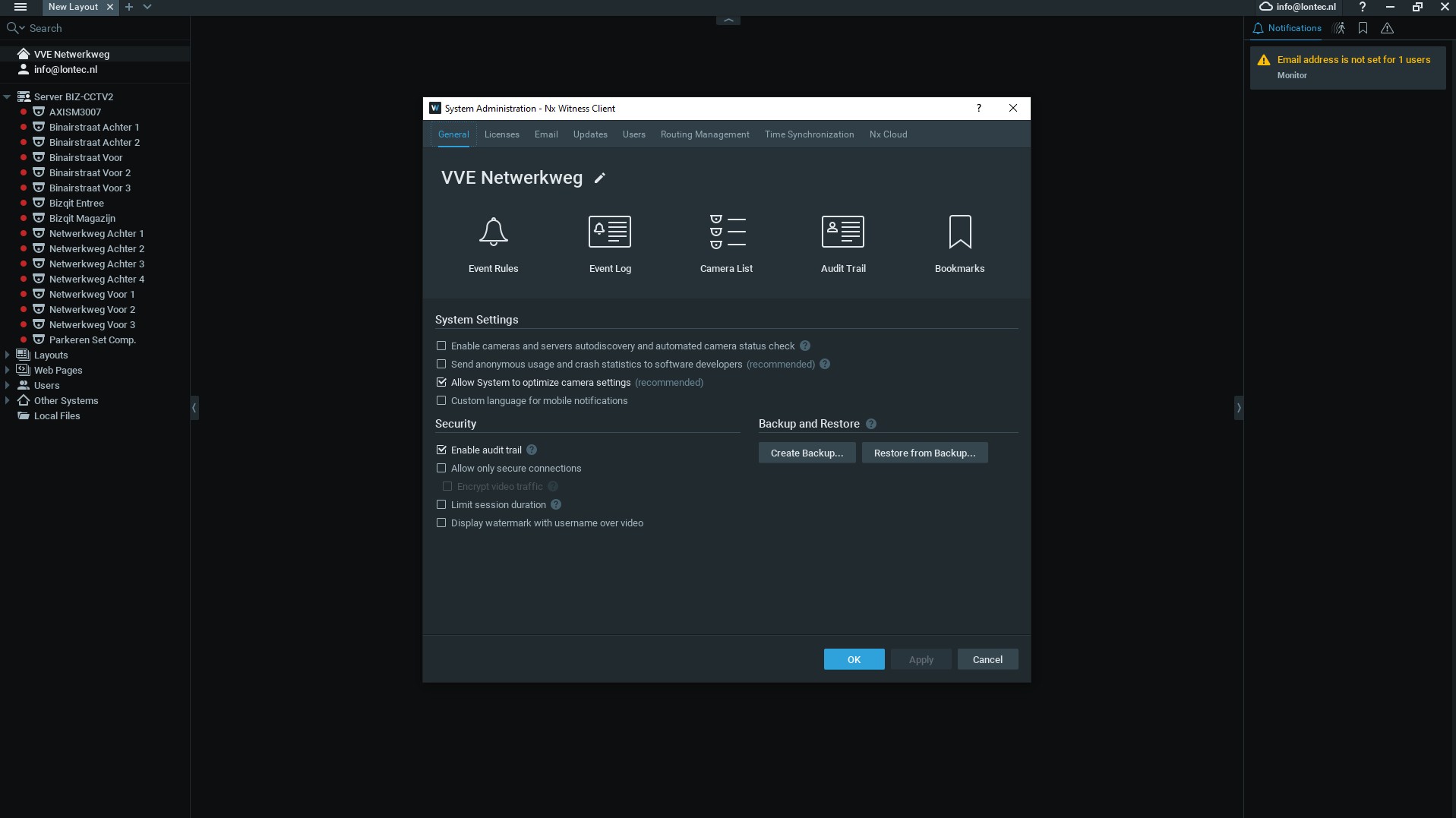 Vincent Lonte0
 -
Hi, Vincent Lonte
Thank you for your reply, it is still unclear if the secondary stream is alive or not.
The server configures the camera properly and expectedly.
Thus we need some more information:Please make sure that motion detection feature is enabled in the camera settings, motion tab.
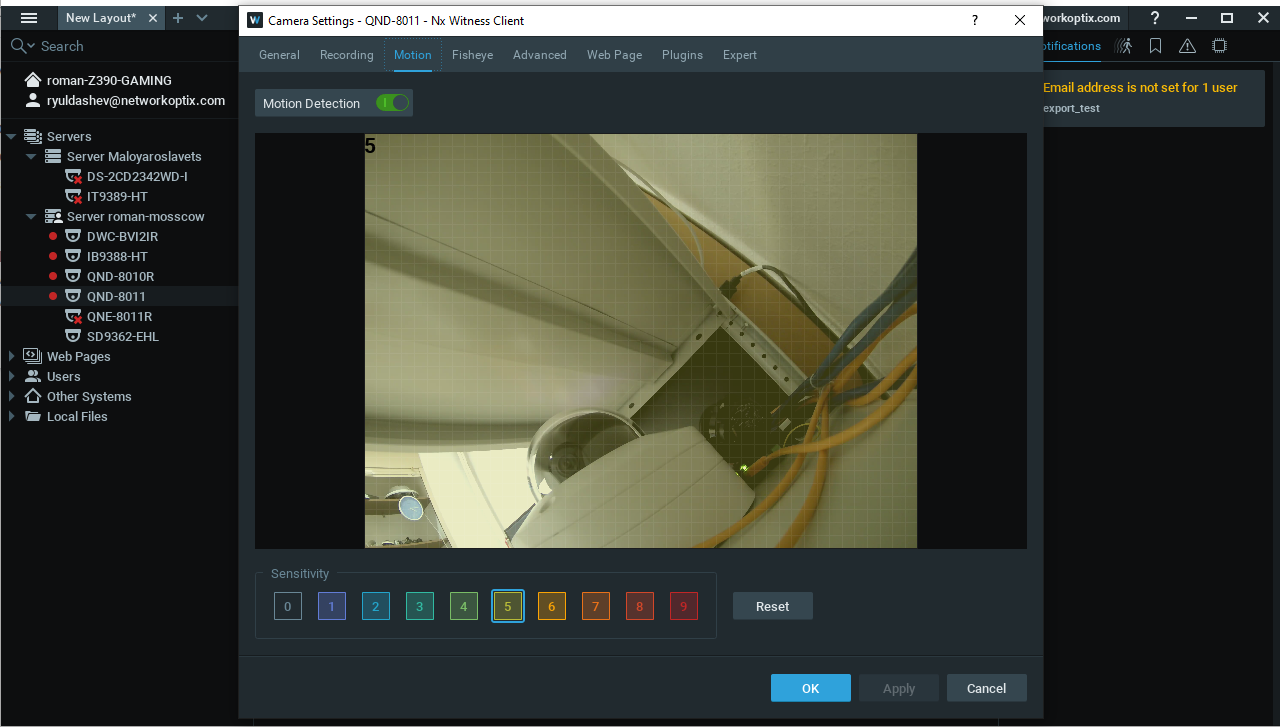
Then follow the steps:
1. Add the problem camera to the layout.
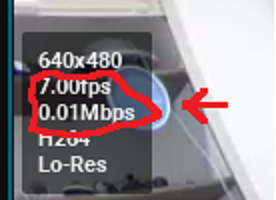
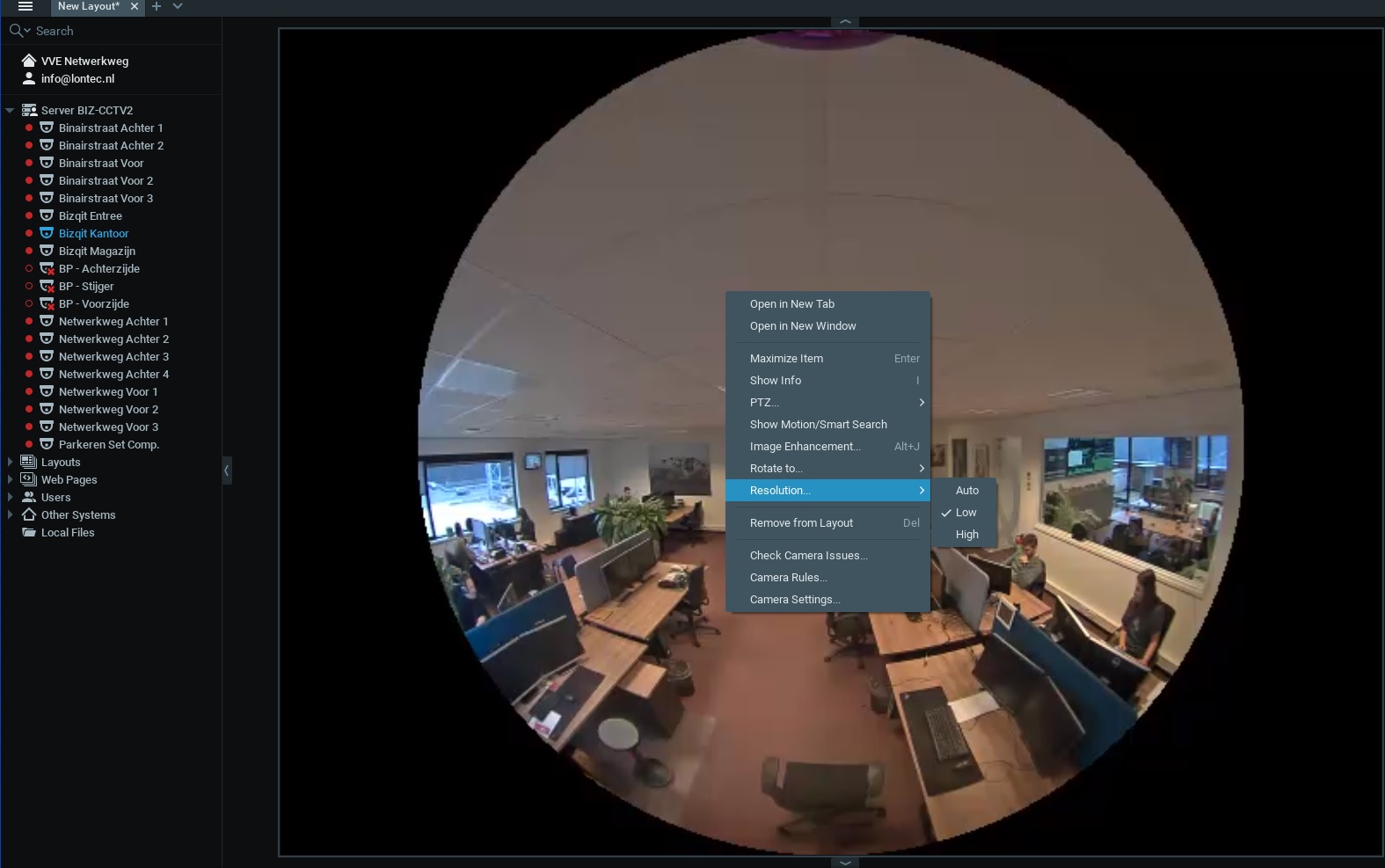
2. Right-click on the camera and select low resolution in the resolution tab, then take a screenshot with the info icon enabled.
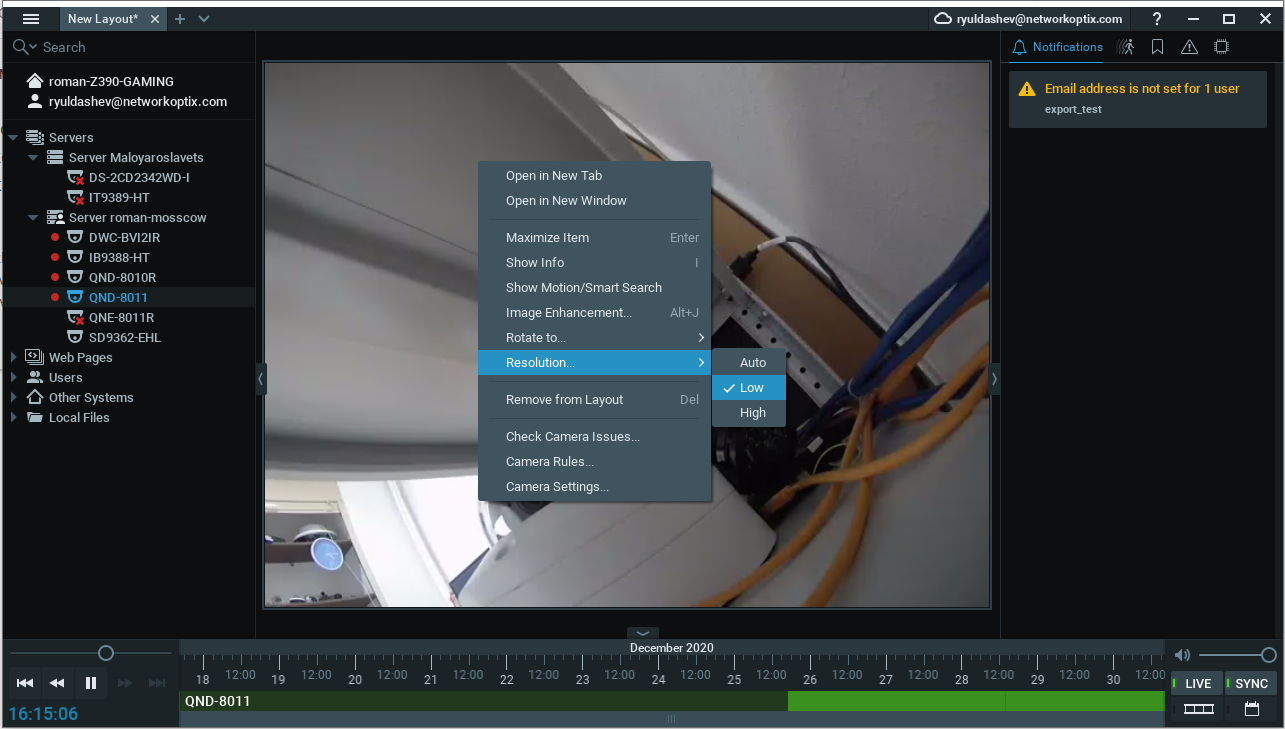
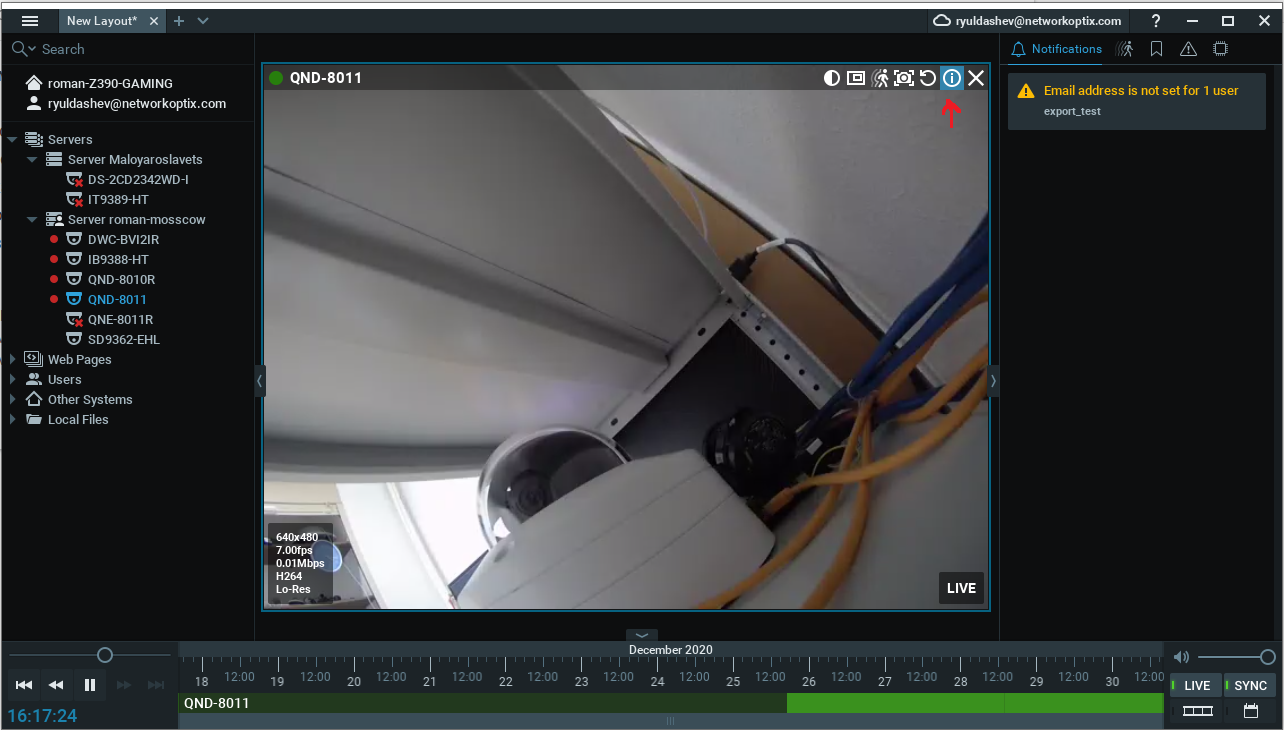
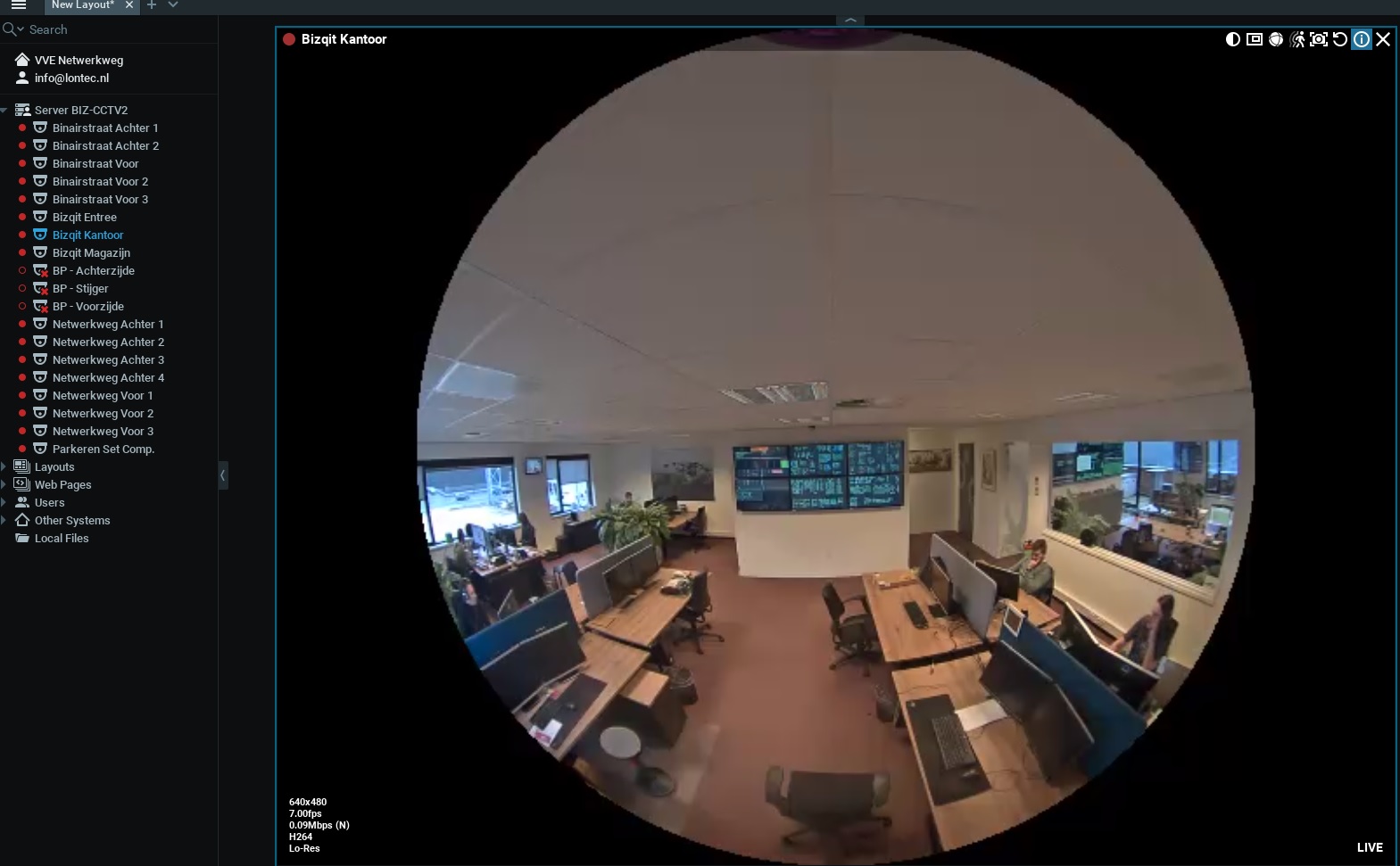
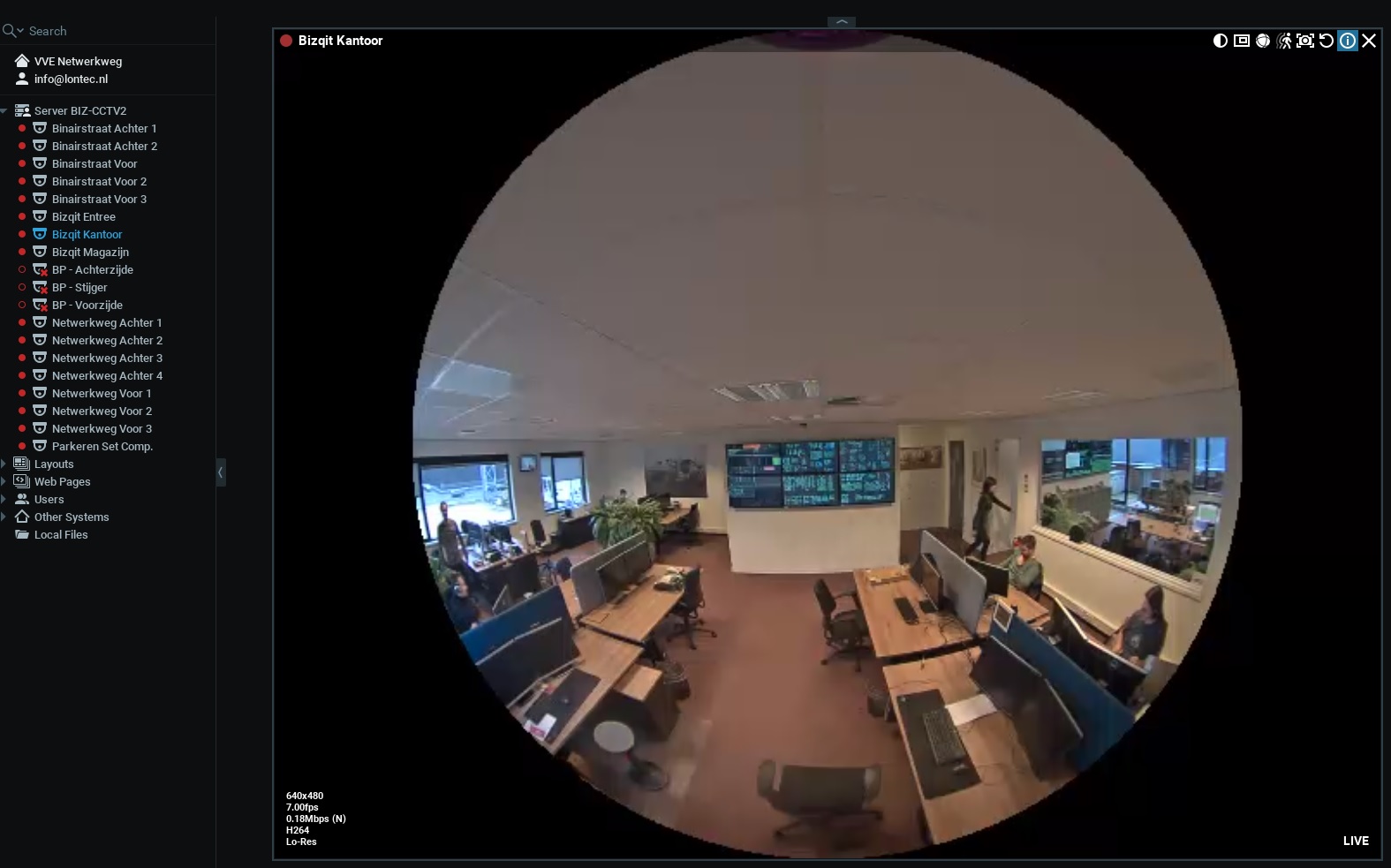
3. Check that MBPS and FPS are changing overtime and let us know the result.
 0
0 -
Hi Roman,
Yes the Mbps and Fps are channging. I've made soma screen shots of it.
 0
0 -
Hi Roman,
Yes the patch did the job. The camera is now recording in motion.
Thank you for your help.
0
Please sign in to leave a comment.
Comments
7 comments