4.2 & 5.0 Auto Discovery
Answered
I have a customer that has a fairly large deployment in a large campus type area.
Currently there are 12 servers running on hardware and about 700 cameras.
Their network topology is similar to:
Camera VLAN/Subnet 1 - 10.10.1.1/24
Camera VLAN/Subnet 2 - 10.10.2.1/24
Camera VLAN/Subnet 3 - 10.10.3.1/24
Camera VLAN/Subnet 4 - 10.10.4.1/24
Camera VLAN/Subnet 5 - 10.10.5.1/24
Camera VLAN/Subnet 6 - 10.10.77.1/24
Camera VLAN/Subnet 7 - 10.10.94.1/24
Server Subnet - 10.10.132.1/26
The server subnet is directly attached to a core router in their infrastructure. The Camera subnets/vlans are behind other routers depending on their physical locations and fiber paths.
I have been reading and found on a NX forum that multicast on port 3702 is required to function for auto-discovery to work but there were some subtle changes in the works between some of the versions. Are the multicast addresses configurable or does multicast have to run across the whole multicast address range on port 3702? Is the port configurable? What settings would need to be enabled/configured on the Cisco network equipment to facilitate auto-discovery on the camera subnets?? Do they need helper address, etc? Ideally, we would restrict the required traffic to only the subnets that are camera/server related. In our current 4.2 version, if the server goes offline, everything fails over like it should to another server, but if a camera IP address changes, the server doesn't detect that. I have had instances where a single camera stream was recorded as different cameras in DW (because the IP was the same but it wasn't able to detect the MAC or UUID?) and other instances where IP addresses between brands of cameras changed (cameras used different user/passwords) so the streams were dropped unless the cameras were using the same credentials. We have done some work arounds by using DHCP reservations but with the system growing, that is getting harder and harder to manage due to the customer security requirements and the need to increase/change IP space.
Thank you,
Terance
-

Hi Terance Gipson,
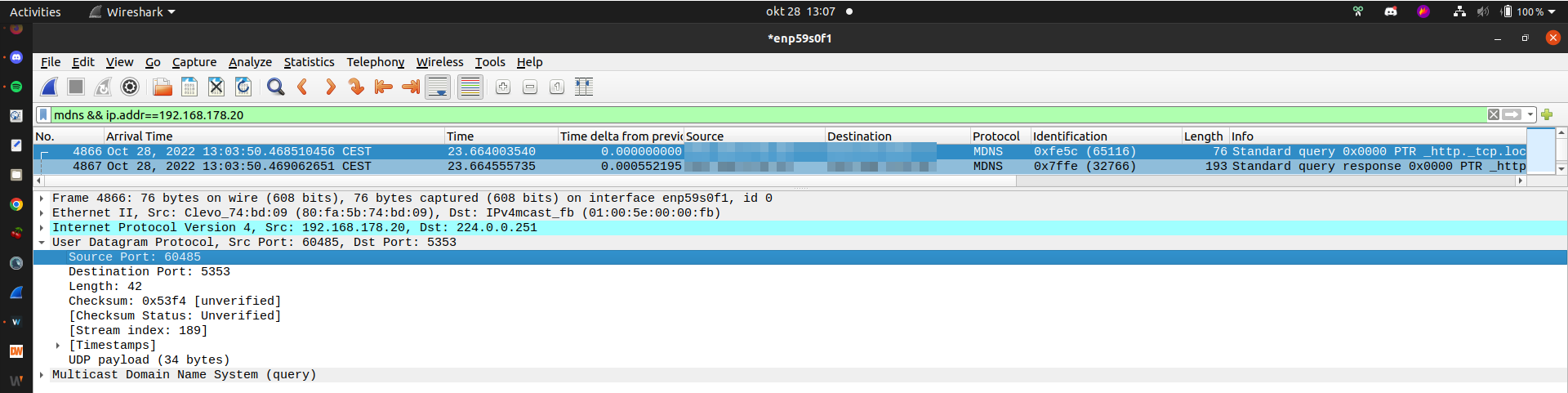
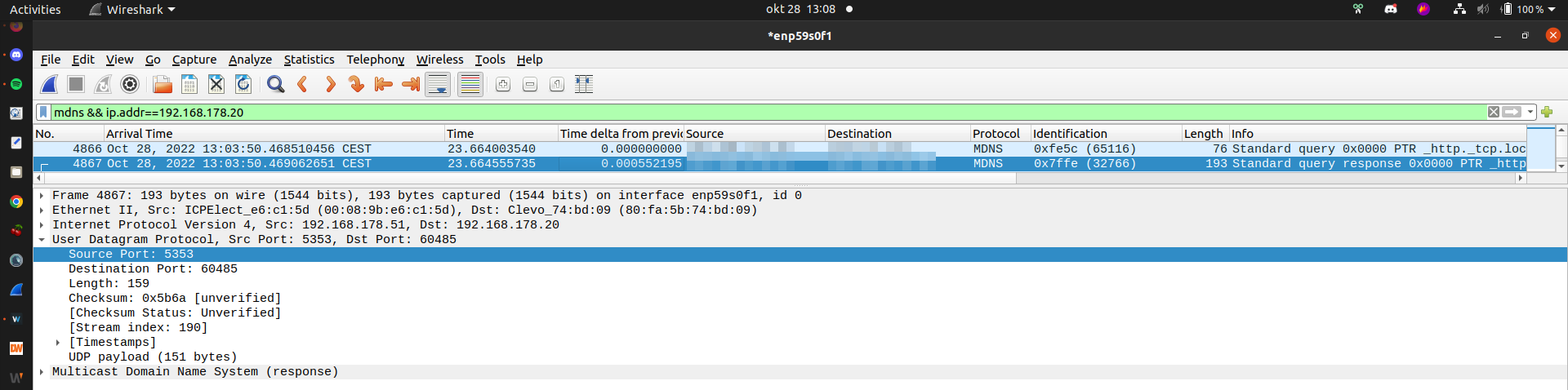
We use the mDNS protocol and ports 5353 is used.
 0
0
Please sign in to leave a comment.
Comments
1 comment