Nxwittness/Inception integration
Completed
-

Hello @...,
I'm more than happy to see how we can help, but we need more information in order to help.
Please check THIS support article, and provide information accordingly.
One thing I always do, is checking if I can send the HTTP request from my browser to the Nx Server, so I'm sure the format of the URL is correct.
Also, if you are using Nx 5.0, you either need to use Bearer authentication or create a specific user for the HTTP requests, that allow Digest authentication.0 -

I am having the same issue with this one. I have created the User in NX and made sure is using Digest auth.
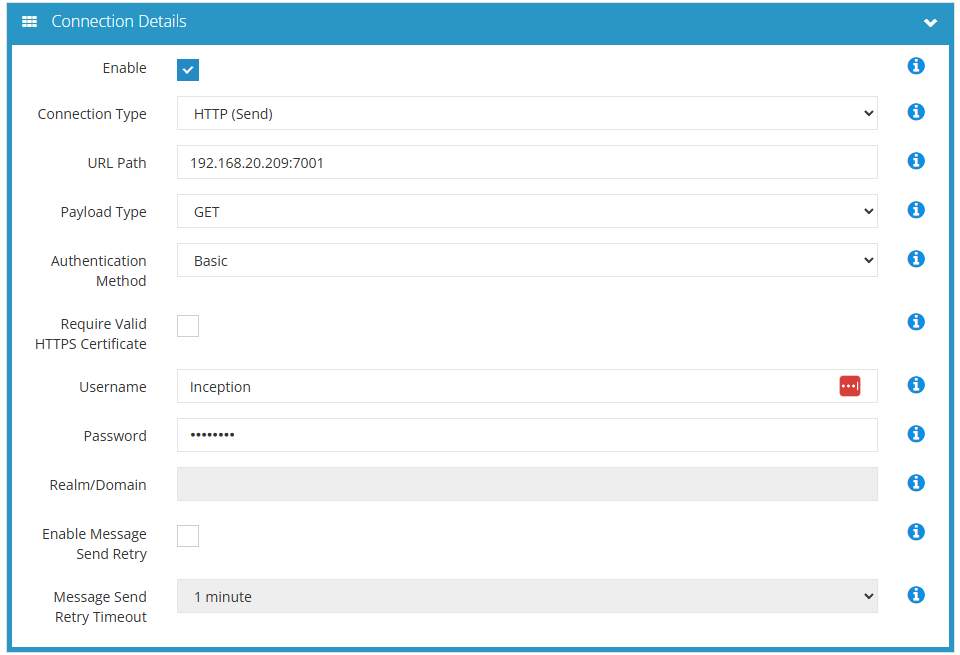
This is what I get in the Inception logs:
 0
0 -
Hi michael,
Change you Authentication method from Basic, to Digest, and it should be resolved.
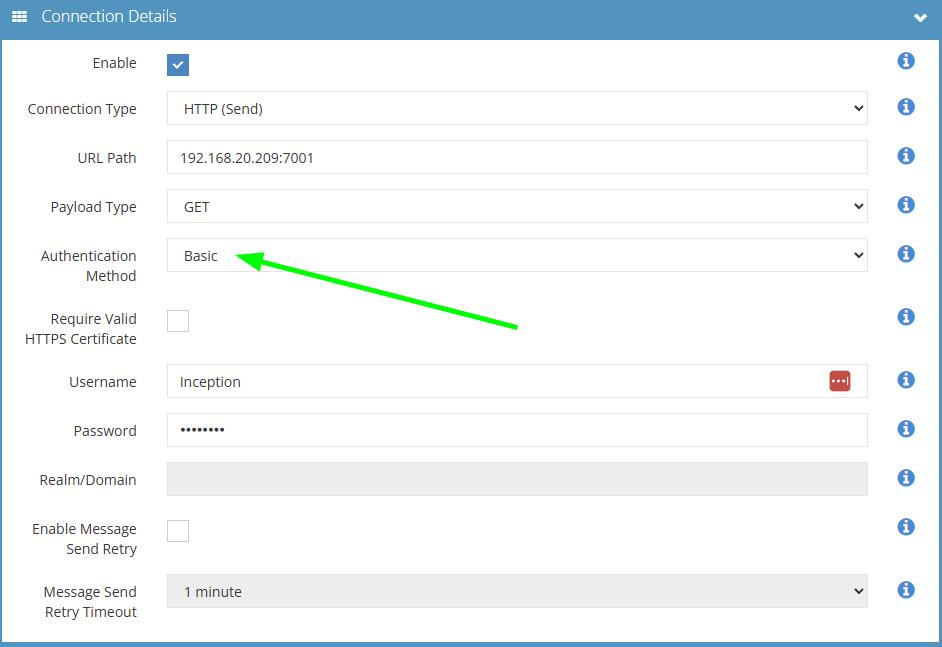
With kind regards.
0 -
Hi Norman,
When I change this to digest, it wants me to enter something in the “Realm/Domain” field. It won't let me leave it blank. Any ideas what this needs to be?
Thanks,
Michael
0 -
Thanks Norman. I've tried VMS but no good either.
I went back to Inner Range to see if they had any suggestions and they advised to turn off this setting in System Administration, which has now worked.
Thanks.
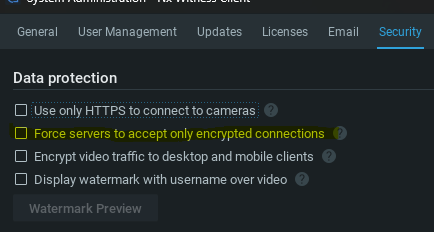 0
0 -
Hi michael,
That is kind of an unexpected resolution, and shouldn't have made a difference.
But glad it resolved the issue.0
Please sign in to leave a comment.
Comments
7 comments