how to append camera view with designated position using Nx Java script API
Answered
We are developing an application that can append available cameras through an integrated web page from Nx. We can successfully use the respective API to add a camera to a layout. However, appended camera positions are not predictable, we cannot see any pattern thus, so far, It is impossible to create an expected view group layout with API.
How to create a view group layout dynamically from Nx Javascript API?
e.g
View group Empty Matrix
[ Empty ][ Empty ][ Empty ][ Empty ][ Empty ]
[ Empty ][ Empty ][ Empty ][ Empty ][ Empty ]
Appending camera with Nx Java Script
[ Empty ][ Empty ][ Empty ][ Empty ][ Empty ]
[ CAM4 ][ CAM1 ][ CAM2 ][ CAM3 ][ CAM5 ]
At least, expected behavior.
[ CAM1 ][ CAM2 ][ CAM3 ][ CAM4 ][ CAM5 ]
[ CAM6 ][ Empty ][ Empty ][ Empty ][ Empty ]
or able to append camera with position (x,y)
Is there any workaround?
-

Hello Yoshitaka,
whenever adding new item to the layout you can specific its geometrical position via X,Y coordinates and its size.
Our test page sample provides sample when user can specify item positioning when adding new object to the layout and see current position for all objects.
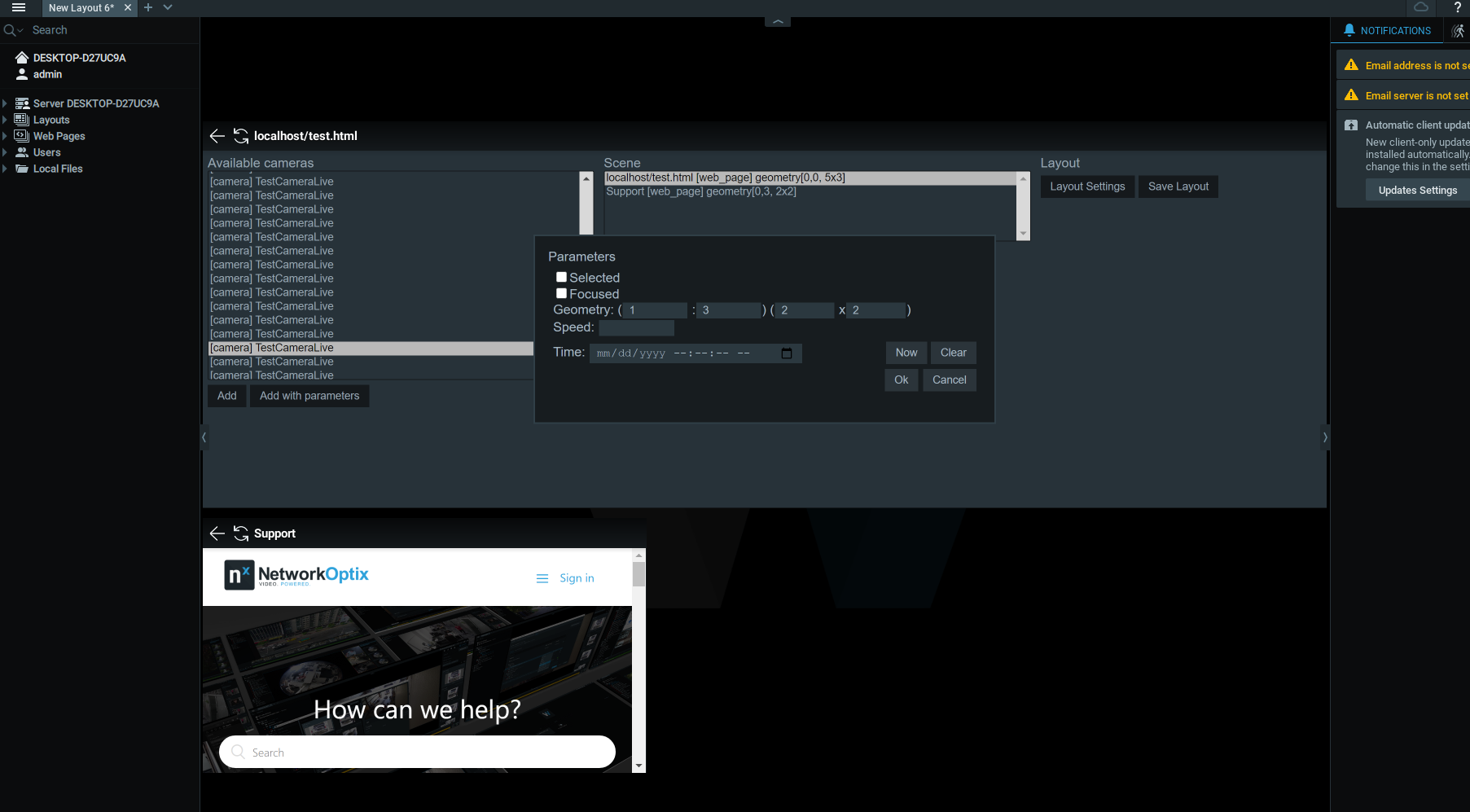
Look at how ItemParams Class is managed in our sample, it has geometry field allowing you to control X,Y coordinates.
0 -
Anton Babinov
Thank you for the comment and sorry for the late reply on it.0
Please sign in to leave a comment.
Comments
2 comments