Rebuild archive is allowed again (if active) due to disk performance is OK
Answered
Hi Support,
We noticed high loading on our VM server, and realized it was caused by NVR recording in syslog:
"Rebuild archive is allowed again (if active) due to disk performance is OK"
Our archive is likely corrupted, but I didn't expect NX Optix will start it automatically. How can we prevent auto re-indexing?
Thank you,
Artur
-
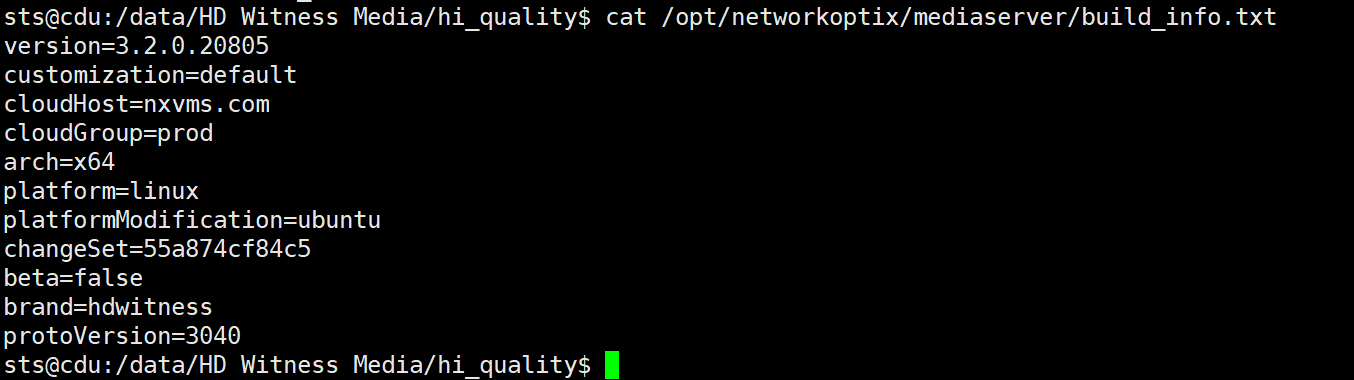
NVR runs on Ubuntu 16 VM:
 0
0 -
Longer log if this event. Note "Temporary disable rebuild archive", and then "Rebuild archive is allowed".
This causes our service load and ssh connection fails, then it restores itself (likely when rebuild disables itself)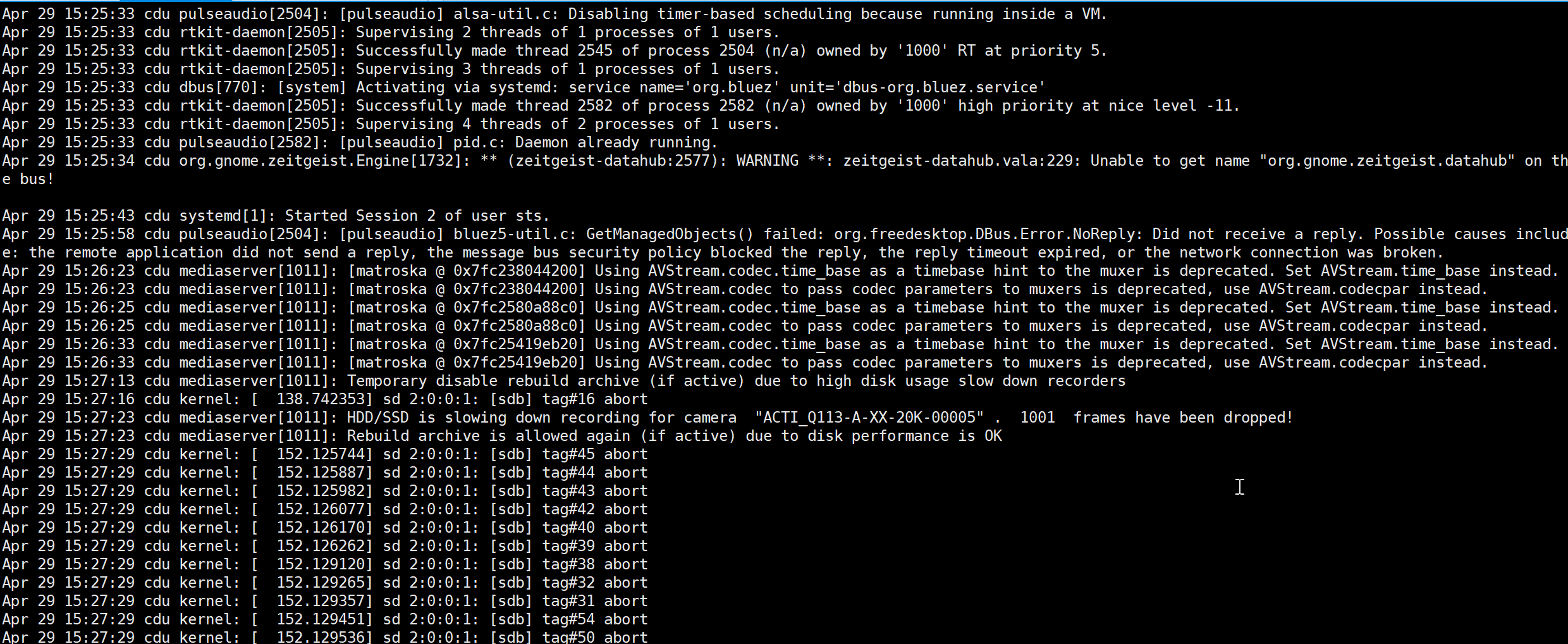 0
0 -

@...,
You can't disable the reindex of the archive. This is a mandatory process in case of storage issues and server reboots. If your VM doesn't have sufficient resources, it is required to increase the resources.
Also, we noticed, that you use an old version of Nx Witness (3.2.0.20805) and we strongly recommend using the latest release version, 4.2.0.32840 or its patches if applicable. Also, soon we'll release version 5.0.
0 -
Hi Norman,
Thanks for explaining
1. Is there a way to check the NVR archive rebuild process is running in terminal? besides checking the logs.
2. What triggers the rebuild process?
Unfortunately, I can't update the nvr version (spec bound) and upgrade VM specs (industrial pc, hw is not expandable)
0 -
Hi @...,
Regarding:
- Unfortunately, there is no default option to do this in the terminal. You could create a script that monitors the logs for the process.
- See THIS support article to learn more about reindexing.
0
Please sign in to leave a comment.
Comments
5 comments