AXIS Plugin: Ignore Unknown Objects.
Answered
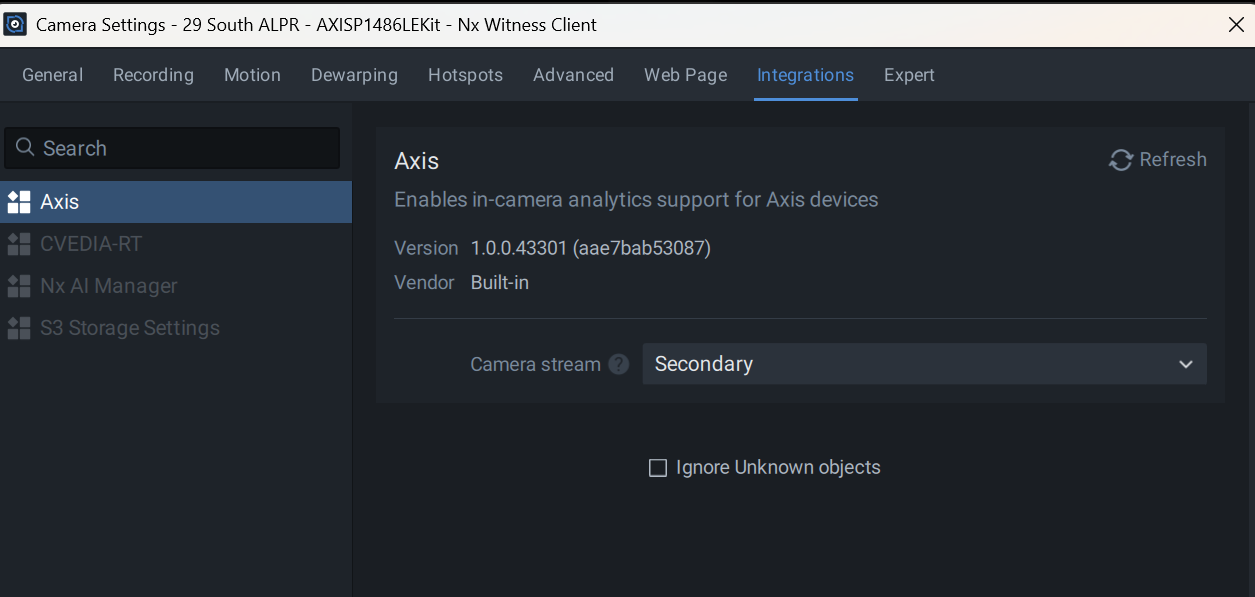
Running AXIS cameras on our Nx Witness system 6.1.3.43301
It seems like any time the servers restart, the "Ignore unknown objects" checkbox gets unchecked and we have to manually go in and enable them on all cameras.
-

Hi Michael Miller,
I checked our internal tasks. This behavior was covered during QA testing, and we didn't see it there. I then set up my test lab to match your environment and tried to reproduce the issue, but I couldn't trigger it.
My test used our 6.1.4 Release Candidate. Could you update your Site to build 6.1.4.43736 and check whether the issue still occurs?
To install this build from the Desktop Client:
- Open the Main Menu and select Site Administration.
- Go to the Updates tab.
- Select Specific Build and enter the following:
Build Number: 43736
Password: 9vt87h - Follow the prompts to complete the update.
If the issue still occurs after the update, please contact your authorized Nx reseller and include the steps to reproduce it. Please also share Desktop Client and Media Server logs captured at DEBUG level while you reproduced the issue.
Best regards.
0
Please sign in to leave a comment.
Comments
1 comment