I'm getting a lot of loading screens. Where to troubleshoot?
Answered
I'm getting a lot of loading screens, pretty constantly. Any recommendations on where to troubleshoot? My server has an Intel Xeon 4208 CPU, 32 GB memory, 9x 10TB hard drives (4 recording, 5 backup). It's currently running 36 cameras (4MP high, 480p low), but I'm planning to upgrade it to 128 cameras soon. My network is professionally installed, all Fortinet gear, managed by a MSP.
I get lost connection emails daily, stating multiple cameras have not had data for more than 10 seconds. And quite often I get a screen like below.
Where would the best place be to start troubleshooting this? Is it likely a setting on my server? Is it a network issue? What do I need to have the networking guys look for?
Thanks!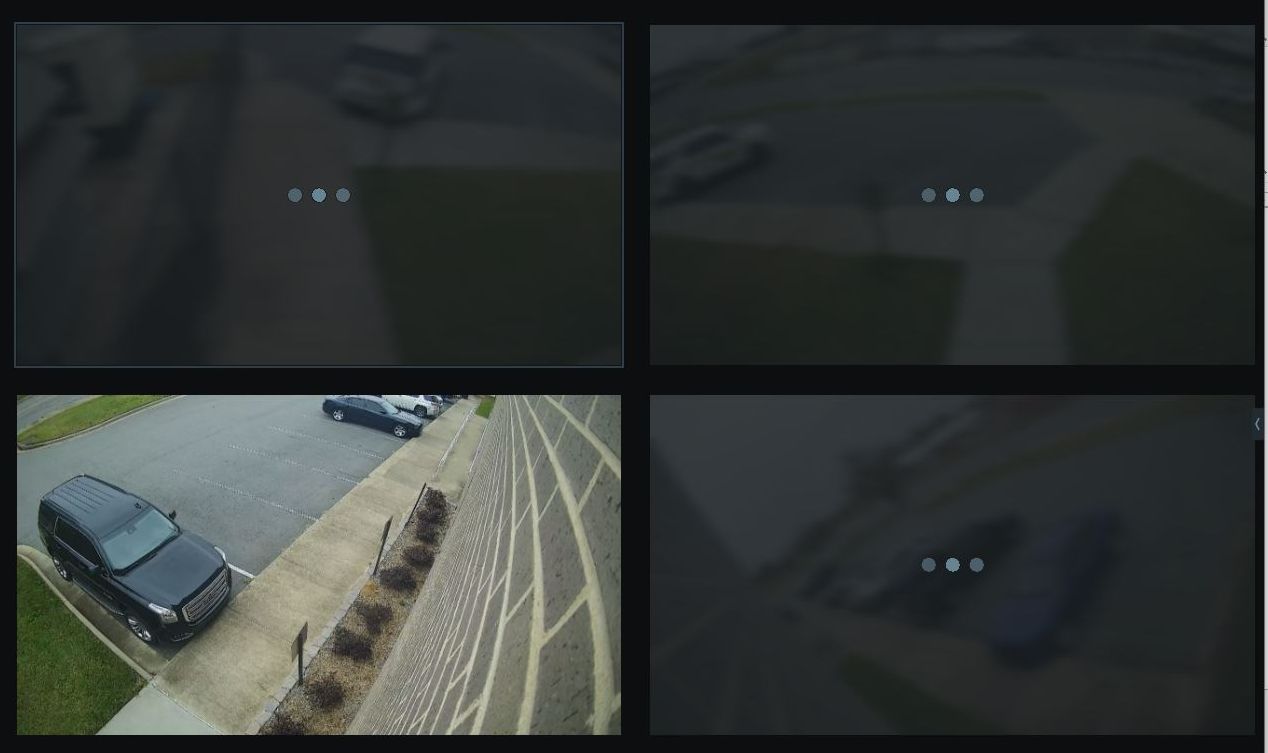
-

Hi Johnathan Powell,
The first thing I would check is the Event Log. What kind of log entries do you see that might be related to the issue you experience. Depending on the results, you can determine what to investigate.
Also, what I would check is if the Nx Witness VMS is the only source that pulls the streams from the cameras or are there other resource, like VMS or NVR, or any other applications that pull the streams from the cameras?
Another check would be if the behavior is similar when you display the camera in the Onvif Device Manager.
If you really want to know the details, you could capture the communication between a camera that shows the behavior and the Nx Mediaserver with Wireshark or tcpdump.
0
Please sign in to leave a comment.
Comments
1 comment