Why does fps change between mp4 and avi file ??
Completed
Hi, I am Kai.
I download recorded file from nx-witness(Desktop) with mp4 format and avi format.
Confirming that detail, I found each file's frame per second(fps) is different.
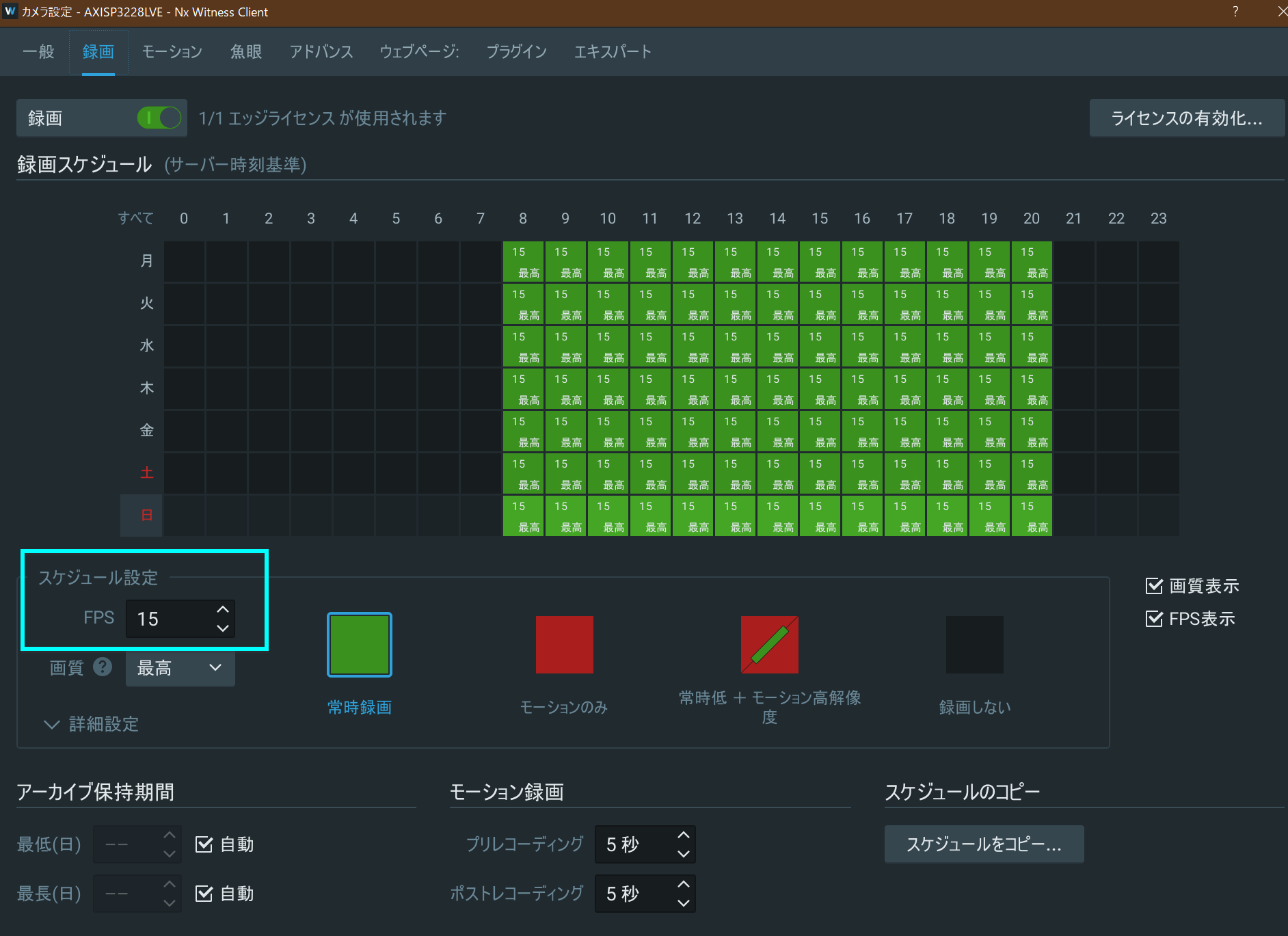
With camera record configuration, I have set 15 fps, however .avi file is 60fps. (mp4 file is 15fps)
I want to know the reasons.
Thanks,
Kai
-

Hi @...,
There shouldn't be a difference.
How did you determine the difference?0 -
Hi Norman,
Thank you for your reply.
Oh, I see..
I determine that from file property info.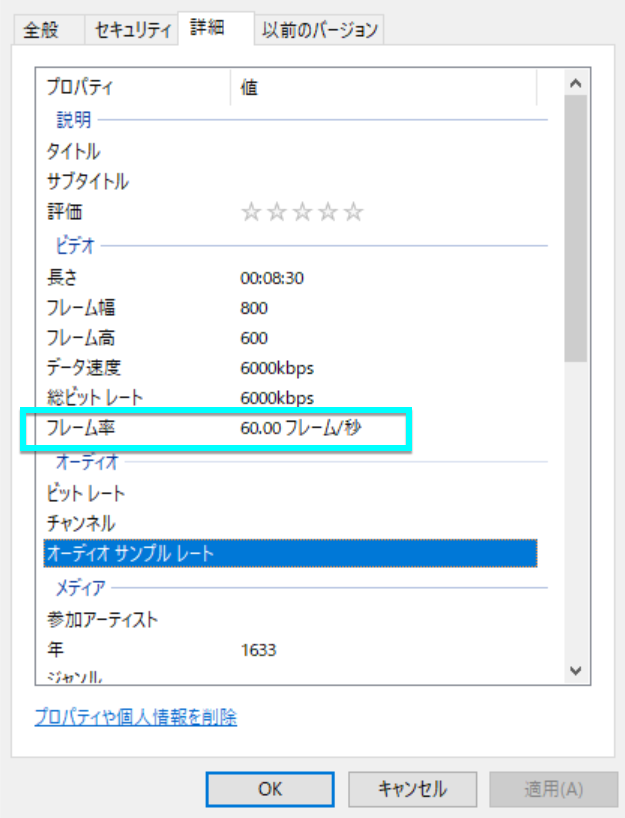 0
0 -
Hi @...,
To be honest, I don't know why it represented like that.
I checked the file properties as well on an export file from Nx:I got no video information for the AVI file:

And for the MP4 file I get the correct information:

I also tried an online clip, and got the same result for AVI exports. Maybe due to the conversion to AVI the proper information can't be provided.
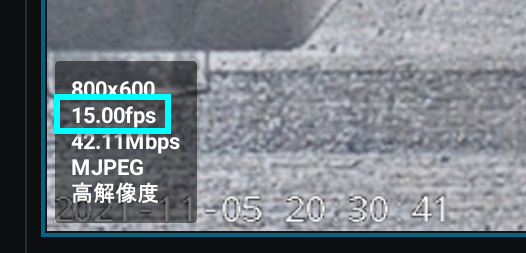
What I did check was if the current frame rate was correct and that was the case. For each second of footage, I was able to count ~15 fps, sometimes 14, sometimes 17, depending on the video source information, which is expected when using H.26x codecs. MJPEG would be more accurate, since these don't have a GOP and just create a full picture for each frame.
0 -
Hi, Norman
Thank you for prompt reply.
Do you know why AVI doesn't display correctly?
I downloaded it from the Nx video export below.
The FPS information of the file is obtained from the file properties from Windows Explorer.
And I configured codec is MJPEG.
 0
0 -
Hi, Norman
Is there any progress on the above?
We apologize for the inconvenience and thank you.
0 -
Hi @...,
Thank you for the reminder. I had to ask the developer team, but didn't get any feedback yet.
As soon as I know more, I'll update this thread.JIRA-VMS-29630
0 -
Hi @...,
I have received feedback from our developers, and we use FFmpeg for the export of footage and FFmpeg does not support frame rate for AVI files. Instead, it uses a timebase instead of the actual frame rate. Nx Witness uses the60 fps timebase by default. So, due to this reason, it is expected that the file properties of the exported files will contain this value as fps or no value.
0 -
Hi, Norman
Thank you for your reply and I'm glad I knew the cause !! !!
Thank you for your enormous support.
You can close this ticket.
Regards, Kai0
Post is closed for comments.
Comments
8 comments