Problem adding camera
Answered
Hey guys,
I have a little problem.
I tried to add a camera ( Hikvision,model: DS-2CD2142FWD-I) to a specific server, and for some reason, it didn't work,
and when I tried to add the same camera to a different server it work!
Both of the servers are upgraded to the latest version (4.2.0.32840) and the only difference between them is :
The server where the camera can't be added, has AIBox plugging, even though the camera was connected to this server before.
Can you please let me know how can I fix the adding problem and where can I find the server logs to investigate what happened.
Thanks,
-

Hi Lital Akulov,
Thanks for reporting the problem.
Could you help to verify if you are able to add this Hikivision camera in the latest patch of Nx? We added the fix of the adding problem when you have the duplicated IP of the Hikvision camera that was registered on another server of your merged system.- Fixed an issue that prevented two Hikivision cameras with identical IP addresses on different networks from being added to a cloud-connected system.
You could proceed with the upgrade in your desktop client with the following information:
Build Number: 33579
Password: xxluxnIf the patch doesn't solve your problem, please help to collect the following information and share them with us:
1. The DEBUG Server log that is collected during adding the camera.
2. The Wireshark packet that is collected on the server machine.
3. Camera's IPWe appreciate your cooperation.
0 -
Hey Wendy,
We tried using the patch you send us and unfortunately, it didn't work.Please see the attached server debug logs and the Wireshark capture.
Please note about few things- About the camera - it is located on a different site from the server and is accessed through a port forwarding rule made in the remote site router.
- As for the server logs, this MAC address on the logs is not the camera's MAC.
- As for the WireShark capture, please use the filter ip.addr == *.*.*.* when looking at the capture.
- The remote site's outer IP is *.*.*.* and we access the camera through the address **.**.***.**:**** which leads to the inner IP address in the remote site.
Please let me know if you have any questions.Thanks,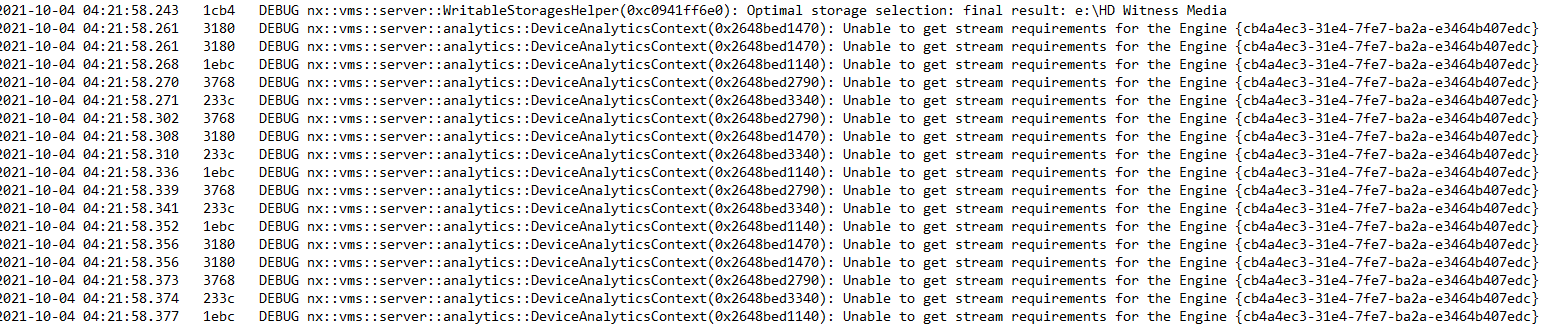 0
0 -
Hi Lital Akulov,
Please allow me to remove your download link of the packet and the public IP address because the community is a public forum. After checking the packet, I assumed that you couldn't find your Hikvision camera by manual searched. And another working server is connecting to a different network.
It seems that the Hikvision device refused the connection because of the incorrect authentication many times and trigger the protection mechanism of the camera:

Possibly you have another VMS server, client, or AIBox under the same network as the Nx server that keeps connecting to the camera with the wrong credentials. Please disable them, reboot the Hikvision camera then try again.
Thank you.
0 -
Hey Wendy Chuang
It worked !!
It was The AIBox as you said.
Thank you so much,
0 -
Hi Lital Akulov,
Thanks for your update.
Glad to hear that problem is solved.
I'll mark this post as Answered. Enjoy the software :-)0
Please sign in to leave a comment.
Comments
5 comments