Creating additional local users
Answered
How can I create additional local users on the NX System? I need them to be able to login to the web interface for remote playback.
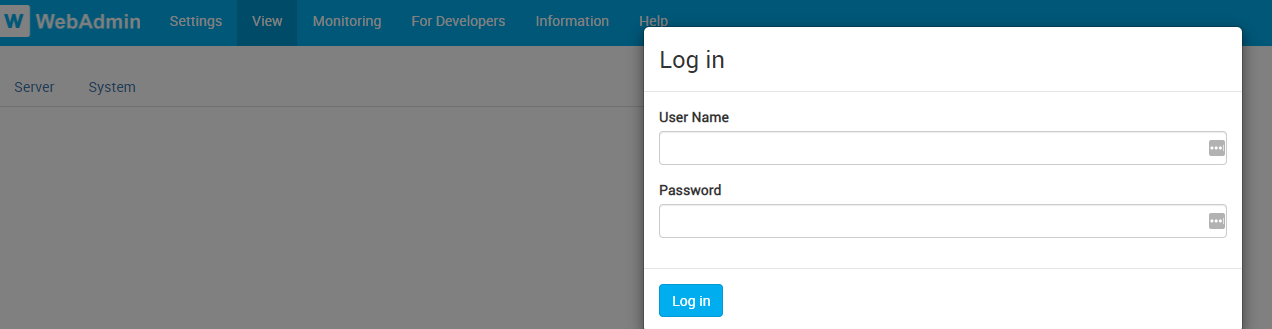
A screen shot of the login screen can be seen below.
-
Hi @...,
Any created local user can log into the web interface using their credentials. However, only a user with "Viewer" or higher rights can view Archived Video and Live Video.
THIS article describes user roles and their related permissions.
0 -

Hi @...,
You cannot add users via the Nx WebAdmin, this would require the use of the Nx Witness Desktop client and below a copy/paste from the in-client manual about how to do this:
1.Use one of the following methods to open the New User dialog for local users:
•Open Main Menu and choose New > User
•Open Main Menu, click on User Management, then click the New User button
•Right-click on Users in the Resource Tree and choose New User
•From System Administration, go to the Users tab then click the New User button
2.In the New User dialog, enter the following user information:
•Login – Enter a log in ID for the user.
•Password and Confirm Password – enter a password for the user
IMPORTANT: Login and password are case sensitive.
•Name – Enter the user's name.
•Email – Enter the address that will be used for Email notifications. If this is not set, the user will not be able to receive "Mail Notifications" from the System.
•Role – Select a User Role from the menu. Predefined and custom roles will be included. To assign special permissions, click the Edit Roles button (see "Roles Management").
3.Click OK to complete creation of the new user or Cancel to exit without saving.
Note: All users can reset their own password.
Nx Cloud users can be added through the cloud page (nxvms.com).
Another option to add local users would be with the help of our API.0
Please sign in to leave a comment.
Comments
2 comments