Recording toggle blocked — "Local recording service is required" despite valid storage/license (CVEDIA-RT/Nx Witness)
Answered
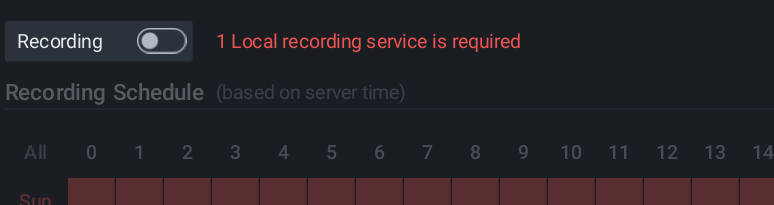
Hi Team,
I am encountering an issue with our environment (CVEDIA-RT bundled Nx Witness Media Server, local install registered to Nx Cloud).
Under Camera Settings → Recording, there is a persistent validation error stating "1 Local recording service is required", which prevents the Recording toggle from being enabled for any of our 3 manually-added GENERIC_RTSP cameras.
Here are the details of our environment and the troubleshooting steps already completed:
- Storage Locations: Valid with 475.8 GB free, set to Main/Exclusive read-write policy.
- Nx Cloud License: 16 channels available (only 3 in use).
- Live View: Functional for all 3 cameras.
- Services: Both "Network Optix Server" and "CVEDIA RT Server" Windows services are running.
- Troubleshooting Attempted: Restarted the Media Server service, reindexed storage, and deleted and re-added a camera. The error persists.
I have attached a screenshot of the error for your reference. Could you please clarify what "Local recording service is required" means in this build and advise on how to resolve it? please reply as soon as possible
-

Please check the Services tab in the Site Administration menu.
I assume you don't have any Services assigned to this Site.It should look like this:
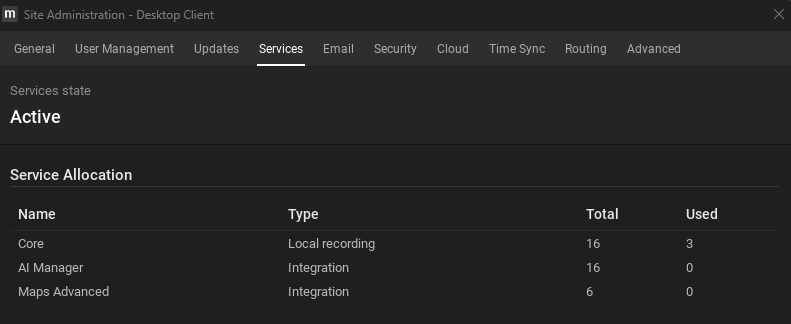
IF you don't have any Services assigned to this Site, please contact the Channel Partner who manages the Organization to assign Services to your Site.
If you are the Channel Partner, please follow the instructions as described HERE.
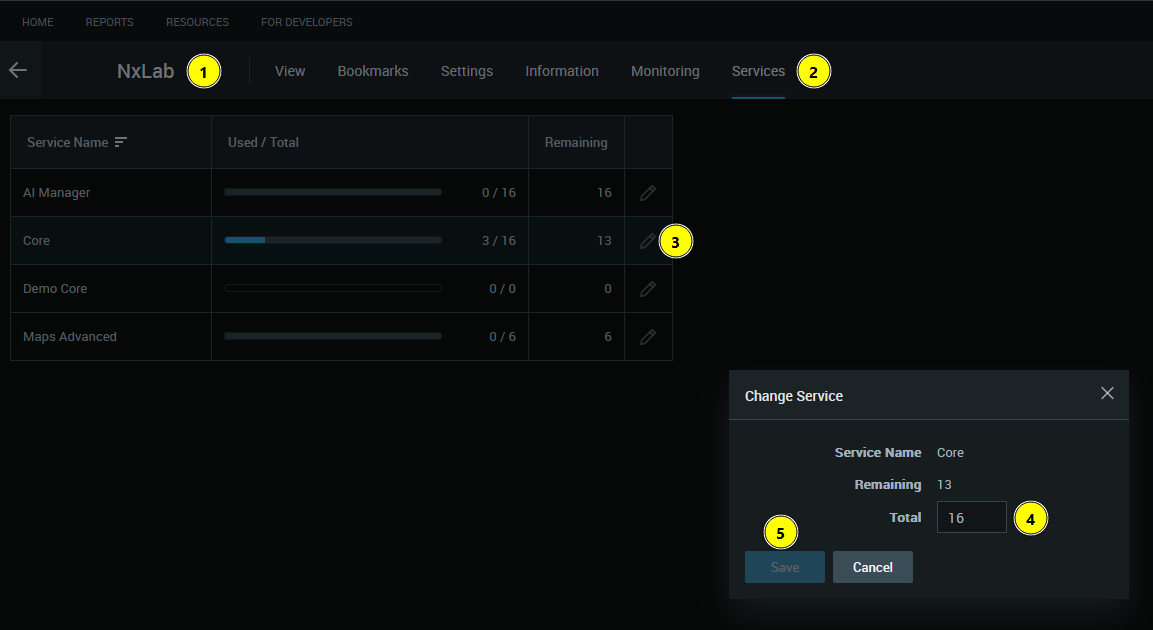
Also, you can assign Services via the Cloud Client to the applicable Site:
- Select the Site
- Navigate to the Services tab
- Modify the applicable type of Services (Core is the default recording Service)
- Set the desired number of Services
- Save the modified Services.
Best regards.
0
Please sign in to leave a comment.
Comments
1 comment