Partially unresponsive Media Servers
Answered
So, we have 900 licenses for DW and currently using 837 of them with all i-Pro cameras across 5 merged servers all backed with Solid State drives.
We have been having an issues since June 2026 where a server becomes unresponsive on port 7001. For now I have zabbix monitoring port 7001 so I know when a server half crashes and can restart the service. We were on v6.1.1.42624 at the time and have moved to v6.1.2.43047.
Basically no clients can connect but the server continues to record. We have sent in Debug logs and memory dumps to DW but we are still facing the same issue as we try to work through this with them. Of the 5 servers our main one has no cameras, all it does is house the licenses and originally used to be the server all clients connected to. This was the original server that kept dying and so with the advise of DW support we spread the client connections out, and so we did and pointed each client endpoint to the server where the cameras they monitor are on except for a few users that have access to all of them. Now as random as the original server would go offline the others will become unresponsive to clients as well. There seems to be no rhyme or reason. The servers might stay up for days and days or even stop as soon as several hours.
At first there were a some reached maximum connections in the logs but that seemed to be due to having many cameras offline due to construction and were advices to increase maximum connections and remove the cameras from layout access which stopped the limit errors but has not resolved the issue.
I am just wondering if anyone else has had or heard of anyone else with this issue. We had no changes to our enviornment when this all started as I went through countless logs to see if anyone made any changes during or around that time even after asking, but we have since replaced all our core routing and switches but that was just due to age and obviously did not fix it either.
If anyone has thoughts our school district or I should say I would greatly appreciate it. Even if its a dead end it could help rule out more.
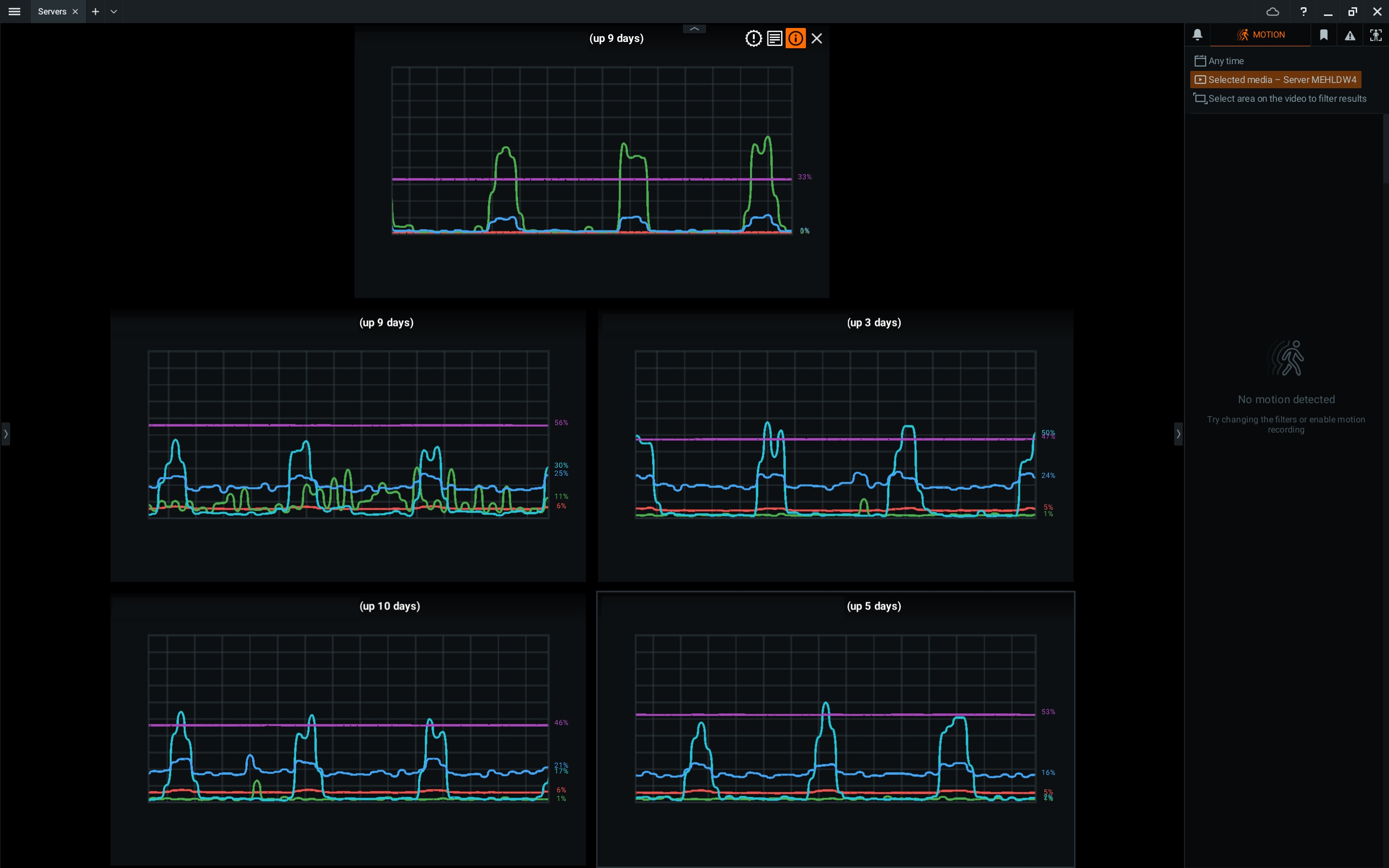
-

Hi mark.fratto,
Given your setup of roughly 167 cameras per server (837 cameras across 5 servers) and the fact that reducing camera density partially resolved the issue, your system may be approaching its maximum concurrent connection limit. This can easily happen if multiple client applications, mobile streams, or third-party integrations are requesting video feeds from a server simultaneously. See also THIS support article.
Because resolving this requires analyzing your specific system architecture, we highly recommend contacting your Authorized Reseller. They are in the best position to investigate your setup, identify the exact bottleneck, and either resolve the issue or escalate it directly to our technical support team for you.
Best regards.
0 -
It didn't partially resolve the issue though, it still happens as much as before and just as random but on different servers now.
“maximum concurrent connection limit” has been increased which I will not list how here since it is a public forum and not sure you want that published. The weird thing is we had no issues before. Had not added any cameras, and this started during the summer where most of the users that would be viewing cameras had stopped since school was out of session. And now that school is back and people have their cameras back up you would think that the issue would increase but still the same.
Right now is actuall a high time when cameras are used. And we are not even close to the original connection limit of 2000.
Server 1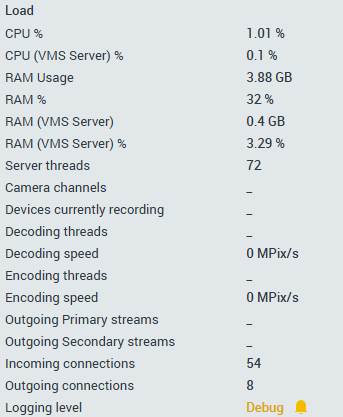
Server 2
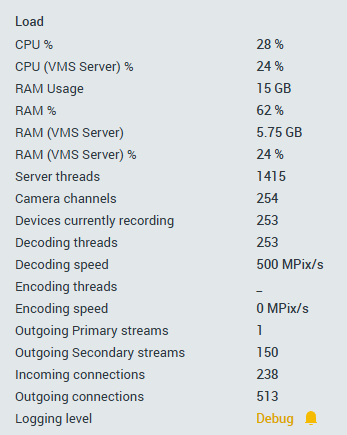
Server 3
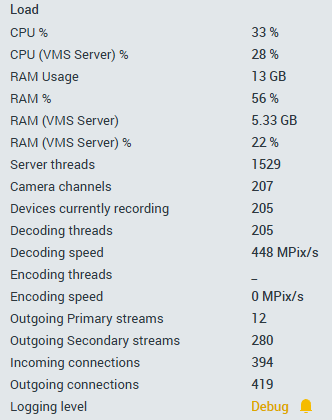
Server 4
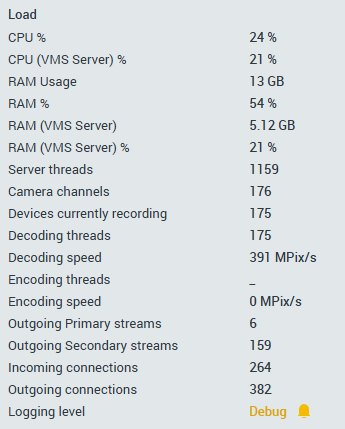
Server 5
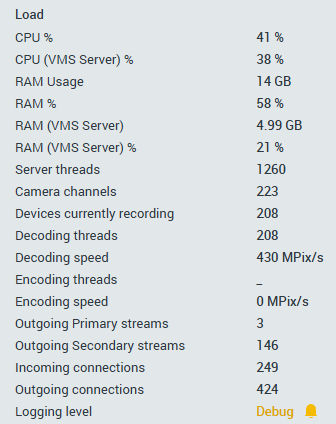 0
0
Please sign in to leave a comment.
Comments
2 comments