What is the timing mechanism for client-side snapshot capture?

Hi,
I ran into an issue while developing a plugin for the client's platform, and I would appreciate your help in troubleshooting it.
My plugin pushes events to the server based on IPC push events, using the frame timestamp provided by the server to the plugin.
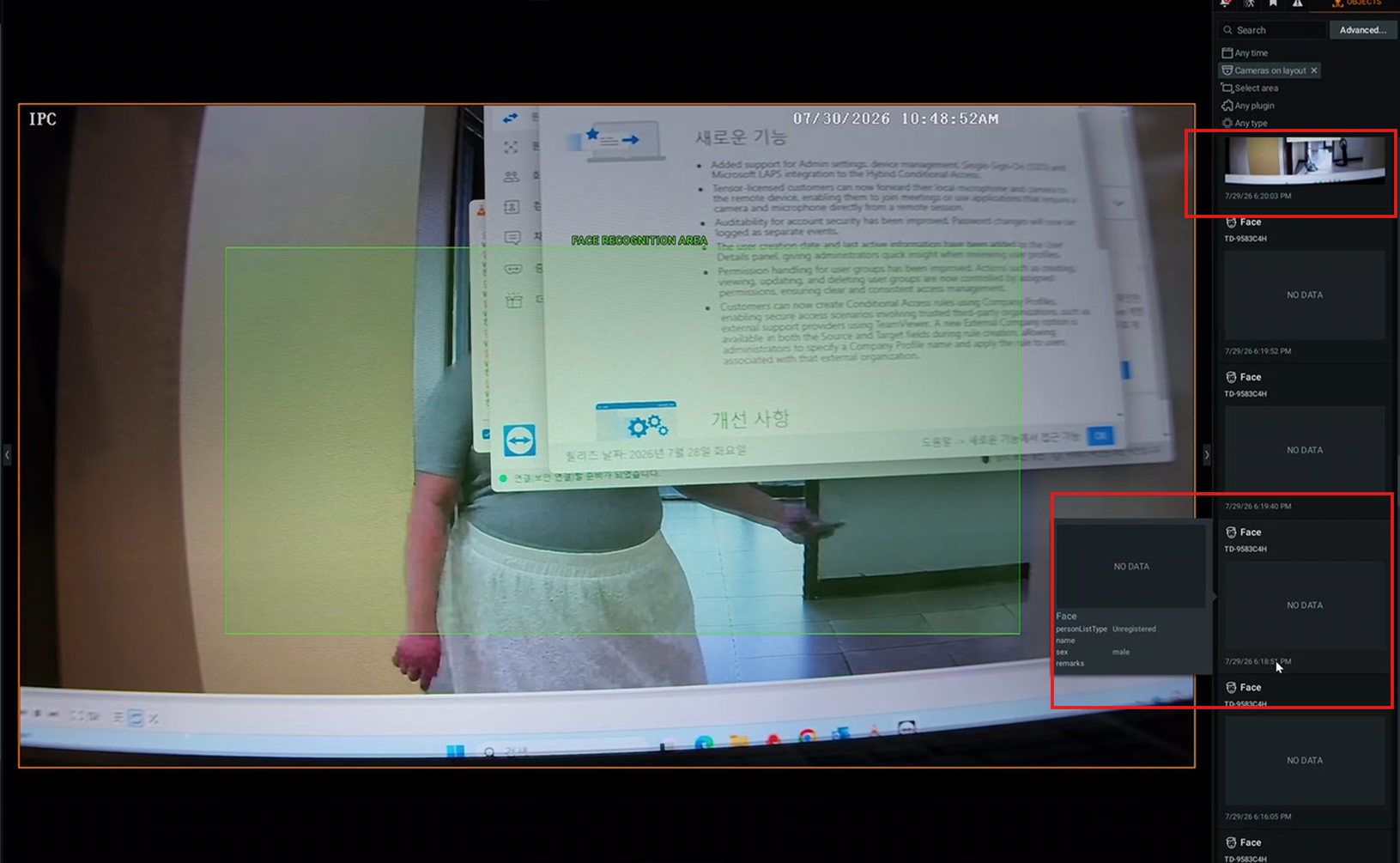
As I understand it, snapshot capture should grab the video frame of the client's current channel. If recording is not enabled on the client side, it frequently results in 'No Data' errors, whereas enabling recording allows snapshots to be captured continuously.
However, in the client's production/live environment, snapshot capture occasionally results in 'No Data' errors, whereas in our development environment this almost never happens, and on my local machine, the success rate is 100%. Interestingly, if a user clicks on the video wall snapshot action, the recording from that exact moment can still be opened successfully.
I initially suspect this might be a network issue—specifically, that the server lacks sufficient caching, resulting in missing video buffers corresponding to that timestamp. But if that's the case, why is the corresponding recording still able to open? How can I verify that this is not an issue with my plugin?
-
Hi,
When my plugin receives anobjectmessage from IPC, its callback funtion calls apushMetadataPacketto the server. This packet only contains the video frame timestamp provided by thepushCompressedVideoFrameinterface, target attributes, and target bounding boxes. It does not push actual images, so snapshot captures and video recording are handled entirely by the client.During local testing, an intermittent issue (about 2% to 5% of the time) where a "No Data" status occurs. When this happens, clicking the live-streaming preview thumbnail should theoretically jump to the corresponding recording timestamp. However, there is actually no recording available at that timestamp.
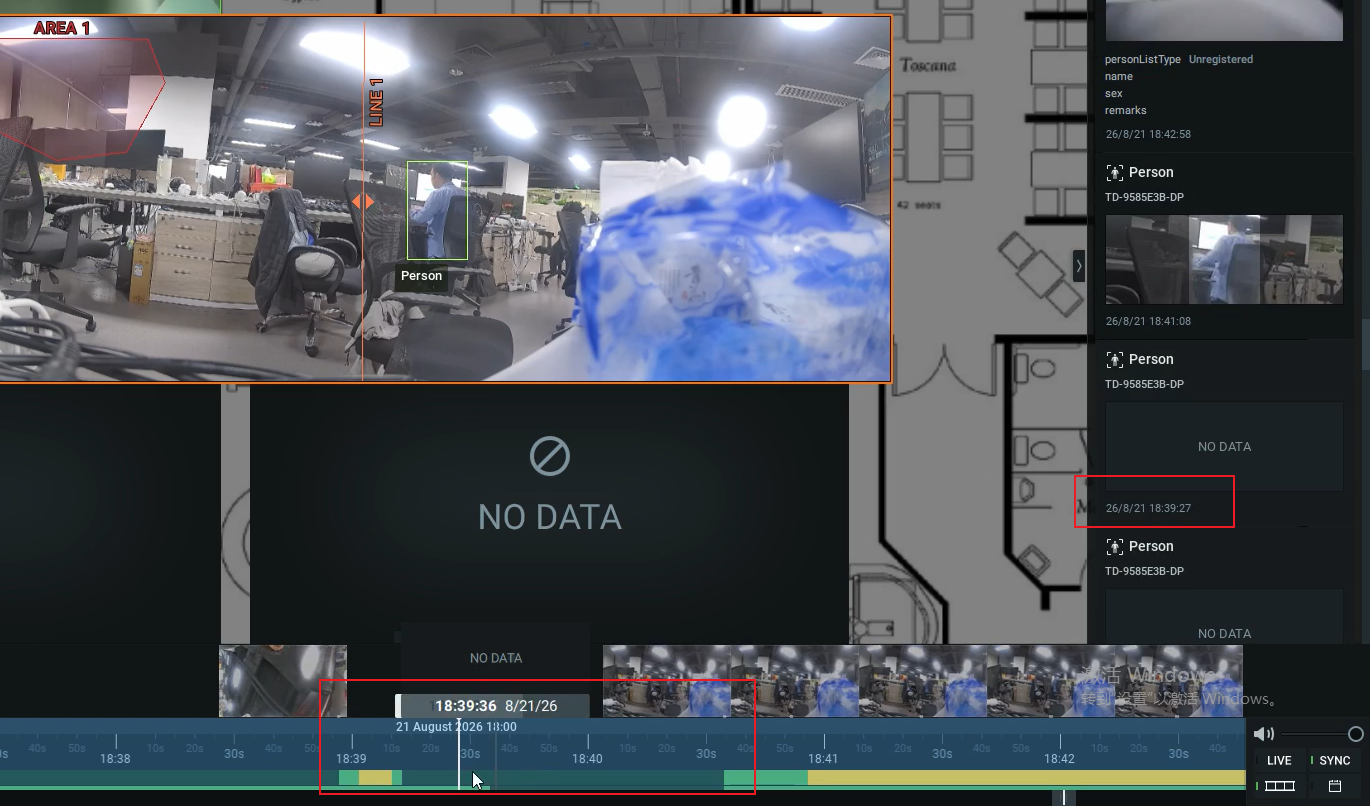
When checking via Advanced Search, the corresponding recording file seems corrupted and only lasts for a split second (possibly just a single frame).
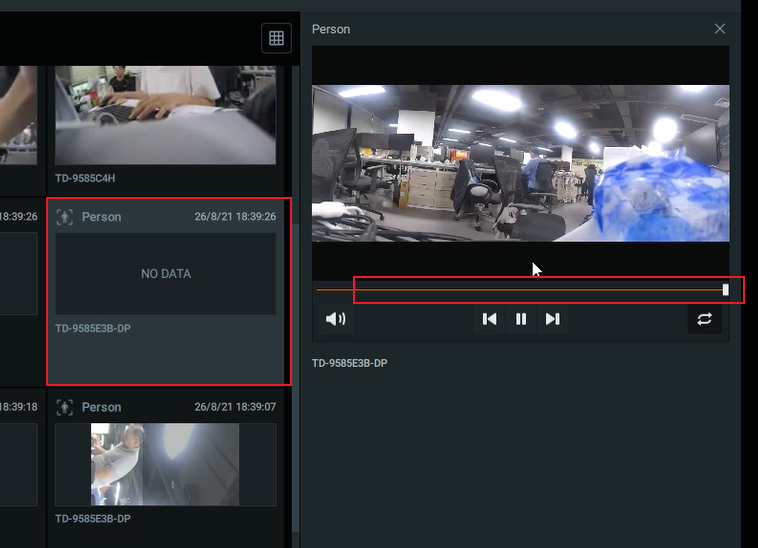
I would like to ask: Can this be confirmed as an intermittent client-side issue rather than a problem with the plugin?
Thanks for your time and help!
0 -

Hi
This doesn't look like a client-side problem. The snapshot is normally supplied by the camera as a bestshot, so the camera should always be sending one along with the metadata.
If there's no explicit bestshot in your packet, the mediaserver will try to pull a frame from the stream instead. When that fails, there's nothing else it can fall back to, so you get "no data."
The recommendation is to push the bestshot explicitly, so the snapshot (or an image you want to show) always arrives with your metadata.
There's another common cause worth checking: timestamp drift. If the timestamp on your stream doesn't line up with the timestamp in the metadata, the mediaserver can't locate the matching frame in the stream. This is a frequent issue on IP cameras, if timestamps drift inconsistently.
In your case it looks like the camera clock and the server clock might not be synchronized. Worth adding the implementing bestshot as well if possible.
Hope this helps.
0
Please sign in to leave a comment.
Comments
2 comments