How to identify if a camera is a doorbell via Nx API?
Answered
I’m working with the Nx Witness API and need to determine whether a camera assigned in the system is actually a doorbell (e.g., hanwah or Axis).
- Is there a way through the REST API to check if a camera is a doorbell device?
- Can this be inferred from the
model,vendor, ortypefields in/rest/v2/devicesor/rest/v2/cameras? - Alternatively, is there an event or metadata flag that explicitly marks doorbell devices (like “Call Button Pressed” events)?
Any guidance or examples would be appreciated. I’m aiming for a config-driven approach where my pipeline can automatically validate and log whether a camera is a doorbell without hardcoding device names.
i have found a way with hanwah intercom by checking the capability's in the getdevice api .It shows intercom in capability but not in Axis check so need a common way
Thanks in advance!
-

Hi Subramanian,
Currently, Nx Witness may support a specific series of doorbell devices from certain manufacturers as general ONVIF Device or cameras. For Call request - currently maybe only Hanwha TID series is supported.
Is there a way through the REST API to check if a camera is a doorbell device?
If you know the intercom device model, then yes, probably you can use /rest/v{2-4}/devices to check the model.
Then you may can refer to the information from the manufacturer to know if the model is an Intercom or a doorbell device. Currently Nx Witness does not (can't either) provide this information if the devices are not natively integrated.
Can this be inferred from the
model,vendor, ortypefields in/rest/v2/devicesor/rest/v2/cameras?You can see the device information via /rest/v{1-4}/devices, in your case, maybe vendor and model.
#Please be noticed, there is no endpoint of “/rest/vX/cameras”, refer to API document for more detail.Alternatively, is there an event or metadata flag that explicitly marks doorbell devices (like “Call Button Pressed” events)?
Yes, but that is only for Hanwha TID series intercom only.
but not in Axis check so need a common way
This is expected. As mentioned above, for Call request as well as specific Intercom integration natively - currently maybe only Hanwha TID series is supported.
Thanks.
0 -
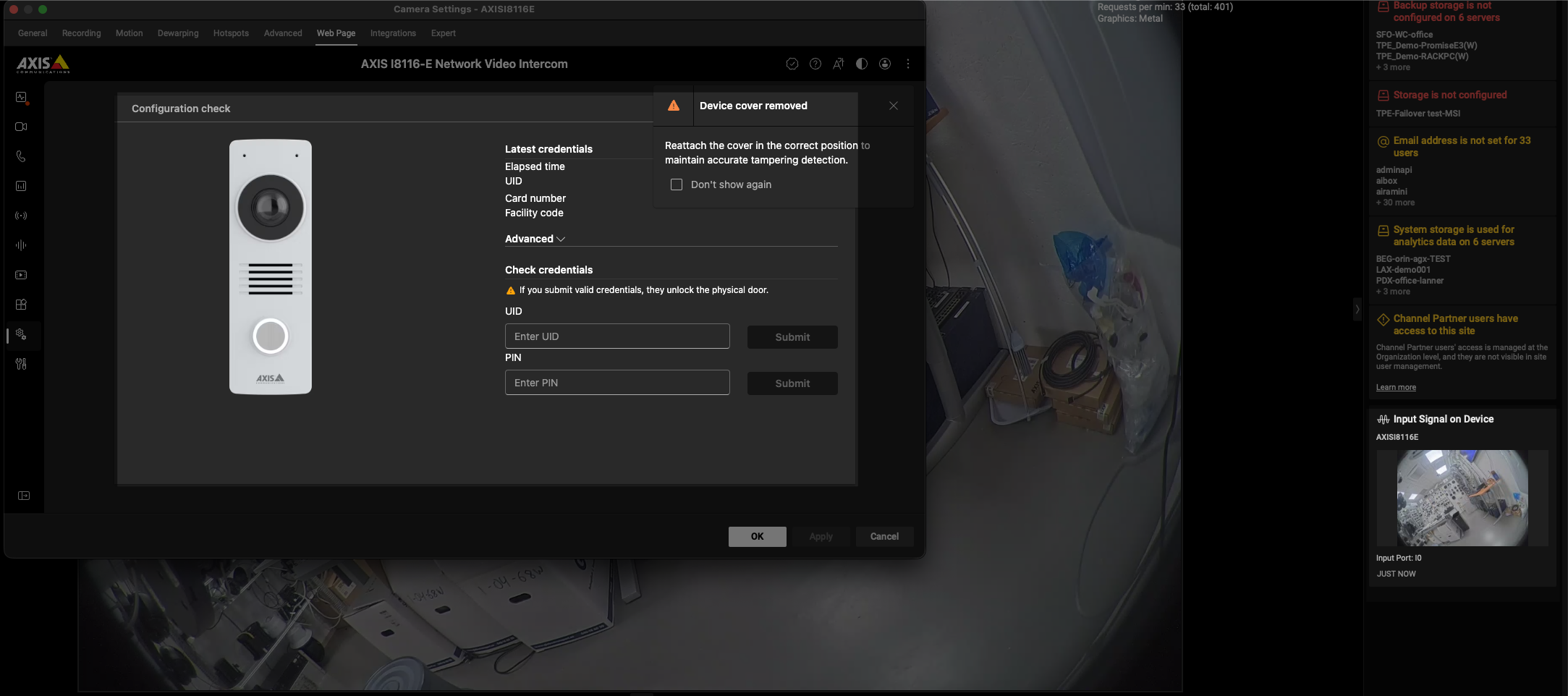
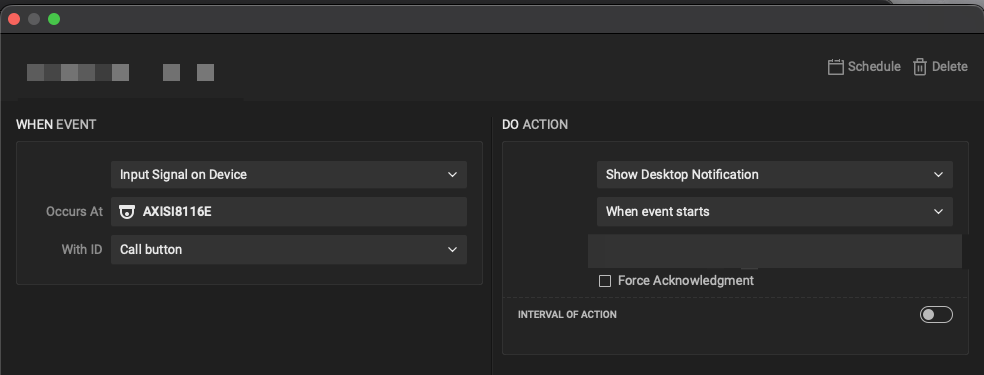
BTW, for AXIS device(specifically I8116E), the call-in notification is under “Input Signal on Device”.
At the moment, this is not a call request, but more like a notification, then you can use the 2-way audio (Mic) to talk to the person. (slightly different from Hanwha one.)
 0
0
Please sign in to leave a comment.
Comments
2 comments