Events sent by the server are not updated on the web page
Completed
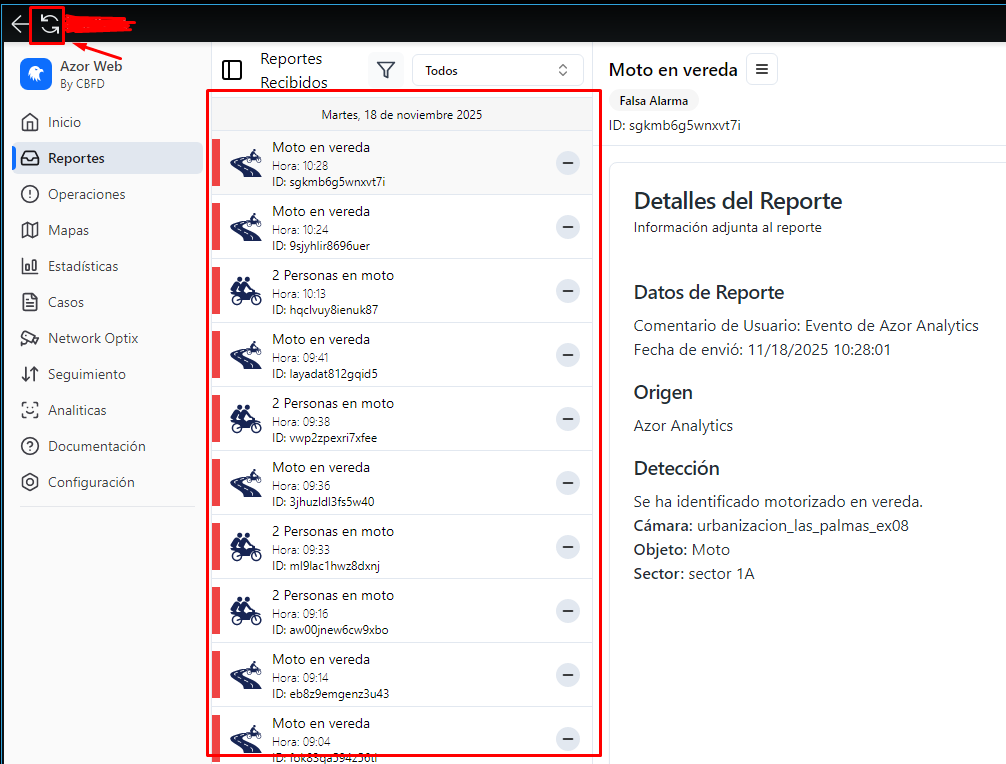
There are events arriving from the server that should be automatically updated and displayed on my webpage, but this isn't happening. The user has to manually refresh the page (indicated in the red box) to see the updated events. Otherwise, the new events sent by the server aren't reflected. This works automatically in a standard web browser without needing to refresh. The problem is that the webpage isn't connecting to the server events unless the user refreshes to see the new reports. This wastes the user's time, so I'd like to know why this is happening and how I can fix it. I look forward to a prompt response to resolve this issue.
-

Qt WebEngine and embedded Chromium do not fully match standard desktop browser behavior, especially for meta refresh or header-based automatic reloads. This is a known and documented characteristic of embedded Chromium environments, not a configuration error or implementation mistake.
In embedded Chromium / Qt WebEngine, the following differences are expected by design:
- JavaScript timers may be throttled when the page is considered background or inactive
- meta http-equiv="refresh" may be ignored or disabled by policy
- Automatic reloads can be restricted for performance and security reasons
Because of these platform-level constraints, relying on browser-managed refresh mechanisms cannot guarantee consistent behavior across environments. That said, certain trade-offs are inherent and must be handled and respected explicitly at the application level, in this case, QT WebEngine has this trade-off.
As a result, the recommended (and maybe simplest solution) across standard browsers, Qt WebEngine, and embedded Chromium — “Use explicit JavaScript reload logic (instead of relying on browser behavior.)” This approach avoids browser policy differences and provides predictable behavior in all supported environments.
Maybe you can have a setTimeout, if you need consistent behavior across browsers, including standard browser and embedded Chromium:
setTimeout(() => {
    window.location.href = window.location.href;
}, 10000);
Thanks.
0
Please sign in to leave a comment.
Comments
1 comment