Best way to enable system wide "record on analytics event"
Answered
What is the best way to enable recording on analytics events?
To ensure that the camera with the event always gets recorded.
If I enable only recording on motion it some times happen that the MD miss the event and do not start to record, while the analytics do see the event and generate a notification. Then when I click the notification I got no recordings of it.
I want to avoid setting up 1 rule for each camera.
This will be a big mess when you gor 50+ cameras.
-

Hi Fredrik Ahlsen,
You could set up the following rule, but it will apply both ways for the Event and the Action.
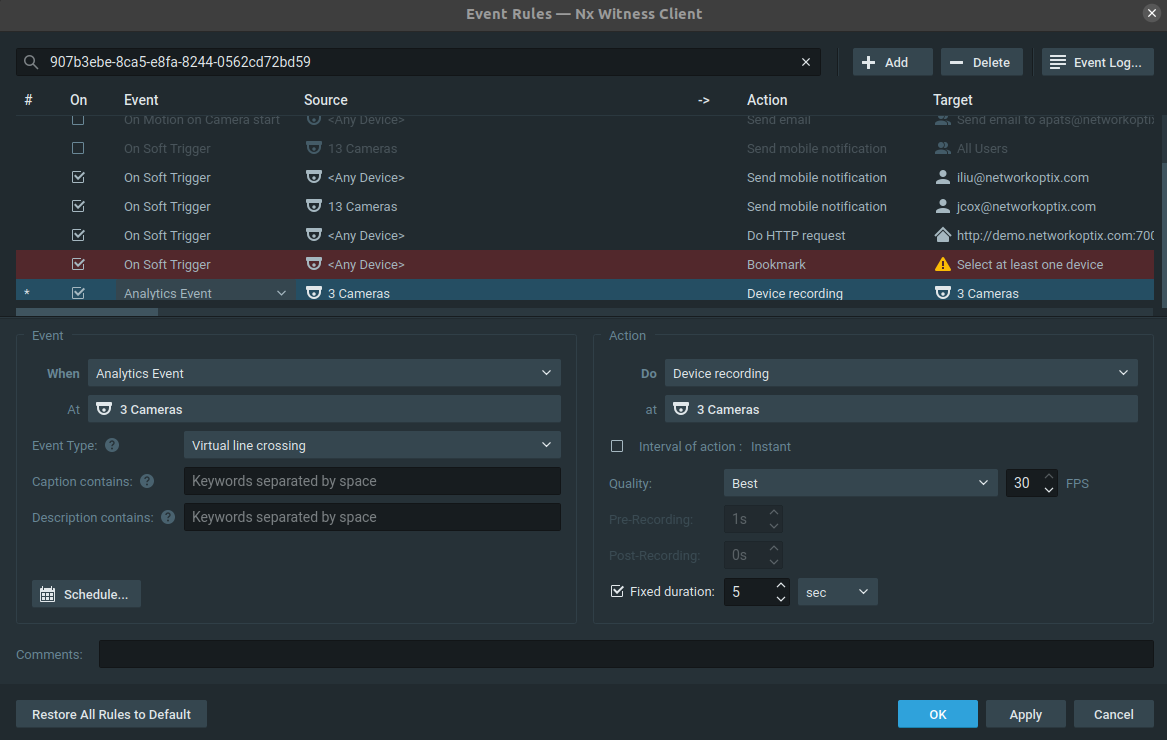
Currently, there is no option to apply the action to a single device.
0 -
- Authorized Reseller
Thanks for the suggestion Norman.
This rule will record all 3 cameras if a line cross event trigger on just 1 of the cameras.
So if you do the same with 50+ cameras, it will start to record a lot of stuff thats of no interest.
Another drawback is that you need to remember to create new rules for all future cameras.
I would really like to see something like "Record on analytics events" on the recording tab to make it more user friendly.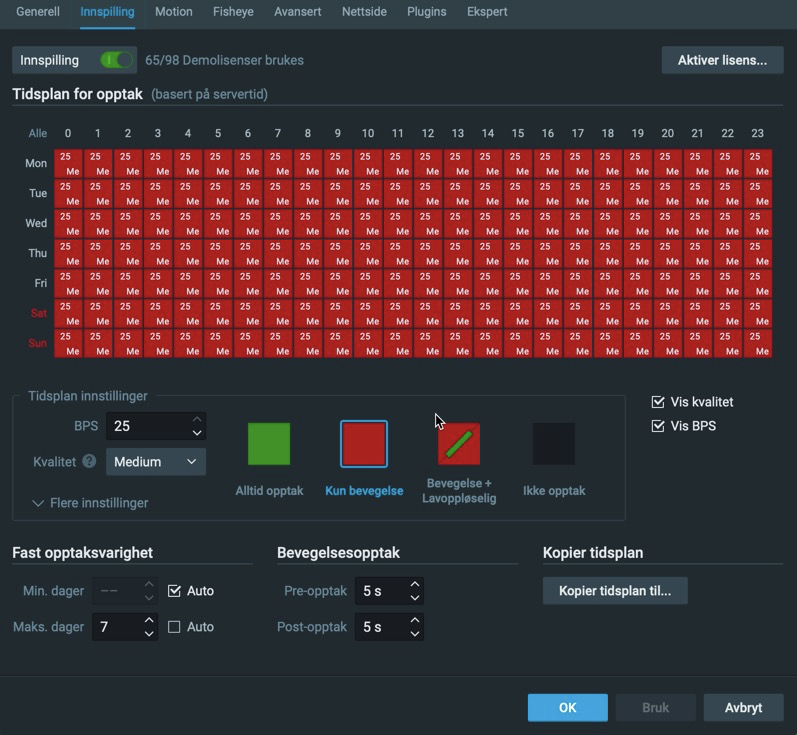 0
0 -
Hi Fredrik Ahlsen,
The option I offered is currently the least bad option.
To be honest, I would set up the rule per camera, although it is a lot more work.It would already be helpful if the source camera could be selected for the action, like you can with other actions.
For all other suggestions, please submit these in the New Feature Ideas section, so the product team can consider it in the redesign of the rules' engine.
0
Please sign in to leave a comment.
Comments
3 comments