Ability to export existing camera details for records and re-import a master camera list.
Answered
Hello all,
Was working on a merged system today with about 100 cameras.
There were issues with handshake on older Panasonic cameras using ONVIF protocol, and I had to add rtsp and 2ndary rtsp stream manually for a large number of these cameras.
There was no easy or quick way to do this with many cameras.
It would have been nice to be able to export the camera IP address, and other details to a csv file or similar to be able to manage information for the camera modifications I had to make, and for records for the customer.
Something that would allow exporting the data fields in the camera list as a baseline might be nice to have.
It would be great to be able to create a master list using csv or similar to then be able to import all of the information for many cameras.. vs inputting them all by hand.
(Import primary rtsp stream, 2ndary rtsp stream and any necessary info to bring a large group of cameras into the system when ONVIF is not behaving as one would hope).
I also noted that dragging a camera between two servers in the tree when it has 50 cameras in each server list was difficult to do. I had to open to windows and drag between them if I need to move cameras between servers.
-

Matt Barber
this is very helpful feedback, thanks!There was no easy or quick way to do this with many cameras.
How did you set up this? Via "Add device" dialogue?
We have a bulk settings editing when you select several cameras in the tree and change settings to all of them. But I'm not sure if it would help in your case. But maybe some improvements here would help you?
Also, there is a Subnet scan function which also didn't work in your case, right?
Importing data from .csv doesn't sound like a simple solution for the user, as for me. What if a column is wrong, some data is invalid, and so on? And what is the difference between entering data in .csv or in Nx Witness UI? Maybe we need some table-like UI for bulk RTSP links adding, that would be much easier than doing it in other software in .csv
We will consider that and also maybe improving our bulk settings editing
P.S. Also, in the server Web interface and in Nx Cloud you can download a .json file that can be later imported in the same interface by drag-n-dropping. This is not for changing/importing data, more like saving a state of the system for support and other purposes.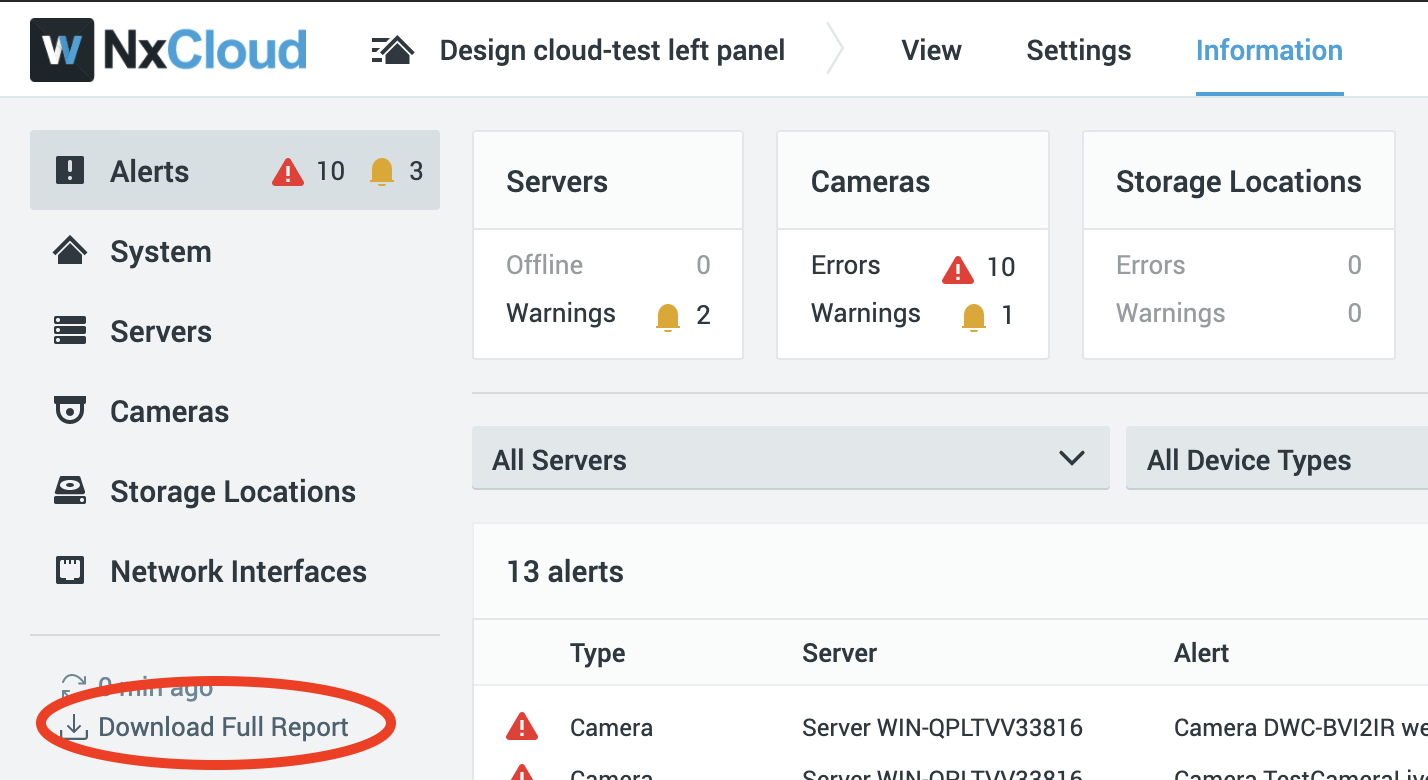 0
0 -
Correct. I did this through Add Device dialogue.
There was something incorrect in the way these cameras connected to the system via Subnet scan.
When added as ONVIF cameras, the NVR software pulled the 6th profile from the camera as the primary stream. It was a 1.2MP or higher camera, and resolution for high quality stream was 320x240 or similar.
So I had to manually add all of these cameras using RTSP and then edit 2nd stream to allow for motion/low res recording option.
Having a way to pull data out and export to a CSV or excel type spreadsheet would help for records and information to work from.
The ability to import mass numbers of RTSP streams (Primary and 2ndary) would be a nice option if older cameras don't connect properly. I have seen several instances where the ONVIF handshake doesn't communicate and establish the RTSP stream as expected.
It would be great to be able to edit the RTSP path/stream information on an existing camera. If a camera is added by a scan or auto discovery, you can't edit the RTSP information. In this instance it would have been way easier to simply modify the camera entry information vs. add each camera as an RTSP stream, past 2ndary stream.. copy camera name from old one to new RTSP addition, then delete old camera and set recording schedule on new RTSP based camera.
0 -
It would be great to be able to edit the RTSP path/stream information on an existing camera.
yep, that last part is already in the roadmap, but no solid ETA. Please, take a look at this thread: https://support.networkoptix.com/hc/en-us/community/posts/360047726054-Is-it-possible-to-choose-ONVIF-profiles-to-connect-other-streams-instead-of-primary-secondary-
I've posted our vision on this feature in the comments.
You can vote for the initial post if that's what you need.0 -

Not to completely resurrect a dead thread, but I agree with the original post.
An import function to add cameras would be a huge help, especially with migrations and large system adds. We have a specific case where discovery is not preferable, a CSV is a simple generation because it's part of the project docs, so adding a camera by IP/MAC and related basic configurations would be most beneficial, especially when migrating from a competitor product to NX.
The same holds true for generating reports of name/IP/make and model and if I'm asking, settings, for documentation purposes.
0
Please sign in to leave a comment.
Comments
4 comments