PTZ Zoom control UI Element Missing
Answered
Hi
I have an issue with an Axis Q6125LE PTZ.
On adding the camera to the system, PTZ controls are displayed, except for zoom controls.
This issue is present on both Desktop client and iOS App.
Camera PTZ is functioning as it should, and zoom control is possible with box targeting to zoom in, and double click to zoom out.
Server and client build: 4.1.0.31398, and camera is on latest firmware
-

Hi Jason,
Could you share a screenshot with the PTZ function enabled?
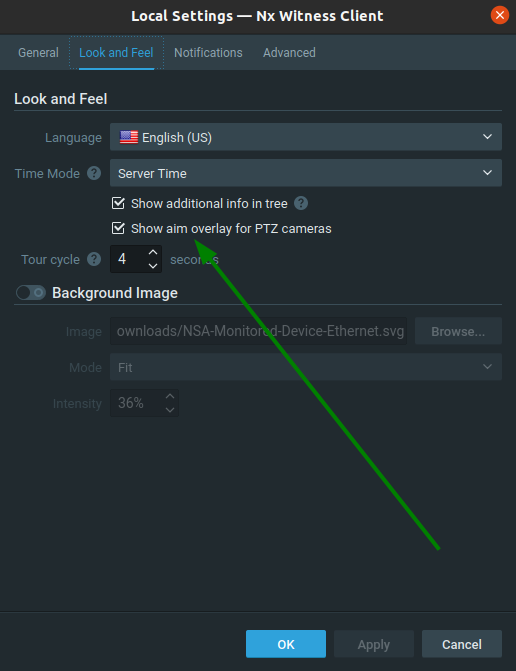
Could you check in the Local Settings menu, tab Look and Feel if the feature Show aim overlay for PTZ cameras is present and if so, please tick the box?
0 -
Hi Norman
The option on local settings to enable PTZ overlay is not present.
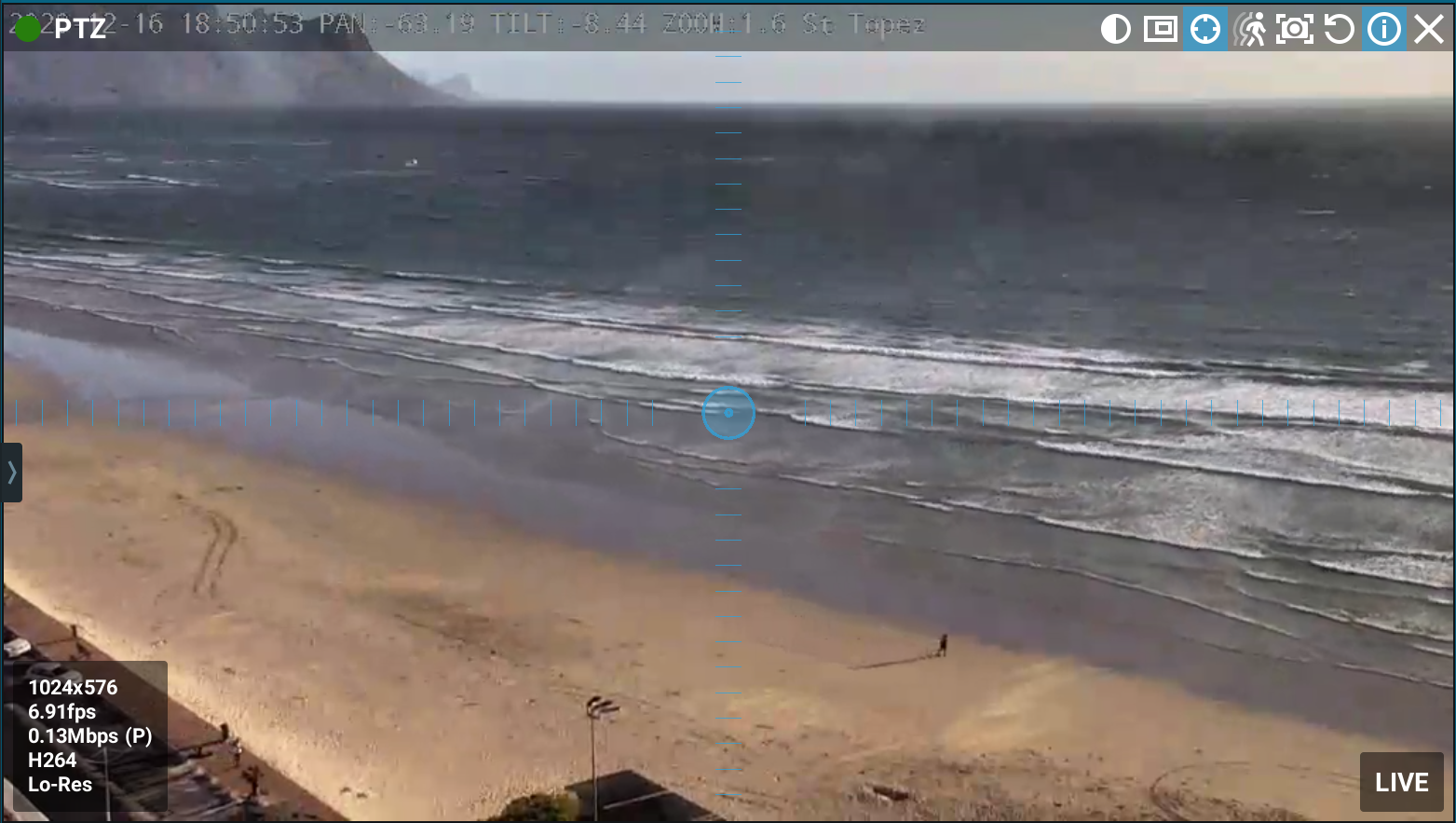
Please see screenshot from PTZ camera. You can see that the zoom controls are absent.
This issue is also showing up on the iOS app, with pan and tilt controls there, but zoom missing.
 0
0 -
Hi Jason,
Thank you for the quick reply. I will discuss this with our developers and get back at you asap.
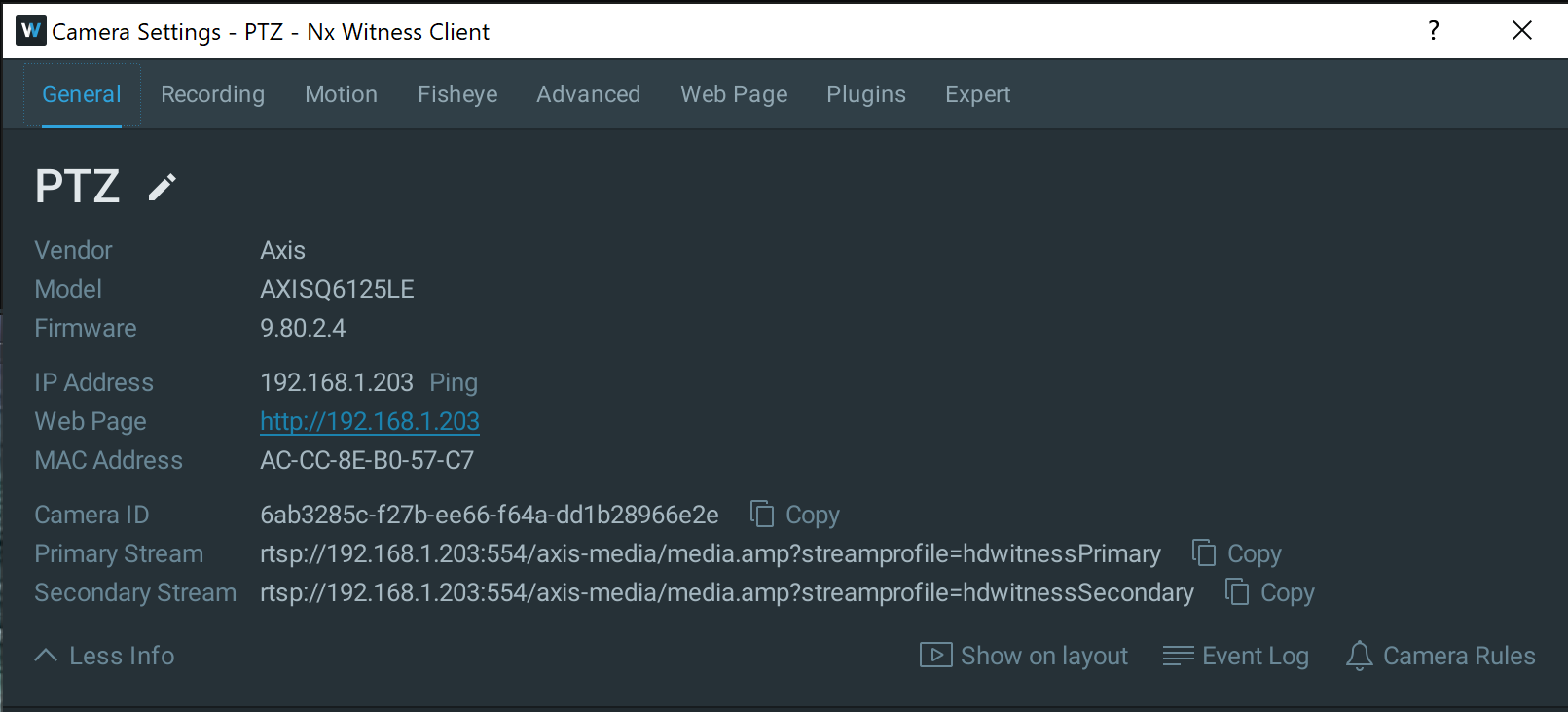
Could you share one more screenshot? I would like to have a screenshot of the Camera Settings menu, tab General with the More Info options expanded.0 -
Hi Norman
Please see below:
 0
0 -
Hi Justin C,
I have checked this with our dev team, but if no zoom is presented, no zoom is reported by the camera.
Given the fact that this camera is reported to support advanced PTZ, zoom should be possible.
What could be happening is that Onvif is disabled for this model. Awhile ago Axis disabled Onvif by default.
You can enable Onvif as follows:
- Go to the Setup menu.
- Go to the System Option / Security / Onvif menu.
- Add a new user in the Users List.
- Follow the items to enter the appropriate user information.
- Reconnect to the camera using the new ONVIF user credentials.
0 -
Hi Justin C,
We have not heard back from you in a while, so we are going to assume your question has been answered and set this topic to 'Answered'.
0 -
Hi Norman
Yes, thank you the issue has been fixed.
It seems that Onvif was not issue. I tried logging in as an Onvif user with full admin and control rights, and it resulted in no PTZ control at all.Simply removing the normal Axis camera credentials, and logging in again solved the problem.
Thanks,
0 -
Hi Justin C,
Thank you for your update. Good to read everything is working fine again.
Have a nice day!
0
Please sign in to leave a comment.
Comments
8 comments