Layout without black border ?
Answered
Hi,
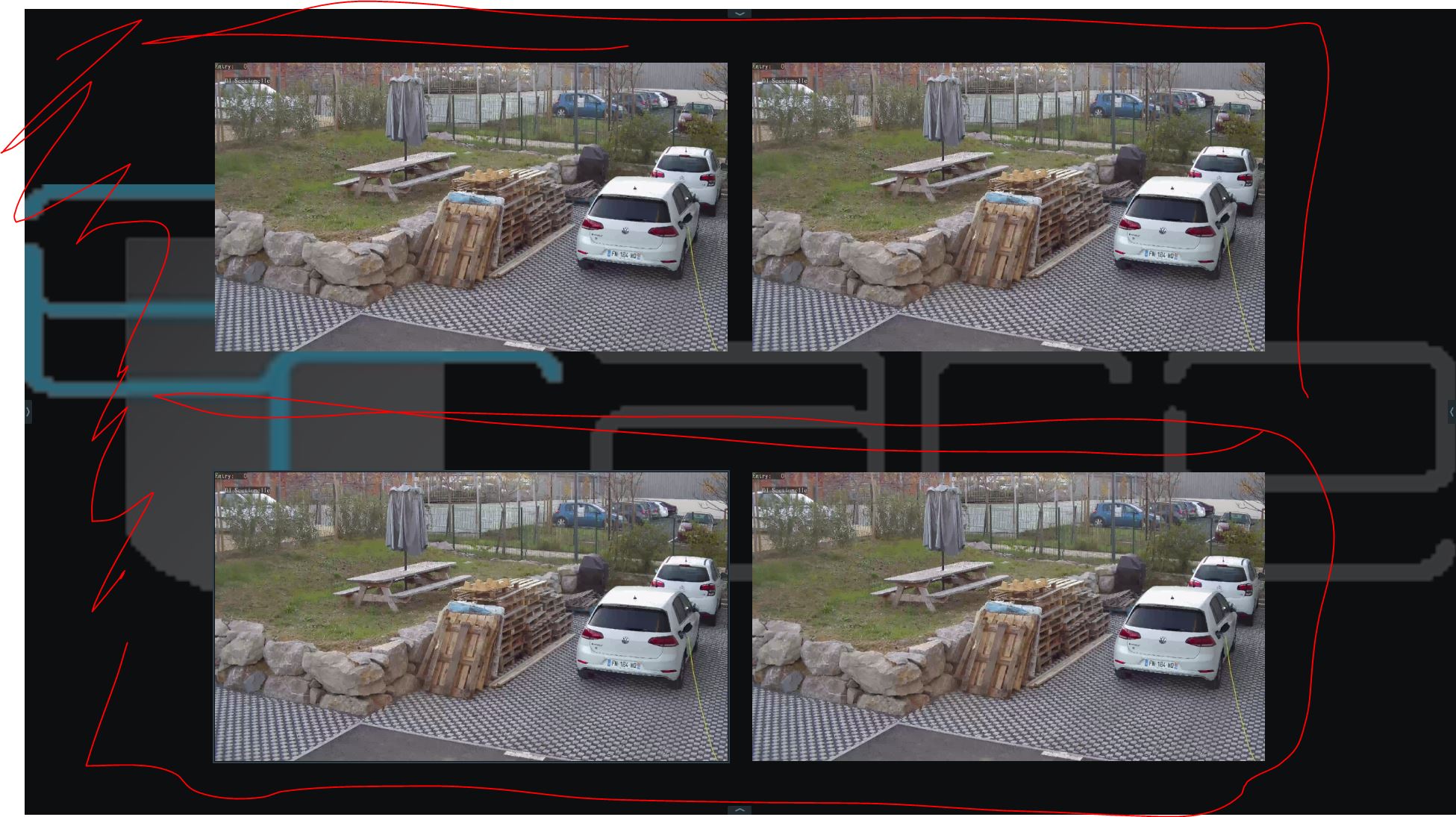
Can you help me to figure out how we can display a layout while removing the black part between cameras and on sides ?
On the image below I need the part with red lines to disapear... I need it to fit perfectly on a display...
Regards
-
Official comment

Hi Guilhem Decoux.
That's quite easy. We have a menu item called Cell Spacing.
This feature is used to change the spacing between items in layout so they can be closer together or further apart.
For example, four individual single-sensor cameras that together form a 180 degree panoramic view would best be displayed without any space between cells.
To adjust the distance between items, open the Viewing Grid context menu and select Cell Spacing, or use Ctrl+Mouse Wheel over the Viewing Grid. Options are None, Small, Medium, or Large.
The Viewing Grid is the empty background of cells into which items are placed to create a layout. Each layout is displayed in a separate tab of the Viewing Grid. Tabs allow you to have multiple layouts open at once.
The cells of the Viewing Grid are only visible when you move or resize an object in layout. When an item is being moved, a green cell indicates where it can be placed, red cells indicate where it cannot be placed.
Ps. I copy/pasted the majority of the text from our in-client manual. Please check THIS support article that shows you how to access that manual. No problem, explaining it, but it could have saved you some time. -
Hello Norman,
Thanks for your reply, the function is just perfect !
Regards
0
Please sign in to leave a comment.
Comments
2 comments