Using Network Optix Add Bookmark Not Appearing in Nx Witness Client
Answered
Dear Nx Team,
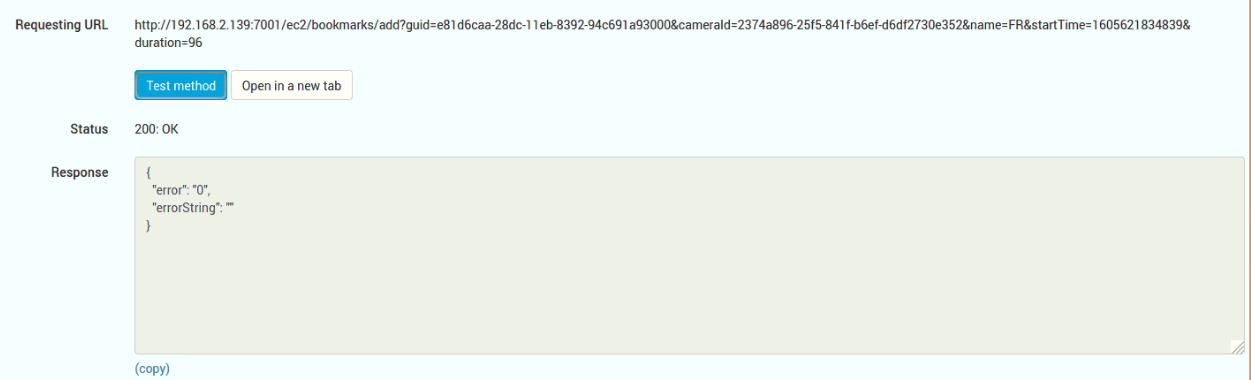
I have used the API: /ec2/bookmarks/add and tried to add a bookmark, please see attached photo for successfully adding the bookmark.
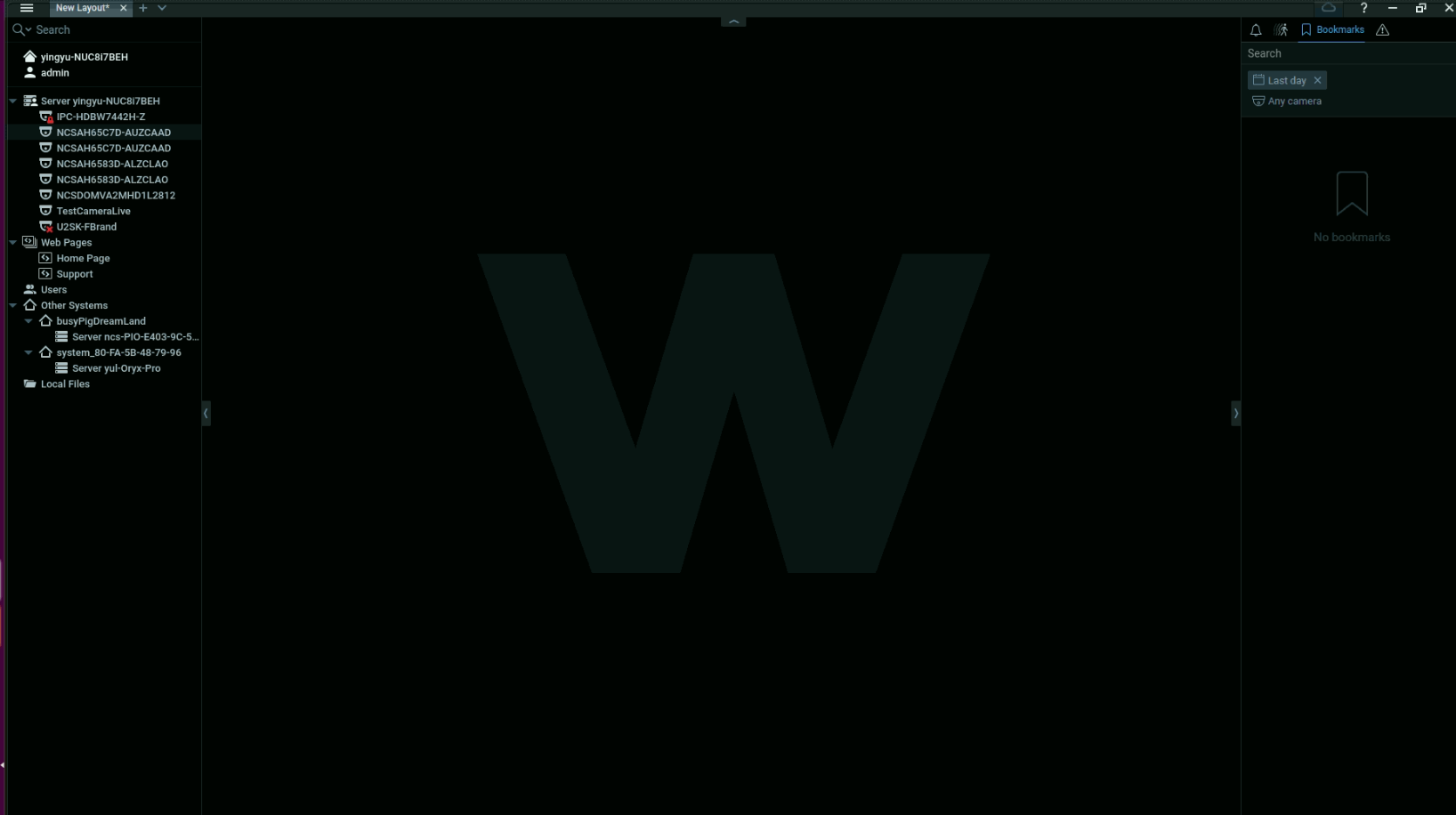
After which I check in Nx Witness Client, and I see no bookmark.
I also tried to use the API: /ec2/bookmarks to see all the bookmarks, but there were no bookmarks return..
I do not understand why, could you please help me out here? Thanks!
Best,
Yingyu

-

Hi Yingyu,
it looks that you don't have stream recording enabled on any of your added devices. As a result, GUI client doesn't display bookmark data. I believe enabling recording on the camera should solve your issue.
0 -
Dear Nx Optix Anton,
Yes, indeed, I did not enable stream recording, after I enabled stream recording, I could add the bookmark successfully, so thanks for the advice.
However, I will like to point out to you that, in some cases, even if I did not enable the stream recording, the bookmark could be added, which our team does not understand why. Although we have to say this behavior is inconsistent, sometimes it could work, and sometimes it couldn't. It may be a bug that you wish to feedback to the developers, thanks
best,
Yingyu0 -
Yingyu, thanks for your feedback. This behavior does indeed looks inconsistent, and I informed our development team about it.
0
Please sign in to leave a comment.
Comments
3 comments