PTZ icon disappears
Answered
Hello,
We, Truen Co., Ltd., are the leading provider of IP camera for the government and
SI market in Korea.
Our PTZ camera is being used with Network Optix VMS at POSCO site.
(Integrated with Onvif protocol)
BTW, we are reported one issue: after a few days, PTZ icon in the VMS disappears.
We tried to reproduce the issue in our office but failed.
We guess that the VMS checks something periodically and hide the icon if some conditions are not met.
It is not easy to find the reason of this kind of issue in the camera side, as you know.
So, we'd like to know what the VMS checks into the camera to keep showing the PTZ icon.
We'd like to hear from you soon.
Thank you.
Best Regards,
KS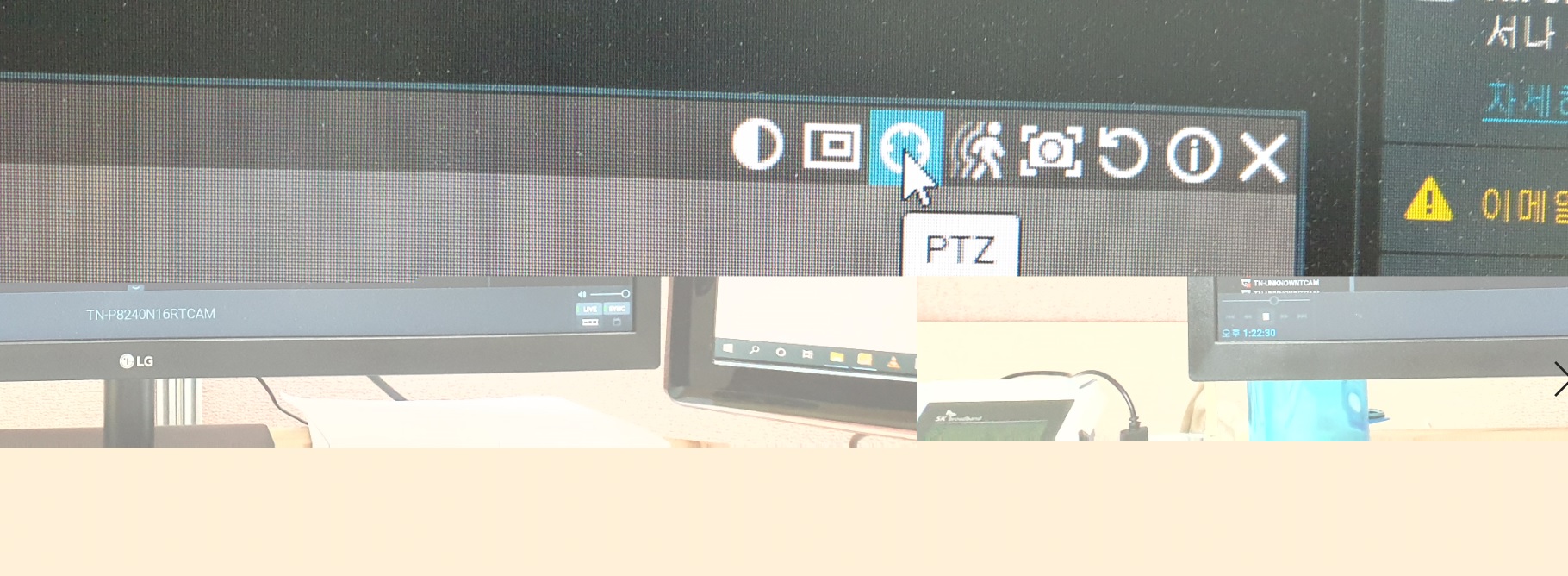
-

Hi KS Park,
In order to resolve an issue, a reproduction scenario is required. The mentioned issue isn't known. In general, it if available or it's not.
Could it be that the user that was logged in, didn't have the rights to control PTZ cameras and therefore the icon wasn't shown?
0 -
Hi Norman,
We installed the same version (4.0.0.30107) in our office and have been testing for several days.
The issue is not reproduced in our office.
The site is in a far local city and it is difficult to get access to the system.
So, we are going to prepare anything helpful for diagnosing the issue.
All information we have now are:
- After camera power up, PTZ icon comes normally.
- After a few days, PTZ icon disappears.
- PTZ icon is restored if camera is rebooted.
Please advise what we can do for diagnosing the issue.
Thank you.
0 -
Hi KS Park,
First thing to do is to check if you are using the latest versions for the cameras and the VMS.
For the VMS, it is version 4.1.0.31398. If that doesn't resolve it, you could check the release notes of the latest patch if there was a solution for the issue you encounter. I have checked the release notes, and there was not known issues that was resolved in a patch.
So, initially, please update the VMS and the cameras if applicable.
0
Please sign in to leave a comment.
Comments
3 comments