The recording stopped unexpectedly.
Answered
I installed a trial license on the server and connected 4 cameras.
I set up a motion detection recording for each camera and the motion detectors on the server. Video recording was carried out regularly until a certain point and stopped.
There are no problems with the volume of disks. The recording indicator is on; but there are no records in the archive.
I ask for help.
Best regards,
Gleb
-
Hi, Gleb Baibuzenko
Nx Witness performs motion detection on the server side by analyzing and decoding the secondary stream from a camera, which is usually a low resolution stream.
It looks like in your case secondary stream misbehaves.
There might be several reasons for that:
- the stream might hang
- server may not be allowed to configure the stream
- or the secondary stream resolution was set too high
More details on this topic might be found HERE- To exclude stream hang situation, please try to restart the server and the camera. Check if it resolves the issue and let us know the result.
- Configure the server as follows, the "Allow system to optimize camera settings" option must be enabled in the General settings of System administration.
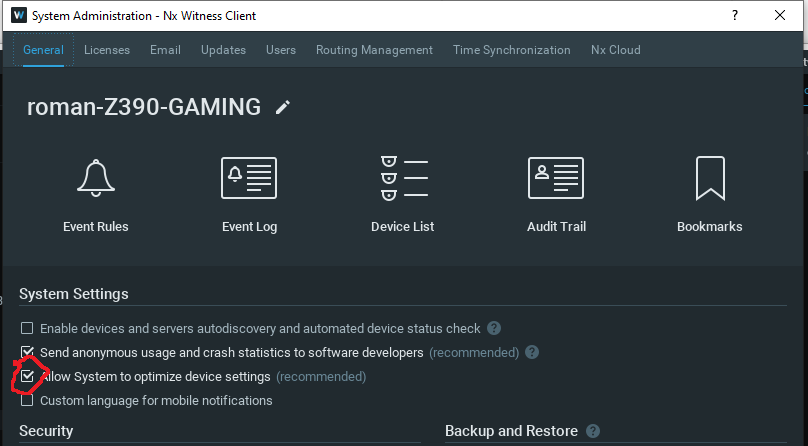
- Make sure that in the camera settings in the Expert tab the checkbox for "disable secondary stream" and "keep camera stream and profile settings" is disabled.
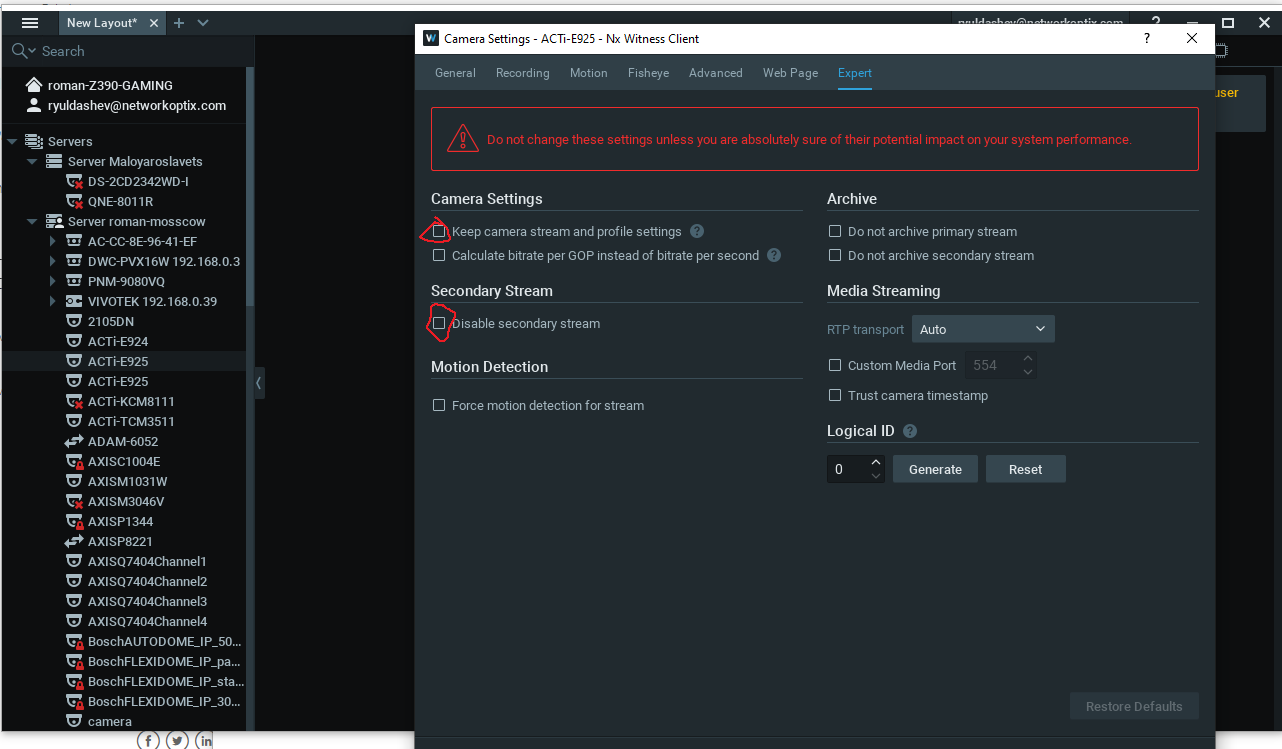
- If first two options did not resolve the issue, please check if secondary stream resolution is not too high. In the camera settings in the "advanced" section, set the resolution not higher than 1024x768.
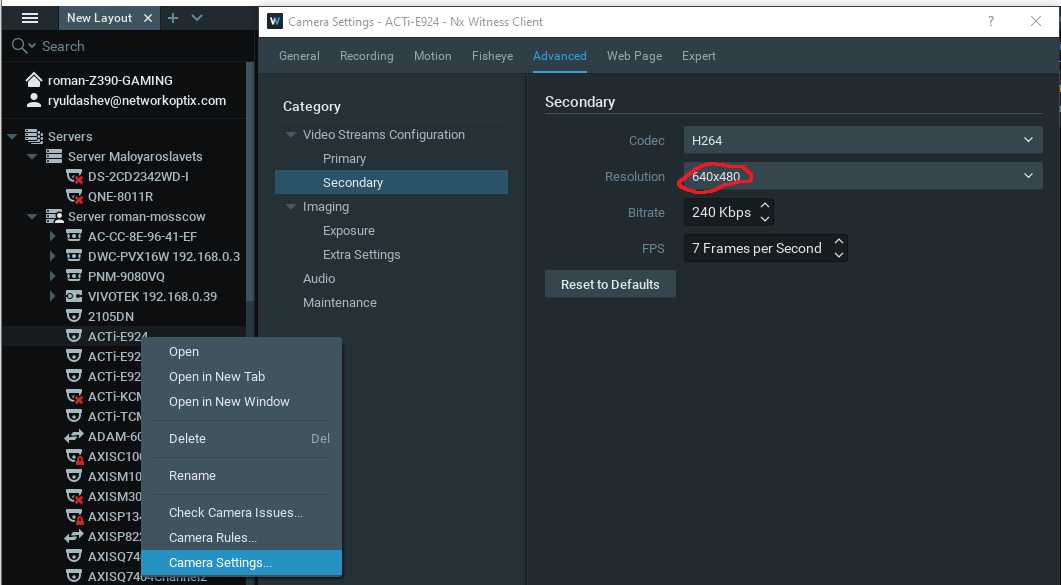
- Please make sure that motion detection feature is enabled in the camera settings, motion tab.
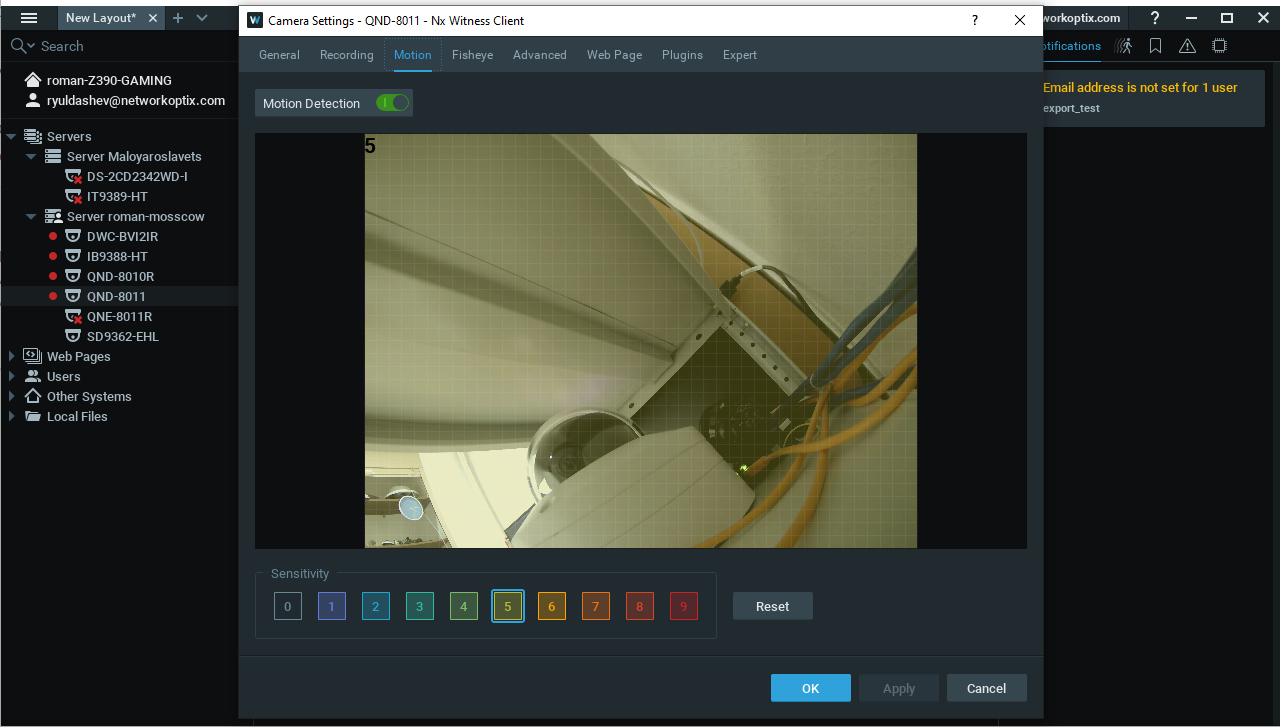
Following the steps below let's also exclude the case of server not being able to initialize rtsp-session for the secondary stream correctly after it was restarted.
- Add the problem camera to the layout.
- Right-click on the camera and select low resolution in the resolution tab, then take a screenshot with the info icon enabled.
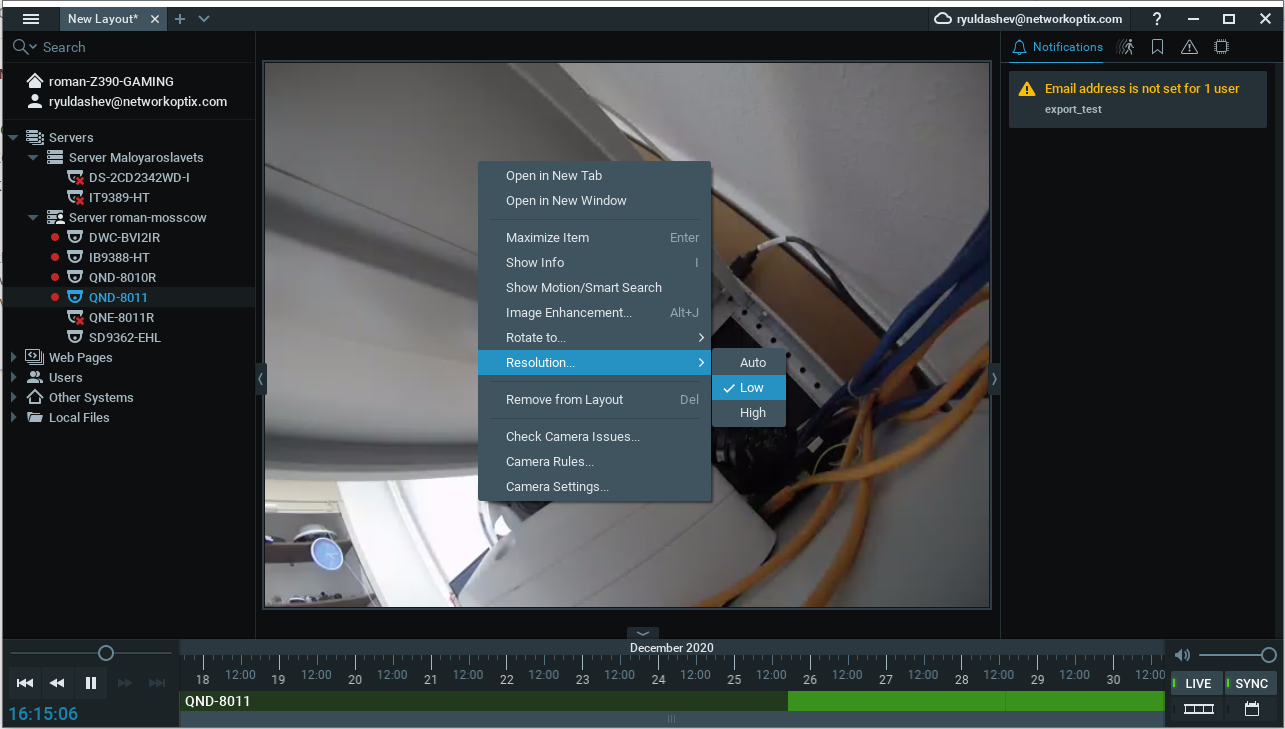
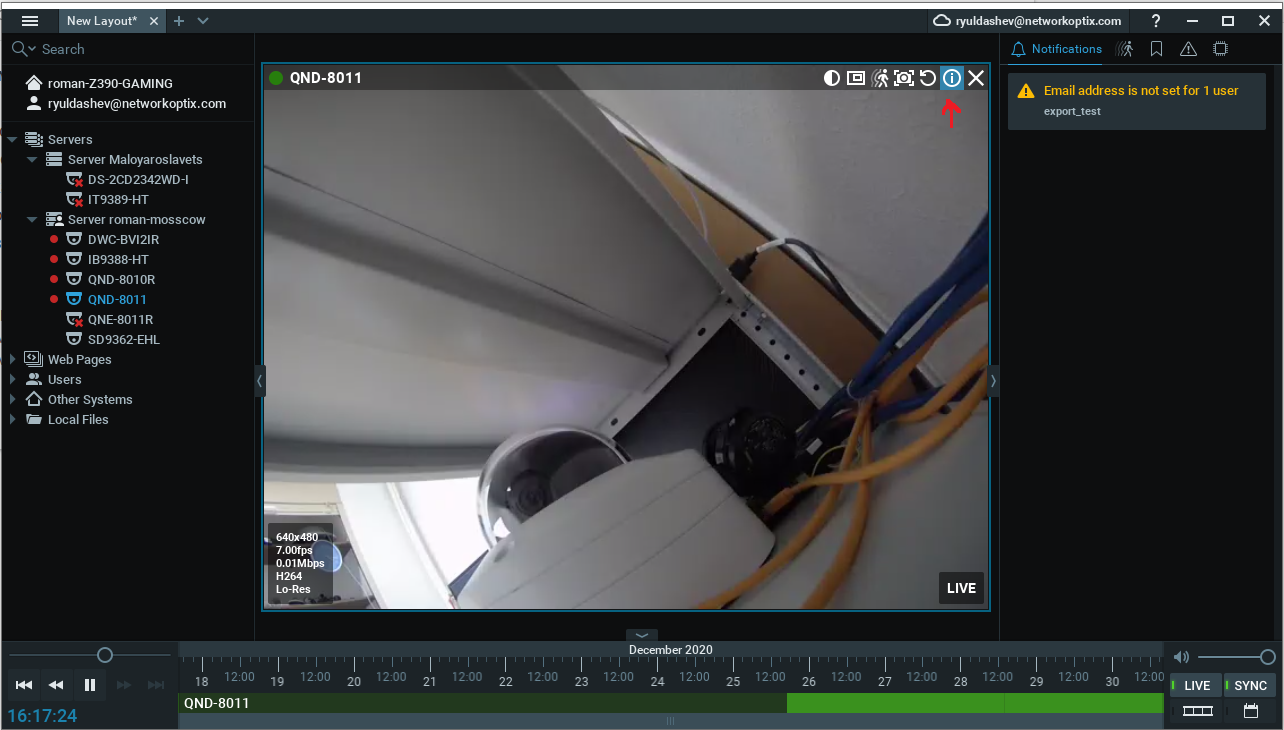
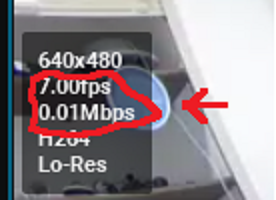
- Check that MBPS and FPS are changing overtime and let us know the result.
0 -
Good day, dear Roman.
Happy New Year!I am only able to connect to one stream from the camera via RTSP.
In this case, can I count on motion detection by the server?
Best regards,
Gleb Baibuzenko
0 -
Thank you very much Roman for your support!
The reason was determined: for cameras that were connected via RTSP, there is no second stream - therefore, the motion detector did not work and no recording was carried out.
Solution: in the camera settings in the expert tab checkbox "Force motion detection for stream" and select "Primary".
Thank you very much again and Happy New Year!
Best regards,
Gleb Baibuzenko
0
Please sign in to leave a comment.
Comments
3 comments