Custom image in objects list
Answered
Hi.
I'm currently developing a plugin to integrate object detection into Nx Witness.
At Nx Witness desktop client I want to see some custom image processed by our server and binded to object or analytics event.
I know that I can pass to Nx server the bounding box of detected object and some description, but not more than that.
I want to ask if there is a way to pass custom image to the Nx Witness desktop client?
Thanks.
-

Hello Ashot,
could you please give more details about your scenario? How many custom images you need to assign to an object? How this custom image will be used by end-user?
At the moment you can supply a custom image with ObjectTrackBestShotPacket in the form of a URL for downloading, or as binary data in JPEG format. This custom image will be disabled as object preview picture in the object list. Our stub analytics plugin sample includes example of how to use this feature. Please check function DeviceAgent::cookSomeObjects() in device_agent.cpp
if (previewIsNeeded)

        {

            const auto position = object->position();

            const auto size = object->size();

            auto bestShotPacket = new ObjectTrackBestShotPacket(

                object->id(),

                metadataTimestampUs,

                Rect(position.x, position.y, size.width, size.height));


            if (!m_deviceAgentSettings.previewImageUrl.empty() || 1)

            {

                bestShotPacket->setImageUrl(m_deviceAgentSettings.previewImageUrl);

            }

            else if (!m_deviceAgentSettings.previewImage.empty()

                && !m_deviceAgentSettings.previewImageFormat.empty())

            {

                bestShotPacket->setImage(

                    m_deviceAgentSettings.previewImageFormat,

                    m_deviceAgentSettings.previewImage);

            }


            result.push_back(bestShotPacket);

            context.isPreviewGenerated = true;

        }
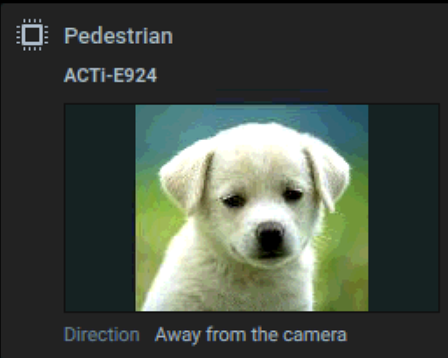
As you can see, you can use setImage() and setImageUrl() function to set a preview picture for your object. In the desktop client it will be displayed like this:
 1
1 -
Thank you Anton.
I've studied stub analytics plugin sample but unfortunately missed this part.
The case you have described is the exact one I need to implement (end-user needs to see cropped frame or frame with labels in it for every detected object and some additional information placed in description).
Currently I'm waiting for approval for the first version of my integration and working on another plugin, so I will implement solution proposed by you after a week or so and write a feedback.
Thank you for your response it will surely help me.
0 -
Hello Anton,
I've not worked on this integration for long time but currently I need to continue our development.
So I tried to find the code sample you have written and at first I didn't found in sdk samples for version 4.1, then I've noticed that there is a new version of sdk (version 4.2) and tried to find it in that package and what I found was not complete.There is an setImage() function for ObjectTrackBestShotPacket class (which was not available in previous version of sdk) and currently I'm trying to use that function but I have no idea about setImage() function input parameters format which are imageDataFormat string and imageData vector.
I suppose that imageDataFormat can be jpeg, png or rgb, bgr so that needs some clarification. And the vector is a convenient way to pass byte array. So please help me to write correct imageDataFormat.
Thanks.
0

Please sign in to leave a comment.
Comments
4 comments