Aspect ratio and dewarping issue
Answered
Hi,
Not entirely sure if this is a desktop or mobile issue or both. But here goes anyway:
We have a whole bunch of fisheye cameras managed by Nx Server. Streaming from the cameras and recording all works as expected, motion detection is fine, etc., so no problems there.
But the cameras are 2048x2048 resolution and so show up in the desktop app in 1:1 windows, which is less than desirable, especially when switching to full-screen view since it makes poor use of the possible field of view when dewarping.
It can be fixed by forcing an aspect ratio of 16:9 in the camera settings and adjusting the dewarping settings accordingly. The cameras then show up as ellipses in 16:9 frames, but when dewarping (which is the mode we primarily use anyway) everything looks correct. Most importantly, in full screen mode the dewarped image uses the entire monitor. So I consider that a fine solution as far as the desktop client goes.
The problem is that it confuses the mobile apps. Both the Android and iOS versions worked perfectly with the automatic 1:1 ratio, but with the forced 16:9 ratio it all turns into a bit of an acid trip. Everything ends up stretched and warped and it's really hard to see what's going on. Maybe the mobile apps are both deducing the aspect ratio from the image resolution and reading the server configuration and the using the two values interchangeably in the dewarping algorithm? Idk.
To be more specific, the preview images are shown on the mobile app as they look on the desktop: individual 16:9 ellipses in 16:9 frames (where before they were 1:1 circles in 16:9 frames). But when opening any view it immediately stretches the image to about twice the height it should be. The top and bottom of the original fisheye circle are cropped off altogether, leaving an inflated rectangle on the display. Zooming and panning then cause the image to warp in strange ways, and occasionally flicker on the edges of the display.
Is there a way to fix this?
I was thinking a possible workaround might be to add every camera twice, with each having both a 1:1 and 16:9 configuration, to service mobile and desktop clients respectively. But the server doesn't seem to allow more than one camera per IP address. Also not sure if it would double the bandwidth. Our camera LAN probably couldn't handle that.
An even better solution, I guess, would be if the desktop app allowed for a 16:9 view of a 1:1 camera when dewarping, without forcing a global aspect ratio. But I can only seem to find the global aspect ratio setting. Am I missing something?
-

Hello Flemming,
Thanks for your information. I just tried the 1:1 fish-eye camera on my side, but not sure if I get the same result as you.
Likely you can share the following information to us, it will help us to get your point quickly:
1. The screen recording of Desktop behavior: normal view, full screen and dewarping.
2. The screen recording of the mobile client: camera list, single camera view and dewarping
3. The information of mobile device: Android or iOS, model name of phone and OS version
4. Nx software version (desktop and mobile client)
Look forward to your feedback, thank you.
0 -
Ok, version info first:
Server: 4.0.0.29987, linux_64, on Ubuntu 18.04
Desktop client: 4.0.29987, windows-x64 on Windows 10 (also using the latest Linux desktop client elsewhere, which seems to work identically. Kudos for full Linux support BTW)
Android client: 20.2.31369 on Android 7.1.2
iOS: Not sure (all users are on a plane right now), but everything should be latest release.
Here is a screen grab of the desktop client:
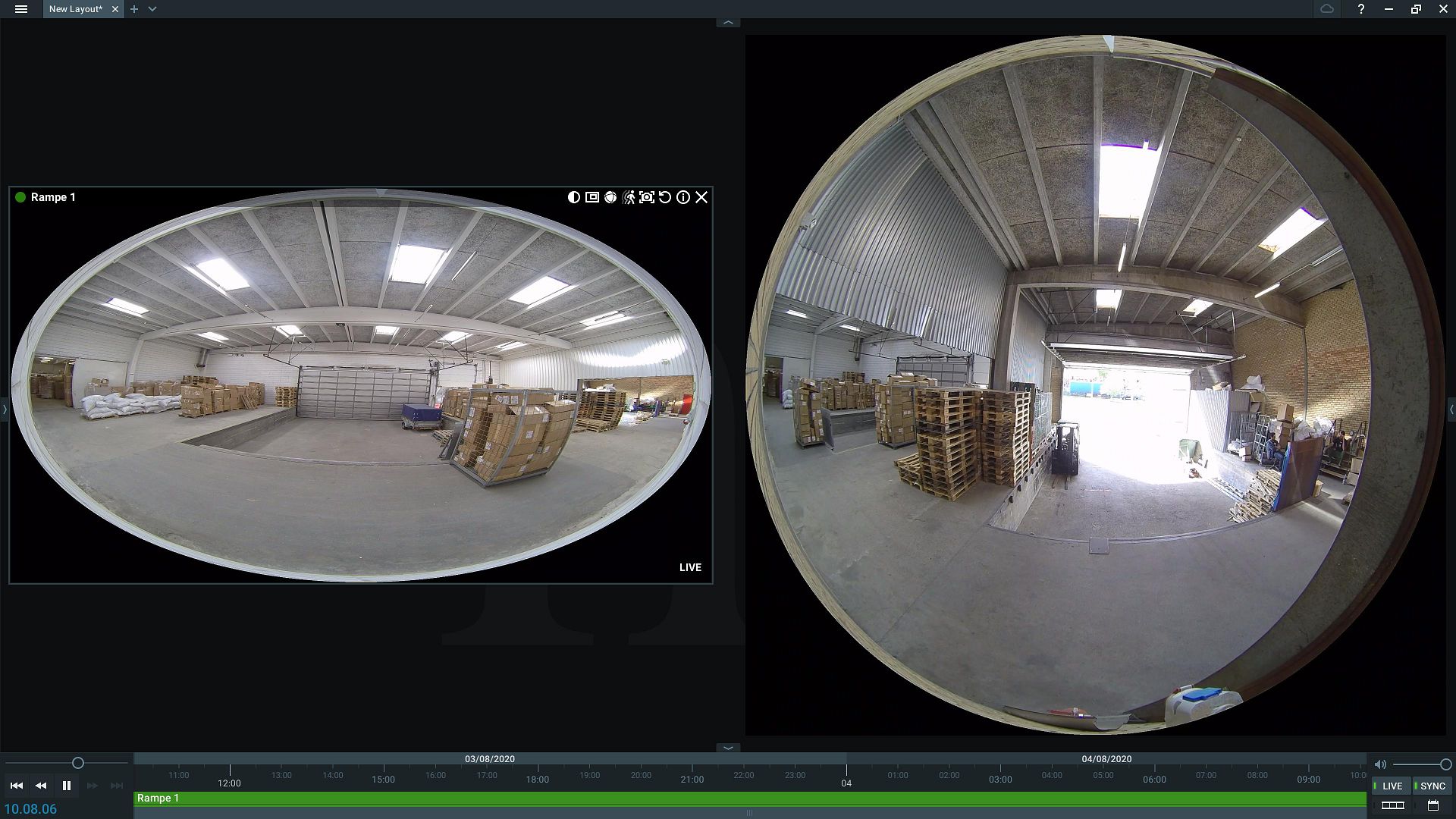
On the right is a fisheye camera in the default 1:1 aspect ratio, on the left is another which has been forced to 16:9.
Here is the same layout with dewarping:
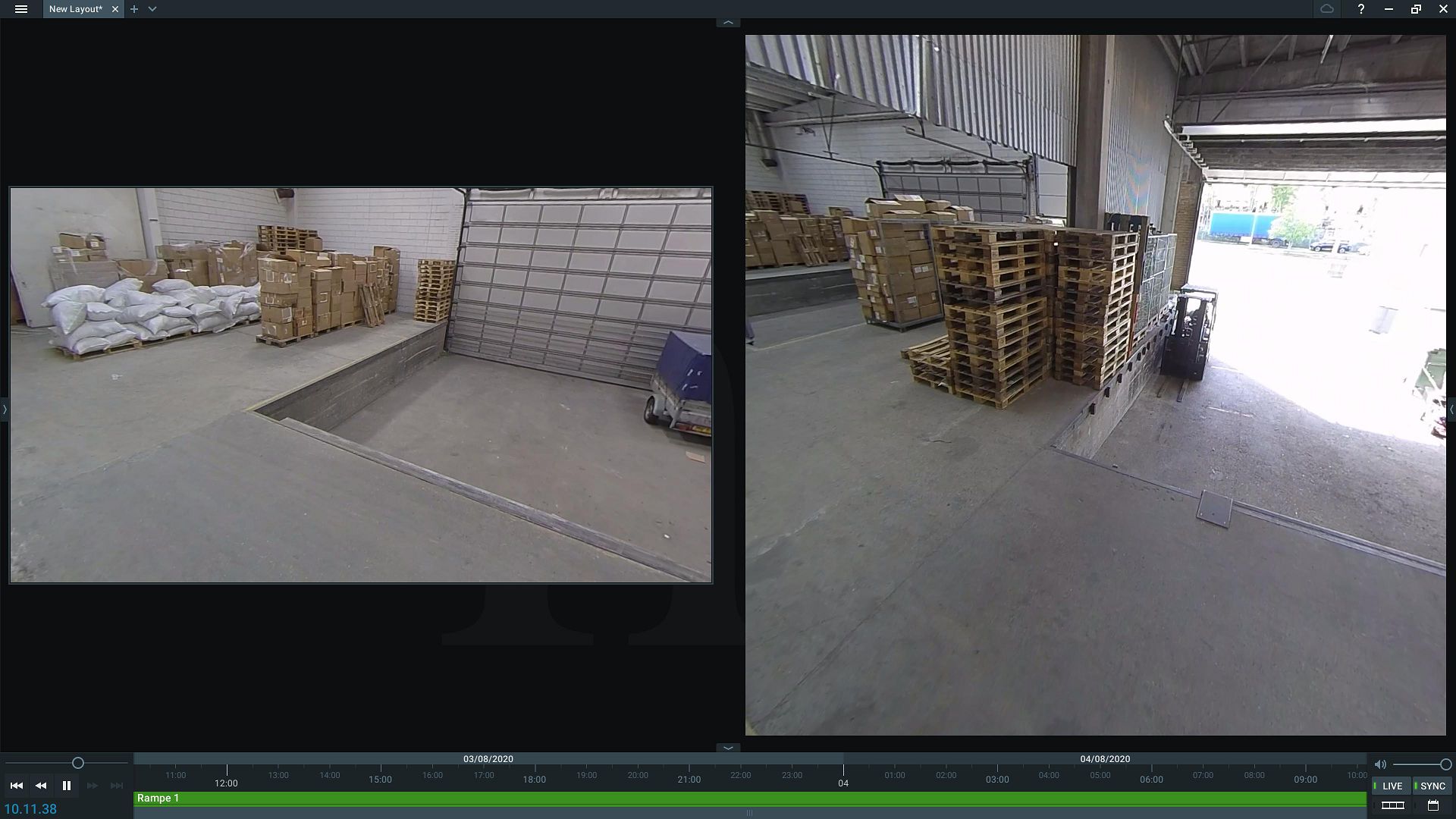
Both look OK (i.e. straight lines dewarp to straight lines), but of course they each retain their aspect ratio in full screen mode, which is why we prefer the leftmost version.
Here is just the rightmost image in full screen:
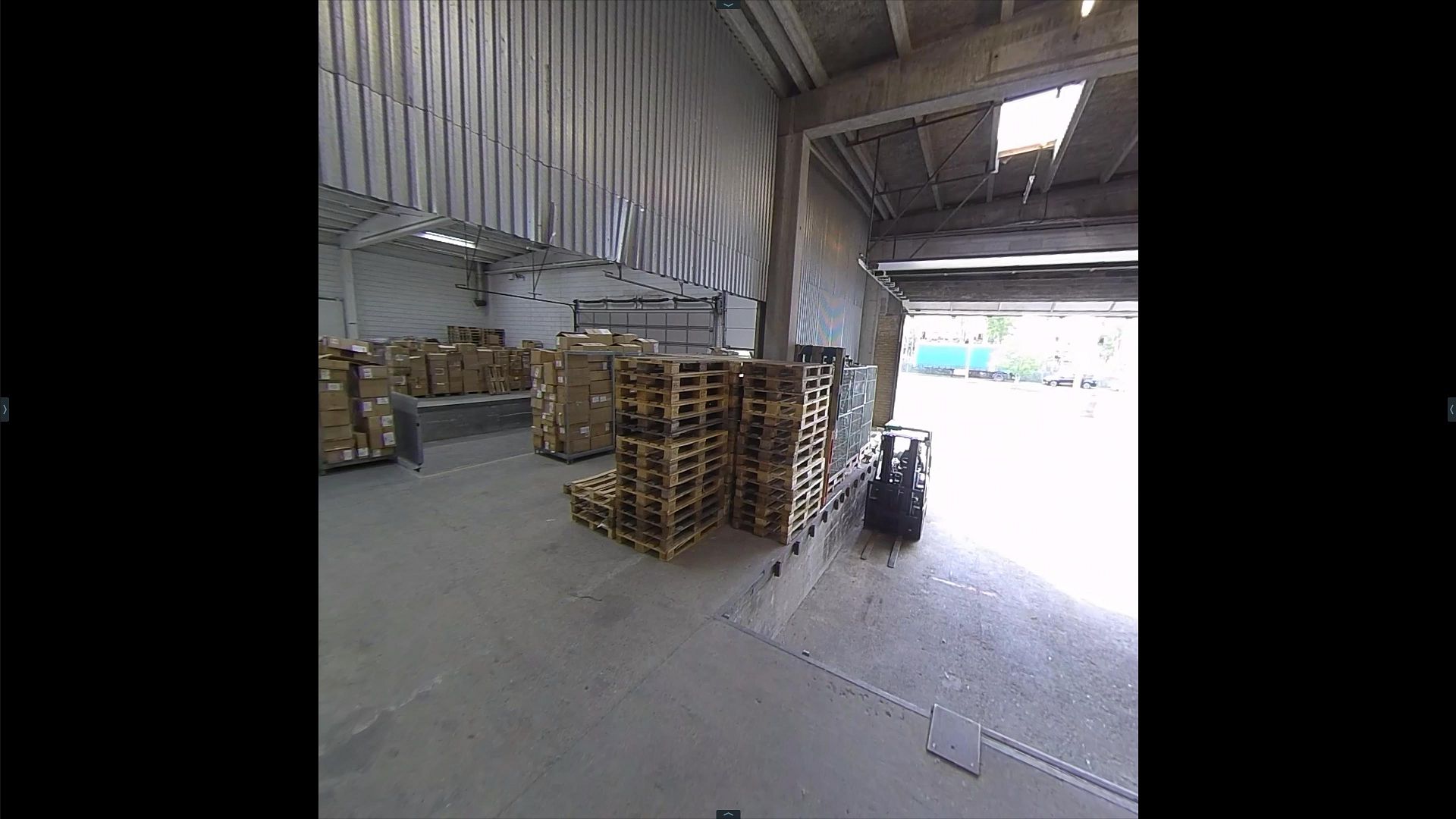
The black bars are a bit of a waste when there is image data in the original stream to fill them.
Now, here is the same layout in the Android client:
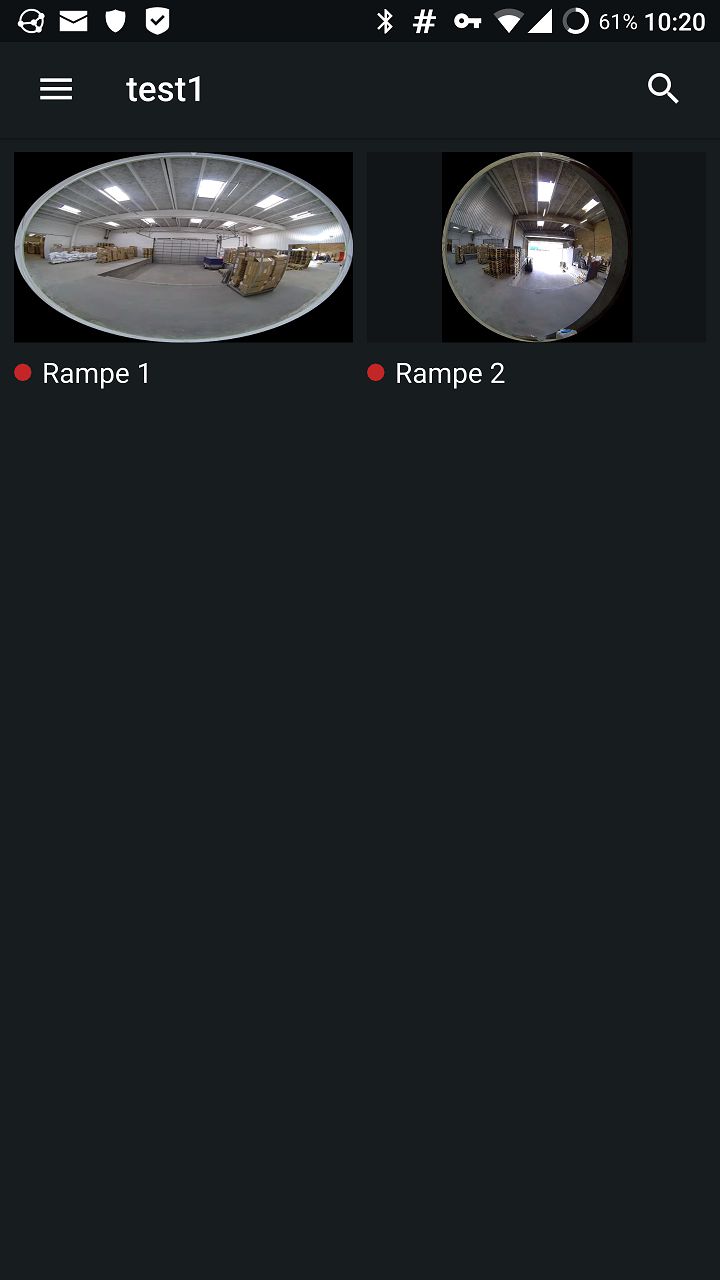
Looks OK. But immediately opening each of the views, they look like this:
Left:
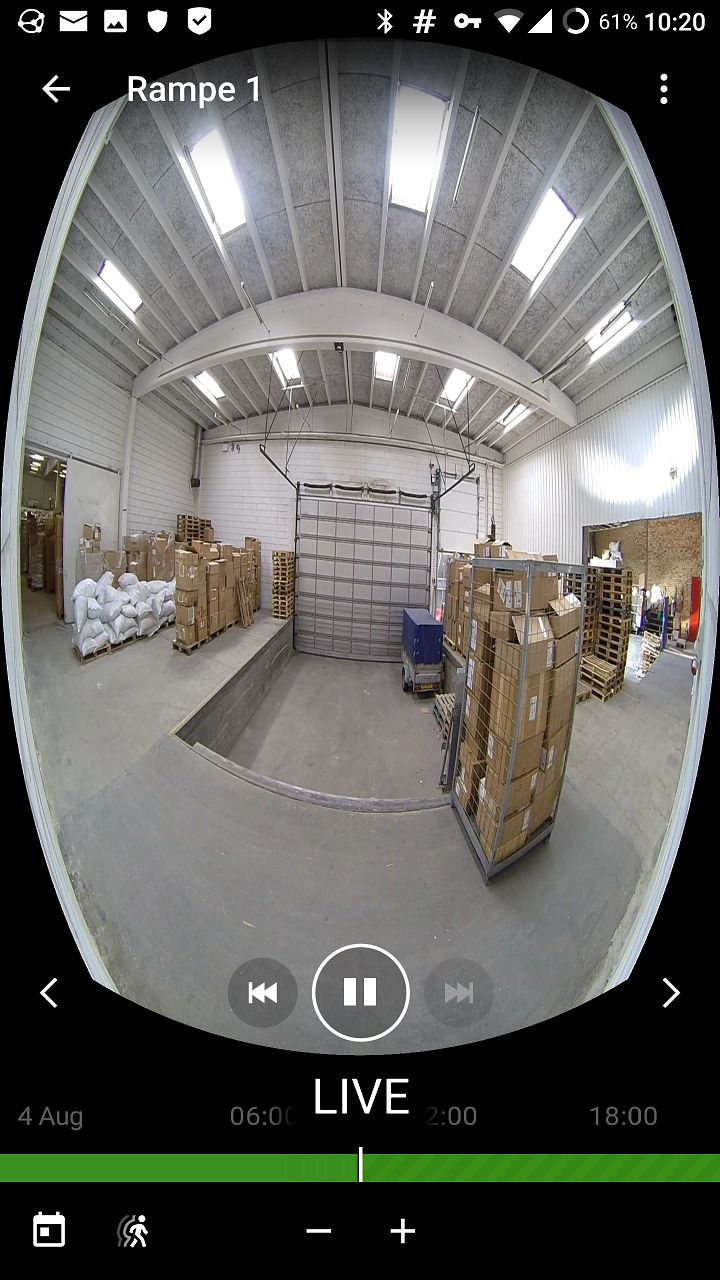
And right:
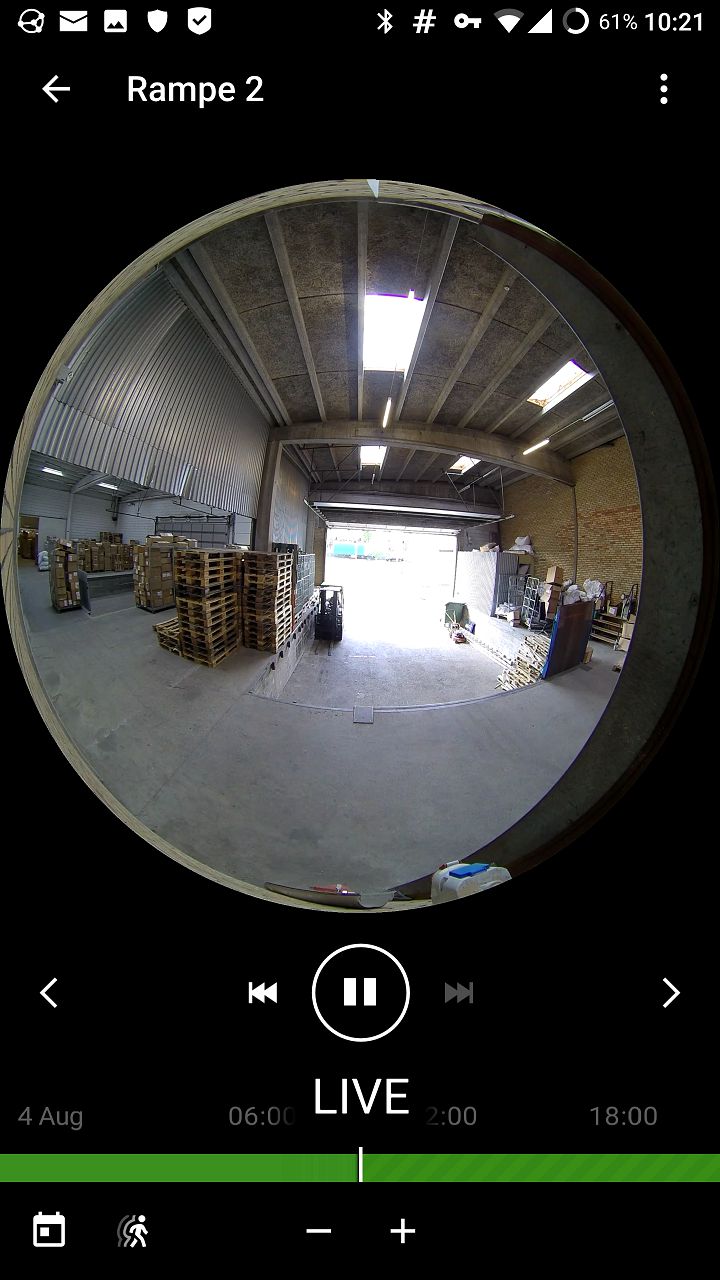
The first one shows the cropping I mentioned. It gets worse if you zoom in. Here I'm zooming in on the same stack of pallets seen by both cameras. Left view:
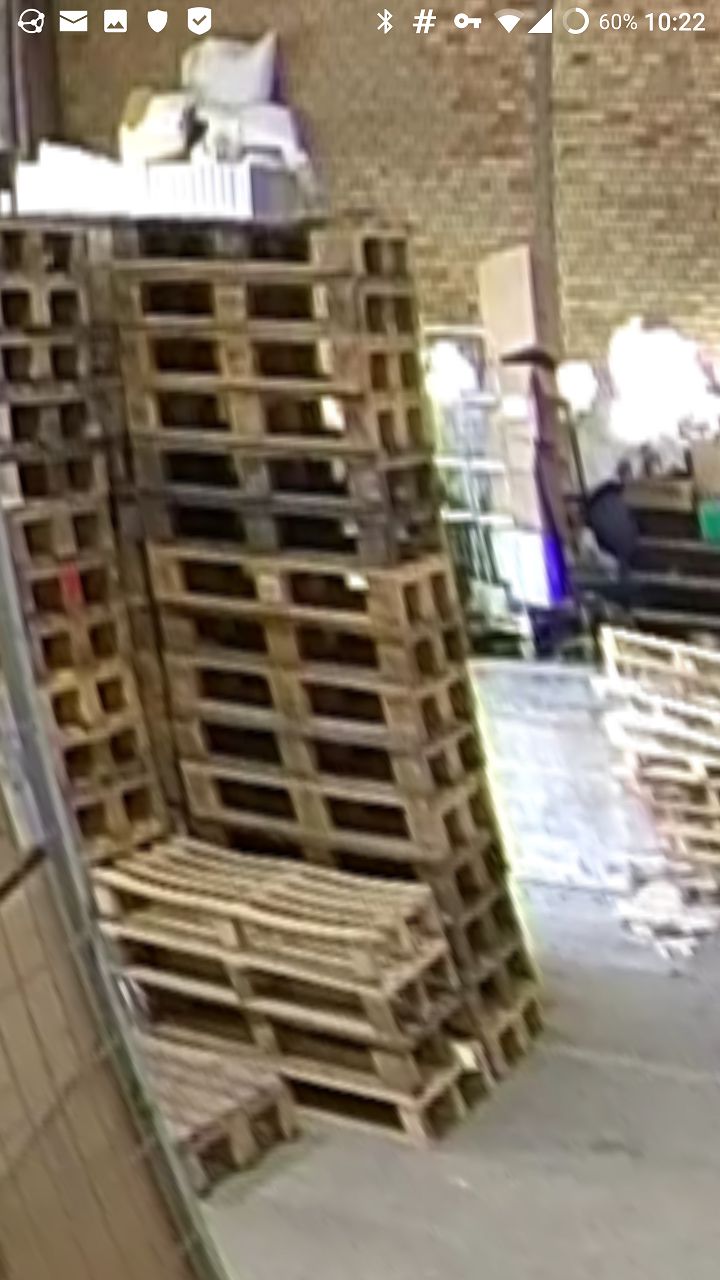
And right view:
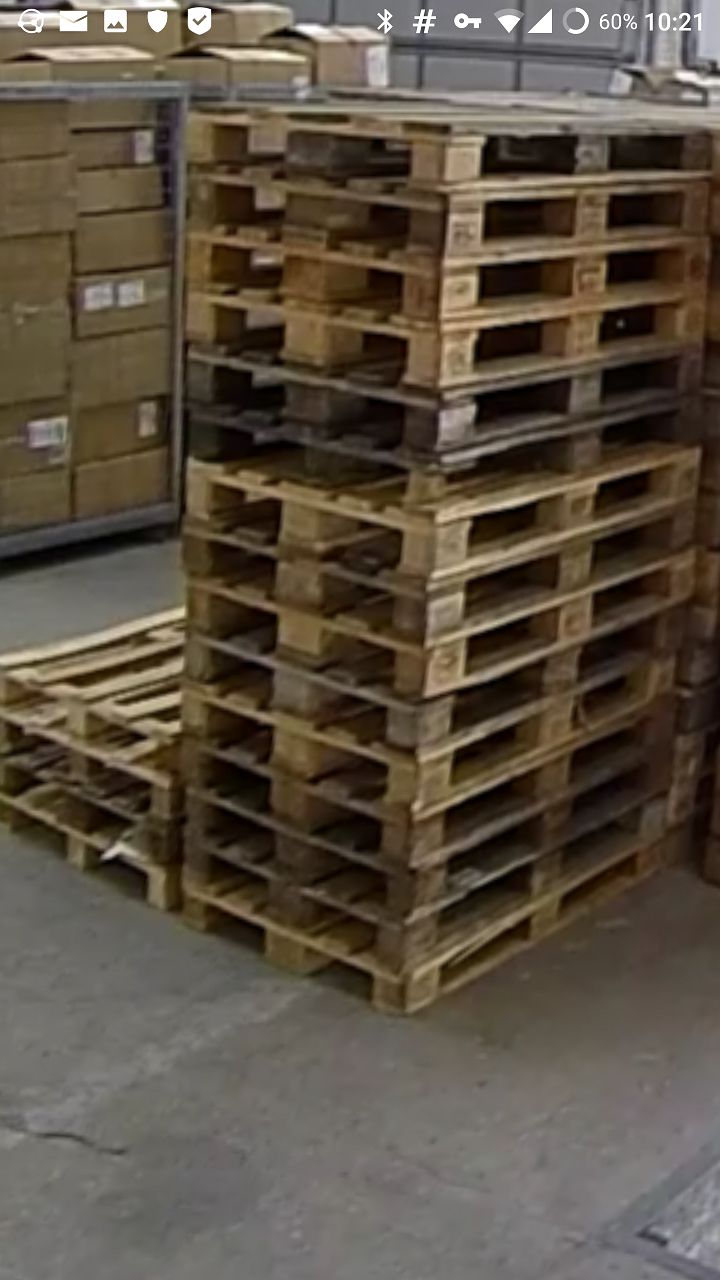
As evident, the mobile client is confused by the forced aspect ratio and can't figure out how to deal with it.
Obviously these are both wall-mounted cameras. Most of the others we have are ceiling-mounted and the warping there is worse. Here is a top-down view zoomed in and rotated slightly. Notice especially the twist at the top:
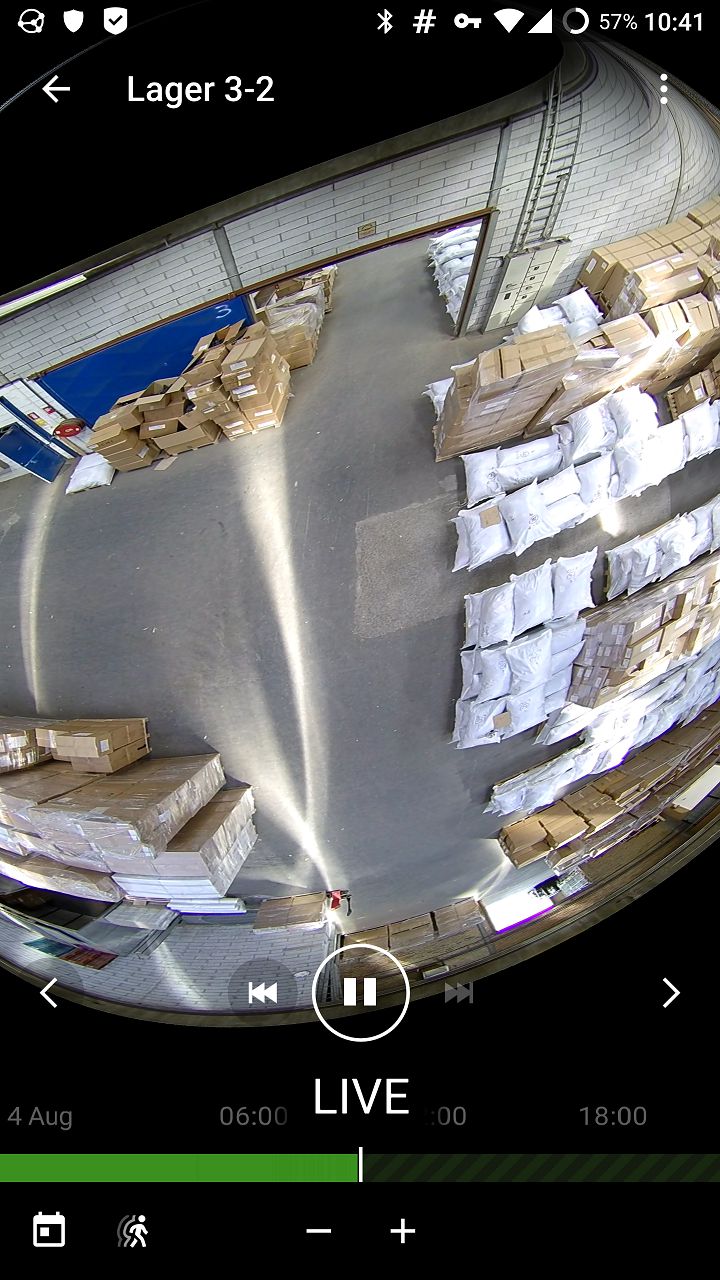
(To clarify, this image is also of a 1:1 camera forced to 16:9 aspect ratio, which looks correct on the desktop client but looks as shown above on mobile.)
I don't have access to an iOS client right now, but I have confirmed that it behaves exactly the same way as the Android version.
Anyway, I hope that helps somewhat.
0 -
Hi Flemming,
Thanks for your detailed information with the screenshot. Now it is clear to us.
I have checked the fish-eye camera on my server again, and noticed the difference between 4.0 and 4.1 version.
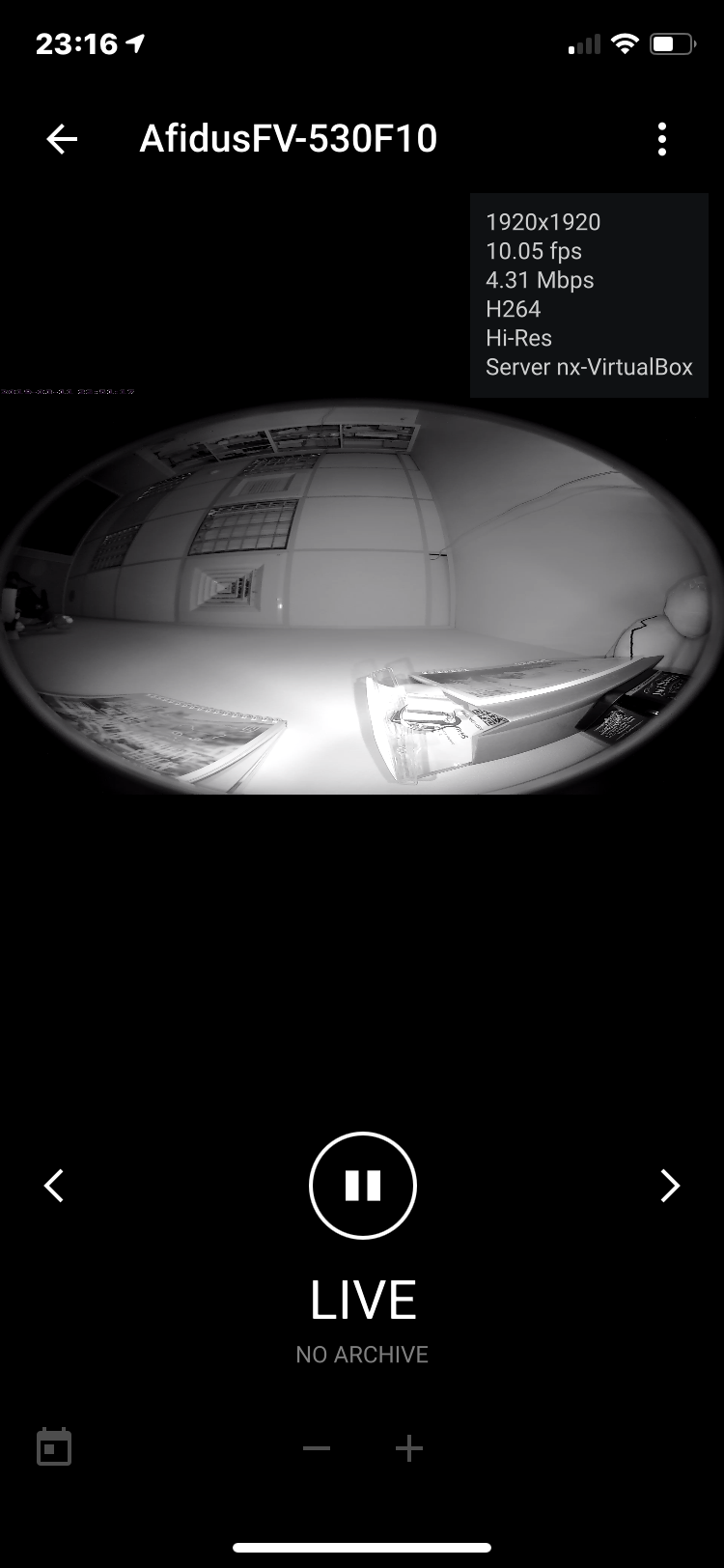
In 4.0, I got the similar result as yours - The image displayed in the 16:9 aspect ratio and dewarping doesn't work correctly:
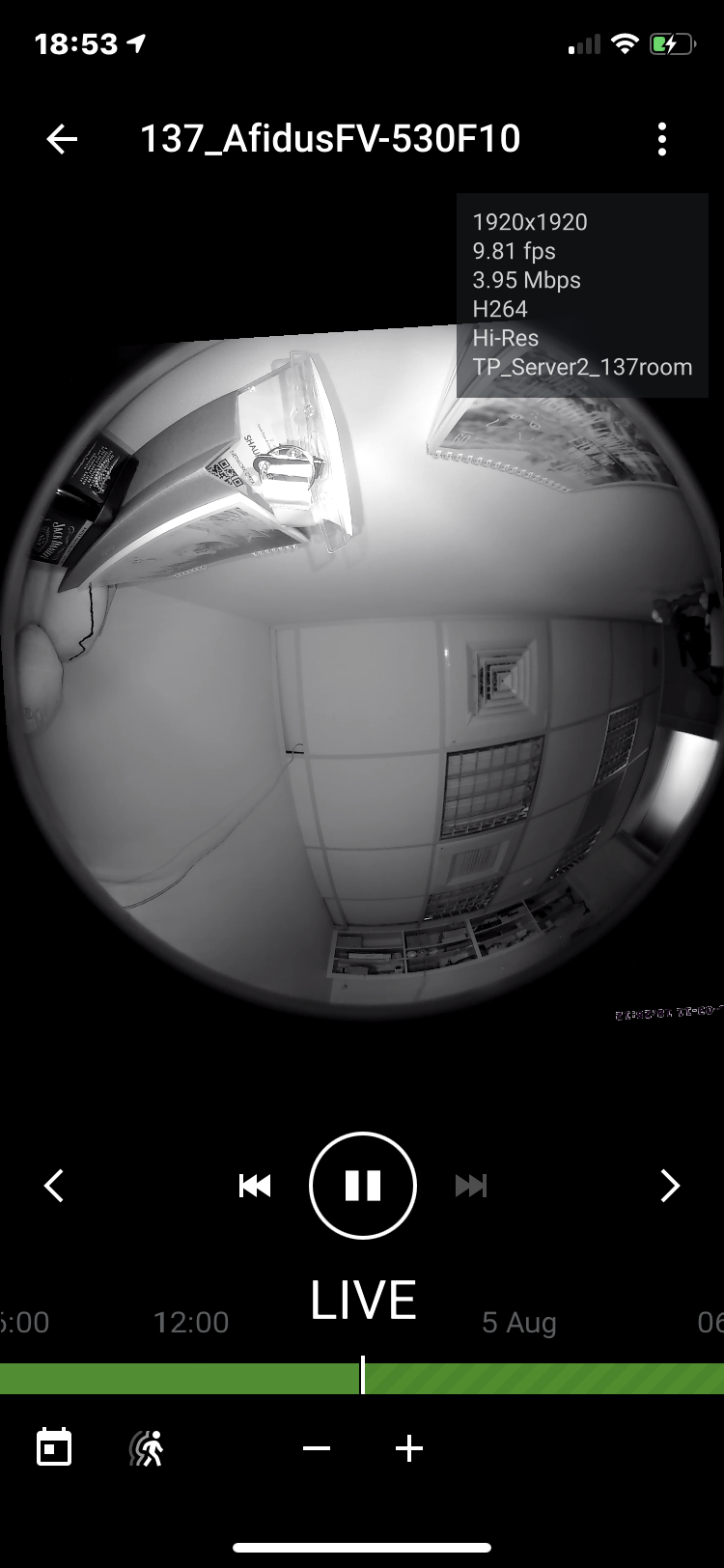
Same test in 4.1 - The image display in normal aspect ratio and dewarping works perfectly:
Could you upgrade your server to the latest release version(4.1.0.31398) and try again?
If the issue still exist after upgrade, then we might require the remote access of your server for further investigation.
Thank you.
0 -
Okay, I upgraded the server (and clients) now, but the issue still remains, albeit changed a little bit.
The problem is that in order for the dewarping to work correctly in a 16:9 frame on the desktop client, I also have to adjust the ellipticity in the fisheye settings. Here is what it looks like by default, after forcing a 16:9 aspect ratio:
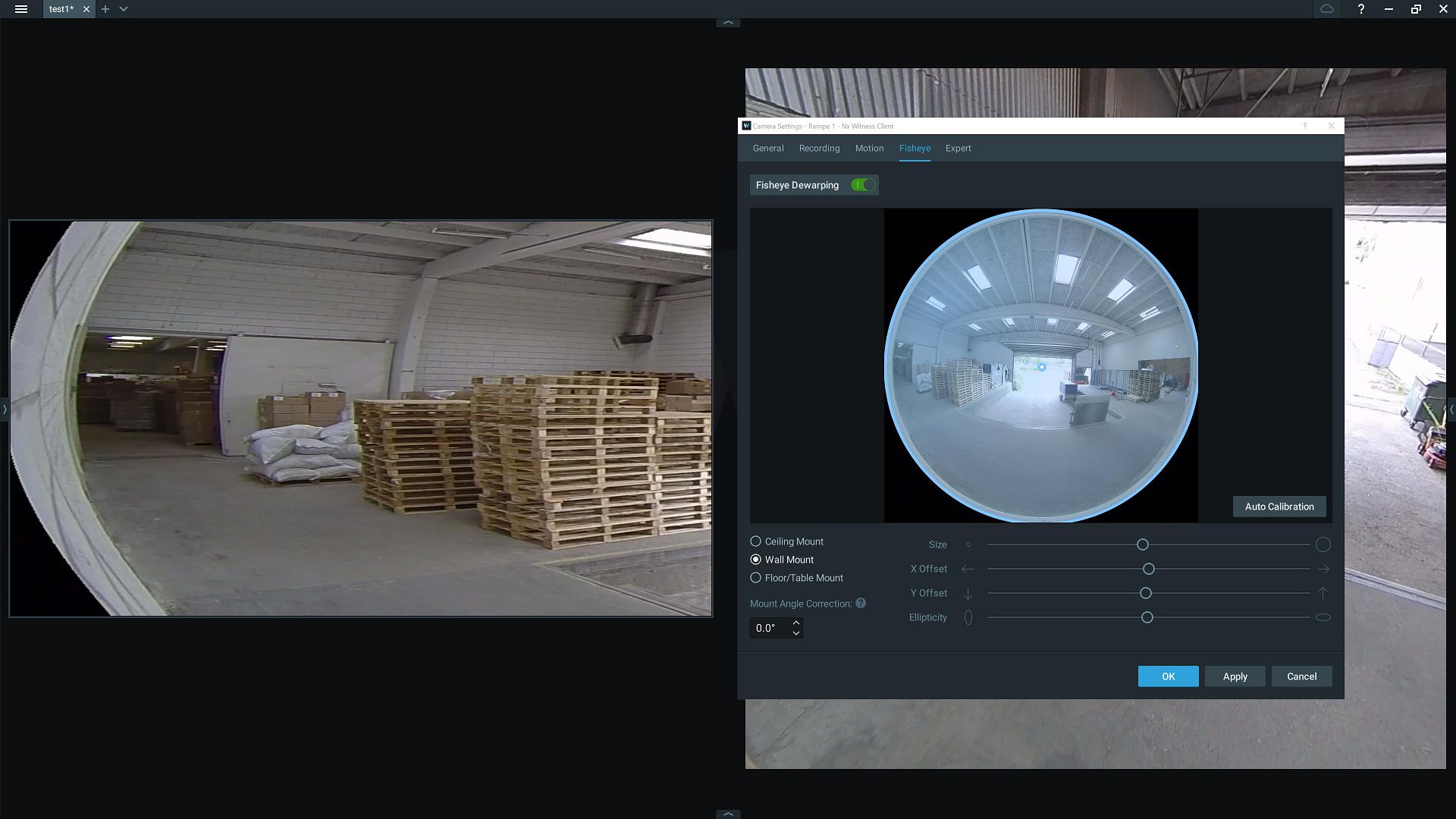
Very warped, and you can only pan up and down a little bit.
Here it is with adjusted ellipticity:
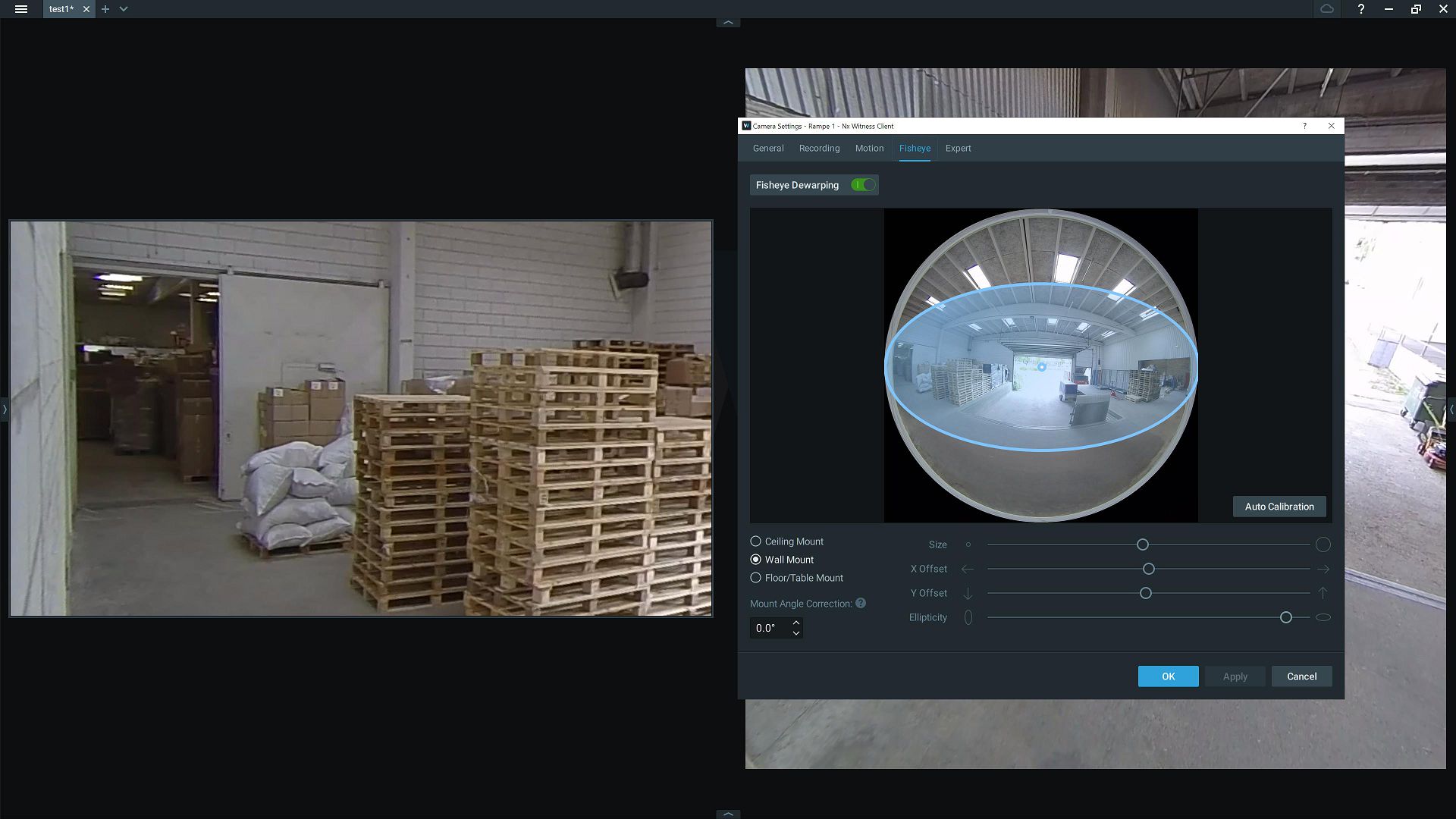
Obviously the second setting is the one we want. Straight lines are straight again, and you can pan all the way around the image.
Sadly though, after changing the ellipticity setting the warping issue returns on the mobile version:
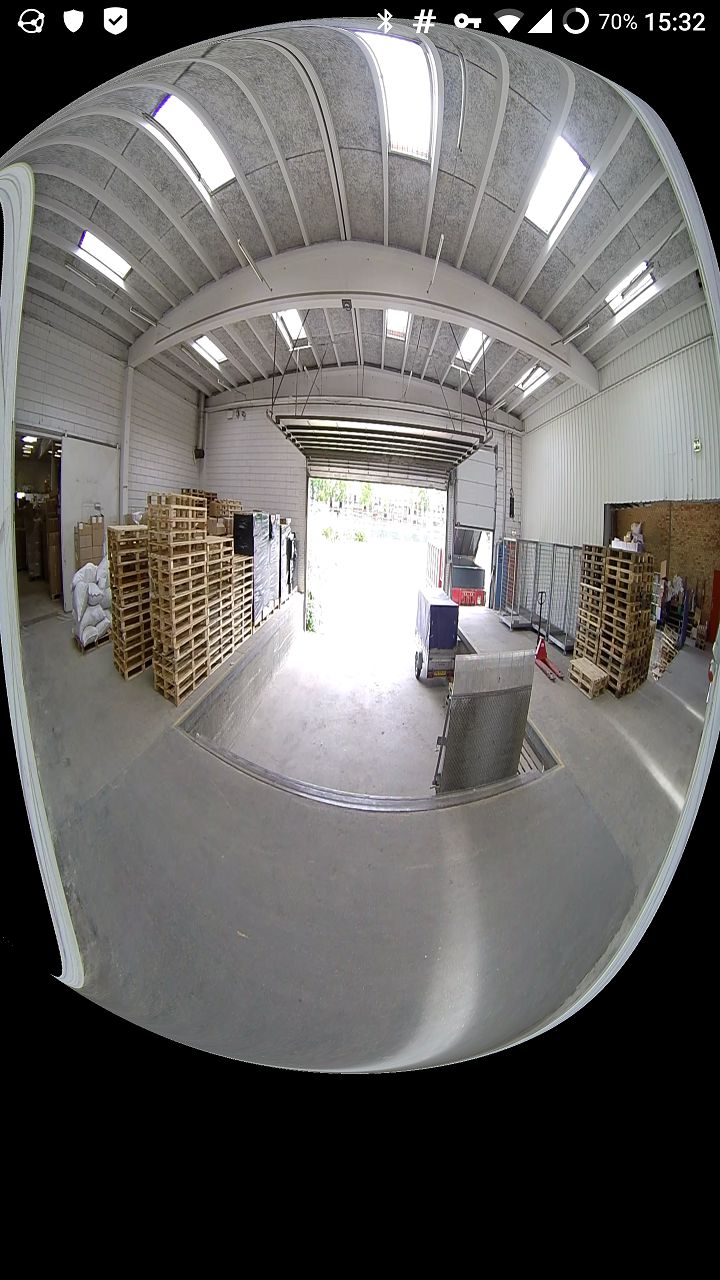
It appears that it's not the aspect ratio that's the problem after all, but rather that the mobile client accepts ellipticity settings from the server that aren't right for the dewarping algorithm.
So we're still stuck with one or the other: either the default aspect ratio, which does work on both versions, or a 16:9 ratio (with corresponding dewarping settings) which is preferable on the desktop but confuses the mobile apps.
For reference: the versions are currently:
Server: 4.1.0.31398
Desktop: 4.1.0.31398
Android: 20.2.31369As for remote access, the server and all the cameras are all on a closed LAN. The only access is through a VPN server, and the mobile clients won't allow any other network access while the VPN tunnel is enabled. Reconfiguring that whole setup to allow remote support would be a huge project.
0 -
Hi Flemming,
Yes, it seems that the distorted image is not related to the aspect ratio but the ellipticity.
So we still get the same result when you use the default aspect ratio.
However, it's not common case to configure the dewarp setting with incorrect ellipticity.
I will check with our team and give you the update, thanks for your sharing.
0 -
Hi Flemming,
The mobile client will dewarp every frame before displaying it when you enabling the fisheye dewarping. If the calibration is configured perfectly, it will display like default view. Thus, it is expected that you will get the distorted since the calibration is not configured well with the raw image. And we won't change its behavior.
If you'd like to add device twice, you could consider to add device by adding the RTSP URL directly. Then you could have one for dewarping and another one for normal view. The camera's loading and traffic should increase but you could try.
Thank you.
0 -
I'm sorry to hear that. A bit perplexed as to how the behavior can be correct on both mobile and desktop, while also being different for each. Perhaps the forced aspect ratio is just a no-no feature.
Adding the RTSP URLs directly doesn't work, incidentally. The cameras simply show up as already added and greyed out. I might be able to alias all the camera IP addresses, I guess, and trick the server that way.
But at that point I might as well look into tricking the mobile clients with a proxy that strips out ellipticity and aspect ratio settings sent from the server. Just takes a little reverse engineering. ;)
Anyway, thanks for looking into it. I'll manage.
0 -
Hi Flemming,
If you added the camera via ONVIF standard, directly searching RTSP URL should be recognized as another device.
Although we don't have plan to support it at the moment, feel free to share any idea to the New Feature Idea section and describe your main requirement/scenario there.
Thanks for understanding this case.
0
Please sign in to leave a comment.
Comments
8 comments