Duplicate servers
Answered
How can I delete a duplicate server inside my client?
-

Hi Riles,
Could you share more information about your case?
What previous you've finished then find the duplicate server? Do you clone the image or change the server?
Will you keep the old server online, or the server will not get online anymore?
Please describe your scenario and requirement as detailed as you can. It would help us to understand your point clearly and provide the best suggestion.
Thank you.
0 -
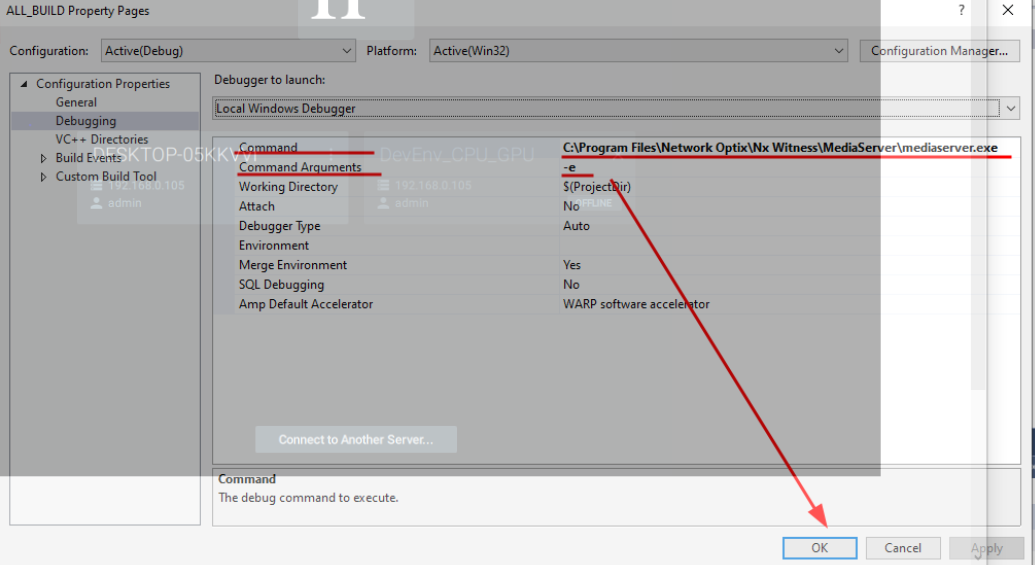
The main issue came from starting a VS project, when developing an AI Plugin. Thus, to debug the project I added MediaServer.exe in debugging properties of my VS project
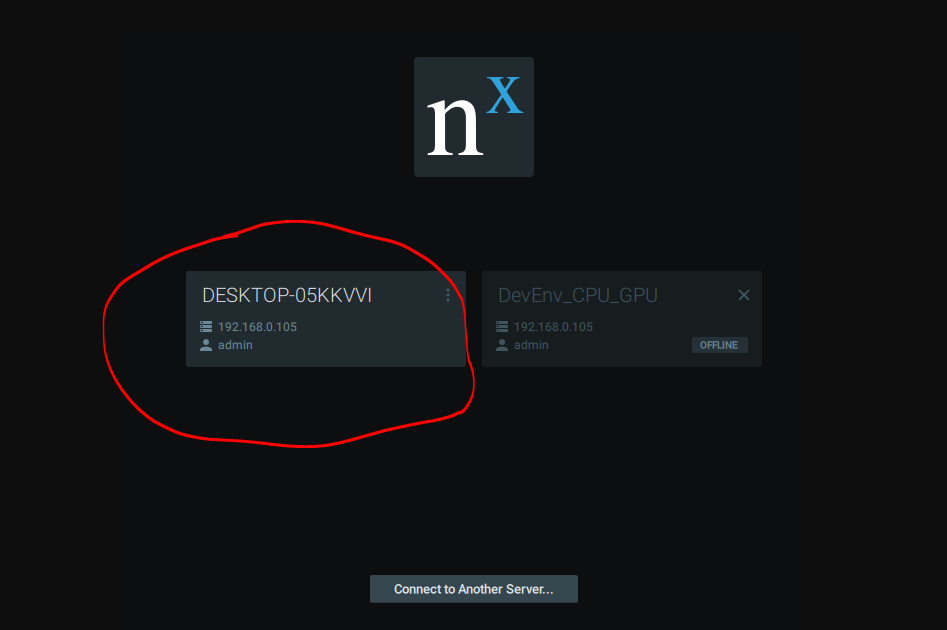
Then, another server appears in my client GUI as you can see it on this screenshot
 0
0 -
Hi Riles,
Thanks for your detailed info. I'd like to confirm the status of two server:
1. DESKTOP-05KKVVI appears when you run the plugin2. DevEnv_CPU_GPU is the server which you used. And you disable the media service at the moment.
Is it correct?
0 -
Hi Riles,
The Nx service will start and read the database file from the default path if it is launched via Windows Service.
It is likely that IDE assign another working directory includes the database and Nx client recognized it as different Nx system.
Maybe you could check if there's another ecs.sqlite generated in the working folder.
Thank you!
0 -
Hi Wendy,
Good news, I don't remember exactly the different steps I did, the issue is solved!
Thanks!
0 -
Hi Riles,
I'm sorry that I missed the most important part previously.
When you running the debug mode(the process with -e argument), it will fork another process instead of running the default service.This process will create and access another database so that any operation will not affect the original data of default database. That's why you will see another server appears in the Nx client when running the debug mode. It's not an issue and nothing should be changed in the case.
Feel free to leave your comment if you still have the question with the case. Thank you.
0 -
Hi Wendy,
Thank you so much for your help!
Have a nice day!
0
Please sign in to leave a comment.
Comments
7 comments