Always facing "Too many opened connections" issue for Live/Playback Streaming
Answered
Whenever we are trying to view live/playback streaming, API always return the following error response:
I checked the "/api/metrics" and found that the "transcoders" value is always remain to the maximum transcoding session limit value, even if no body is viewing any camera streaming.
I am wondering can we reset the "transcoders" value or close any active video threads from the Server or though the REST API.
-

Hi @...,
Please check the following support article: LINK.
This should resolve your case.0 -
Hi Norman,
Thanks for the reply. I already knew about this article. But I think my problem is different. The article mainly focuses on the limit of simultaneous transcoding value(maxWebMTranscoders). As per my understanding, if maxWebMTranscoders value is "x", that means, Nx Server will allow maximum of x simultaneous video streaming.
But, I am interested about information of the total number of active video threads that exist at any point of time "t". As per my knowledge,the API method "/api/metrics" provides such information(the total number of active video threads) through the parameter "transcoders" value.
My requirement is to close all active video thread at any point of time "t", so that the "transcoders" value become 0.
0 -

Hello Anirban,
> As per my understanding, if maxWebMTranscoders value is "x", that means, Nx Server will allow maximum of x simultaneous video streaming.
This is the wrong assumption. As description of the maxWebMTranscoders advanced parameter states: "Max amount of WEBM connections for the server." So, it relates specifically to WEBM connection (transcoders) only.
What specific types of connections are your meaning with that "x simultaneous video streaming" ?
> As per my knowledge,the API method "/api/metrics" provides such information(the total number of active video threads) through the parameter "transcoders" value.
This is the wrong assumption.
The "transcoders" parameter returned by /api/metrics has a desciption: "Amount of video transcoding threads (same as amount of encoders)", i.e. amount of threads performing video transcoding which means decoding from one format and encoding to another video format, what is exactly WEBM transcoders do.
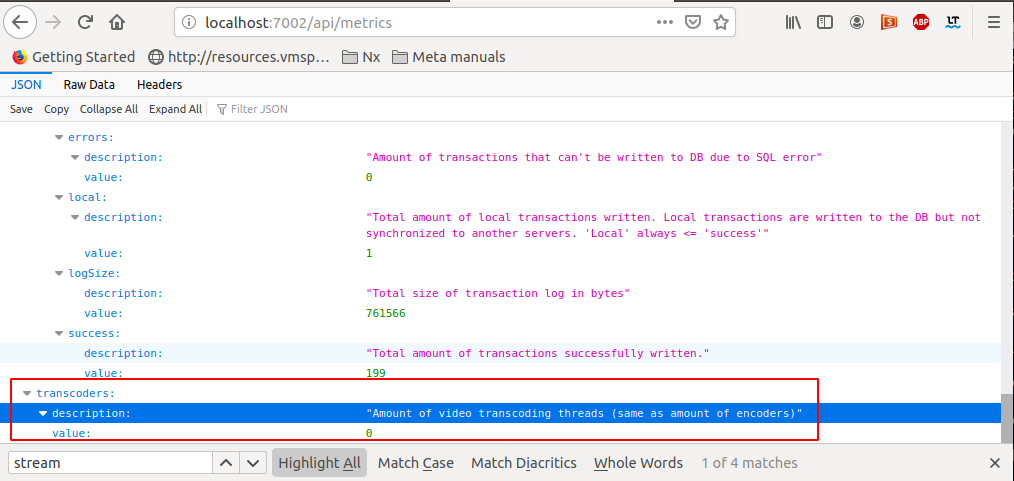
As you can see the value is zero at the moment the screenshot was taken.
The /api/metrics provides several more parameter (see a sceenthot)
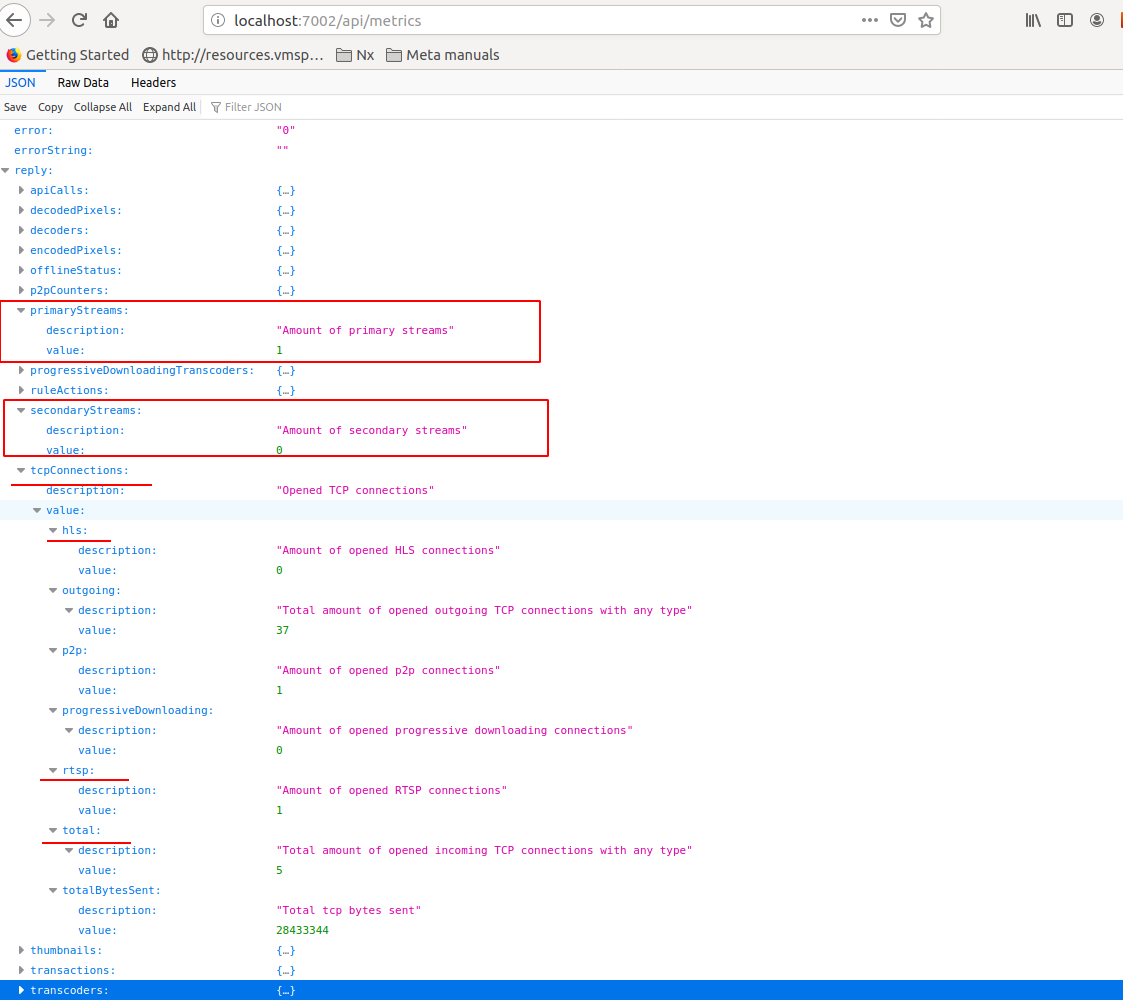
So, could you please specify what exact type of threads are interested in by this "My requirement is to close all active video thread at any point of time "t" " ?
0 -
Hi Andrey,
My responses are below:
> What specific types of connections are your meaning with that "x simultaneous video streaming" ?
Currently, I am working with only WEBM connection.
> So, could you please specify what exact type of threads are interested in by this "My requirement is to close all active video thread at any point of time "t"
Let me describe my scenario briefly:
Step1: Initially, I call the API "api/systemSettings" to get the "maxWebMTranscoders" value.
Step2: Just before making any Live(/media/{CameraId}.webm?pos=now) or Playback(/media/{CameraId}.webm?pos={startTimeEpochValue}) request, first, I call the API "api/metrics" to get the "transcoders" value.
Step3: Then I check the following condition:
If(MaxWebMTranscoders - transcoders) > 0
Go For Live/Playback Streaming
ELSE
No Free Video Thread Exist for StreamingSuddenly, few days back, my client told me that he always got a "No Free Video Thread Exist for Streaming" message from my application and I found "api/metrics" -> transcoder value was always set to the max transcoding session limit value(which is MaxWebMTranscoders) but nobody was watching the video. The reason of such incident, may be some sudden system malfunction. Then, my client restart their in-house DVR and everything returned back to normal state.
I am wondering if there is any REST API exist, by calling that API from my application, I can close any active video thread running at that time which in turn set the value of transcoder to 0.
Please let me know if I have misunderstood anything.
0
Please sign in to leave a comment.
Comments
4 comments