How do we make the server automatically confirm the camera status?
Answered
Dear Developer, We have some cameras that do not use the recording function. They will be offline for a while by using getStatusList function. How do we solve this problem?
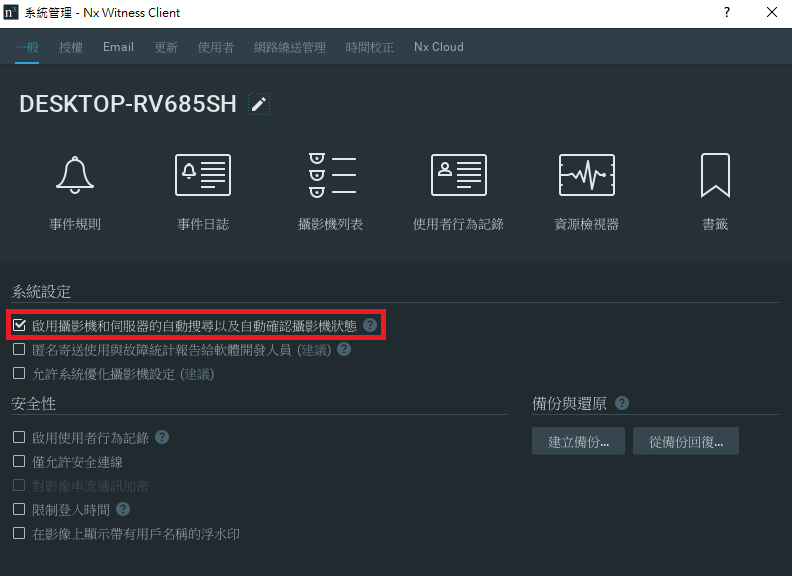
Now, we use the following option that let server ask these status of cameras. But this option will automatically add some camera which we do not want to put in server. Is there any other solution?
Thanks, I-Chia
-

Hi Chuang,
Since Nx try to minimize the transaction between server and devices, it will not send the status check to the cameras when your situation meet the following cases:
- Auto-discovery is disabled
- Camera was added manually
- The camera is not opened on the layout
- Camera recording is not enabledIn this situation, there's is not multicast request in the network and no HTTP request sent to the camera.
The status of cameras will be changed to offline on resource tree, although the camera might be still available.If you don't want to enable auto-discovery, there's another workaround for it --- Merge another server and enabled the fail-over feature. When there're several servers in the Nx system and fail-over is enabled, then Nx ill check the camera status and show its status accordingly. That means the camera status would be more accurate.
Please let me know if you have further question, thank you.
0 -
Hi Wendy, Thanks you for your prompt reply. We will try to use the method you provide, thanks.
0
Please sign in to leave a comment.
Comments
2 comments