Bosch IP 3000i Analytics intergration
Answered
Hi,
I want to set a bookmark couse by an analytic event from a Bosch ip3000i camera.
But it seems that it is not possible to select the analytic pull down menu.
I need a line crossing and left object for a new project.
Can someone help me with this issu in the Netherlands.
Kind regards
Vincent
-
Official comment

Hi Vincent,
There is not native integration for Bosch cameras, nor is it on the current roadmap.
As far as I know, most Bosch cameras offer the option of sending HTTP events as shown the Works with Nx article which you van find through the following link: https://my.networkoptix.com/#/integrations and search for 'Bosch'. -
Hi Norman,
That’s a very disappointing answer.
I also looked up the link you provided but I can't get it to work.
Can I contact the support for this Bosch item of NX?
Or do you know any installer or supplier who can help me with this issue?
Or do I really have to go back to my old VMS platform……..
Kind regards,
Vincent
0 -
Hi Vincent,
Where does it go wrong?
What URL do you use in the Bosch camera?
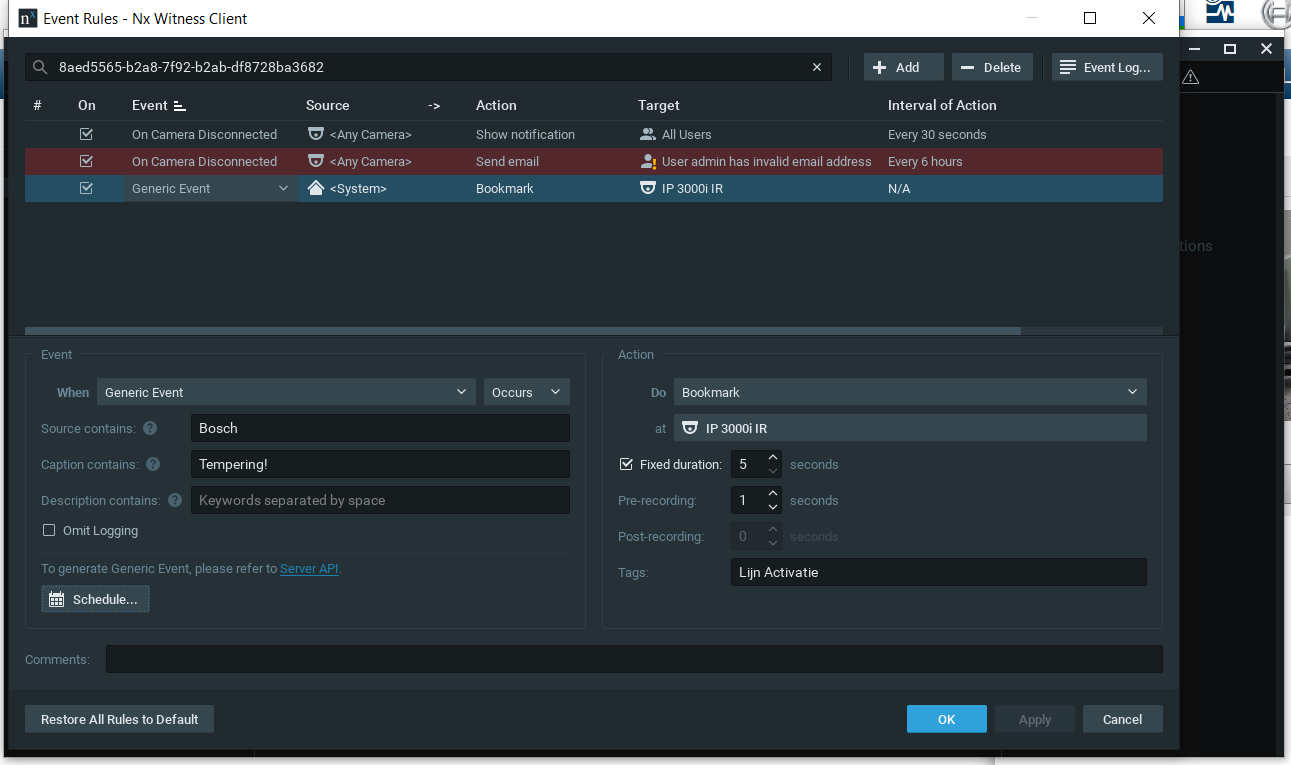
How did the rule look like in Nx?Perhaps it is easier to share a screenrecording of the steps you took to make it work.
0 -
Hi Norman,
It seems that nx does not get the http request right, becouse when i test the http request the camera is giving me a correct display.
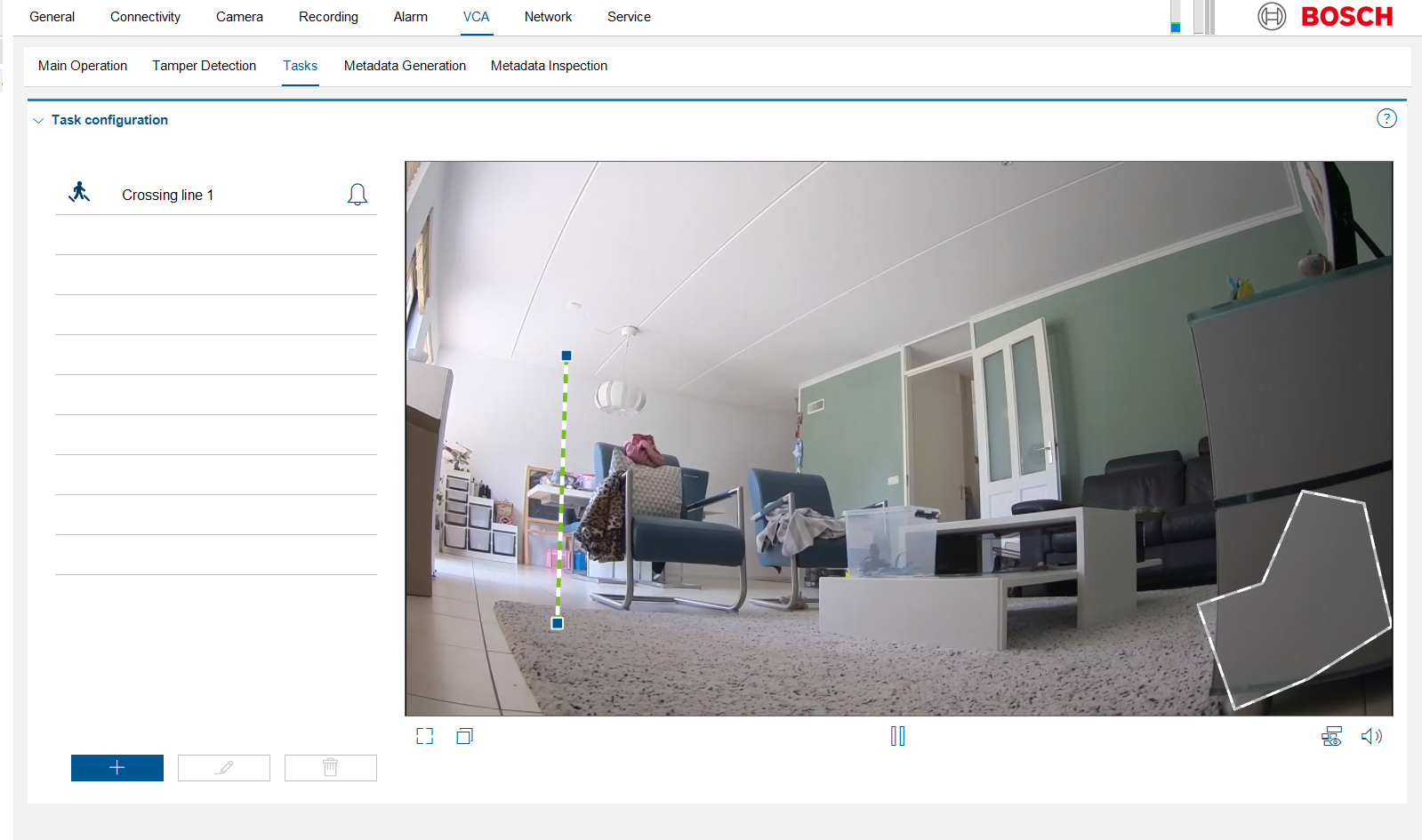
I also send some screen shots to see if there is something not right set.
The request i use is as fallow:
HttpCommand
tampering1:={Command("api/createEvent?source=Bosch&caption=Tempering!&description=Tempering1")IP("192.168.2.1")Port(7055)UserName(Service)Password("Welkom01!")};
if(VCARule(1,1)) then tampering1;Kind regards,
Vincent

 0
0 -
Hi Vincent,
I checked the Alarm Task Script Language document and on page 19 I see the following note:
Notice! Do not use any special characters, for example &, in the name.
Special characters are not supported by the system’s internal management.
Could you try the script you used, but then without the ! in the password?
With Wireshark, you can confirm if the camera sends the command to the server and the reply of the server (should be HTTP 200 OK).If this doesn't resolve the issue, can you forward the camera, so I can add it to my test environment and capture the communication between camera and server to check where it goes wrong?
I assume you still have my email address to share the login details?
0
Please sign in to leave a comment.
Comments
5 comments